Blog
Real-Time Agent Assist: A Practical Guide for Modern Teams
By
Nelson Uzenabor

A buyer asks a pricing question in live chat. Your agent knows the product, but the answer depends on contract terms, billing history, and a policy buried in an internal document. While the agent searches, the buyer waits, compares alternatives, and eventually closes the chat.
That gap is where real-time agent assist earns attention. The technology helps an agent find relevant context, policy guidance, and response options while the conversation is still happening. The business case isn't “AI sounds impressive.” It's whether your team can resolve the right inquiries faster, answer them more consistently, and improve customer experience without immediately adding headcount.
Table of Contents
When a Slow Answer Costs the Sale
A mid-market SaaS buyer opens a chat with a procurement-specific pricing question. Their finance team is waiting for an answer, and the buying window is open now. The support agent checks the pricing page, switches to an internal knowledge base, and sends a message to a product manager because the standard plan details don't cover the buyer's contract requirements.
Twenty seconds pass. The agent pastes a carefully written paragraph that almost answers the question, then starts editing it to avoid making a promise the company can't honor. The buyer replies, “Let me email you,” and leaves. Nothing dramatic happens in the dashboard. The conversation moves to next quarter, while the agent spends more time documenting an interaction that should have ended with a clear answer.
Slow answers create two problems at once. The customer experiences uncertainty, while the agent absorbs the cost through searching, tab switching, repeated explanations, and avoidable escalation. A useful overview of live chat's role in customer experience is available in this guide to the advantages of live chat.
The operational cost is larger than the chat
The same pattern appears in support. A customer asks whether a refund applies to an older order. One agent remembers the policy, another searches three systems, and a newer hire escalates immediately. The customer doesn't receive a consistent experience, and the business can't easily tell whether the delay came from agent skill, knowledge coverage, or a broken workflow.
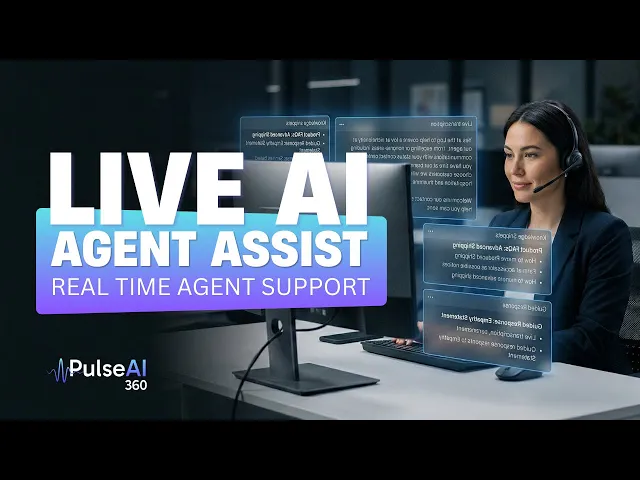
Real-time agent assist addresses this moment by observing the conversation, identifying the likely intent, retrieving relevant information, and presenting guidance in the agent's workspace. The agent still decides what to send or do. The assistant reduces the time spent finding the answer and gives the agent a stronger starting point.
Practical rule: Measure the time between a customer's question and a usable agent action, not just the time required to generate text.
The outcomes worth defending are straightforward: shorter handle time, fewer unnecessary escalations, more consistent answers, and higher CSAT. Those results won't appear automatically. They depend on response speed, knowledge quality, integration depth, and whether the system helps the agent without distracting them.
What Real-Time Agent Assist Actually Does
Real-time agent assist performs three connected jobs: listening, understanding, and suggesting. The names are simple, but the timing matters. The system must process a live interaction quickly enough to influence the current response, not the conversation that already ended.

Listening captures the active conversation
For chat, listening means reading the message stream as the customer and agent exchange text. For voice, it means processing the live transcript produced from the call. For an email workflow, it can mean analyzing the draft and the customer's message before the agent sends a response.
The assistant should work inside the agent's existing workspace whenever possible. If the agent has to copy the conversation into another tool, the system introduces friction and may expose sensitive information unnecessarily.
Understanding turns language into operational context
Suppose a returning customer writes, “I was charged after cancelling. Can I get that money back?” The system can classify the likely intent as a refund or billing dispute, identify entities such as the subscription and cancellation event, detect possible frustration, and search approved knowledge sources for the applicable policy.
This is more useful than matching a keyword such as “charged.” The same word can appear in a refund request, an invoice question, a fraud report, or a request to change a payment method. Context determines which answer is safe and useful.
A well-structured knowledge base gives retrieval systems clearer source material. Teams also benefit from documenting procedures in a form that people and AI can search, including AI-powered process documentation.
Suggesting gives the agent an actionable next move
The output might be a policy excerpt, a ranked article, a reply draft, a compliance reminder, or a CRM field surfaced beside the conversation. The agent reviews it, edits the wording when needed, and sends the final response.
A separate overview of conversational AI helps distinguish this workflow from a customer-facing chatbot. Real-time agent assist supports the human handling the interaction. It also differs from a post-call summarizer, which produces value after the conversation, and from agentic AI, which may take actions with a greater degree of autonomy.
The timing is central. Once transcription latency exceeds about 500 milliseconds, agent flow and the usefulness of live guidance can begin to degrade, as described in analysis of speech-to-text latency in contact center AI. A practical production benchmark is sub-700-millisecond end-to-end latency, and one deployed multilingual system reported a 95th-percentile budget of approximately 595 milliseconds, according to Parloa's latency analysis.
Suggestions, Drafts, and Context Enrichment
These capabilities are related, but they solve different problems. A team evaluating vendors should ask which part of the agent's work creates the delay, then select the smallest intervention that removes it.
Suggestions provide short, ranked snippets from policies, macros, help articles, or previous approved responses. They suit high-volume Tier 1 queues where agents understand the general topic but need fast confirmation. A billing agent may see the correct refund eligibility rule and a link to the relevant procedure, then write the answer in their own words.
Message drafts go further. The system composes a complete reply based on the customer's wording, account context, tone, and approved knowledge. Drafts can help new agents, multilingual teams, and sales representatives who need to balance accuracy with a natural voice. They also create a governance question: who approves the source content, and what happens when the model is uncertain?
Context enrichment may create the greatest practical relief because it removes repeated lookup work. The workspace can display subscription status, account tier, order history, prior tickets, authentication state, or sentiment without requiring the agent to open several applications. On voice calls, this matters especially because an agent can't comfortably read a long transcript while maintaining a natural conversation.
A practical comparison
Approach | Best Fit | Primary Benefit | Watch Out For |
|---|---|---|---|
Suggestions | High-volume L1 support | Fast policy and knowledge validation | Short snippets may not cover complex cases |
Message drafts | Complex B2B chat, sales, multilingual service | Reduces writing effort while preserving review | A fluent draft can still be inaccurate |
Context enrichment | Voice, billing, account, and order workflows | Cuts tab switching and repeated questions | Weak integrations produce incomplete context |
Mature deployments usually combine all three. A voice agent might receive account history and a short compliance prompt. A B2B support agent might receive enriched contract details plus a draft. A simple FAQ queue may need only ranked suggestions.
The right question isn't “Which AI feature should we buy?” It's “Where does this queue lose time, accuracy, or customer confidence?”
Test each approach against a specific intent. If agents already know how to answer a common password question, suggestions may be enough. If they spend several minutes assembling a response from account records and policy documents, enrichment and drafts deserve a closer look.
Benefits That Show Up on the Dashboard
Real-time assistance matters only when it changes an operational result. A shorter answer-generation time is useful, but the stronger case connects that improvement to a queue, an intent, and a customer outcome.
For a Tier 1 billing queue, suggestions can reduce the time agents spend searching for policy text. For returns, consistent drafts can help agents apply the same eligibility rules while still editing the response into a human voice. For new hires, context enrichment can make complex cases manageable before they have memorized every workflow.
Four dashboard categories
Speed appears in average handle time, time to first response, hold time, and after-contact work. If agents stop switching between the CRM, helpdesk, and policy library, the reduction should be visible in the relevant intent rather than averaged across every interaction.
Consistency appears in QA results, policy adherence, repeat contacts, and customer feedback. A draft that always includes the required eligibility condition can prevent one agent from promising a refund another agent must later reverse.
Ramp time shows up in the types of cases newer agents can handle without escalation. Assistance doesn't replace training, but it can put the right procedure beside the interaction while the agent builds experience.
Escalation hygiene separates necessary handoffs from avoidable ones. When a case must move to a senior agent, the receiving person should get the intent, relevant account fields, conversation summary, and reason for escalation instead of asking the customer to repeat everything.
Capability | Dashboard Metric | Typical Impact |
|---|---|---|
Knowledge suggestions | Handle time, first response time | Faster lookup and response formation |
Reply drafts | Reply time, QA adherence, CSAT | Less typing with more consistent policy language |
Context enrichment | Transfer rate, repeat questions, handle time | Fewer searches and fewer repeated identity or account questions |
Live escalation cues | Escalation rate, resolution time | Earlier intervention on complex or deteriorating cases |
Post-interaction capture | After-contact work, case completeness | Cleaner records and less manual documentation |
The lift varies by queue maturity and knowledge quality. A well-connected system can help a billing team immediately, while a poorly maintained policy library may merely produce faster access to conflicting answers.
Industry adoption has moved beyond isolated experiments. A 2025 survey cited by TELUS Digital reported that AI agent adoption among more than 3,000 customer service professionals rose from 39% to 66% year over year, with a projection that AI will resolve half of customer service cases by 2027, as reported in TELUS Digital's discussion of agentic AI. That direction makes measurement more important, not less.
Deploying Real-Time Agent Assist Without the Headaches
A pilot should make the assistant useful without making the operation dependent on untested automation. Start with a narrow queue, a limited set of intents, and clear rules for what the system can suggest, draft, or escalate.
Set the technical boundary first
Ask the vendor to document the full path from audio or message ingestion to the agent interface. Transcription, intent detection, retrieval, generation, and UI delivery all consume part of the latency budget. The system must respond quickly enough to feel invisible rather than forcing an agent to wait for a suggestion that arrives after the customer has changed topics.
The benchmark to discuss is sub-700-millisecond end-to-end latency. The deployed multilingual example cited by Parloa reported a 95th-percentile budget of approximately 595 milliseconds, with separate time allocated to ingestion, streaming ASR, classification, and delivery. Treat that as a reference point for vendor questions, not a guarantee for every channel or integration.
Prepare the operating system around the model
Before launch, establish:
Knowledge ownership: Assign people to review expired policies, duplicate articles, missing edge cases, and conflicting instructions.
Privacy controls: Define PII redaction, access permissions, retention rules, and the fields the assistant may display.
Escalation thresholds: Specify when low confidence, negative sentiment, regulated topics, or exception requests should move to a senior agent.
Agent control: Give agents a clear way to edit, ignore, or opt out of suggestions when raw context is more useful.
Shadow testing: Run the assistant without exposing its recommendations, then compare its intent labels and retrieved sources with expert judgments.
A practical pilot can use two queues with different complexity, such as billing and general product support. Instrument baseline handle time, CSAT, FCR, escalation rate, and QA results before turning suggestions live.
Establish a review calendar
Review incorrect suggestions weekly. Refresh knowledge content monthly or whenever policies change. Revisit routing rules, prompts, and model behavior on a scheduled governance cycle rather than waiting for a customer complaint.
The system should also leave an audit trail showing which suggestion appeared, which source supported it, what the agent edited, and whether the case escalated. That record lets operations leaders investigate failures without blaming the agent for a recommendation the system supplied.
Metrics That Prove Real-Time Agent Assist Is Working
ROI becomes credible when the team reports results by queue and intent, not as one blended number. A lower average handle time across the entire contact center may hide deterioration in a high-value sales queue or improvement limited to simple password cases.
Four measurement groups
Speed metrics include average handle time, time to first response, hold time, replies per case, and after-contact work. Segment them by intent. If refund cases improve while contract questions remain unchanged, that distinction tells you where retrieval or workflow design needs attention.
Quality metrics include CSAT, FCR, QA-scored policy adherence, repeat contact rate, and correction or rework rate. An accepted suggestion isn't proof of quality. If agents use many suggestions but customers still reopen cases, the system may be fast but wrong.
Efficiency metrics include escalation rate, containment rate where applicable, workload distribution, and time to proficiency for new agents. These metrics help separate a tool that removes effort from a tool that merely shifts effort to senior staff.
Revenue metrics matter on sales and retention queues. Track assisted conversion, quote completion, save rate, or qualified-lead progression only where the assistant participates in the workflow. Don't attribute a sale to AI merely because the conversation contained an AI-generated draft.
Category | Primary Metric | Watch Out For |
|---|---|---|
Speed | AHT and time to first response | Overall averages can hide intent-level differences |
Quality | CSAT, FCR, and sampled policy adherence | Faster responses can still contain incorrect guidance |
Efficiency | Escalation rate and ramp time | Lower escalation can mean under-routing if quality falls |
Adoption | Suggestion acceptance and edit rate | Acceptance is a tuning signal, not the business goal |
Revenue | Assisted conversion or retention save rate | Attribution requires a defined assisted workflow |
The Metrigy and Zoom summary provides useful context for ROI discussions. It reports that 64% of companies using agent assist saw a 28% reduction in average handle time, while 42% saw a 29% drop in agent attrition, as described in Zoom's summary of the Metrigy report. Treat those figures as reported benchmark findings, not promises for your operation.
Teams assessing broader experience dependencies may also find guidance on implementing DEM on public sites useful. Public-site friction can affect the conversations that later enter support, so operational measurement shouldn't stop at the agent desktop.
Real-Time Assist in Chatgrow's Support Flow
A SaaS billing conversation shows how the layers fit together. The customer writes that a subscription charge appeared after cancellation and asks for a refund. The first checkpoint is the intent label, which identifies the thread as a refund request rather than a general billing question.
The support workspace then displays relevant fields, such as subscription status, tenure, and prior tickets. Those fields give the agent context before they ask the customer to repeat information already available in the account record.

The five checkpoints in the interaction
Customer message: The buyer describes the charge and expected cancellation outcome.
Smart Intent detection: The system identifies the billing or refund intent and activates the relevant workflow.
Real-time assistance: The agent sees a suggested reply, supporting knowledge, and account context. The agent can edit the draft before sending it.
Smart escalation: If confidence drops, the request falls outside policy, or sentiment becomes strongly negative, the thread moves to a senior person with the existing context attached.
Resolution: The customer receives a consistent answer, and the case record preserves the intent, action, and escalation history.
Chatgrow can be configured around website content, FAQs, pricing, and product pages, with Smart Intent for identifying what a visitor or customer needs. Its smart escalation workflow can collect key details and pass a concise summary to a human team. In this flow, the important point isn't that the system writes a reply. The value comes from connecting intent detection, context, response guidance, and escalation without forcing the agent to reconstruct the case.
The final checkpoint is the audit trail. Operations should be able to see which intent was assigned, which context fields were used, what suggestion appeared, how the agent changed it, and why a handoff occurred. Without that record, the team can't distinguish a retrieval problem from a policy problem or a training gap.
Your Real-Time Agent Assist Checklist
Use the checklist below before approving a production rollout. It keeps the evaluation grounded in the conditions that determine whether live guidance helps or distracts.
Intake
Confirm latency: Ask for end-to-end measurements by channel and percentile, not only an average.
Map knowledge coverage: List the policies, product areas, account fields, and procedures the assistant must support.
Segment the channel mix: Treat chat, email, and voice as different operating environments with different timing and interface needs.
Choose narrow intents: Start with cases that have clear outcomes, such as refund eligibility, order status, or plan comparison.
Setup
Connect source systems: Link the CRM, helpdesk, knowledge base, and channel data that agents already use.
Define triggers: Specify which intents, phrases, account states, or sentiment changes should generate assistance.
Set guardrails: Establish approved sources, PII redaction, tone rules, confidence handling, and draft approval requirements.
Keep the human decision: Agents should be able to accept, edit, ignore, or escalate instead of treating every suggestion as an instruction.
Enablement and governance
Train agents with real conversations, including examples where the right action is to reject a fluent but unsupported draft. Assign an owner for knowledge changes, a reviewer for suggestion quality, and a manager responsible for escalation rules.
Record baseline AHT, CSAT, FCR, escalation rate, QA adherence, and ramp-time measures before launch. Schedule a 30-day review, but inspect incorrect suggestions and agent feedback every week so defects don't remain hidden until the formal review.
A two-week pilot on one queue is a practical next action. Define one success criterion tied to a specific intent, such as faster resolution without a decline in CSAT or policy adherence, and define a fallback plan that turns off live suggestions while preserving the underlying conversation and audit data.
Chatgrow provides configurable AI customer-service agents trained on website content, pricing, FAQs, and product pages, with real-time responses, Smart Intent, lead qualification, and smart escalation for human follow-up. Visit Chatgrow to evaluate how its support flow could fit a focused real-time agent assist pilot.
Related Posts
Continue Reading
More articles from the ChatGrow Team.


