Blog
What Is Conversational AI and How Does It Actually Work
By
Nelson Uzenabor

You're on a support page at 11pm, the office is closed, and you just want one clear answer before you give up and leave. A good conversational AI agent can turn that moment into a solved problem, not a dead end. It reads the question, keeps track of what you've already said, and responds in a way that feels like a real back-and-forth instead of a pasted FAQ.
If you've ever wondered what is conversational AI, the simplest answer is that it's software built to understand human language, remember the conversation, and take action through connected systems. That's different from a popup chat box that only matches keywords. It's also why the topic matters for SMBs, because the same system can support customers, qualify leads, and hand off tricky cases without forcing the user to start over.
A helpful way to think about it is as a conversation layer, not just a chatbot. The system listens, decides what the person wants, pulls in context, and then replies in plain language. If you want a quick primer on the mechanics before diving deeper, how conversational AI works is a solid companion read, and if you're still sorting out the language layer, this overview of natural language processing for chatbots helps make the terminology less slippery.
Table of Contents
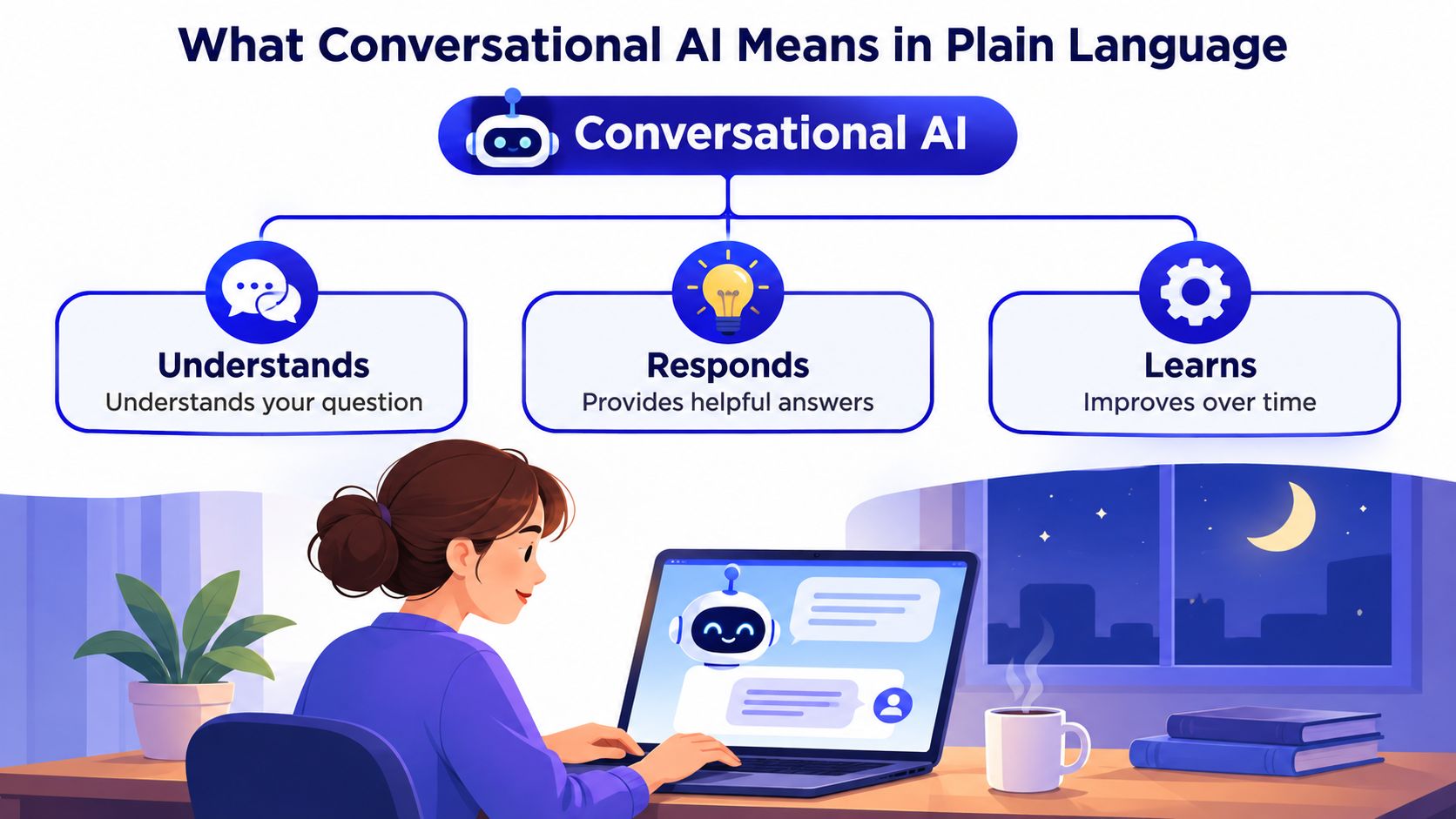
What Conversational AI Means in Plain Language
A customer starts in chat, changes the wording halfway through, and asks for an account update instead of the original question. A basic website chat widget often falls apart at that point. A conversational AI system keeps the thread together, recognizes the new intent, and continues the exchange without forcing the user to begin again. That is the difference. It does more than answer, it follows the conversation.
A front desk employee is a useful comparison. They do not need a separate script for every visitor, because they can spot what the person is trying to do, ask for the missing detail, and send the request to the right place. Conversational AI tries to reproduce that pattern in software, using language understanding, context, and connected actions instead of manual handoffs.
A simple mental model
A concise definition to remember is this, conversational AI understands intent, remembers context, and responds through connected actions. That is more precise than calling every chat feature a chatbot, because the category also includes systems that can qualify a lead, look up account details, or escalate to a human without dropping the thread.
Practical rule: if the system can only match a keyword to a canned reply, it is a chatbot. If it can handle a real exchange across multiple turns, it is conversational AI.
That distinction matters for founders because the product decision changes with the job to be done. A search bar waits for the user to know the right phrase. A voice assistant responds to spoken prompts. Conversational AI sits between those two, built for ongoing service interactions where the next reply depends on the last message.
The control-plane view matters here too. The system is not just “answering questions,” it is deciding where the message should go, what context should stay active, and whether the conversation should continue automatically or move to a person. For a closer look at the language layer behind that behavior, natural language processing for chatbots helps make the terminology less slippery.
If you are comparing vendors, start with behavior, not branding. Does the system understand the user's intent, remember what happened a moment ago, and use that information to take the next step? If you want a broader product framing, how conversational AI works ties the concept to everyday customer service instead of abstract AI talk.
How Conversational AI Actually Processes a Conversation
A good coffee shop doesn't shout the whole menu back at you. You order, the barista catches the drink, size, milk choice, and whether anything needs to be modified, then the ticket goes to the right place. Conversational AI does the same thing in stages, except the “barista” is a modular pipeline that decides what matters and what happens next.
From raw message to useful reply
A production system usually starts with input normalization, which cleans up the user's message so the rest of the pipeline can work on it consistently. Then NLU looks for intent classification and entity extraction, which means it figures out what the user wants and pulls out the details that matter. After that, dialogue management tracks state across turns, so the system knows what's already been asked or resolved. Finally, NLG generates the response the user sees. This multi-stage design is what makes conversational AI practical for support, lead qualification, and workflow automation rather than simple keyword chat. The pipeline view is laid out clearly in Netguru's technical guide on conversational AI.
The more modern production stack adds a control plane around the model. That usually means an LLM for reasoning and tool-call decisions, a context store for chat history and retrieved documents, a tool layer for API actions, and memory for personalization across sessions. Tencent Cloud's technical overview is useful here because it separates the model from the surrounding services and explains why that separation helps with latency budgeting, error isolation, and governance (Tencent Cloud's conversational AI architecture overview).
What an SMB actually controls
Most founders don't need to tune the model directly. They need to decide what the agent should know, what it should be allowed to do, and when a human should step in. That's why the platform design matters more than the buzzwords.
The question isn't whether the system can sound smart. The question is whether it can answer from your content, take the right action, and fail safely when it's unsure.
If you want a more technical vocabulary for the language layer itself, NLP and chatbots is the right place to look. The important point for business owners is that the message doesn't travel through a single magical model, it moves through a chain of decisions, and each stage gives you a different lever to pull.
A useful companion perspective is how LLMs work and when to use, especially if you're deciding whether the model should answer directly or hand off to a tool. That distinction becomes important when the request needs an account lookup, a booking change, or a return process instead of a general explanation.
Conversational AI vs Rule-Based Chatbots
A rule-based chatbot is like a phone tree. It can be useful when the path is simple and the user stays inside the script. The trouble starts when the customer adds a second request, changes topic, or uses the wrong wording.
Take three common messages. The first is a pricing question. A scripted bot can often handle that if the answer is prewritten. The second is a refund request that involves order status, policy, and next steps. The third is a frustrated user who starts with one issue and then pivots mid-sentence. That's where rule-based systems usually break, because they don't really understand the conversation, they only follow the tree.
The practical difference
Conversational AI handles more of the messy middle. It can retain context, ask for missing details, and recover when the user switches direction. That's the difference between a bot that acts like a lookup form and one that can guide a customer through a process.
Capability | Rule-Based Chatbot | Conversational AI |
|---|---|---|
Understanding | Matches keywords or menu choices | Interprets intent and context |
Multi-turn dialog | Limited | Designed for it |
Handling topic changes | Weak | Better at recovery |
Backend actions | Usually basic or manual | Can connect to tools and systems |
Escalation | Often clumsy | Can route to a human with context |
Best fit | Simple FAQs, narrow flows | Support, lead qualification, workflow help |
The simpler option still has a place. If your question set is tiny, stable, and mostly transactional, a scripted bot can be enough. Once the user journey involves nuance, interruption, or a handoff, conversational AI becomes worth the added complexity.
For founders, the upgrade decision is less about AI hype and more about failure modes. If a bad answer is merely annoying, a rule-based bot may be fine. If a bad answer costs a lead, frustrates a customer, or sends someone in circles, context-aware automation starts to pay for itself in experience, not just in speed.
Business Use Cases and Benefits for SMBs and SaaS
SMBs usually feel conversational AI pain in very specific places. The inbox fills up after hours. Pricing-page visitors ask the same three questions. Support agents spend time on repetitive requests. A multilingual store loses buyers who can't get help in their preferred language. The benefit isn't abstract efficiency, it's fewer dead ends in moments that already cost you money or trust.
Where it helps first
24/7 FAQ coverage is the obvious starting point. If your team doesn't staff nights or weekends, a conversational agent can answer common questions when humans are offline. That matters because the customer doesn't think in shifts, they think in moments.
Lead qualification on pricing and demo pages is the next high-value use case. The agent can ask a few focused questions, route hot leads to sales, and keep casual browsers from clogging the calendar. For a small team, that means fewer form fills and more useful conversations.
Multilingual support is often overlooked, but it's a strong fit for cross-border stores and public-facing brands. The research on underserved communities is important here, because academic work on conversational agents points out that service inclusion gets less attention than mainstream support use cases, while conversational AI can improve access to healthcare, education, and public services for marginalized groups across SDGs 3, 4, 10, and 11 (research on underserved communities and conversational AI). That reframes the tool as an access layer for people facing language, literacy, disability, or mobility barriers.
The SMB payoff
Post-sale onboarding can shorten the number of repetitive questions new users ask after signup, because the agent can point them to the right setup steps instead of making them search a help center. Internal triage works similarly for agencies handling multiple client sites, where the first question is often “which client, which issue, which path?”
Good conversational AI doesn't only reduce tickets. It removes the friction that stops a customer from finishing the next step.
The business benefit is usually a mix of time saved and conversations captured at the right moment. A founder doesn't need to chase a vanity metric to see the value. If the agent clears repetitive work from the support queue, helps sales avoid unqualified leads, and makes help available to users who'd otherwise bounce, the use case is doing work.
Trust, Transparency, and When to Hand Off to a Human
The hardest part of conversational AI isn't launch. It's knowing what happens when the system is wrong, confused, or too confident. Customers can also struggle to tell whether they're talking to a human or an AI, and that's a trust problem, not just a UX detail. Independent guidance recommends upfront disclosure and an easy transfer to a live agent with conversation context preserved (Zendesk guidance on customer trust and conversational AI).
Three safeguards every deployment needs
Disclose AI upfront. The user should know what they're interacting with. That's especially important when the system sounds polished enough to pass as a person.
Offer a human option. Don't trap people in a loop when they want an agent. The transfer needs to be easy, and it should carry over the details the customer already shared.
Know when to stop. High-stakes actions, emotional conversations, and low-confidence requests are natural handoff points. A support system should recognize those moments and route them out before the user gets frustrated.
A smart escalation doesn't dump a transcript onto a human. It gives the human a concise summary, the customer's goal, and the key context already gathered. That's what turns a handoff into continuity instead of a reset.
The most common mistake is treating AI like a set-and-forget feature. Real deployments need a feedback loop so teams can review mistakes, spot patterns, and retrain the agent when the content changes. If your product, policy, or pricing changes often, that review process matters even more because stale answers are worse than no answer.
When you evaluate a vendor, ask where the AI stops, what triggers a handoff, and whether the human sees the context right away. If those answers are vague, the system is probably optimized for demos, not operations.
Implementation Steps and Metrics That Prove It Works
A small team can get moving fast if it treats conversational AI like a rollout, not a research project. Start with the content you already trust. Then define the actions the agent is allowed to take, the moments where it should escalate, and the pages where the traffic is most likely to convert.
A week-one rollout
Train the agent on your website, pricing pages, FAQs, product pages, and any other source of truth you already use. The goal is not to make it clever, it's to make it accurate.
Define handoff rules for lead qualification and support escalation. Decide what counts as high intent, what counts as low confidence, and what must go to a human immediately.
Launch on high-intent pages first, such as pricing, demo request, and support entry points. That gives you fast signal from the places where the conversation matters most.
Iterate from real chats by reviewing conversation logs, tightening the answers, and adjusting routing rules when users keep getting stuck. For a deeper view of what to watch, chatbot analytics is the right lens because it focuses attention on performance, not just setup.
The metrics that matter
Look at resolution rate, user satisfaction, and escalation rate first. Add response time if you're comparing the new flow to your old support path. If you're using the agent for sales, track how many qualified leads it hands to the team, not just how many chats it handled.
If the bot keeps escalating simple questions, the knowledge base probably needs work. If users abandon the chat after the first reply, the answer may be too vague or the tone may be off. If humans keep rewriting the same summary, the handoff flow needs better context capture.
A useful rollout doesn't try to automate everything at once. It starts with the pages where users already show intent, then expands after the team sees what the conversations look like.
Evaluating Platforms and Choosing the Right Fit
A good buying checklist is short. Can the platform train on your real content quickly, can you see how it routes intents and escalates, can it connect to the channels you already use, and can you predict cost as usage grows? Those four questions tell you more than a polished demo ever will.
One option built for that SMB path is Chatgrow. It lets businesses create and train support agents on website content, pricing, FAQs, and product pages, then use Smart Intent, brand-voice responses, and smart escalation to hand off a concise summary when a human should take over. It also supports continuous retraining, which matters when your content changes often.
For pricing and rollout, the practical questions stay the same. You want predictable plans, a way to test before you commit, and enough control to start small, then expand. If a platform can't show you where the agent is strong, where it needs review, and how it fits into your existing workflow, it's not ready for a real support environment.
If you're ready to turn your website into a conversation channel instead of a static FAQ page, Chatgrow is built for that workflow. It helps you train an agent on your own content, route high-intent chats, and hand off context when a person needs to step in. Start there if you want to see what conversational AI looks like in a real SMB setup, not just in a demo.
Related Posts
Continue Reading
More articles from the ChatGrow Team.


