Blog
10 Best Practices for Knowledge Management in 2026
By
Nelson Uzenabor

A customer lands on your site with a simple pricing question. Your chatbot gives one answer, your support rep sends another, and your sales team follows up with a third. That confusion isn't a one-off mistake, it's what happens when knowledge lives in too many places and nobody owns the system that keeps it aligned. For SMBs, especially those using AI for support, knowledge management is no longer a back-office chore. It's the difference between instant, trustworthy answers and a support experience that steadily leaks revenue.
Strong best practices for knowledge management turn scattered content into a usable system that trains both people and AI. That matters because organizations can lose roughly 20% to 30% of revenue each year to inefficiencies like poor information sharing, duplicated work, and lost expertise, which is why centralized repositories and clear ownership matter so much in practice (Freshworks knowledge management best practices). If your company generates $10 million a year, that range implies $2 million to $3 million in avoidable value leakage, which is a blunt reminder that this is an operational discipline, not just documentation.
For teams building AI support with tools like Chatgrow's knowledge base foundation, the goal is simple. One source of truth should feed the website, the chatbot, your agents, and your escalation flow.
Table of Contents
2. Continuous Learning, Iterative Improvement, and Performance Measurement
5. Customer Feedback Integration and Voice of Customer Programs
1. Centralized Knowledge Base Documentation
A single repository solves more problems than most SMBs expect. When support articles, pricing notes, product specs, onboarding guides, and escalation rules sit in one governed system, your AI agent can answer from the same material your team uses, and your customers stop getting contradictory replies. That is the point of centralization, consistency first, speed second.
The historical shift matters here. Knowledge management moved from an informal management discipline into a formal global practice during the 1990s, when larger organizations began building centralized knowledge bases and communities of practice at scale (Kairntech knowledge management history). By the 2000s and 2010s, the model had matured into a standard set of practices, capture knowledge at the source, store it in a single governed repository, use taxonomy and version control, and measure performance through analytics. SMBs can borrow that discipline without enterprise bloat.
Practical rule: Start with the answers that cost you the most when they're wrong, pricing, refunds, plan differences, and setup steps.
For Chatgrow-style deployments, the cleanest setup is usually the least glamorous one. Put website copy, FAQs, product pages, and internal policy notes into one governed library, then make one person accountable for each content area. If your team uses multiple tools, pull them into a shared structure before training the agent, because AI is only as reliable as the material it can reach.
A workable launch sequence looks like this.
Capture the highest-volume questions first: Start with the questions customers ask every week, not the edge cases nobody repeats.
Use customer language in labels: If customers say “cancel subscription,” don't hide that behind internal jargon.
Add examples and decision paths: Short scenarios help humans and AI interpret complex policies correctly.
Set a review rhythm: Monthly or quarterly review cycles keep information from drifting.
Make updates easy to submit: Customer-facing teams should be able to flag fixes without filing a ticket maze.
2. Continuous Learning, Iterative Improvement, and Performance Measurement
A knowledge base that never changes becomes a liability. Support teams see this quickly, because the questions that hurt the most are the ones that keep coming back with the same broken answer. The better approach is a loop, review conversations, identify gaps, update the source, then measure whether the change helped.
Some modern guidance now focuses on outcome metrics instead of vanity counts, and that shift is overdue. One recent guide explicitly recommends measuring the impact of knowledge on business outcomes rather than just counting content, because article volume doesn't tell you whether the system is helping customers or reducing effort (InvGate knowledge management best practices). For SMBs, that means looking at resolution quality, escalation patterns, and whether knowledge reduces repeat work.
A simple operating rhythm works better than an elaborate dashboard nobody reads.
Track a small metric set weekly: Start with three to five indicators, not a kitchen sink of reports.
Review escalations for patterns: Repeated handoffs usually reveal missing or confusing knowledge.
Pull examples from real conversations: Agent transcripts expose the phrases customers use.
Use monthly review meetings: One short session with support and product often uncovers the highest-value fixes.
Test important changes before wide rollout: A/B testing helps you avoid “fixing” one problem while creating another.
If you're using continuous learning features in Chatgrow, the practical win is faster retraining after business changes, new offers, or policy updates. That matters in SMBs because your support team doesn't have time to re-explain the same update across every channel. Measure the change, adjust the article, then retrain the agent. That cadence keeps the knowledge system alive.
A knowledge base should improve after real customer conversations, not sit there waiting for a quarterly cleanup.
3. Intent-Based Knowledge Routing and Smart Categorization
Not every question should land in the same bucket. A customer asking about pricing, a prospect comparing plans, and a user trying to fix an error code all need different content, even if they type similar words. Intent-based routing keeps your knowledge system from becoming a giant pile of searchable noise.
The best models start with customer need, not internal department structure. That is why teams often organize around intents like pricing, troubleshooting, product comparison, cancellation, or onboarding. When intent is clear, your AI agent can choose the right knowledge set faster, and your human team gets cleaner escalations with less guesswork.
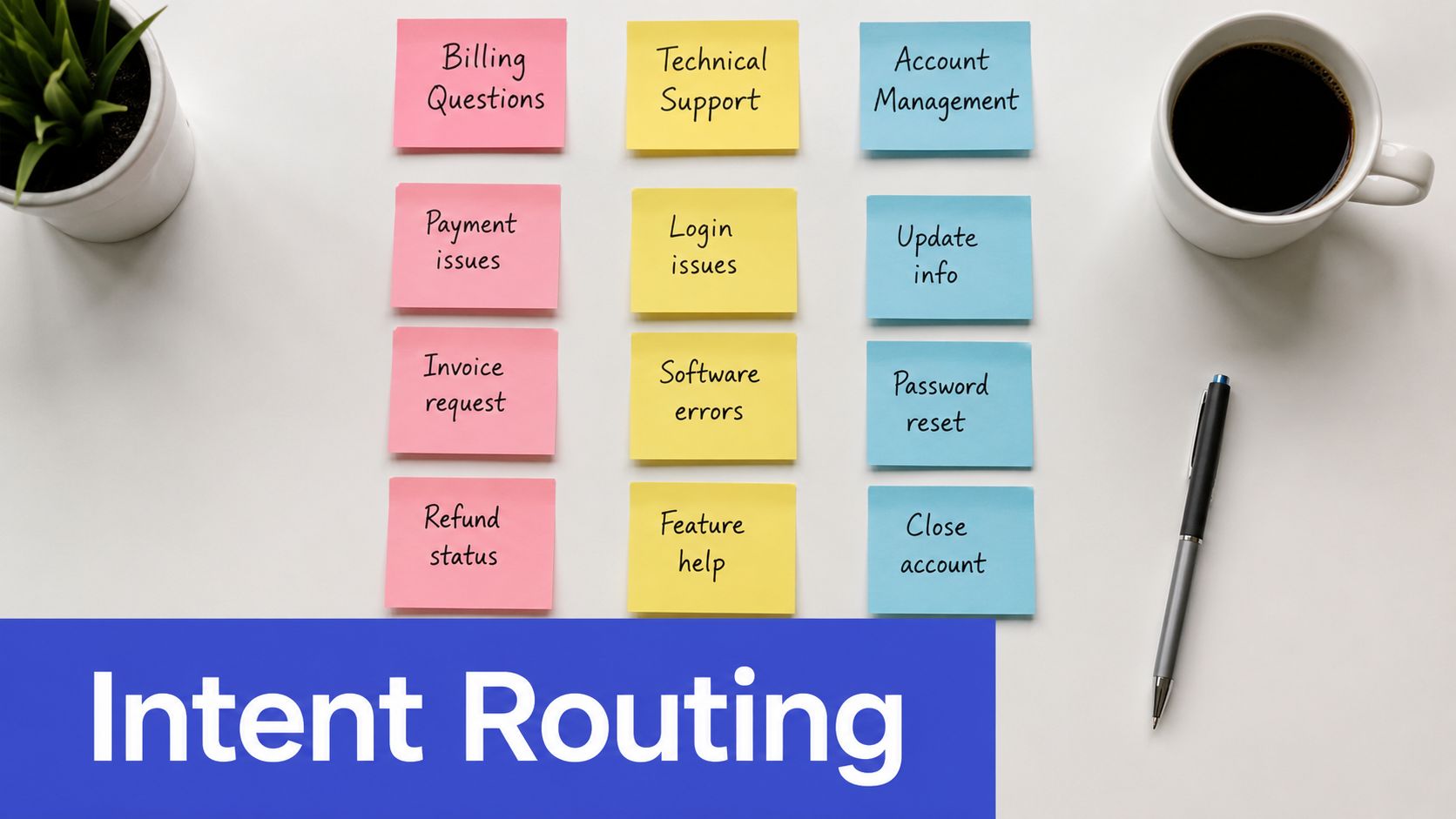
The best mistake to avoid is overbuilding taxonomy before you know what customers ask. Start with your top intents, then refine as patterns emerge. For SMBs, the payoff is immediate, because AI support tools can route a question into the right answer set instead of producing a generic response that sounds confident and misses the point.
A useful rollout pattern looks like this.
Define your top intent groups: Keep the first version small and obvious.
Tag historical conversations: Past chats are the fastest training data you already own.
Watch misclassifications closely: Every wrong route shows where the intent map is weak.
Include intent in escalation notes: Human agents need context, not just a transcript.
Refresh categories when questions change: New promos, features, or policies often create new intents.
If you're using smarter team knowledge strategies, routing and categorization usually pay off fastest. They reduce friction for both customers and agents, especially when support load is high.
4. Cross-Functional Knowledge Collaboration and Sharing
Support knows the questions. Sales knows the objections. Product knows why the feature works the way it does. Marketing knows the promise that brought the customer in. If those groups don't share knowledge, your customer sees the seams immediately.
Cross-functional collaboration matters because duplication creates contradictions. One team updates a help article, another team keeps sending an old one, and a third team builds a workaround nobody documented. The fix is not more meetings, it's a shared operating model with ownership, templates, and lightweight approval.
If your organization is small, keep governance simple enough that people use it. A short intake form, a named owner, and a visible change log can do more than a complex approval chain that delays updates for days. The best systems make contribution easy without making quality optional.
The fastest knowledge programs give every team a way to contribute, but only one place where the final answer lives.
For SMBs using AI support, collaboration needs to include the people closest to customer language. Support can surface recurring questions, sales can flag objections, and marketing can update promotional language before it confuses the bot. That shared flow keeps your agent aligned with live business changes instead of stale internal assumptions.
Assign owners by knowledge area: One person should own pricing, another onboarding, another troubleshooting.
Use consistent templates: Similar content should look and behave the same way.
Show revision history clearly: People trust content more when updates are visible.
Keep approval steps lean: Protect accuracy without slowing response to customer changes.
5. Customer Feedback Integration and Voice of Customer Programs
The best knowledge systems listen to customers as much as they store documents. Every escalation, survey response, and frustrated chat reply is a signal that something in the knowledge base is unclear, incomplete, or hard to find. If you ignore those signals, the same confusion keeps coming back.
Feedback should be easy to capture and hard to ignore. A one-click rating helps, but the better questions are specific, like what the customer was looking for or whether the answer solved the issue. That detail turns raw sentiment into content fixes, which is where real improvement happens.
A practical VoC loop starts with the frontline. Support sees the failed answers, sales hears the objections, and success teams hear what customers expected but didn't get. Those teams should not just report problems, they should help rewrite the knowledge source so the mistake doesn't repeat.
Using escalation summaries from tools like Chatgrow can make this easier, because the handoff includes the missing context a human needs to close the gap. That feedback should feed retraining, article edits, and priority decisions. If the same complaint appears repeatedly, it should move up the queue.
A strong VoC process usually includes these habits.
Collect feedback in the moment: Ask while the experience is still fresh.
Look for repeated themes: One complaint may be noise, repeated complaints are a pattern.
Close the loop internally: Teams need to see that feedback changed the article or workflow.
Prioritize high-friction issues first: Fix the knowledge gaps that affect the most customer interactions.
Share positive feedback too: Good answers show you where the system is already working.
6. Taxonomies and Ontologies for Knowledge Organization
A good taxonomy is less about library theory and more about whether a customer can find the right answer in time. If your categories don't match the words customers use, your search fails even when the content itself is solid. That's why the best taxonomies are built from actual search behavior and support language, not just internal terminology.
Semantic organization matters especially in AI-assisted environments. Experts increasingly recommend a universal taxonomy, semantic search, clear ownership, and review cycles for high-traffic articles so content stays current and findable (eGain knowledge management best practices). For SMBs, the value is plain, fewer dead-end searches and fewer stale answers.
Start with the simplest useful hierarchy. You do not need a massive ontology to get real benefit. You need enough structure that similar content lives together, synonyms are understood, and the system can distinguish between a billing question and a setup question without guessing.
A practical taxonomy build often looks like this.
Use customer search terms as input: People already tell you what labels should exist.
Create synonym maps: “Cancel,” “stop,” and “end subscription” should connect.
Mix broad and specific categories: The system needs both top-level paths and detailed subtopics.
Document taxonomy decisions: Future editors need to know why the structure exists.
Test against live queries: Search behavior should prove the taxonomy works.
When taxonomy is done well, AI agents can pull from the right content faster, and your human team spends less time hunting through folders. That saves more time than many expect.
7. Contextual and Personalized Knowledge Delivery
Not every visitor needs the same answer in the same format. A first-time buyer, an existing customer, and a returning lead are all asking from different places, even when the question looks identical. Contextual delivery makes the response fit the moment instead of forcing everyone through the same static article.
Personalization doesn't need to be invasive to be useful. Start with basics like name, company, product tier, browsing path, or source page. Then use that context to surface the most relevant answer first, with deeper detail available if the customer wants it.
This approach is especially helpful for SMBs because it reduces overwhelm. A short summary for the chatbot, a more detailed version for the help center, and a customized escalation note for the human agent can all come from the same knowledge source. That keeps the system consistent while still feeling personal.
If you use Chatgrow's omnichannel support flow, context can travel with the customer across touchpoints. That means a web chat, an email follow-up, and a later handoff to a human should all feel connected instead of reset from zero.
Personalization works best when it changes the order of information, not the truth of the information.
A sensible personalization model includes these moves.
Use customer context early: Show the most relevant answer before the generic one.
Segment by need, not vanity: Different customers often need different proof, not different promises.
Surface complementary content: Offer the next useful step, not a random upsell.
Keep human escalations informed: Agents should see what the customer already viewed.
Test changes carefully: Personalization should improve clarity, not create confusion.
8. Knowledge Automation and Smart Content Generation
Automation is useful when it reduces repetitive work without lowering quality. For SMBs, that usually means using AI to draft summaries, tag content, extract repeated questions from tickets, and help organize information faster than a manual team can. It should not mean publishing unreviewed answers and hoping they stay correct.
The safest pattern is human review first, then automation increases efficiency over time. Use AI to create first drafts from support conversations, then have a person validate the wording, policy, and tone. That keeps the content on-brand and reduces the chance of contradictory or stale responses.

Many teams get impatient. They want automation to replace governance, but that usually creates more cleanup later. A better approach is to start with low-risk tasks like summarization and tagging, then move toward content generation once review workflows are solid.
For teams interested in summary tooling for knowledge workflows, the useful question is not whether AI can generate content. It's whether your process can catch errors before customers do.
Automate repetitive knowledge tasks first: Start with tagging, summarizing, or extracting FAQs.
Review AI output before publishing: Quality control still belongs to people.
Use templates for consistency: Automation works better when structure is already defined.
Build approval workflows: Fast content is useful only if it stays trustworthy.
Monitor content quality: Bad automation can scale confusion very quickly.
9. Knowledge Retention and Institutional Memory Systems
Every business has knowledge that lives in people's heads until someone quits, changes roles, or gets too busy to explain it again. Retention systems protect against that loss by capturing the reasoning, not just the final answer. That is the difference between a file cabinet and real institutional memory.
The best retention systems document the why behind decisions. If you only write what was done, the next person may repeat the same debate six months later. If you capture the rationale, the exceptions, and the trade-offs, future teams can move faster and make better decisions.
This matters even more for SMBs, where one subject-matter expert often carries too much context. A practical knowledge retention process includes runbooks for recurring tasks, decision logs for important choices, and handoff notes when people change roles. Those artifacts help support teams, product teams, and AI systems stay aligned when the original expert is unavailable.
A strong memory system usually includes these habits.
Document decision rationale: Record why a choice was made, not just the outcome.
Create transfer rituals: Mentoring, shadowing, and walkthroughs preserve tacit knowledge.
Maintain a searchable decision log: Future teams need a place to look first.
Write runbooks for critical processes: If it's business-critical, it should be repeatable.
Audit gaps regularly: Missing knowledge is easier to fix before a person leaves.
If your process depends on one person to remember everything, you don't have a process yet.
10. Omnichannel Knowledge Integration and Synchronization
Customers don't care which channel you use internally. They care that the answer stays the same when they move from chat to email to phone. Omnichannel knowledge integration makes that possible by keeping one source of truth behind multiple customer touchpoints.
This is not just a convenience issue. When channel context is lost, customers repeat themselves, agents waste time, and AI tools answer in isolation. The result is friction that feels small in the moment but adds up across every handoff. A connected system prevents that.
Start with your highest-volume channels first, then expand. For many SMBs, that means web chat and help center content before email and social. Once those two are synchronized, add the handoff flow so customer context travels with the case instead of disappearing between systems.
If you're building with Chatgrow's omnichannel customer service approach, train once and deploy everywhere should be the goal. The same knowledge source can power the bot, support summaries, and human follow-up without each channel drifting into its own version of the truth.
A practical integration plan usually includes these steps.
Connect the top channels first: Don't try to unify everything at once.
Preserve customer context: Prior interactions should follow the case.
Adjust content format by channel: SMS needs brevity, web can support depth.
Test handoffs regularly: A broken transition is where trust erodes fastest.
Use channel data to guide priorities: The weakest channel often shows the biggest content gap.
10-Point Knowledge Management Best Practices Comparison
Item | Implementation Complexity 🔄 | Resource Requirements ⚡ | Expected Outcomes 📊 | Ideal Use Cases 💡 | Key Advantages ⭐ | Key Limitations |
|---|---|---|---|---|---|---|
Centralized Knowledge Base Documentation | Medium–High: significant upfront consolidation | Moderate: documentation tools, maintainers, storage | Consistent answers; faster onboarding; reduced response time | SMB support, AI training, multi-channel FAQs | Single source of truth; easy global updates; consistent AI training | Ongoing maintenance; can grow unwieldy without governance |
Continuous Learning, Iterative Improvement, and Performance Measurement | High: ongoing analytics, retraining cycles | High: analytics platforms, analysts, time | Continuous accuracy gains; measurable ROI; reduced escalations | High-interaction environments; product evolution; ROI-focused teams | Data-driven improvements; identifies blind spots; compounds gains | Time-consuming; sophisticated tools; attribution challenges |
Intent-Based Knowledge Routing and Smart Categorization | High: intent mapping & NLU integration | High: NLP models, labeled data, engineers | Faster resolution; improved FCR; better handoffs | E‑commerce, lead qualification, complex support routing | Precise routing; personalized responses; faster resolution | Ambiguous intents; needs continual retraining; edge cases |
Cross-Functional Knowledge Collaboration and Sharing | Medium: governance and workflows across teams | Moderate: collaboration tools, role management | Reduced silos; consistent cross-team information | Organizations with sales/support/product/marketing overlap | Breaks silos; improves onboarding; shared innovation | Change management required; slower approvals; governance needed |
Customer Feedback Integration and Voice of Customer (VoC) Programs | Medium: feedback workflows and integrations | Moderate: survey tools, analytics, reviewers | Captures real needs; improves CSAT; informs prioritization | Product improvement, CX optimization, support ops | Real customer insights; closes feedback loop; prioritizes fixes | Processing volume; bias risk; needs follow-up actions |
Taxonomies and Ontologies for Knowledge Organization | High: semantic design and mapping | High: taxonomy expertise, tooling, metadata work | Improved search/discovery; consistent terminology; advanced analytics | Large catalogs, multi-product platforms, regulated domains | Better search accuracy; semantic relationships; scalable KBs | Time-consuming to build; requires expertise; can stale |
Contextual and Personalized Knowledge Delivery | High: data integration and personalization logic | High: user data, privacy controls, testing resources | Higher engagement and conversions; fewer irrelevant replies | E‑commerce, SaaS onboarding, targeted upsell flows | Relevant, timely responses; improved conversion & CX | Privacy/regulatory risk; intrusive if misapplied; complex |
Knowledge Automation and Smart Content Generation | Medium: AI pipelines + review workflows | Moderate: models, templates, human reviewers | Rapid content scale; reduced manual effort; faster updates | High-volume FAQs, content scaling, rapid KB seeding | Scales creation; consistent formats; saves time | Quality inconsistencies; risk of propagating errors; needs review |
Knowledge Retention and Institutional Memory Systems | Medium: structured capture processes | Moderate: interviews, documentation, archiving tools | Preserves institutional knowledge; faster onboarding | High-turnover orgs, regulated sectors, long-term projects | Prevents knowledge loss; maintains decision rationale | Tacit knowledge hard to document; discipline required |
Omnichannel Knowledge Integration and Synchronization | High: cross-platform integrations and sync logic | High: engineering, integration platforms, security | Consistent CX across channels; unified context and data | Businesses supporting web, email, chat, social channels | Seamless cross-channel experiences; unified insights | Expensive; technical complexity; data privacy concerns |
Build Your Knowledge Management Flywheel
Effective knowledge management is not a one-time cleanup project. It's a working loop, capture what customers ask, organize the answer, publish it in one governed place, measure whether it helped, then refine it again. That loop is what turns scattered support content into a system that gets better with every conversation.
For SMBs using AI support, the flywheel matters even more because the knowledge base is no longer just for humans reading articles. It is training data for your agent, a quality control layer for your support team, and a conversion tool for high-intent visitors. If the content is incomplete, the agent reflects that instantly. If the content is current and well-governed, the whole customer experience improves.
The strongest programs follow a simple pattern. They centralize the answer, keep ownership clear, use customer language in taxonomy, listen to feedback, and measure whether knowledge reduces friction. They also know what not to do. They don't spread content across multiple stale repositories, they don't let AI publish unchecked answers, and they don't confuse content volume with actual usefulness.
The best sign that your system is working is practical, not flashy. Customers get consistent answers. Agents spend less time hunting. Escalations become cleaner. Sales and support stop contradicting each other. That's what a real knowledge flywheel looks like.
If you're building AI support for your SMB, Chatgrow can help you turn your website, FAQs, pricing pages, and product content into a trained support agent that answers consistently and escalates with context when needed. Visit Chatgrow to see how a governed knowledge base can power faster support, cleaner lead qualification, and better customer conversations.
Related Posts
Continue Reading
More articles from the ChatGrow Team.


