
Blog
Omnichannel Customer Service: A Complete SMB Guide for 2026
By
Nelson Uzenabor
A customer starts on live chat with a simple billing question. Your bot answers part of it, then hands off to email. Email asks for the order number again. Later, the customer calls because they still need help, and your agent has no idea a chat or email thread ever happened. From your side, each team member did their job. From the customer's side, your business just made a basic task feel like work.
That's the gap omnichannel customer service is supposed to close. Not “be everywhere.” Not “open more channels.” Continuity is the goal. A customer should be able to move between chat, email, phone, social, and self-service without losing context.
For growing businesses, that sounds expensive. It's one reason many owners assume omnichannel is an enterprise project with consultants, custom integrations, and a long software rollout. But that assumption is exactly where modern AI tools have changed the picture. They've made context transfer, routing, summarization, and handoff much more practical for smaller teams that need better service without adding a large operations layer.
Table of Contents
Your Customer Is Frustrated and You Might Not Even Know Why
Most service problems don't start with rude agents or slow response times. They start with broken context.
A customer asks a question on Instagram, follows up through your website chat, and then emails support because they need a receipt or return update. Your team sees three separate tickets. The customer sees one problem that keeps getting reset. That mismatch is where frustration builds.
The issue usually looks smaller from inside the business
Small teams often think, “We already support customers on multiple channels, so we're covered.” But offering multiple ways to contact you isn't the same as connecting them.
What the customer remembers is repetition. They remember typing the same explanation twice, then saying it again on the phone. They remember that your left hand didn't know what your right hand already collected.
Practical rule: If a customer has to restate the problem after switching channels, you don't have omnichannel customer service. You have channel sprawl.
This is especially common in smaller companies because the tooling often grows in pieces. A help desk gets added after launch. A chatbot comes later. Social DMs sit with marketing. Phone support stays with operations. None of that is unusual. It just creates silos fast.
Data from Global Response's overview of omnichannel customer service shows 68% of SMBs still rely on siloed channels where agents lack full conversation history, which is exactly why affordable plug-in AI tools matter so much for smaller teams.
Customers feel the friction before owners do
Owners usually see the symptoms first, not the cause:
Support feels busy all the time because agents spend time reconstructing history
Escalations feel messy because every handoff drops context
Satisfaction slips because customers put in too much effort
Training gets harder because agents learn workarounds instead of a clean workflow
If that sounds familiar, the fix isn't opening another support channel. It's connecting the ones you already have. Teams that want a simple place to start can look at practical guidance on improving customer satisfaction, but the central lesson is straightforward: customers don't judge your org chart. They judge whether the conversation continues smoothly.
The Core Difference Omnichannel vs Multichannel
A lot of teams say “omnichannel” when they really mean “we answer messages in more than one place.” That's multichannel. Useful, but limited.
The distinction matters because the customer experience is completely different.
Many doors versus one connected hallway
Multichannel customer service means you offer several contact options. Maybe email, chat, phone, WhatsApp, and social DMs. Each channel works, but each one tends to keep its own history, ownership rules, and response logic.
Think of it as a house with many front doors, except every door opens into a separate room. Once the customer walks through a different door, they have to start over.
Omnichannel customer service means all of those channels connect to one shared customer record and one continuous conversation history. The customer can begin on chat, continue by email, and finish on phone without losing the thread.
That's a house where every door leads into the same hallway.

Omnichannel vs. Multichannel at a Glance
Attribute | Multichannel Customer Service | Omnichannel Customer Service |
|---|---|---|
Customer experience | Customers can reach you in many places | Customers can move between channels without losing context |
Conversation history | Stored separately by channel | Unified across channels |
Agent workflow | Agents check multiple systems | Agents work from a shared record |
Handoffs | Often manual and incomplete | More structured and context-rich |
Personalization | Limited to what each channel captures | Informed by prior interactions across touchpoints |
Reporting | Channel-by-channel | Customer journey and cross-channel performance |
Common customer complaint | “I already explained this” | Fewer resets during follow-up |
Why many SMBs get stuck in the middle
A lot of growing businesses live in a hybrid state. They've added channels because customers expect convenience, but they haven't connected the back end. So they pay the complexity cost without getting the continuity benefit.
That's why “more channels” can make service worse if the systems don't talk to each other.
Multichannel increases access. Omnichannel reduces effort.
That single difference changes staffing, training, escalation, and retention. It also changes how customers describe your business. In a multichannel setup, they say you're available. In an omnichannel setup, they say you're easy to deal with.
Key Benefits and Why It Matters for Your Business
The business case for omnichannel customer service gets stronger when you stop treating it as a support project and start treating it as a retention system.
Disconnected service creates friction at exactly the moment a customer needs confidence. Connected service does the opposite. It lowers effort, preserves context, and makes your business feel more competent.
Retention is the business case
The strongest argument isn't abstract. It's retention.
According to Uniform Market's omnichannel shopping statistics, companies with strong omnichannel customer service strategies retain an average of 89% of their customers, while those with weaker strategies retain only about 33%.
That gap is massive for any SMB. A growing store, SaaS company, travel brand, or agency doesn't need a lecture on loyalty to understand what that means. If customers can get help without repeating themselves, they're more likely to stay. If every issue turns into a scavenger hunt across inboxes and systems, they're easier to lose.

Satisfaction improves when context follows the customer
The same pattern shows up in service quality. Helpware's review of omnichannel customer support reports that companies that successfully implement an omnichannel customer service strategy achieve 23 times higher customer satisfaction rates than competitors that limit interactions to a single channel.
That sounds dramatic until you look at how customers actually behave. They don't care which internal system owns the conversation. They care whether your business remembers them.
A few benefits tend to show up quickly once teams connect channels:
Less repetition for customers because previous conversations travel with them
Faster agent ramp-up because staff can see the full issue before replying
Cleaner escalations because AI summaries and interaction history reduce backtracking
Stronger loyalty signals because convenience feels intentional, not accidental
For owners, the practical takeaway is simple. Omnichannel customer service isn't about adding polish. It changes the economics of support by reducing wasted effort on both sides.
The return doesn't come from being present on every channel. It comes from making every channel part of the same conversation.
The Technology That Powers a Seamless Experience
Good omnichannel customer service is less about the interface customers see and more about the architecture behind it.
A business can have a polished chat widget, fast email templates, and a capable phone team and still deliver a fragmented experience. The difference is whether all those touchpoints read from and write to the same customer record.
Start with the data layer
The foundation is the data layer. That's the system that resolves identity across touchpoints and keeps a unified customer profile current in real time.

RethinkCX's analysis of omnichannel customer service makes this point clearly: the four pillars of omnichannel success, consistency, context, convenience, and personalization, all depend on a single data layer that resolves customer identity across touchpoints in real time.
Without that layer, every channel becomes its own memory.
Here's the practical stack most SMBs should think about:
Customer data source: website activity, forms, FAQs, prior support history, and account details
System of record: your CRM, help desk, ecommerce platform, or a combination of them
Conversation layer: chat, email, social messaging, phone support, and self-service
Automation layer: routing, summaries, suggested replies, handoff logic, and tagging
AI is the practical connector for SMBs
Years ago, connecting all of this often meant expensive custom work. That's what made omnichannel feel like a large-enterprise initiative.
Now AI changes the implementation path. Instead of building everything from scratch, teams can use AI to:
Summarize past interactions so agents don't need to read a full thread manually
Route requests intelligently based on intent, urgency, or account type
Preserve context during handoff by passing along a concise issue summary
Answer common questions consistently using connected knowledge sources
Collect missing details upfront before the issue reaches a human
SMBs need to be pragmatic. Don't buy five disconnected tools because each one solves a narrow problem. Choose systems that can share context.
A useful perspective on this shift appears in AI strategies for growth leaders, which looks at how AI can support customer experience without forcing businesses into heavyweight enterprise complexity.
If your current systems don't pass customer context cleanly, your next investment should focus on integration and data flow, not cosmetic channel expansion. Teams working through that challenge often benefit from practical guidance on customer data integration, because that's usually where omnichannel success is won or lost.
Essential KPIs to Measure Omnichannel Success
If you measure each support channel on its own, you can miss the customer experience.
An email team can hit its response target while customers still feel frustrated. Chat can look efficient while handoffs create extra work later. Phone support can close calls quickly while unresolved issues bounce back into the queue.
Stop measuring channels in isolation
RingCentral's omnichannel customer service guide says success should be measured across all channels in a unified way, using Net Promoter Score (NPS), Customer Satisfaction Score (CSAT), First Contact Resolution (FCR), and Customer Effort Score (CES).
That's the right starting point because these metrics focus on outcomes, not just activity.
A practical KPI mix usually looks like this:
CSAT measures whether the customer felt the interaction solved the problem well
FCR shows whether the issue was resolved without repeat contact or channel switching
CES reveals how hard the customer had to work to get help
NPS helps you spot whether service quality is helping or hurting loyalty
If your dashboard rewards speed but ignores effort, agents can look productive while customers still leave annoyed.
What to track when AI is involved
Once AI enters the workflow, teams need a second layer of measurement; unfortunately, many businesses become lax in this area.
A useful benchmark from Talkdesk's omnichannel customer service analysis is that while 74% of companies claim to use AI in omnichannel strategies, only 12% have established clear KPIs for intent resolution versus handoff rate.
For SMBs, that means two things matter immediately:
Intent resolution rate
How often the AI fully handles the request without creating follow-up work.Human handoff rate
How often the AI correctly escalates instead of forcing the customer into a dead end.
Add a few operational checks around those:
Summary quality for escalations, so agents receive useful context
Repeat contact after automation, which often exposes weak answers or poor routing
Knowledge gaps, where the AI frequently fails because source content is outdated
If you need a model for building a more useful scorecard, this breakdown of customer service KPIs is a good practical reference.
A Practical 5-Step Implementation Plan for SMBs
Most SMBs don't need a grand omnichannel transformation. They need a cleaner operating model that they can implement without breaking the support team.
That starts small, with the channels customers already use most.
Step 1 and 2 audit first then pick a hub
Step 1 is to audit your current journey.
Don't start with software demos. Start with evidence. Read recent support tickets, chat logs, call notes, and social messages. Look for repeated failure points: customers restating details, agents asking for information the business already has, and handoffs that restart the conversation.
A simple audit should answer:
Which channels customers use
Where context gets lost
Which questions repeat most often
Which interactions need a human every time
Which requests could be handled through automation plus escalation
Step 2 is to choose one operational hub.
This can be a help desk, CRM, or support platform, but one system needs to become the place where conversation history is visible and actions can be taken. If your team keeps switching tabs to reconstruct what happened, you don't have a hub yet.
Step 3 and 4 connect data and define handoffs
Step 3 is to connect the data sources that matter most.
For most SMBs, that means your website content, FAQs, product or service pages, order details, and prior support interactions. The goal isn't perfect integration on day one. The goal is enough connected context for the next response to be informed.
Some businesses overbuild at this stage. They try to unify every system before they launch anything. That usually slows the project down.
Start with the data your team needs to answer the majority of recurring questions accurately.
Step 4 is to train the workflow, not just the tool.
AI can answer, route, summarize, and escalate. Your team still needs clear rules for when a human takes over and what happens next.
That means defining:
Escalation triggers such as billing disputes, cancellations, or complex account issues
Required handoff details so the human sees the customer's goal, history, and missing information
Ownership rules so no one wonders which team should reply
Tone standards so AI and human replies don't feel like two different companies
Here's a helpful product walkthrough to make the workflow more concrete:
Step 5 launch small and tighten the loop
Step 5 is to launch on a narrow slice, then improve fast.
Don't roll omnichannel customer service across every channel at once. Start with the places where customers ask the same questions repeatedly and where your team feels the most pressure.
A smart first rollout often includes website chat plus email, or chat plus your support inbox. Once summaries, routing, and handoffs are working there, then add another channel.
Keep the early review cycle tight:
Check failed conversations weekly
Look for repeated escalation reasons
Update knowledge sources when answers drift
Review whether AI is collecting enough context before handoff
Ask agents what they still have to reconstruct manually
That sequence is manageable for a small team because it improves the service operation you already have instead of replacing it all at once.
Best Practices and Common Pitfalls to Avoid
The businesses that get omnichannel customer service right usually stay disciplined. They don't chase every channel. They make a few connected channels work well first.
Best practices that hold up in the real world
Start with your highest-value channels. Fix the places where customers already expect fast, continuous help.
Protect the data layer. If customer records are messy, duplicate, or incomplete, the experience will stay fragmented.
Train humans and AI together. The handoff matters as much as the automated answer.
Use one service standard across channels. Customers shouldn't get polished chat support and chaotic email support from the same brand.
Pitfalls that cause most of the damage
Buying tools before defining workflow. Software won't fix unclear ownership.
Automating without escalation logic. Customers tolerate bots. They don't tolerate dead ends.
Letting each team keep its own notes. Private context is lost context.
Measuring volume instead of resolution. Busy dashboards can hide a poor experience.
Good omnichannel service feels simple to the customer because the business did the hard coordination behind the scenes.
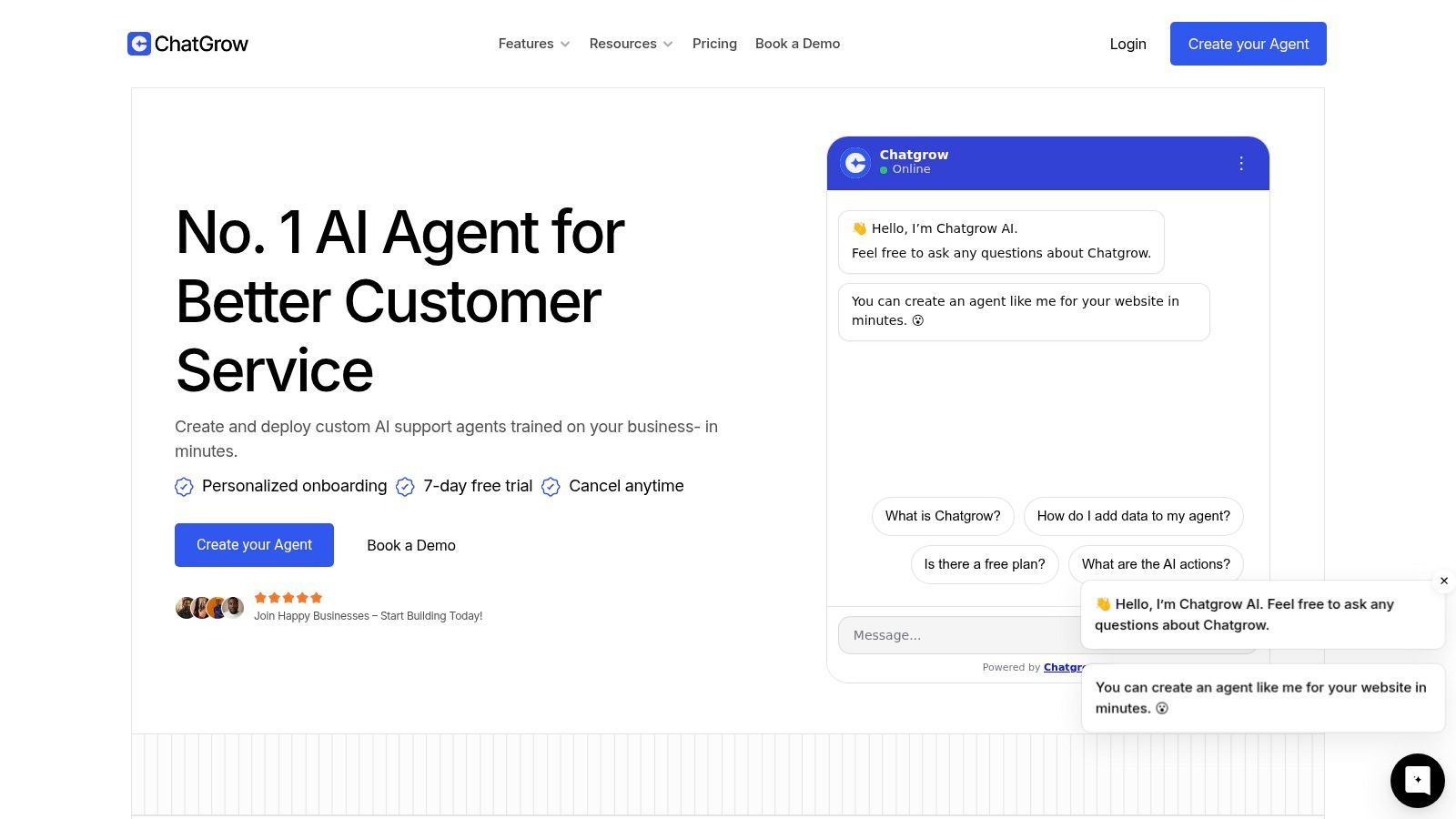
If your team wants to unify support without taking on a heavyweight enterprise build, Chatgrow gives you a practical starting point. You can train custom AI agents on your website, FAQs, pricing, and product pages, handle common questions instantly, and escalate to humans with useful summaries when a conversation needs a person. For SMBs that want omnichannel customer service to be achievable, not theoretical, it's a straightforward way to start connecting the experience.
Related Posts
Continue Reading
More articles from the ChatGrow Team.


