Blog
Helpdesk Software CRM: Unifying Support and Sales Data
By
Nelson Uzenabor

Most advice about helpdesk software and CRM starts with a tidy division of labor. The helpdesk handles tickets, the CRM manages leads and accounts, and an integration connects them when needed. That advice is convenient, but it's often wrong for businesses where a support conversation can influence renewal risk, expansion, or a new sale.
The better question is when support and sales data should be unified. If an unresolved technical issue can derail a renewal call, sales needs that context before speaking with the customer. If a customer asks about a higher plan during a support interaction, the revenue team needs a reliable handoff rather than a note buried in an inbox.
CRM has already become a major enterprise software category. Gartner's CRM buyer insights puts CRM at 31.8% of the enterprise application software market and projects end-user CRM spending to grow through 2027 at a constant-currency CAGR of 15.1%. Independent research values the global CRM market at USD 73.40 billion in 2024 and projects USD 163.16 billion by 2030, with 14.6% annual growth from 2025 to 2030 (market analysis).
That matters because modern service operations increasingly sit inside a wider customer relationship stack. A standalone ticketing tool can still be the right choice, but only when support is mostly high-volume, low-complexity work with limited revenue impact. For SaaS, ecommerce, and account-based businesses, a CRM-native service model often deserves serious consideration.
Table of Contents
Rethinking the Helpdesk and CRM Divide
The traditional distinction is useful only up to a point. A CRM should remain the system of record for leads, deals, contacts, and accounts. A helpdesk should own tickets, service queues, SLAs, and case resolution. Those responsibilities are different, but the customer doesn't experience them as separate systems.
A buyer doesn't care whether a renewal risk started as a ticket or whether an upsell signal appeared in a chat. They care whether your company remembers the context and acts on it. When support and sales operate from disconnected records, each team sees only part of the customer relationship.
CRM adoption in customer service is already established. Forrester's CRM adoption research reports that 70% of surveyed organizations had adopted CRM for customer service, compared with 64% for B2B marketing automation and sales force automation and 62% for field service. Adoption was also high in specific industries, including 71% of manufacturers and 75% of business services firms.
The revenue test
Don't unify data because a software vendor calls integration “seamless.” Unify it when the data changes a commercial decision.
Use these questions:
Renewals: Can unresolved cases affect whether an account renews?
Expansion: Do support conversations reveal demand for additional products, seats, or services?
Account health: Does ticket volume, severity, or sentiment influence customer success activity?
Handoffs: Does sales need service context before a deal, renewal, or expansion conversation?
Ownership: Can your team clearly define which system owns each record and field?
If the answer is yes to several of these questions, a disconnected helpdesk creates operational risk. A separate tool may still handle ticket operations better, but it must synchronize meaningful customer and revenue events, not just copy contact details.
The historical shift from contact management toward mobile and SaaS CRM also explains why the boundary keeps moving. AgileCRM's CRM chronology notes that Siebel launched a mobile CRM in 1999 and Salesforce.com introduced a SaaS CRM in the same year. Those developments helped establish CRM as an operating layer rather than a static address book.
Practical rule: Choose the architecture that preserves the customer context needed for the next commercial decision, not the architecture with the longest feature list.
Integration Benefits and Unified Workflows
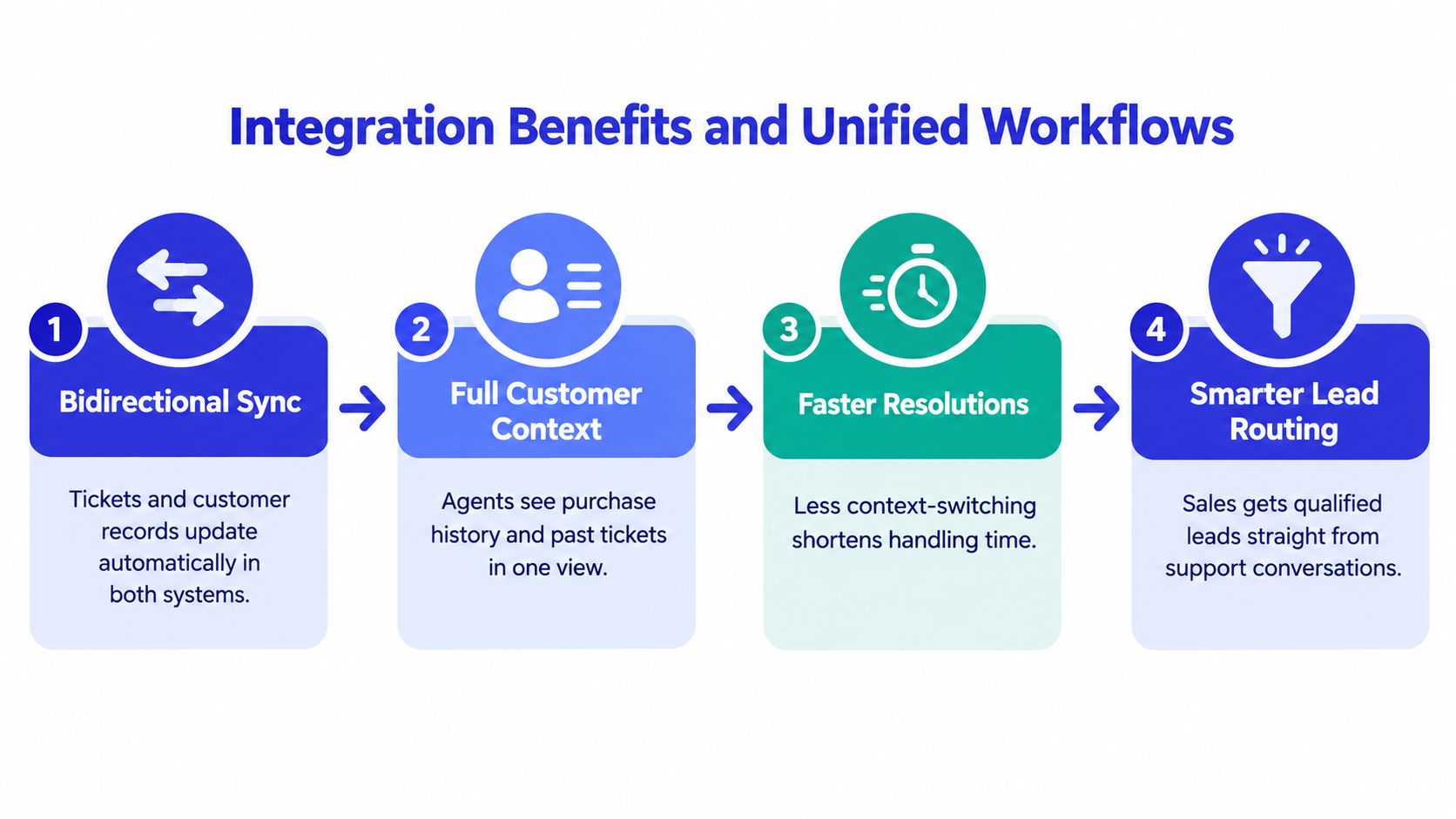
A shallow integration creates duplicate records and gives teams a false sense of alignment. A useful integration is bidirectional. Helpdesk events update the CRM, and CRM events trigger actions in the helpdesk.
That distinction matters. If the CRM knows a customer has an open critical case but the helpdesk doesn't know the account is in a renewal stage, neither team has enough context to prioritize correctly.
Four workflows worth building
1. Support risk updates account health. A severe ticket can update an account's health status, notify customer success, and create a follow-up task. The support agent shouldn't have to manually explain the risk to three departments.
2. Sales sees service context before renewal. Before a renewal conversation, the account owner should see open cases, recent escalations, unresolved product issues, and relevant service history. This prevents a rep from promising expansion while the customer is still waiting for a basic fix.
3. CRM events change helpdesk treatment. A high-value account, active renewal, or strategic opportunity can alter routing, priority, or escalation rules. The helpdesk can direct that case to a senior agent without relying on a manual tag.
4. Support uncovers buying intent. A customer asking about limits, integrations, pricing, or a larger plan may be ready for a commercial conversation. The helpdesk should capture the intent, preserve the transcript, and create a qualified handoff with enough context for sales to act.
These workflows depend on more than a connector. You need custom field mapping, clear ownership rules, deduplication logic, and event-driven automation. A ticket status should map to a defined CRM state. A CRM lifecycle event should trigger a specific helpdesk action. Avoid vague “sync everything” projects because they create noisy records and make accountability difficult.
Pipeline On CRM features offers useful context for evaluating the CRM capabilities that support these connected workflows. For a deeper treatment of the operational side, see this guide to customer data integration.
What technical maturity looks like
A 2026 comparison scored HubSpot Service Hub and Salesforce Service Cloud highest for CRM depth at 5.0, with Zendesk and Intercom close behind at 4.5 (helpdesk CRM integration comparison). The scores are less important than the underlying capabilities they represent: bidirectional synchronization, field mapping, and automation that works in both directions.
A useful implementation should answer three questions for every important event:
What happened? A ticket escalated, a deal entered renewal, or a customer asked about pricing.
Where is the authoritative record? The CRM, helpdesk, commerce system, or product database.
What should happen next? Route, notify, update health, create a task, or escalate to a human.
If the integration can't answer those questions consistently, it isn't supporting revenue operations. It's just moving data between screens.
Must-Have Features and Evaluation Criteria
The right choice isn't “all-in-one versus best-of-breed” in the abstract. It depends on your service complexity, revenue model, reporting needs, and tolerance for administration.
For most SMBs, a unified suite is sensible when the team needs one customer record and has limited technical capacity. A paired stack makes more sense when the helpdesk requires deep queue management, omnichannel controls, or specialized workflows that a CRM-native module can't deliver efficiently.
Start by assigning ownership. The CRM owns leads, opportunities, accounts, contacts, and commercial history. The helpdesk owns tickets, queues, SLAs, case status, and resolution workflows. Integration should connect those domains without allowing both systems to become competing sources of truth.
Decision matrix
Criteria | Unified Suite, CRM-Native | Paired Stack, Specialized |
|---|---|---|
Customer record | One shared record across sales and service | Requires identity matching and synchronization |
Ticket operations | Often strong enough for straightforward support | Usually deeper for complex queues and service teams |
Revenue context | Available natively | Available only if integration is well designed |
Administration | Lower integration overhead | Higher ownership, monitoring, and maintenance burden |
Reporting | Easier cross-functional dashboards | More flexible when each tool has specialized reporting |
Customization | Centralized, but may constrain service-specific design | Greater freedom, with more implementation complexity |
Best fit | SMBs, SaaS teams, and account-led businesses | High-volume or complex support operations |
Main risk | Paying for unused suite capabilities | Fragmented data and broken handoffs |
Features that should decide the purchase
Bidirectional sync comes first. One-way contact import isn't enough if support events affect renewal or sales decisions.
Field mapping must be explicit. Map account ID, lifecycle stage, owner, plan, priority, ticket status, and escalation state. Don't allow every custom field to flow into every system.
Automation needs real conditions. “Create a task when a ticket closes” is less valuable than “notify the account owner when a renewal-stage account has an unresolved high-priority case.”
Channel coverage should match customer behavior. Email-heavy B2B support may need a different setup from an in-app SaaS model or an ecommerce operation that handles order questions and returns.
Reporting must connect service to commercial outcomes. Look for dashboards that can combine ticket activity with account, opportunity, and lifecycle data.
A useful external comparison can help teams narrow the service layer before assessing CRM connectivity. DataLunix's comparison of service desk solutions for 2026 is a practical reference point, but don't let a generic ranking make the decision for you. Your architecture should follow the customer journey and the team's operating model.
Implementation and Migration Strategy
Most integration projects fail because the team tries to solve every data problem at once. The safer approach is a 60 to 90-day single-system rollout that stabilizes the core record model before you add broader automation and historical migration (SMB CRM and helpdesk guidance).
Start with one business slice, not the entire company. Choose a team, a customer segment, or a specific workflow such as renewal-risk support. Prove that records match, ownership is clear, and alerts reach the right person before expanding.
A controlled rollout
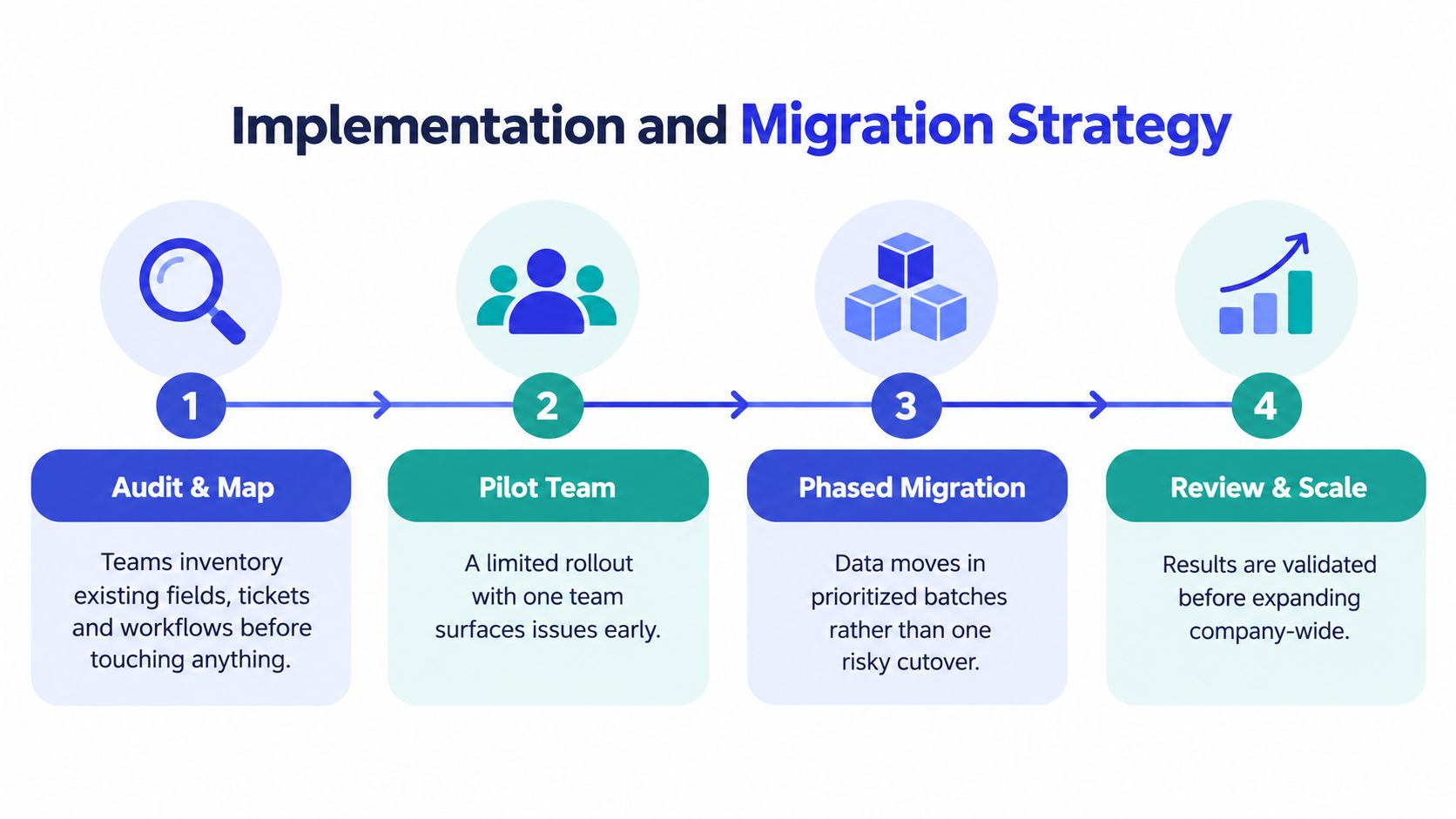
Audit and map first. Inventory current contacts, accounts, tickets, fields, queues, automations, and reporting dependencies. Mark duplicates and decide which system owns each object before anyone imports data.
Pilot with a limited team. Select people who understand both the customer workflow and the data problems. A pilot exposes broken assumptions without disrupting every support and sales user.
Migrate a prioritized slice. Move active accounts, open cases, current owners, and the historical records needed for immediate context. Don't drag every old ticket into the new system before you know whether the fields and relationships work.
Review before scaling. Check matching accuracy, routing, notifications, permissions, reporting, and agent behavior. Expand only after the pilot produces trustworthy records and predictable workflows.
Governance that prevents drift
Create a written data contract. It should define the unique customer identifier, required fields, ownership rules, update direction, and conflict resolution. If both platforms can edit the same field, specify which update wins.
Knowledge governance matters even more when AI participates in support. Assign an owner for pricing, product information, FAQs, and policy content. When those sources change, the team needs a review process that confirms what the agent can answer and when a human must take over.
Don't measure migration success by the number of records imported. Measure whether agents can find the right context, sales can trust account status, and customers stop repeating themselves.
Measuring Success with KPIs and Reporting
An integrated stack doesn't create value merely because more fields appear in a dashboard. Leadership needs to connect service activity with customer outcomes and commercial action.
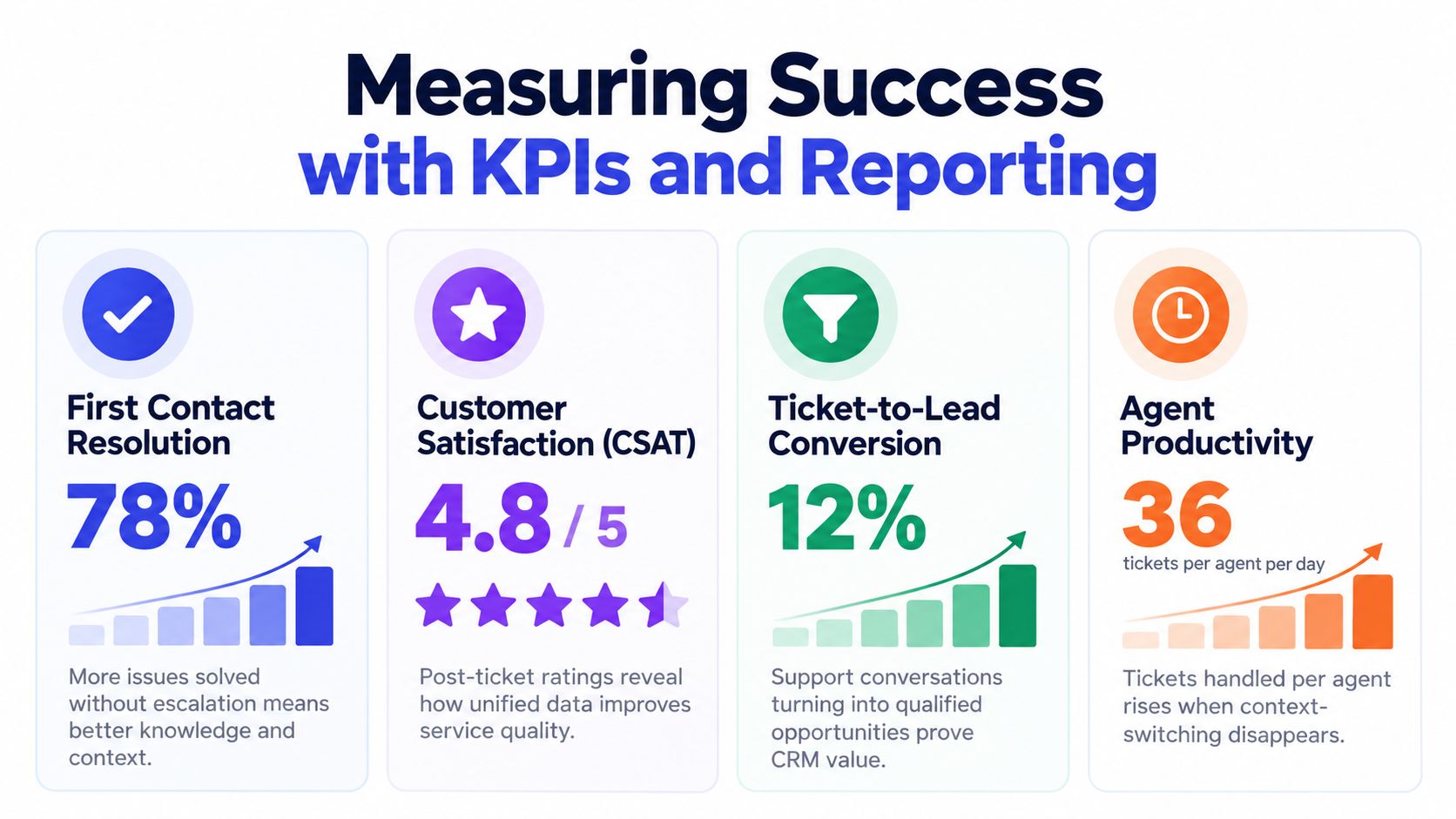
Start with operational measures, then connect them to account-level behavior. First contact resolution, escalation volume, backlog quality, and customer satisfaction tell you whether the service workflow works. Ticket-to-lead conversion, renewal-risk interventions, expansion opportunities, and account health tell you whether the unified data matters to revenue.
Build one reporting chain
A support manager may ask whether agents resolve issues efficiently. A sales director may ask whether service conversations produce qualified opportunities. Those are different questions, but unified records allow the company to trace the path from interaction to outcome.
Use a reporting chain such as:
Interaction: What did the customer ask, and through which channel?
Service action: Was the issue answered, escalated, or resolved?
Account effect: Did health, lifecycle stage, or renewal risk change?
Commercial result: Did the conversation influence retention, expansion, or a new opportunity?
This structure prevents vanity reporting. A high ticket closure count means little if agents close cases without resolving the underlying issue. A high lead count means little if sales receives vague handoffs that never become useful conversations.
Metrics that expose real performance
First Contact Resolution reveals whether the team has enough context and knowledge to solve issues without unnecessary escalation.
Customer Satisfaction shows how customers experienced the interaction, but read it alongside ticket type and account value. A strong average can hide a serious problem in an important segment.
Ticket-to-lead conversion tests whether support is identifying and routing genuine buying intent. Define qualification rules before you count the metric.
Agent productivity should reflect useful work, not rushed handling. Track how much time agents spend searching for context, repeating questions, or correcting bad automation.
For a practical dashboard structure, use this guide to customer service reporting. AI needs its own quality layer too. Track answer accuracy, escalation appropriateness, knowledge freshness, and whether humans receive enough context to act quickly.
AI-Driven Support and Lead Qualification with Chatgrow
AI support doesn't solve the helpdesk CRM problem by itself. It solves the messy middle between a customer's question and the team's next action.
A visitor may ask about pricing, compare plans, report a product problem, or request an integration. A useful AI agent should identify the intent, answer from approved business content, and recognize when the conversation deserves human attention. It shouldn't treat every interaction as a generic ticket or force a customer through a rigid decision tree.
Chatgrow lets businesses create, train, and deploy custom support agents using website pages, pricing, FAQs, product information, and other knowledge sources. Its Smart Intent capability is designed to interpret the user's purpose and respond in the brand voice. Smart escalation collects relevant details and sends a concise summary to the human team when the issue needs follow-up.
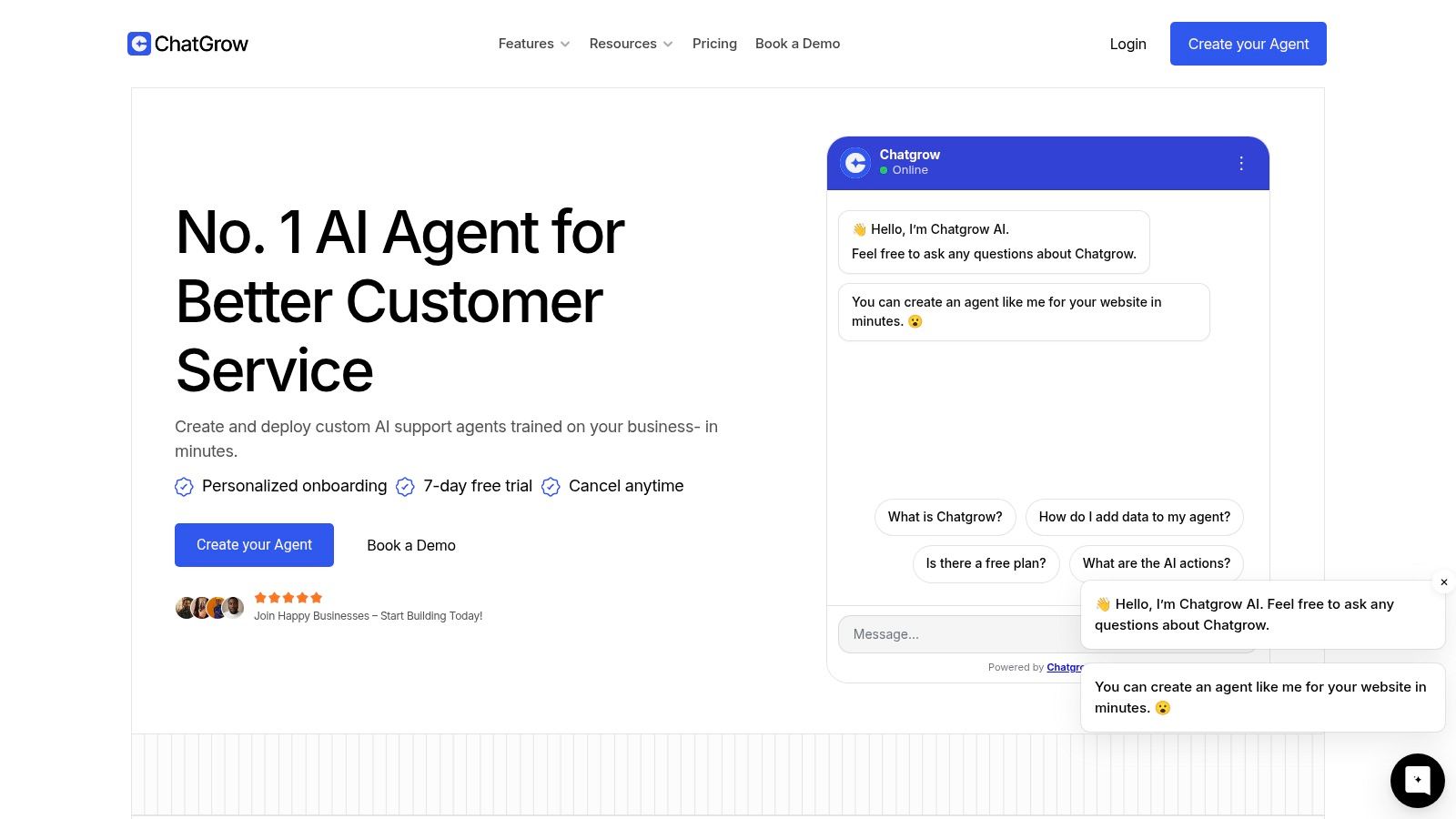
A practical conversation pattern
Consider a SaaS visitor reading a plan page. They ask whether a feature is available, then explain that their team needs a larger deployment. The agent can answer the product question from the approved knowledge base, ask the qualification questions the company has defined, and pass the conversation to sales with the relevant context.
A support interaction can follow a different path. A customer asks about a known workflow, receives an answer grounded in the business content, and continues without creating unnecessary human workload. If the question involves account-specific action or uncertainty, the agent should escalate rather than guess.
The essential controls are scope, escalation, and freshness:
Scope: Define which pages and knowledge sources the agent can use.
Escalation: Set clear conditions for human involvement, including uncertainty and commercial intent.
Freshness: Review the source content when pricing, policies, or product details change.
Voice: Test answers against the tone customers expect across support and sales channels.
Chatgrow connects to existing channels and knowledge sources, supports reporting, and can scale from one agent to multiple agents. Its published plans start at $39 per month and include message credits, storage, and team access, with a 7-day free trial and personalized onboarding, as described by Chatgrow. Those commercial details may change, so verify them before purchase.
For teams evaluating the wider architecture, a chatbot integration with CRM should be judged by the quality of the handoff, not only by whether the bot can answer FAQs. The CRM needs intent, identity, conversation context, and a clear next action. Without those elements, automation creates activity without creating usable pipeline.
Industry evidence supports treating AI as an operating capability rather than a novelty. Intercom's helpdesk software coverage reports that 80% of companies worldwide use AI to improve customer experience and that 85% of customer service leaders were expected to explore or pilot conversational GenAI in 2025. Adoption doesn't remove the need for governance. Teams still need to decide which interactions AI can resolve, which require escalation, and how to prove that the answers are reliable.
Practical Use Cases and Troubleshooting
Ecommerce teams should connect order status, returns, refunds, and customer history to the service workflow. When a customer asks about a return and then shows interest in a replacement or premium product, the business can preserve both the service context and the commercial signal.
SaaS teams need a different pattern. Technical bugs, feature requests, plan limits, and implementation questions should connect to the account record without turning every support ticket into a sales opportunity. Sales needs visibility into unresolved issues, while product and customer success need structured feedback rather than scattered transcripts.
When the integration breaks, troubleshoot in this order:
Duplicate records: Confirm the matching key and stop creating contacts from every inbound email address.
Missing updates: Check whether the event is firing, whether the field is mapped, and whether permissions block the write.
Broken triggers: Test the exact status, lifecycle stage, or priority value used by the automation.
Conflicting fields: Assign one system as the owner and define what happens when both tools edit the record.
Bad AI answers: Review the underlying source content, narrow the agent's scope, and escalate uncertain requests.
The strategic conclusion is simple. Helpdesk software CRM architecture is a revenue decision, not an IT cleanup exercise. Unify support and sales data when service interactions affect retention, expansion, or account health. Keep a specialized helpdesk separate when ticket speed and service depth matter more than cross-functional context, then integrate only the events that change business action.
Chatgrow helps SMB and SaaS teams deploy AI agents trained on their website, pricing, FAQs, and product content to answer support questions, qualify leads, and escalate conversations with useful summaries. Visit Chatgrow to explore the platform, review the current plans, and start a free trial.
Related Posts
Continue Reading
More articles from the ChatGrow Team.