
Blog
AI Chatbot for Ecommerce: Boost Sales & Cut Costs 2026
By
Nelson Uzenabor
Shoppers who interact with AI during the buying process convert at much higher rates than the average site visitor. Research cited earlier by Anchor Group associates AI-assisted shopping with roughly 4x higher conversion rates, about 12.3% versus 3.1%, and purchases completed 47% faster.
For an ecommerce operator, that matters because a chatbot can affect both revenue and support cost in the same workflow. It can answer product questions, reduce hesitation at checkout, and absorb repetitive service tickets that would otherwise sit in a queue. The upside is real, but the results depend on setup. A bot connected to weak data or left without clear escalation rules usually creates more friction than value.
That is why the useful question is not whether to add an AI chatbot. The useful question is how to deploy one across its full lifecycle: choose the right use cases, connect the right systems, train it on clean information, decide when a human should step in, and measure whether it is improving conversion, average order value, resolution time, or support deflection. Strong performance starts with clean customer data integration across your store systems, not just better prompts.
This guide focuses on that full operating model, not a feature list.
Table of Contents
Why Your Ecommerce Store Needs an AI Chatbot Now
A large share of ecommerce revenue is won or lost in small moments. A shopper has a sizing question, wants to confirm delivery timing, or hesitates on returns right before checkout. If nobody answers fast, the session often ends there.
That is why an AI chatbot for ecommerce is no longer a nice add-on. It is part of the operating model for stores that want to convert more traffic without scaling support headcount at the same rate.
The business case is straightforward. A well-implemented bot can recover buying intent, reduce repetitive service volume, and keep assistance available outside support hours. But the return depends on setup. If the bot has access to live product, policy, and order data, it can resolve real customer needs. If it is trained like a dressed-up FAQ, it creates friction with better wording.
It supports revenue and service operations together
The strongest ecommerce chatbot programs are not built only to deflect tickets. They are built around the full customer journey.
A useful bot should help a visitor choose between products, answer shipping and fit questions, explain promotions, and handle routine post-purchase requests in the same conversation layer. That matters operationally because pre-sale and post-sale questions often pull from the same source systems, and handling them in one place gives the customer a smoother path from discovery to support.
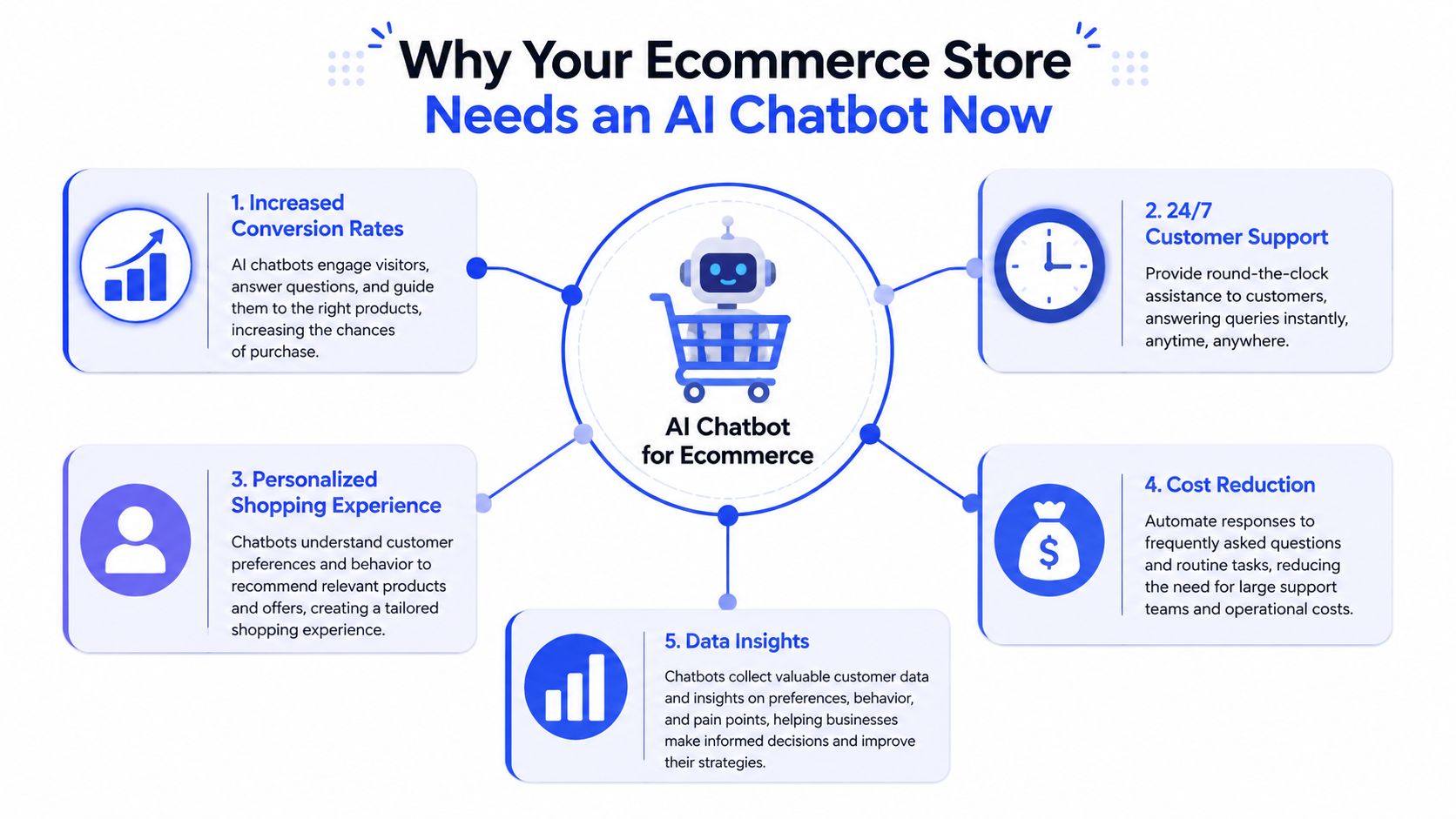
Three early gains usually show up first:
Faster answers during purchase decisions: Shoppers get immediate help on availability, shipping, compatibility, bundles, or fit.
Lower volume of repetitive support work: Agents spend less time on order status, return windows, and standard policy questions.
Better coverage across the day: The store can respond even when the support team is offline.
Teams often compare AI chat with staffed chat as if one replaces the other. In practice, the better model is layered coverage. AI handles the predictable first response and repetitive requests. Human agents step in when context, judgment, or recovery skills are needed. If you are weighing those options, this breakdown of live chat benefits for customer support and sales is a useful comparison point.
Practical rule: If a question appears every day and the answer depends on a known policy, catalog field, or order record, the bot should handle the first pass.
Delay has a real cost
Customer expectations changed faster than many support teams did. Shoppers now expect an online store to respond with the speed of in-store assistance. If the store cannot answer simple buying questions in the moment, conversion suffers and support demand rises later.
The effect is that stores without a capable chatbot often pay twice. They lose some orders during the session, then absorb more follow-up contacts from customers who still need help finding answers.
The market has already moved past experimentation. As noted earlier, investment in AI for ecommerce is rising fast. That does not mean every store needs a complex rollout on day one. It does mean waiting creates a wider service and conversion gap, especially in categories where product questions, shipping concerns, and post-purchase contacts are frequent.
The stores that get value from AI chat usually follow the same pattern. They start with a few high-friction journeys, connect the bot to real business data, train it on actual customer language, and define clear escalation rules. The stores that struggle usually launch too broadly, skip data connections, and judge success by chatbot activity instead of sales lift, ticket reduction, and resolution quality.
Core Features to Evaluate in an AI Chatbot Platform
Most demos look good for five minutes. The harder question is whether the platform can answer real customer questions with enough precision to protect revenue and reduce support load.
What separates a real ecommerce bot from a dressed-up FAQ
The line between a useful bot and a useless one is architecture. An effective setup should use NLU, entity extraction, and live commerce data. That means the bot doesn't just match words. It interprets customer intent, extracts constraints such as budget or timing, and joins that with inventory, pricing, promotions, and order data to produce grounded answers, as described in this explanation of ecommerce chatbot architecture.
That has direct business implications.
If a shopper asks for a gift under a certain price, the system should understand the request, check what is in stock, and recommend viable options. If a customer asks where an order is, the bot should pull live status. If it can't access those systems, it will produce generic responses that sound polished but don't solve the problem.
The fastest way to lose trust is to let a chatbot speak confidently without access to current store data.
A practical feature checklist
Use this table when comparing vendors.
Feature | Why It Matters | Business Impact |
|---|---|---|
Natural language understanding | Interprets shopper intent beyond keyword matching | Fewer failed conversations and better answer relevance |
Entity extraction | Pulls details like budget, size, recipient, order number, or urgency | More precise product suggestions and support handling |
Commerce platform integration | Connects the bot to catalog, inventory, price, order, and promotion data | Answers stay grounded in what your store can actually sell or support |
CRM or customer data integration | Adds account context and purchase history where appropriate | More personalized conversations and smarter follow-up |
Human escalation workflows | Hands complex or sensitive issues to a person with context intact | Less frustration and fewer abandoned conversations |
Analytics and transcript review | Shows what customers ask, where the bot fails, and what converts | Clear optimization path after launch |
Brand voice controls | Keeps replies aligned with how your team communicates | More consistent customer experience |
A few vendor questions expose quality fast:
Ask about live data access: Can the bot read inventory, order status, and promotions in real time?
Ask about failure handling: What happens when the model isn't confident, or when policy exceptions appear?
Ask about retraining: How are new products, updated policies, and seasonal campaigns reflected in responses?
Ask about data flow: Does the platform connect with your CRM or help desk, and can it use those records intelligently?
If customer context matters to your operation, review how the platform handles customer data integration for support and sales workflows. That often determines whether the chatbot feels helpful or detached.
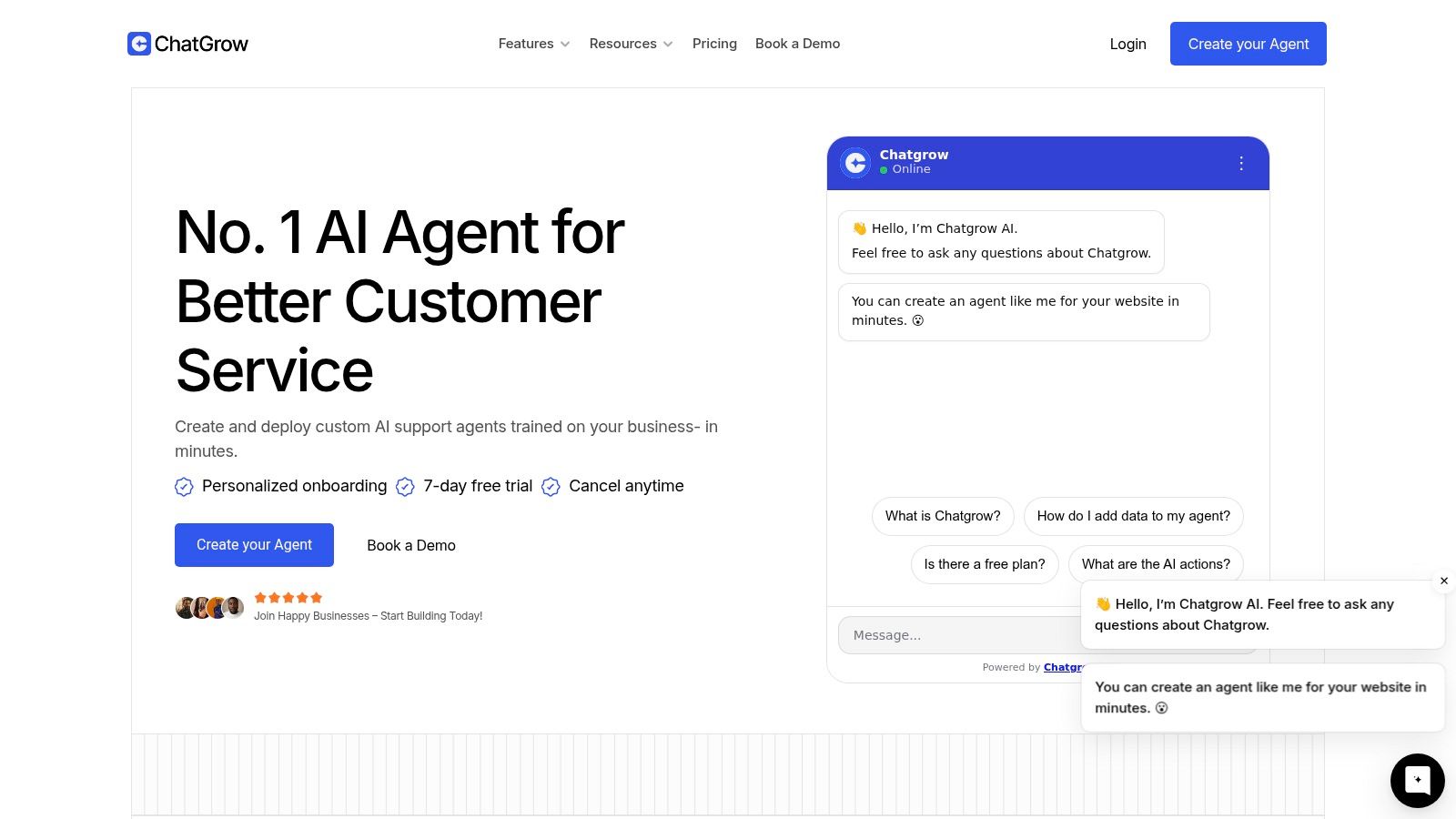
One product worth considering in this category is Chatgrow, which lets teams train support agents on website content, FAQs, and product pages, define lead qualification logic, and set up smart escalation to humans. It's one option among many, but it fits stores that want a practical deployment path rather than a large custom build.
Real-World AI Chatbot Use Cases and Examples
The easiest way to judge an AI chatbot for ecommerce is to follow the customer journey and ask one question at each stage. Does the bot remove friction, or does it add another layer of it?
This kind of deployment is usually most effective when it sits close to buying intent.
Cart hesitation and checkout rescue
A shopper adds two items, reaches checkout, and pauses. The reason is often small but costly. Shipping timing, return terms, compatibility, discount eligibility, or one last product question.
A good bot shouldn't interrupt everyone. It should appear when behavior suggests hesitation, then offer help with specific intent. If the customer asks a straightforward question, the bot resolves it immediately. If the issue is unusual, it routes the conversation to a person with the cart context attached.
What doesn't work is blasting every shopper with the same pop-up. That feels like noise. Triggering assistance based on context works better than forcing it.
Product discovery that feels like assisted selling
Search is where many stores still leak intent. Shoppers often know the outcome they want but not the exact product title, category label, or SKU.
Modern ecommerce chatbots can do much better here because they use vector embeddings and semantic search to map vague language to products by meaning, not just string overlap. In the example query “attire for a rainy wedding in Tuscany,” the system retrieves items based on concepts like water resistance, breathable fabrics, and formal styling, according to Appinventiv's explanation of semantic product discovery.
That matters because ecommerce search usually fails on nuanced requests. Semantic retrieval lets the bot narrow the set, ask follow-up questions, and guide the shopper toward a decision.
If you want to see how brands use conversational flows across channels, these WhatsApp bot examples for customer engagement and sales are useful reference points.
Post-purchase support without the queue
The least glamorous use case often produces the quickest operational win. After purchase, customers want fast answers on order tracking, exchanges, refunds, delivery issues, and policy questions.
A strong bot can handle those requests without sending customers through account pages, email threads, or ticket forms. The win isn't just speed. It also protects your human support team from getting buried in repeat questions.
Here's a practical walkthrough of how conversational experiences can work on site.
Lead qualification on high-intent pages
Not every ecommerce conversation ends in immediate checkout. On higher-consideration products, B2B catalogs, custom orders, or expensive items, the bot can act as a qualifier before handing the lead to sales.
This works well on product pages, pricing pages, and quote-request flows. The bot gathers the basics, clarifies need, urgency, and budget range, then sends a concise summary to the team. That shortens response time and gives reps a better starting point.
A chatbot shouldn't replace sales judgment on complex deals. It should remove the repetitive front-end questions so the sales team starts closer to the real conversation.
Your Step-by-Step Implementation Roadmap
Most ecommerce chatbot failures begin before launch. The bot isn't the problem. The plan is.
A reliable rollout starts with narrow scope, clear ownership, and enough operational detail to keep answers grounded. Treat it like a revenue and service workflow project, not a design add-on.

Start narrow and commercial
Begin with one or two use cases that affect either revenue or service volume. Good starting points include product recommendations on high-intent pages, order-status automation, or lead qualification on expensive product lines.
Use a six-part rollout:
Define the job first. Decide what the chatbot is responsible for and what stays with humans.
Choose success criteria. Focus on outcomes such as assisted conversions, resolved support requests, or qualified lead capture.
Pick deployment points carefully. Product pages, checkout-adjacent pages, and help flows usually outperform blanket sitewide placement.
Build, connect, test, then expand
Once the scope is set, the rest becomes much easier to manage.
Train the initial knowledge base: Use FAQs, return policies, shipping details, top product pages, and customer-service macros.
Connect live systems: Catalog, order data, promotions, and support tools should feed the bot where relevant.
Design escalation paths: Define exactly when a human should take over and what context gets passed along.
Run transcript testing: Have team members try messy, realistic questions. Use slang, incomplete details, and edge cases.
Launch on a limited surface area: A controlled rollout exposes gaps before sitewide deployment.
Review transcripts weekly: Failed answers tell you what to fix next.
This sequence sounds simple because it should be. The mistake is trying to launch a bot that handles everything on day one. Start with a few high-value journeys, get the answers right, then widen coverage.
Best Practices for Training and Human Escalation
Training and escalation decide whether an ecommerce chatbot reduces workload or creates more of it. I have seen stores install a capable bot, then undermine it with outdated policy content, weak product data, and no clear handoff rules. The result is predictable. Support volume stays high, conversion gains stall, and customers lose patience faster than the team expects.
A strong bot is built on operating discipline, not just model quality.
Training quality starts with source quality
The best training set is usable, current, and specific to the jobs the bot needs to handle. For an ecommerce store, that usually means approved answers for shipping windows, return conditions, warranty terms, sizing help, product differences, subscription changes, payment questions, and account access issues.
If those answers conflict across your site, help center, macros, and internal docs, the bot will repeat the same confusion at scale. Fix the source before adding more content. This is one of the highest-return steps in the chatbot lifecycle because cleaner inputs improve launch quality, reduce rework, and make ongoing training easier.
A few practices improve answer quality quickly:
Clean up source documents first: Rewrite vague or contradictory policy pages before using them for training.
Train by customer intent: Organize content around tasks such as tracking an order, changing a size, comparing products, or requesting a refund.
Document edge cases: Include exceptions like final-sale items, split shipments, preorder delays, or region-specific restrictions.
Set an update process: Promotions, inventory shifts, carrier delays, and policy changes need scheduled reviews, not occasional fixes.
Use real support language: Pull phrasing from chat logs, tickets, and sales conversations so the bot recognizes how customers ask.
Tone matters, but accuracy comes first. A bot does not need to sound clever. It needs to give the right answer, in the right level of detail, with clear limits on what it can and cannot do.
Field note: The strongest ecommerce bots usually sound more like a well-trained support lead than a brand copywriter.
Human escalation needs rules, ownership, and context
Escalation works best when it is designed as part of the service flow, not treated as a last resort. In practice, the handoff rules should be written before launch and reviewed after you see live conversations. That is how you prevent the common failure mode where the bot keeps trying to answer questions it should have passed to a person two messages earlier.
Good candidates for human takeover include account-specific exceptions, damaged-order disputes, high-value pre-purchase questions, fraud concerns, technical checkout issues, and conversations where the customer is clearly frustrated. For premium catalogs or complex products, I also recommend earlier escalation for buyers showing strong purchase intent. A fast human response in those moments often matters more than squeezing out one more automated resolution.
Good escalation design includes:
Confidence thresholds: If the bot is uncertain, it should hand off instead of guessing.
Intent-based routing: Delivery issues, billing problems, B2B inquiries, and product advice should go to the right team.
Conversation summaries: The agent should receive the customer's question, relevant order or product details, and what the bot already attempted.
Expectation setting: Tell the customer whether they are entering live chat, email follow-up, or a ticket queue, and give a realistic response window.
Visible escape hatches: Let users ask for a person without fighting the interface.
The goal is a smooth handoff that saves time for both sides. The sales or support rep should start closer to the conversation, not at the beginning of it.
One more trade-off is worth managing directly. If you set escalation too aggressively, labor cost rises and the bot never earns trust. If you set it too late, customer frustration rises and resolution time gets worse. The right balance usually comes from weekly transcript reviews, with separate thresholds for support, sales, and post-purchase issues. That is the operational side many teams miss, and it is what turns a chatbot from a widget into a system that can scale with the business.
Measuring Success with KPIs and Calculating ROI
If the chatbot only reports conversations handled, you still don't know whether it helped the business. Useful measurement ties chat activity to revenue, service efficiency, and customer experience.
Track business outcomes, not chatbot activity
IBM reports that in one survey of retail and e-commerce businesses, 85% had implemented chatbots in their operations, and that these systems are now used across the customer journey with machine learning and natural language processing, according to IBM's overview of ecommerce chatbots.
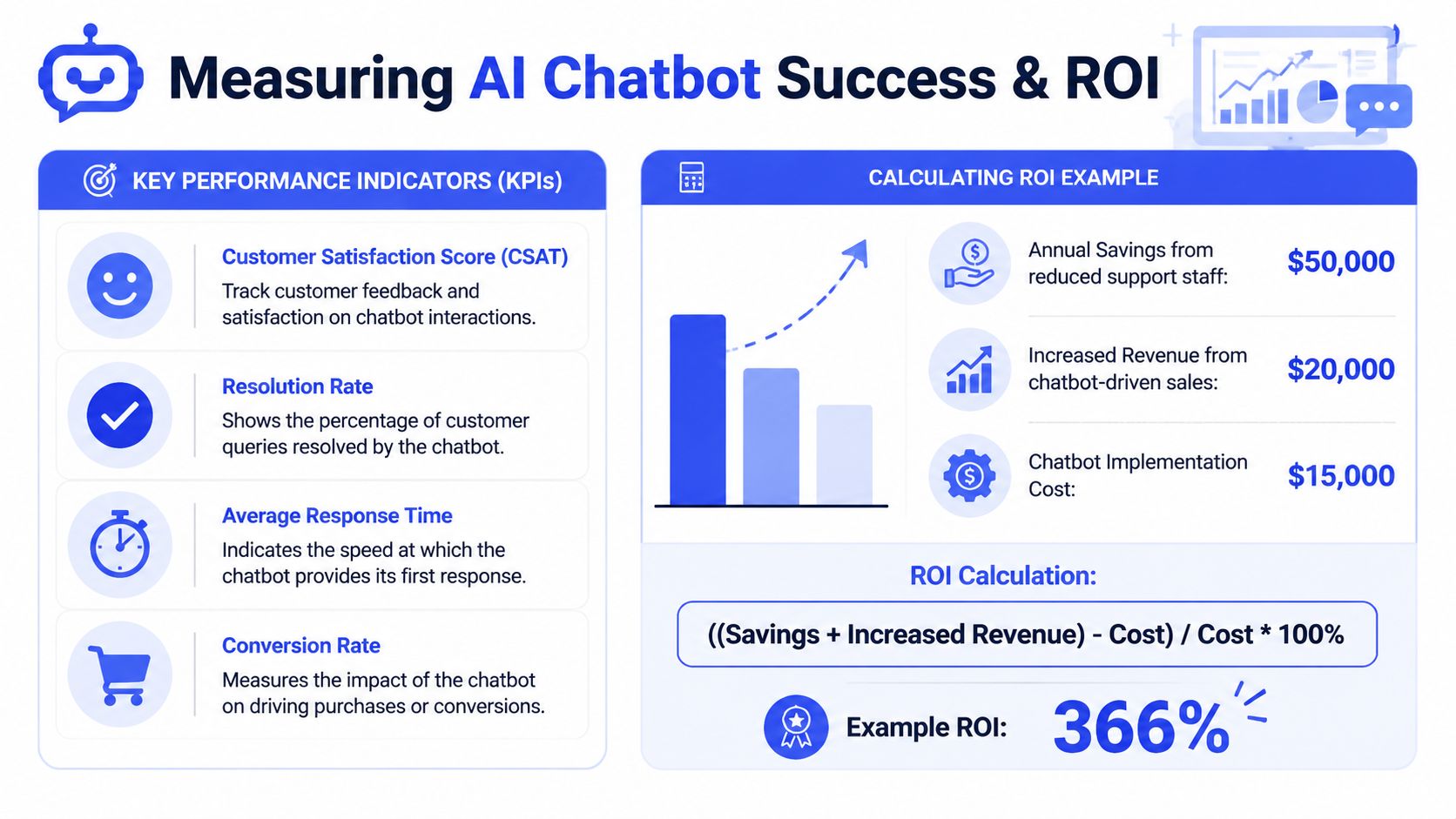
That level of adoption means your measurement approach needs to be disciplined. Basic volume metrics aren't enough. Track KPIs that connect to commercial outcomes:
Chatbot-influenced conversion rate: Purchases where the shopper engaged with the bot before buying.
Resolution rate: Conversations the bot completed without human intervention and without obvious customer frustration.
First response time: How quickly the customer receives an initial useful answer.
Qualified leads generated: For higher-consideration products, how many sales-ready conversations were passed to the team.
Customer satisfaction: Post-chat feedback can reveal whether convenience is improving.
A simple ROI model for ecommerce teams
The easiest ROI formula is still the most practical:
ROI = ((financial gains from the chatbot - chatbot cost) / chatbot cost)
Financial gains usually come from two places:
Revenue impact, such as orders influenced by chatbot conversations.
Cost savings, such as fewer repetitive tickets requiring human handling.
Use a baseline period before launch, then compare performance after launch on the pages where the chatbot is active. Keep the model conservative. If attribution is unclear, don't force precision. It's better to underclaim and improve confidence over time than to produce a glossy report nobody trusts.
A healthy review rhythm is monthly for KPI trends and weekly for transcript quality. The numbers tell you whether the system is working. The transcripts tell you why.
Conclusion The Future of Conversational Commerce
An AI chatbot for ecommerce works when it is treated as operating infrastructure, not a novelty widget. The strongest deployments connect the bot to real store data, train it on current knowledge, define clean escalation rules, and measure results against sales and service outcomes.
That's why conversational commerce keeps expanding. Customers want immediate, relevant answers. Ecommerce teams want fewer repetitive tickets and better conversion support. AI chat sits in the middle of both needs.
The practical path is straightforward. Start with one high-friction journey. Train the bot on accurate content. Connect the systems that matter. Review real conversations. Tighten escalation. Then expand.
Stores that do this well don't just automate support. They build a faster buying experience.
If you want to put this into practice, Chatgrow gives you a way to train an AI support and lead-qualification agent on your site content, FAQs, pricing, and product pages, then deploy it on high-intent pages with smart escalation to your team. It's a practical starting point if you want to test conversational commerce without a long implementation cycle.
Related Posts
Continue Reading
More articles from the ChatGrow Team.


