
Blog
8 WhatsApp Bot Examples to Revolutionize Your Business
By
Nelson Uzenabor
Beyond “Hello”: Turn WhatsApp into Your Growth Engine
WhatsApp has the reach and message volume to function as a serious business channel, not just a support inbox. One industry guide cites 100 billion messages sent daily on WhatsApp, which helps explain why the strongest WhatsApp bot examples focus on repeatable, high-frequency conversations like FAQs, order updates, appointment reminders, and lead qualification.
That scale changes the playbook. Businesses don't win on WhatsApp by adding a novelty chatbot that says hi and then stalls. They win by automating the routine, keeping answers current, and handing the right conversations to a human at the right moment.
The examples below are built for that reality. Each one includes the part most listicles skip: how to implement it in a way that survives real customer behavior. That means sample conversation design, practical KPIs, escalation logic, and a simple build template you can adapt in Chatgrow or a similar platform.
Table of Contents
1. E-commerce Customer Support & Order Tracking Bot
69% of online carts are abandoned before purchase, according to the Baymard cart abandonment research. The support load after purchase is narrower but more urgent. Customers want fast answers on delivery, returns, exchanges, stock, and sizing, and they want them in the same app where they already message brands.
That makes this one of the highest-ROI WhatsApp bot examples for e-commerce.
The winning setup connects four systems: your store platform, shipping data, product catalog, and help center. If someone asks, “Where is my order?”, the bot should verify identity, pull live tracking, explain the latest status in plain language, and offer the next best action. Automated customer service workflows only improve support when the bot has live data and strict escalation rules.
A weak bot gives canned replies. A useful bot closes the loop.
What good looks like
Good performance starts with scope. Use the bot for repeatable tasks: order lookup, shipping updates, return windows, exchange steps, warranty basics, and common product questions. Route edge cases to a human fast: carrier exceptions, damaged items, package theft, partial refunds, chargebacks, and anything involving policy discretion.
Here is a conversation flow that works in production:
Customer: “My order still hasn't arrived.”
Bot: “I can check that. Please send your order number or the email used at checkout.”
Customer: “#48392”
Bot: “Found it. Your package is in transit, and the latest carrier scan says out for delivery today. Would you like the tracking link, return policy, or help from support?”
Customer: “What if it doesn't show up today?”
Bot: “If there's no delivery scan by 8 PM local time, I can send this to support with your order details.”
That last step matters. Good bots do not just answer. They prepare the handoff so the agent starts with context instead of asking the customer to repeat everything.
If you need to build your product and policy knowledge base first, an AI FAQ generator for support content can speed up the draft. It still needs review by someone who owns returns, shipping, and catalog updates.
Implementation kit
Best fit: Stores with steady post-purchase volume, repeat shipping questions, and a support team spending too much time on status checks
Primary KPI: Self-service resolution rate for order-status, return-policy, and product FAQ conversations
Secondary KPIs: Time to first response, handoff rate by intent, CSAT after bot-only conversations
Core flows to launch first: order tracking, return eligibility, exchange steps, sizing help, in-stock checks
Escalate when: tracking shows an exception, lookup fails twice, the customer reports damage or loss, a refund request falls outside policy, or sentiment turns negative
Data sources required: Shopify or WooCommerce data, carrier tracking API, return policy, product catalog, order history, and macros for human agents
One-sentence template: Connect the bot to order and tracking data, train it on returns and product FAQs, then push exception cases to a human with the order summary, latest carrier event, and customer message history attached
Common use cases include fashion brands answering size and exchange questions, electronics stores handling delivery and warranty queries, and DTC shops sending proactive shipping updates through WhatsApp. The trade-off is simple. If the bot cannot access live order data, it should not own order tracking. Customers will abandon it, and your agents will inherit a frustrated conversation instead of a clean handoff.
2. SaaS Product FAQ & Onboarding Assistant Bot
SaaS buyers don't just ask support questions. They ask setup questions, pricing questions, integration questions, and upgrade questions, often in the same thread. That makes WhatsApp useful when your sales motion includes demos, trials, or hands-on onboarding.
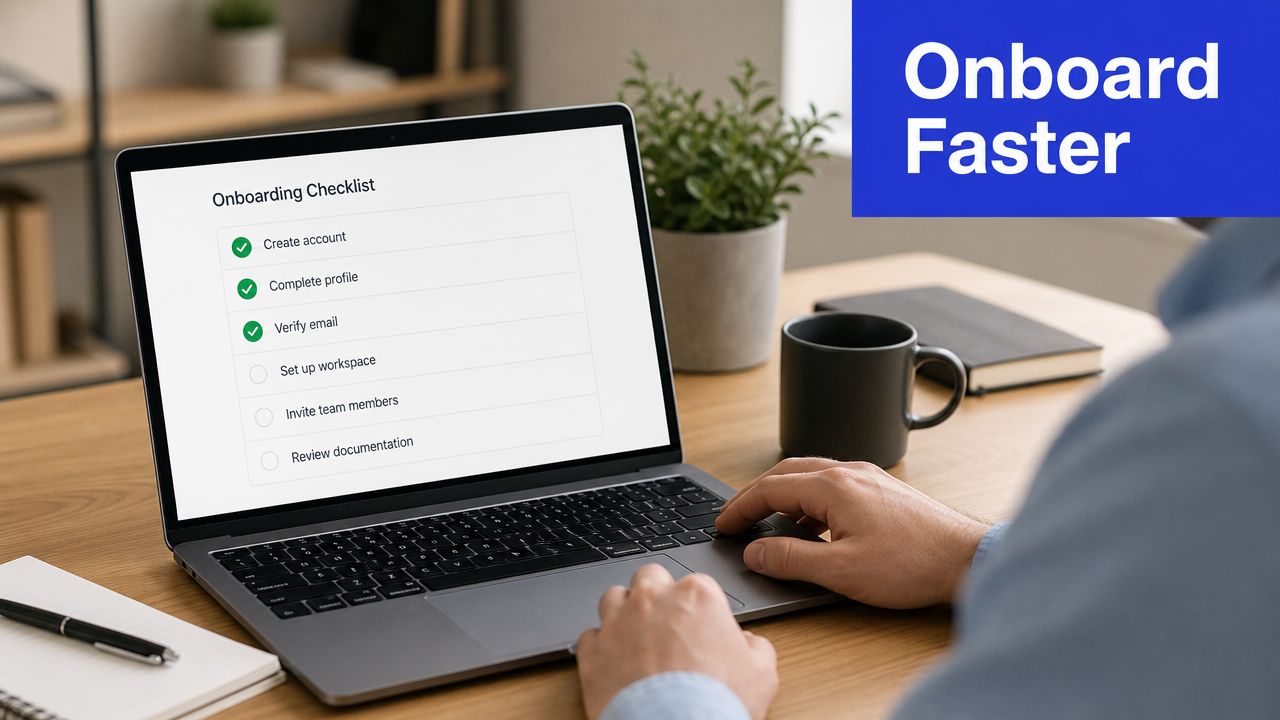
A good onboarding bot is trained on your help docs, pricing pages, setup guides, and release notes. It should answer “How do I connect Slack?”, “What does this feature do?”, and “Is this included on my plan?” in a way that feels specific, not canned.
Here's the visual context many teams are trying to support during those first sessions:
Where this bot earns its keep
The most impactful moment is when a user is stuck but still motivated. If the bot can answer quickly, share the right article, and offer human help before frustration sets in, you protect activation.
Use an AI FAQ generator for support content only as a starting point. Actual performance difference comes from how often you refresh the source material. Feature releases, plan changes, and renamed settings break trust fast if the bot keeps serving old answers.
Practical rule: If your product changes often, don't train the bot once and walk away. Re-sync docs and review failed answers on a fixed cadence.
Implementation kit
Primary KPI: Helpfulness of onboarding answers and completion of key setup steps
Secondary KPI: Escalations tied to billing, integrations, and account access
Escalate when: the user is blocked in-app, asks about plan-specific access, or reports a bug
Sample flow: greet, identify account stage, answer setup question, send article or video, confirm success, offer escalation
One-sentence template: Train the bot on current docs and pricing, map common setup journeys, then escalate blockers with account context and the user's exact question
Real-world patterns show up in Slack integration help, Shopify app support, HubSpot onboarding, and Mailchimp-style feature education. What fails is trying to make the bot sound clever instead of making it accurate.
3. Lead Qualification & Sales Appointment Booking Bot
Most lead bots ask too many questions too early. Buyers drop off when the flow feels like a form disguised as chat. The better approach is shorter: identify intent, confirm fit, then book the next step.
This is one of the strongest WhatsApp bot examples for service businesses and B2B teams because the channel feels immediate. A visitor who messages from a pricing page or ad usually wants momentum, not a callback next week.
A documented implementation reported a 70% increase in trial attendance and a 60% increase in recurring revenue from trials, with more than 1,300 applications received in the prior year. That's the clearest reason to take qualification seriously: the bot doesn't just collect leads. It can improve what happens after the lead comes in.
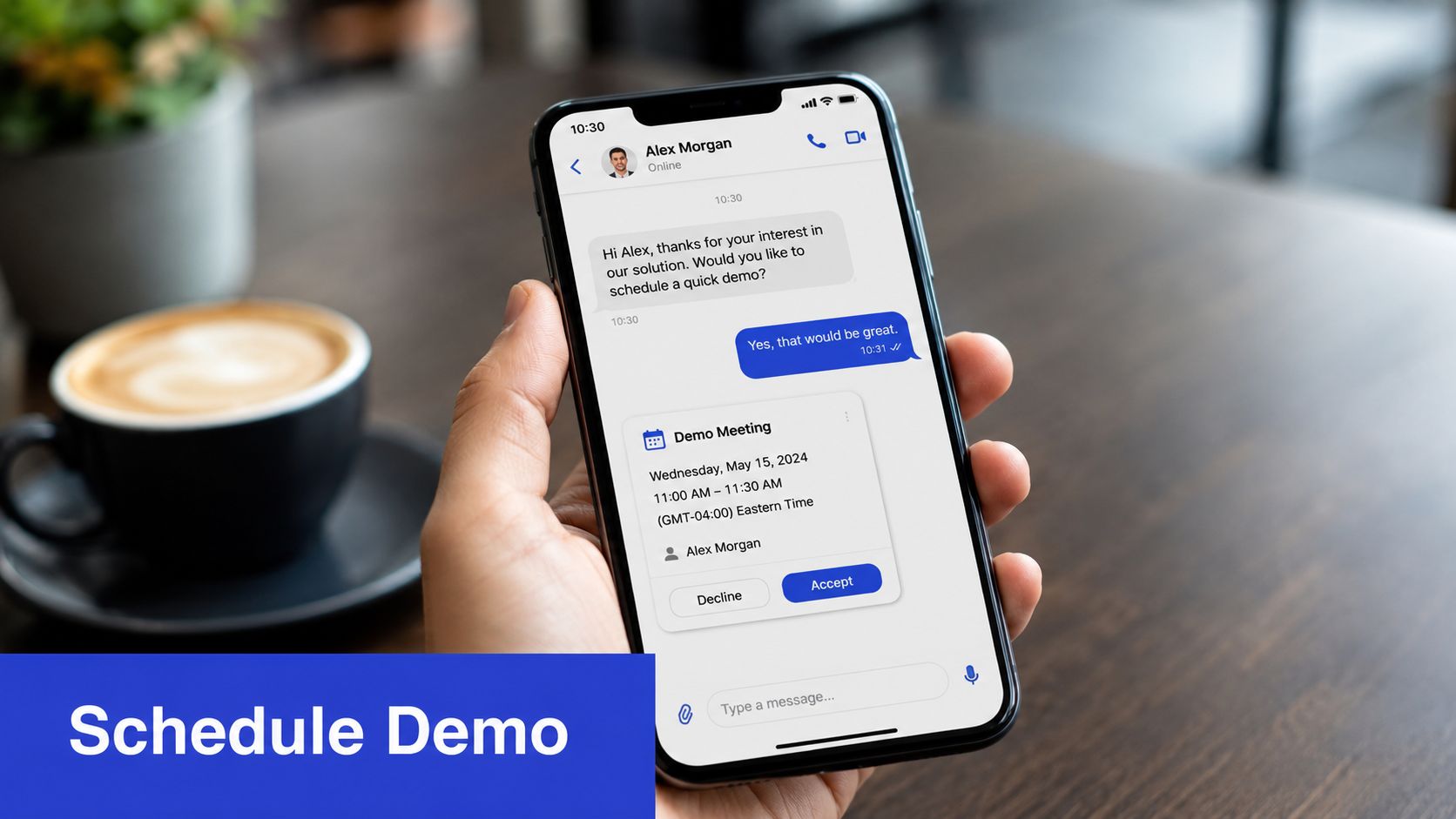
Why this example matters
The flow should feel like a sales rep qualifying naturally:
Bot: “Happy to help. Are you looking for this for your company or for personal use?”
Prospect: “For my company.”
Bot: “Got it. How many people would use it, and what are you trying to solve first?”
Prospect: “About 20. We need faster lead follow-up.”
Bot: “That sounds like a fit. I can book a demo and send your needs to the right rep.”
Use lead qualification tools built for sales routing to capture intent signals, urgency, and fit. Then notify the rep with a concise summary instead of dumping a transcript into Slack or email.
Implementation kit
Primary KPI: Qualified meeting rate
Secondary KPI: No-show rate and lead-to-opportunity quality
Escalate when: the buyer signals urgency, asks for enterprise terms, or requests custom scope
Best qualifying fields: use case, team size, timeline, current tool, budget comfort
One-sentence template: Define your ICP, ask a short qualification sequence, then route qualified leads into calendar booking and push a summary to sales
What doesn't work is over-automating discovery. A bot should tee up the sale, not replace the sales call.
4. Travel Agency Booking & Itinerary Assistant Bot
Travel is where bots can be both helpful and dangerous. Helpful because travelers ask the same operational questions again and again. Dangerous because availability, pricing, visa rules, and itinerary details change constantly.
That reliability issue is one of the biggest gaps in most WhatsApp bot examples. A recent guide on creating WhatsApp bots highlights the growing use of retrieval-augmented generation so bots can search current knowledge sources instead of relying on static scripts, which matters for live support scenarios involving pricing, stock, and policy changes in travel contexts like bookings and updates (Qualimero on creating a WhatsApp bot).
What separates useful from risky
A travel bot should narrow options, answer standard questions, and collect booking intent. It shouldn't invent availability or make policy claims that haven't been verified from the booking system.
For example, if someone asks for “a family beach trip under my budget in July,” the bot can propose destinations, explain trade-offs, and gather preferences. Once the customer asks for exact inventory, multi-city routing, or a visa-sensitive plan, pull live data or hand off.
If the answer depends on live inventory or a changing government rule, the bot should verify or escalate, not guess.
Implementation kit
Primary KPI: Qualified trip inquiries moved to quote or booking stage
Secondary KPI: Booking errors prevented through handoff and verification
Escalate when: high-value itinerary, multi-destination travel, visa ambiguity, or payment issue
Best content sources: destination guides, baggage rules, cancellation terms, hotel and flight integrations
One-sentence template: Use the bot to collect preferences, suggest options, and answer standard policy questions, then require live verification before any booking commitment
Good real-world scenarios include package travel inquiries, itinerary reminders, airport transfer coordination, and post-booking updates. What fails is letting the bot act like a travel agent without current inventory access.
5. Educational Institution Admission & Enrollment Bot
Admissions teams get flooded with the same questions every cycle. Eligibility, fees, deadlines, required documents, language requirements, scholarship basics, and campus visit logistics all create queue pressure at the exact moment prospective students want fast answers.
A WhatsApp bot can remove friction without making the process feel robotic. A student should be able to ask, “Am I eligible for this program?” and receive a guided answer based on the institution's published criteria, not a vague prompt to email admissions.
Where automation helps most
The best bot isn't trying to replace counselors. It's handling the repeatable front half of the process so counselors can focus on high-stakes conversations.
Common real-world uses include bootcamp enrollment help, online course support, university application reminders, and international student guidance. The biggest win usually comes from message continuity. Students don't need to reopen a portal or chase a PDF just to figure out the next step.
Use decision trees for eligibility and document requirements, but keep room for nuanced handoff. Merit scholarships, transfer credits, and unusual qualification histories usually need a person.
Field note: Admissions bots perform best when they answer with program-specific details first and portal links second.
Implementation kit
Primary KPI: Completed applications started from WhatsApp conversations
Secondary KPI: Counselor handoffs by question category
Escalate when: scholarship exceptions, transcript ambiguity, visa-sensitive enrollment questions, or complaints
Best content sources: program pages, admissions handbook, fee schedule, deadlines, scholarship rules
One-sentence template: Train the bot on current admissions content, build eligibility and deadline flows, then route exceptional academic or financial questions to staff with the student's context attached
What doesn't work is a generic “contact admissions” bot. If students message on WhatsApp, they expect answers, not rerouting.
6. Real Estate Agent Property Inquiry & Viewing Scheduler Bot
Property leads cool off fast. The teams that win on WhatsApp usually reply in minutes, qualify intent early, and stop agents from spending prime selling time on people who only want a brochure.
A strong real estate bot does more than answer “Is this still available?” It turns scattered inquiries into a usable intake flow. The bot can share listing photos, pull key details from the active inventory, ask whether the buyer is purchasing for self-use or investment, and offer the next best step based on intent.
Before a viewing gets booked, many teams use short, media-rich exchanges to move the conversation forward without forcing a call too early. This demo video shows the kind of conversational sales motion businesses often aim for:
How to make the bot useful
Start with listing accuracy. If availability, price, possession date, or unit type can drift from the CRM, the bot needs clear guardrails. Outdated property info creates more damage here than in many other categories because buyers will often abandon the inquiry after one wrong answer.
The highest-performing flows are tight and specific:
Listing summary: area, property type, price range, amenities, possession status
Intent capture: budget band, buying timeline, financing status, preferred location, end use
Action path: brochure, virtual tour, site visit, or agent callback
Sample conversation:
Buyer: Is the 2BHK in Downtown Heights still available?
Bot: Yes, 2BHK units are currently available in selected layouts. Prices start from the current listed range. Are you buying for personal use or investment?
Buyer: Personal use.
Bot: Got it. What's your target move-in timeline?
Buyer: Within 3 months.
Bot: Thanks. I can send the brochure now and show available viewing slots for this week. Would you prefer a weekday evening or weekend visit?
That flow does two jobs at once. It answers the immediate question and collects the minimum context an agent needs to close the next step.
Keep escalation logic strict. Route to a human when the prospect asks for negotiation, legal paperwork, custom payment terms, or inventory confirmation on a specific unit. Those are revenue moments. They need judgment, not a scripted reply.
Implementation kit
Primary KPI: Viewing bookings from inbound property chats
Secondary KPI: Qualified inquiry rate by listing or campaign source
Escalate when: negotiation starts, legal documentation is requested, financing becomes case-specific, or inventory status needs manual confirmation
Best content sources: live listing database, brochure assets, payment plan details, financing FAQs, neighborhood summaries, site visit calendar
One-sentence template: Connect the bot to live property data, qualify buyer intent in under five messages, then pass the conversation to an agent with listing interest, budget, financing status, and preferred viewing window already captured
The common failure is building one flat flow for every lead. Investors, first-time buyers, tenants, and sellers ask different questions and convert on different timelines. The bot should reflect that from the first reply.
7. Marketing Agency Campaign Inquiry & Proposal Bot
Agency sites attract mixed intent. Some visitors need a full growth partner. Some want a one-off SEO audit. Some are price shopping with no real urgency. A WhatsApp bot can separate those segments faster than a contact form if the conversation is designed well.
The mistake most agencies make is asking for a “brief” before establishing fit. A better bot starts with business model, current channel mix, pain point, and urgency. Then it decides whether to send a case-study link, book a strategy call, or park the lead in nurture.
What agencies get wrong
Agencies often want the bot to write a proposal immediately. That's usually too early. The bot can assemble a strong intake summary, but proposals still need human judgment on scope, channel mix, and delivery risk.
This category also matters because businesses increasingly treat WhatsApp as a real commercial channel, not just a support line. A business-focused overview notes that WhatsApp has over 2 billion users globally, which is one reason agencies are getting more client demand for conversational sales and support systems on the platform itself.
“We need more leads” is too vague for routing. Ask what channel is underperforming and what result the client actually wants.
Implementation kit
Primary KPI: Sales-qualified inquiries booked into discovery calls
Secondary KPI: Proposal fit and close quality by lead source
Escalate when: retainer scope is complex, the account is multi-market, or the buyer asks for strategic planning
Best discovery prompts: industry, current acquisition channels, main constraint, timeline, in-house team capability
One-sentence template: Qualify the lead around problem, urgency, and service fit, then route to the right strategist with a prebuilt discovery summary
Strong real-world examples include SEO agencies, paid media shops, and content firms using WhatsApp to capture warm inbound demand. What doesn't work is sending every inquiry to the same calendar without qualification.
8. Restaurant Reservation, Menu & Order Management Bot
A restaurant bot succeeds or fails on response time. If a guest has to wait to book a table, confirm allergens, or check whether an order is on the way, they often call instead or abandon the purchase. The practical goal is simple: remove the staff from repetitive message handling, without putting the guest into a dead end.
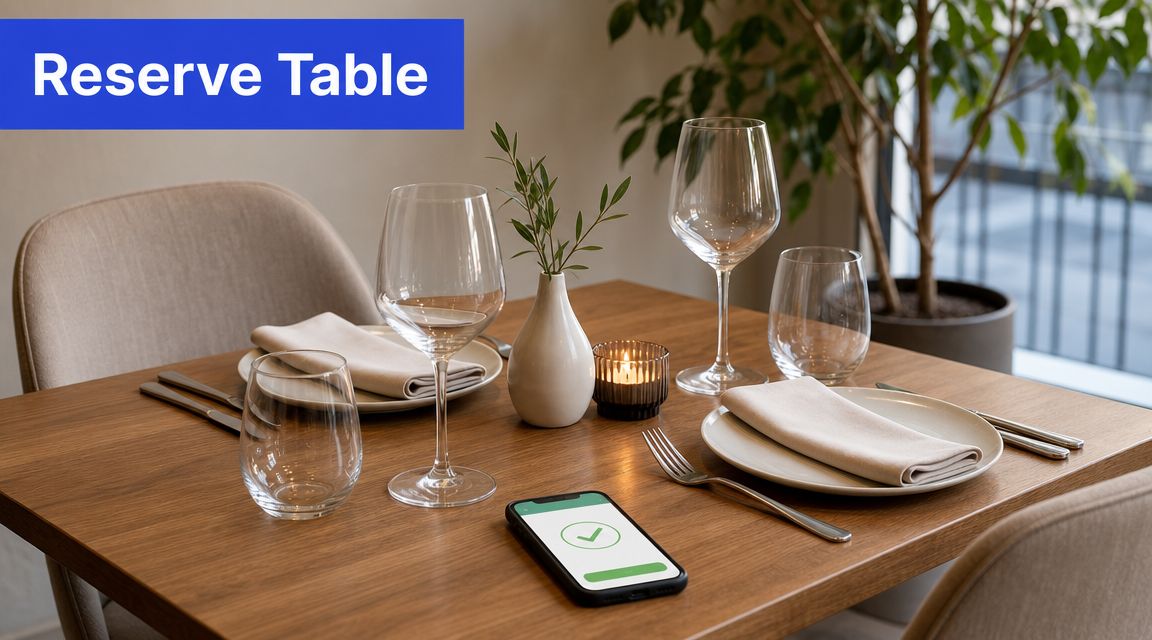
The highest-value flows are usually narrow and operational. For dine-in, that means table availability, party size, seating time, dietary flags, and confirmation messages. For takeaway or delivery, it means menu browsing, modifiers, address capture, payment handoff, and order-status updates from the POS or delivery system.
Restaurants get into trouble when they try to make the bot sound smart before making it accurate. A polished tone does not help if tonight's specials are missing, an item is sold out, or the bot guesses on allergy questions. In this use case, correct data beats clever copy every time.
A workable conversation flow looks like this:
Guest: Book a table for 4 tonight
Bot: Sure. I can check availability. What time would you prefer?
Guest: 8 pm
Bot: We have 7:45 pm or 8:30 pm. Which works better?
Guest: 7:45
Bot: Done. Please share your name and a contact number. Any allergies, high chair needs, or special occasion notes?
For ordering, the logic should be just as tight:
Guest: I want to order pasta
Bot: We have Alfredo, Arrabbiata, and Pesto. Do you want chicken, shrimp, or vegetarian?
Guest: Shrimp. No dairy.
Bot: I can flag dairy avoidance, but a staff member needs to confirm ingredient safety on that dish. I'm routing this to the restaurant now.
That last step matters. Allergy risk, large-party bookings, failed payments, unavailable menu items, and complaints should go to staff immediately. The bot should not improvise around any request that carries service, safety, or reputation risk.
Implementation kit
Primary KPI: Completed reservations or paid orders started in WhatsApp
Secondary KPI: Percentage of booking changes, cancellations, and order-status questions handled without staff
Escalate when: party size exceeds your booking threshold, a guest mentions allergies, inventory does not match the menu, payment fails, or the customer is unhappy
Best content sources: live reservation inventory, POS menu data, modifier rules, allergen sheet, holiday hours, delivery radius
One-sentence template: Use WhatsApp to handle reservation intake and structured menu ordering, sync it with live restaurant systems, and hand risky or exception-based cases to staff with the full conversation summary
The trade-off is maintenance. This bot can save real front-of-house time, but only if menu data, availability rules, and escalation paths stay current. What fails in practice is letting the bot answer from stale menu copy after the kitchen, pricing, or service hours have already changed.
WhatsApp Bot Use-Case Comparison, 8 Examples
Bot | 🔄 Implementation complexity | 💡 Resource requirements | 📊 Expected outcomes & ⚡ Efficiency | ⭐ Key advantages | Ideal use cases |
|---|---|---|---|---|---|
E-commerce Customer Support & Order Tracking Bot | Medium, requires e‑commerce & shipping API integrations, product catalog training | Moderate, developers for APIs, product data, CRM sync, training data | Reduces support tickets ~60–70%; cuts support costs 40–50%; faster response times | 24/7 order status, fewer manual tickets, CRM capture | Online retailers, marketplaces, fashion/electronics stores |
SaaS Product FAQ & Onboarding Assistant Bot | Low–Medium, knowledge base integration and upkeep | Moderate, up‑to‑date docs, tutorials, occasional engineering to link KB | Onboarding time −40–50%; support tickets −70%; improves adoption & retention | Accelerates onboarding, contextual upsells, reduces repetitive tickets | SaaS platforms, apps, developer tools, onboarding flows |
Lead Qualification & Sales Appointment Booking Bot | Medium, needs CRM + calendar integrations and defined qualification flow | Moderate, Calendly/Outlook/CRM, scripts for ICP, smart intent tuning | Qualified leads +80–100%; conversion +35–45%; shorter sales cycles | Automates qualification, books meetings, fast lead routing | B2B SaaS, agencies, consultants, enterprise sales teams |
Travel Agency Booking & Itinerary Assistant Bot | High, complex booking API integrations and real‑time availability sync | High, Amadeus/Sabre integrations, multiple suppliers, fallback workflows, legal checks | Booking conversions +40–50%; response time −80%; higher satisfaction if accurate | Personalized recommendations, 24/7 booking, itinerary management | Travel agencies, tour operators, luxury concierge services |
Educational Institution Admission & Enrollment Bot | Medium, decision trees, application tracking, document uploads | Moderate, program database, document handling, multilingual support | Application completions +35–45%; staff time −60%; faster applicant responses | Handles routine admission questions, deadline reminders, scheduling | Universities, colleges, online course platforms, bootcamps |
Real Estate Agent Property Inquiry & Viewing Scheduler Bot | Medium–High, listing management, virtual tour and scheduling integrations | Moderate, high‑quality photos, mapping APIs, calendar sync, listing updates | Property showings +50%; response time −80%; closing conversion +20–25% | Qualifies buyers, schedules viewings, shares virtual tours and mortgage calcs | Real estate portals, agents, property developers, brokers |
Marketing Agency Campaign Inquiry & Proposal Bot | Medium, discovery flows and automated proposal templates | Moderate, service catalogs, portfolio assets, CRM and scheduling links | Qualified leads +60–70%; proposal prep time −80%; faster response to prospects | Fast qualification, automated proposals, better lead intel | Digital agencies, SEO firms, social media and content agencies |
Restaurant Reservation, Menu & Order Management Bot | Medium–High, reservation, POS and payment integrations; inventory sync | High, POS/reservation system, menu dataset, payment gateway, image assets | Reservations/orders +40–50%; no‑shows −30%; order accuracy and speed improved | 24/7 ordering/reservations, dietary filters, upsells and order tracking | Restaurants, quick‑service outlets, delivery/cloud kitchens |
Your Blueprint for WhatsApp Bot Success
The best WhatsApp bot examples all share the same operating principle. They don't try to automate everything. They automate the right conversations, keep answers grounded in real business data, and escalate early when confidence drops.
That distinction matters more than many organizations realize. A bot that handles FAQs, order updates, admissions questions, viewing requests, or reservation changes can provide substantial benefits. A bot that guesses, uses stale information, or traps people in loops will damage trust faster than a slow human team.
Operational discipline is what turns a bot into a business asset. That means choosing a narrow first use case, connecting the bot to the actual systems behind the answer, and reviewing conversations often enough to catch failure patterns. In practice, the best launch sequence is usually simple: start with one high-volume workflow, define clear escalation rules, monitor unanswered questions, then expand only after accuracy is stable.
There's also a strategic point many businesses miss. WhatsApp isn't just a support surface. It can be a conversion surface. It can qualify buyers, book meetings, recover service load, and move customers toward the next step with less friction than email or a website form when intent is high. That's why the strongest implementations usually sit close to revenue, not buried in a side-channel experiment.
For teams using Chatgrow, the appeal is speed without giving up control. You can train an agent on your website, pricing, FAQs, product pages, and internal knowledge sources, then configure lead qualification and escalation around the conversations that matter most. That setup is especially useful for SMBs, SaaS companies, ecommerce brands, agencies, travel businesses, and education teams that need fast coverage without building a complex custom stack.
The practical move is to pick one of the eight models in this guide and deploy it where customer intent is already high. If you're in ecommerce, start with order tracking and returns. If you're in SaaS, start with onboarding and pricing questions. If you're service-led, start with qualification and appointment booking. You don't need a perfect omnichannel automation program on day one. You need one bot that answers accurately, routes intelligently, and creates enough value that the next automation is obvious.
If you're ready to put these WhatsApp bot examples into production, Chatgrow gives you a fast path. You can train a custom AI agent on your own content, deploy it to handle support and lead qualification, and use smart escalation to push qualified conversations to your team without losing context.
Related Posts
Continue Reading
More articles from the ChatGrow Team.


