
Blog
Customer Service Improvement: Boost Growth with AI
By
Nelson Uzenabor
Support usually breaks long before a team admits it. The inbox is full, live chat pings all day, sales questions land next to bug reports, and nobody feels caught up. Founders answer pricing questions at night, one support rep carries too much tribal knowledge, and customers keep repeating themselves when they switch from chat to email.
That's the point where customer service improvement stops being a nice internal project and becomes an operating priority. For SMBs and SaaS teams, the fix isn't hiring your way out of chaos or dropping a chatbot on top of a messy process. The durable model is a blended one: humans for judgment, trust, and edge cases; AI for speed, consistency, and coverage.
The teams that get this right don't try to automate everything. They build a support system that responds instantly when it should, escalates cleanly when it must, and keeps context intact from first touch to final resolution.
Table of Contents
Why Customer Service Improvement Is a Growth Engine
A lot of SMB teams still treat support as the place where problems go after the sale. In practice, support shapes conversion before purchase, retention after purchase, and trust across the whole lifecycle. If your team answers slowly, gives inconsistent information, or forces customers to repeat context, that damage shows up in pipeline quality and churn long before it shows up in a dashboard.
Speed is the clearest example. LTVplus reports that if a business does not respond within 30 minutes, its chances of qualifying a lead drop by 21-fold. For a SaaS company, that means an unanswered pricing question isn't just a missed message. It can be a lost demo, a stalled trial, or a prospect who picks the vendor that replied first.
The mistake I see most often is assuming customer service improvement means being friendlier or adding more channels. Those things matter, but they're secondary. The first job is operational: reduce time-to-first-response, reduce time-to-resolution, and remove unnecessary effort from the customer side.
Fast support changes buying behavior
Customers don't experience your org chart. They experience delays, handoffs, and clarity. If someone asks whether your product integrates with their stack, they don't care whether that answer belongs to sales, support, or success. They care whether they can get it now.
That's why strong support teams work like revenue teams. They:
Treat inbound questions as buying signals instead of random interruptions.
Prioritize high-intent moments such as pricing, setup, availability, and implementation questions.
Separate urgent from complex so simple requests get answered immediately and nuanced ones get routed well.
Protect agent time for conversations where empathy, judgment, or negotiation matters.
Practical rule: If a customer has to wait for a simple answer that your company already knows, your system is the problem, not your team.
The blended model fits how customers already behave
Customers want fast answers, but they don't want to get trapped in automation when the issue becomes sensitive or complicated. That's why a human-AI model works better than either extreme. AI handles the repeatable layer. Humans handle exceptions, relationships, and decisions that need context.
This is also where a lot of customer service improvement projects fail. Teams bolt on automation to reduce load, but they never design the moment when the bot should step aside. The result is the classic bad experience: scripted answers, lost context, repeat questioning, frustrated agents.
A strong support operation does the opposite. It uses automation to compress response times and uses escalation design to preserve trust. For an SMB, that's often the difference between feeling perpetually understaffed and running a support function that helps the business grow.
Auditing Your Current Customer Service Performance
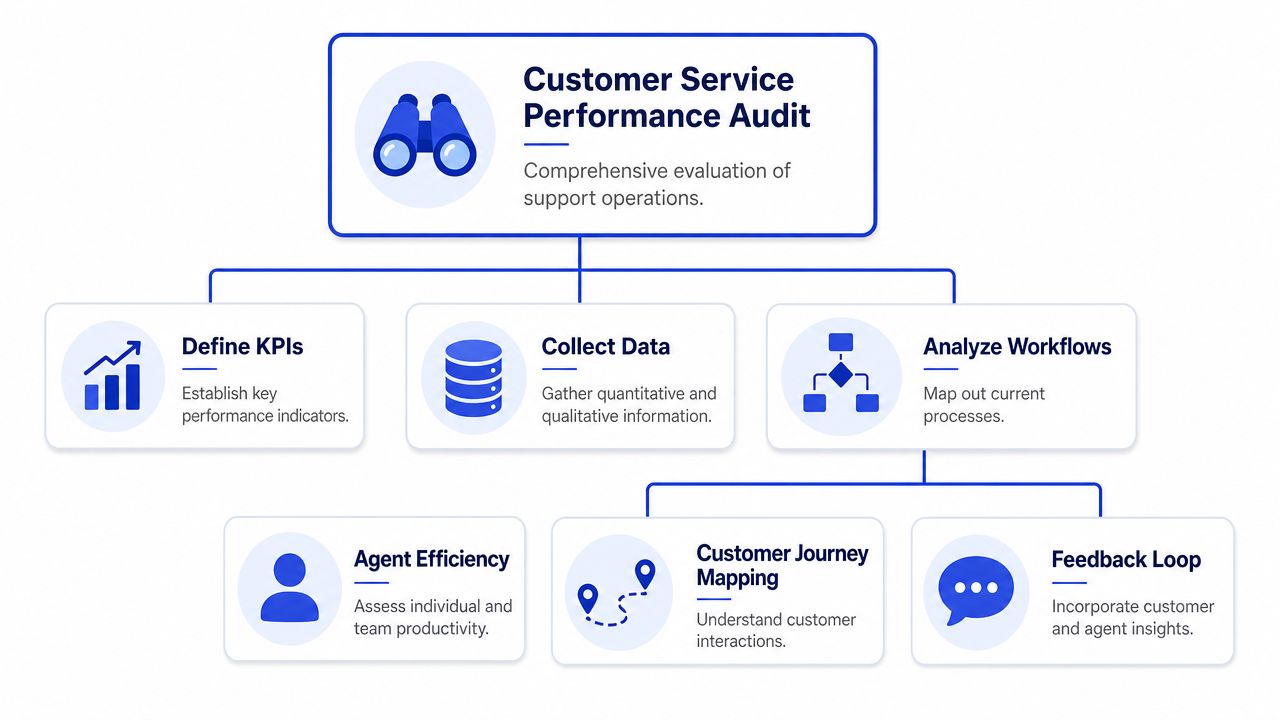
Before changing tools, get honest about where the friction really lives. Many organizations start by scanning ticket counts and average response time. That's useful, but it misses the deeper issue. Customers rarely complain that your internal metrics are off. They complain when getting help feels harder than it should.
The better audit starts with effort. SurveyMonkey's guidance on improving service skills emphasizes journey mapping and identifying repeated questions, because improvement often comes from reducing avoidable effort at specific touchpoints rather than trying to make every interaction faster.
Start with the customer journey, not the inbox
Map the moments where customers most often get stuck. For most SMB and SaaS teams, those moments are predictable: pricing pages, onboarding steps, setup requirements, account changes, billing questions, and issue reporting.
Don't make this complicated. Open your website, app, and help flows and ask a blunt question at each step: what would make a reasonable customer stop and ask for help here?
Then look for friction in these places:
High-intent pages where questions delay conversion, such as pricing, product comparison, or booking pages.
Onboarding checkpoints where users need setup help, permissions, or technical clarification.
Recurring service moments like refunds, subscription changes, shipping updates, or appointment changes.
Escalation points where customers move from self-service to live support.
Review your conversations for repeated effort
Transcript reviews are still one of the fastest ways to find waste. Pull a sample of chats, emails, and tickets from the last few weeks and look for patterns. Not just topics, but effort patterns.
A few questions usually expose the problem quickly:
Where do customers ask the same thing in slightly different words?
Where do agents rewrite the same answer manually?
Where does a conversation stall because the customer lacks one missing detail?
Where does the customer have to restate context after a handoff?
Which conversations should have been self-service, and which should never have touched a bot?
You'll usually find that a small set of issues creates most of the noise. That's good news. It means your first improvements can be precise.
Customers rarely say, “your workflow is broken.” They say, “I already told someone this.”
Turn the audit into a short fix list
The output of the audit should not be a giant report. It should be a ranked list of friction points with an owner beside each one.
A practical way to sort them:
Friction type | What it looks like | Best first fix |
|---|---|---|
Repeated questions | Same issue appears across chat and email | Add or improve a knowledge article and AI response path |
Missing context | Agents ask for details already provided elsewhere | Redesign intake form or handoff summary |
Slow answers to simple questions | Team rewrites standard replies all day | Automate first-response and answer retrieval |
Journey confusion | Users get stuck at one stage repeatedly | Clarify UX copy, onboarding steps, or page content |
Keep the first sprint tight. Pick a few issues that are frequent, frustrating, and easy to improve. Customer service improvement compounds when you remove friction from the busiest paths first.
Building Your Foundation with People and Processes
Automation makes good systems faster. It also makes bad systems louder. If your team gives inconsistent answers, keeps SOPs in people's heads, or improvises on every handoff, adding AI won't solve that. It will spread the inconsistency across more conversations.
That's why the strongest support teams do some unglamorous work first. They document the business, standardize core decisions, and make it easy for agents to respond the same way without sounding robotic.

Document the answers your team gives every day
Your internal knowledge base doesn't need to start in a fancy platform. A shared doc, Notion workspace, or help center draft is enough if the content is current and easy to scan.
Start with the topics that create the most support volume or touch revenue directly:
Pricing and plan logic so agents explain packaging consistently.
Common setup questions with step-by-step answers in plain language.
Billing and account changes with approved policies and exceptions.
Known product issues with workarounds and escalation criteria.
Lead qualification prompts for pre-sales conversations.
Good documentation has a simple rule: one answer source per issue. If your team keeps three versions of the same refund policy in chat snippets, an internal doc, and someone's memory, inconsistency is guaranteed.
Create simple SOPs for high-friction moments
A support SOP should tell a rep what to do, when to do it, and when to escalate. It should not read like a training manual written for auditors.
The most useful SOPs usually cover moments like:
Bug reports with required diagnostic details before engineering review
Billing disputes with approved language and escalation thresholds
Cancellation risk with save attempts, feedback capture, and routing
Pre-sales technical questions with ownership rules between sales and support
VIP or sensitive accounts where speed and tone matter more than queue order
Write these around decisions, not scripts. Agents need room for judgment. What they don't need is to guess which team owns the next step.
Field note: If your support lead has to answer “how should we handle this?” ten times a week for the same scenario, you don't have a staffing problem. You have a process gap.
Define ownership before you add automation
Support gets messy when no one knows who owns cross-functional questions. The customer asks about an invoice, implementation timing, and product fit in one thread. Without clear ownership, the message bounces around and the customer feels ignored.
A simple ownership model helps:
Situation | Primary owner | Secondary support |
|---|---|---|
Product usage question | Support | Success or product |
Technical pre-sales question | Sales engineer or support lead | Sales |
Billing adjustment | Support or finance owner | Finance |
Feature request tied to renewal risk | Success | Product and support |
This foundation matters because AI needs rules too. If humans don't know when to answer, route, or escalate, the automation won't know either. Clean process design is what makes a blended human-AI model feel coherent instead of chaotic.
Integrating Technology and AI Agents for Scale
Once your answers, workflows, and ownership rules are stable, technology starts to pay off. SMB teams can then make the biggest leap. You don't need a huge support org to give customers immediate, useful answers. You need a system that knows your business, responds clearly, and hands off cleanly when the issue goes beyond automation.
That shift is already mainstream. Salesforce reports that 79% of service leaders view investment in AI agents as essential to meeting business demands, and it says AI is expected to resolve 50% of all service cases by 2027. For smaller teams, that doesn't mean replacing support reps. It means protecting them from repetitive work while extending coverage across off-hours, peak demand, and pre-sales traffic.
Train AI on real business context
The quality of an AI support agent depends on what you feed it. Generic models give generic answers. Useful support automation comes from business-specific content: your pricing pages, help articles, policy docs, onboarding instructions, product pages, and common objection handling.
A practical setup usually looks like this:
Collect source material from your website, FAQ, docs, and internal support guidance.
Clean the content so outdated policies and conflicting instructions don't make it into the model.
Define tone and boundaries so the agent knows how your brand sounds and what it shouldn't answer.
Set clear intents for common tasks such as pricing questions, feature queries, booking, eligibility, troubleshooting, and lead qualification.
Test edge cases before launch, especially around refunds, outages, compliance-sensitive topics, and account-specific requests.
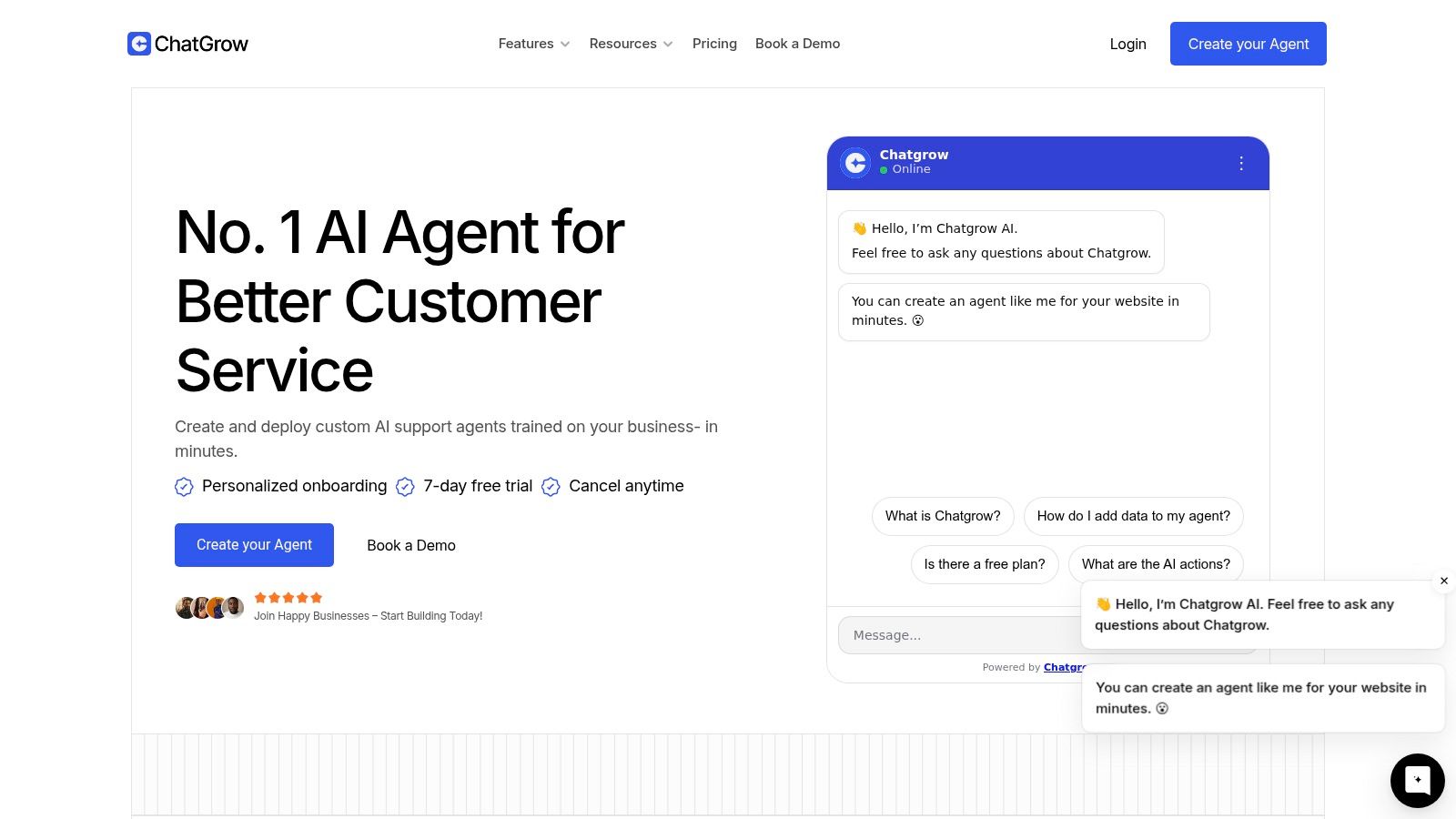
If you're evaluating platforms, one option is Chatgrow's guide to customer data integration, which is relevant because the handoff quality depends on whether the system can pull together the right business context instead of answering in isolation.
Design the handoff before you launch
This is the part many organizations skip. They focus on getting the bot live, not on what happens when the bot shouldn't continue. That's a mistake. The handoff design is what determines whether AI feels helpful or obstructive.
Oracle's customer experience guidance frames this as an omnichannel workflow problem. That matches what support leaders see in practice. A bad escalation usually fails in one of three ways: it happens too late, it drops context, or it asks the customer to start over.
A better handoff has a few essential elements:
Escalation triggers based on issue type, sentiment, account risk, or confidence level.
Structured intake capture so the bot gathers order details, account info, screenshots, or the exact question before routing.
Conversation summary passed to the human agent so they don't have to re-investigate the thread.
Channel continuity so a customer who starts in chat doesn't lose context when the case moves to email or a ticket queue.
Here's a useful rule. If the AI can't solve the issue confidently, it should switch from answering to gathering. That keeps the interaction productive without pretending to know more than it does.
A short walkthrough helps teams visualize what this can look like in practice.
Use AI where speed matters most
The highest-return automation points are rarely the most complex ones. They're the high-frequency, time-sensitive interactions that interrupt your team all day.
Examples include:
Pre-sales FAQs on pricing, plan fit, integrations, and availability
Routine support questions about setup steps, account access, and policy clarifications
Lead qualification where the system asks a few targeted questions and routes strong opportunities
After-hours coverage when customers still expect acknowledgment and useful next steps
What doesn't work is using AI as a hard gate in front of every issue. Customers can tell when a system is trying to deflect rather than help. The strongest customer service improvement comes from using AI as a force multiplier. It handles the known, repetitive layer quickly and consistently. Your team then spends its time on judgment-heavy conversations where human skill is essential.
Measuring the Impact with the Right KPIs
A support team can look busy and still be underperforming. That's why customer service improvement needs a small set of metrics tied to real operating behavior. Don't build a dashboard with everything your help desk can export. Build one that tells you whether customers are getting faster, easier, more reliable support.
Track speed, load, and effort together
No single KPI tells the whole story. Fast first replies can hide slow resolution. High satisfaction can hide a backlog if only resolved tickets get surveyed. The useful view combines pace, workload, and friction.
Here's a practical KPI table for SMB and SaaS teams:
KPI | What It Measures | SMB/SaaS Goal |
|---|---|---|
First Response Time | How quickly a customer gets an initial reply | Reduce wait time on high-intent and support-critical queues |
Average Resolution Time | How long it takes to fully solve an issue | Shorten total handling time without pushing repeat contacts |
Ticket Backlog | How much unresolved work the team is carrying | Keep queue growth visible and manageable |
Customer Effort Score | How hard the interaction felt for the customer | Reduce repeat explanations and unnecessary steps |
Reopen Rate | Whether issues were actually fixed the first time | Identify weak resolutions or rushed closes |
Contact Drivers | Why customers are reaching out | Find recurring issues that need product, content, or process fixes |
The key is to read these together. If first response time improves but effort stays high, your automation may be fast but not useful. If backlog drops while reopen rate climbs, your team may be closing tickets too aggressively.
Add AI-specific operational metrics
Once AI becomes part of the support flow, traditional support metrics aren't enough. You also need to know whether automation is helping or creating hidden work.
Track a few AI-specific signals:
Automation rate to see which share of inbound requests AI resolves without human help
Successful escalation rate to check whether routed issues arrive with enough context for fast handling
Fallback frequency to spot intents the AI doesn't understand well
Knowledge coverage gaps to identify questions the system cannot answer confidently
Human override patterns to see where agents repeatedly correct or replace AI behavior
If you're refining an automated setup, this overview of automated customer service is useful for framing where automation should stop and human intervention should start.
The most dangerous KPI in support is a metric that improves while the customer experience gets worse.
Build a dashboard your team will actually use
A good support dashboard fits on one screen and gets reviewed regularly. Keep it simple enough that leads can spot changes quickly and agents understand why the numbers matter.
A practical weekly view includes:
Core speed metrics for first response and full resolution
Backlog trend by queue or issue type
Top contact reasons from the past review period
Effort feedback from surveys or post-resolution responses
AI performance notes including escalation quality and unanswered intents
Use comments, not just charts. If a metric moved, write down why you think it moved. Support teams improve faster when they connect numbers to actual workflow changes instead of treating reporting like accounting.
Establishing a Continuous Improvement Cycle
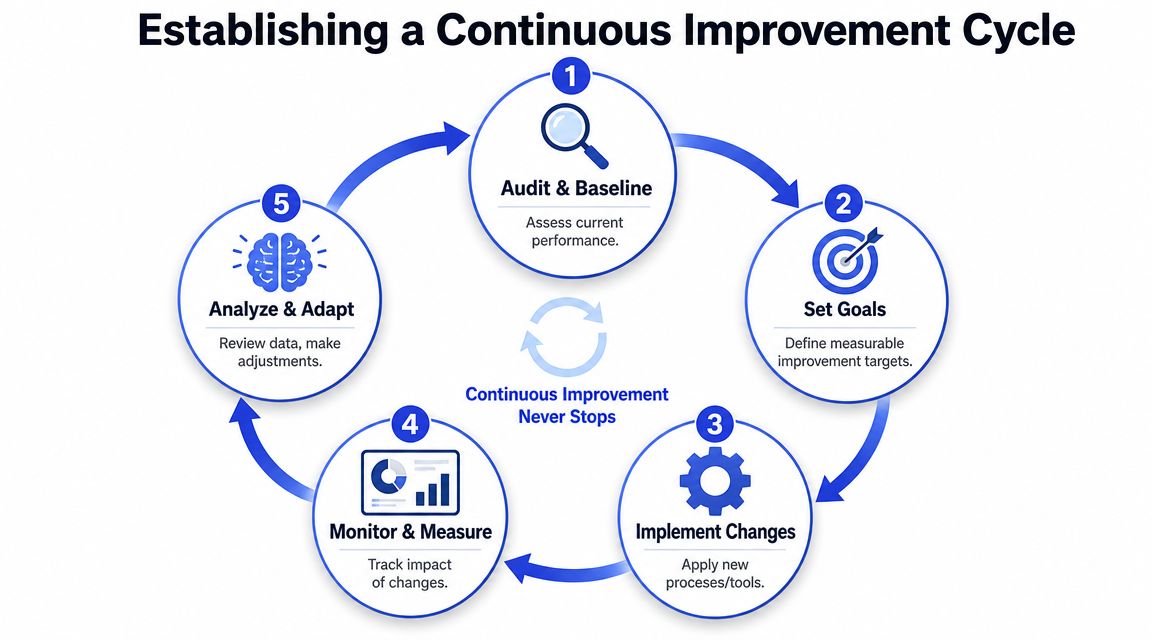
Customer service improvement works best as a loop, not a project. The first audit shows where the pain is. The first process changes reduce obvious friction. The first AI deployment extends coverage. After that, the key advantage comes from repetition.
Run a simple review rhythm
Most SMB teams don't need a heavy governance process. They need a short operating rhythm that forces review and follow-through.
A workable cadence looks like this:
Weekly: review backlog shifts, top contact drivers, and failed AI handoffs.
Monthly: update docs, rewrite weak macros, and refine routing rules.
Quarterly: revisit staffing assumptions, coverage gaps, and ownership between support, sales, and success.
The point is consistency. Small corrections made often are more valuable than a large support overhaul once a year.
Improve the system, not just the replies
When a support metric slips, the fix usually isn't “coach the team to try harder.” It's usually one of four things: the knowledge is outdated, the process is unclear, the AI lacks context, or the product keeps generating the same preventable question.
That's why support leaders should treat recurring tickets as product and process feedback. If ten customers ask the same setup question, rewrite the onboarding step. If escalations arrive without enough detail, change the intake flow. If customers seem satisfied but still work too hard to get help, review your customer satisfaction improvement practices alongside your effort signals.
Support maturity shows up when the same problem stops appearing, not when your team gets faster at apologizing for it.
If you want to operationalize a blended human-AI support model, Chatgrow is one option to consider. It lets teams train AI agents on their website, FAQs, pricing, and product content, then use smart escalation to pass qualified leads or complex support issues to humans with the right context attached.
Related Posts
Continue Reading
More articles from the ChatGrow Team.


