Blog
10 Essential Marketing Agency Tools for 2026
By
Nelson Uzenabor

Running a marketing agency in 2026 often feels less like operating a business and more like supervising a pile of disconnected software. Your CRM knows one thing, your reporting stack knows another, your team chat is full of screenshots, and client questions still land in someone's inbox because the "automation" never quite got finished. The result isn't just annoyance. It's wasted delivery time, messy handoffs, inconsistent reporting, and slower response times when a client wants answers now.
That's why a simple roundup of marketing agency tools isn't enough anymore. The primary job is stack design. You need a core system that captures leads, moves work forward, measures results, supports client communication, and gives your team fewer places to hide bad process. The best agencies aren't winning because they bought the most software. They're winning because the tools fit together, the data is clean, and every app has a defined role.
That matters even more now. In 2026, 87% of marketers globally use generative AI in at least one recurring workflow, up from 51% in 2024, according to Digital Applied's 2026 AI marketing adoption data. AI adoption is close to universal. The agencies that benefit are the ones that built an operational backbone first.
This guide is built like a practical stack-building playbook, not a random top-10 list. Use it to choose the right layer for your agency, then connect those layers in a way your team can run.
Table of Contents
1. HubSpot Marketing Hub
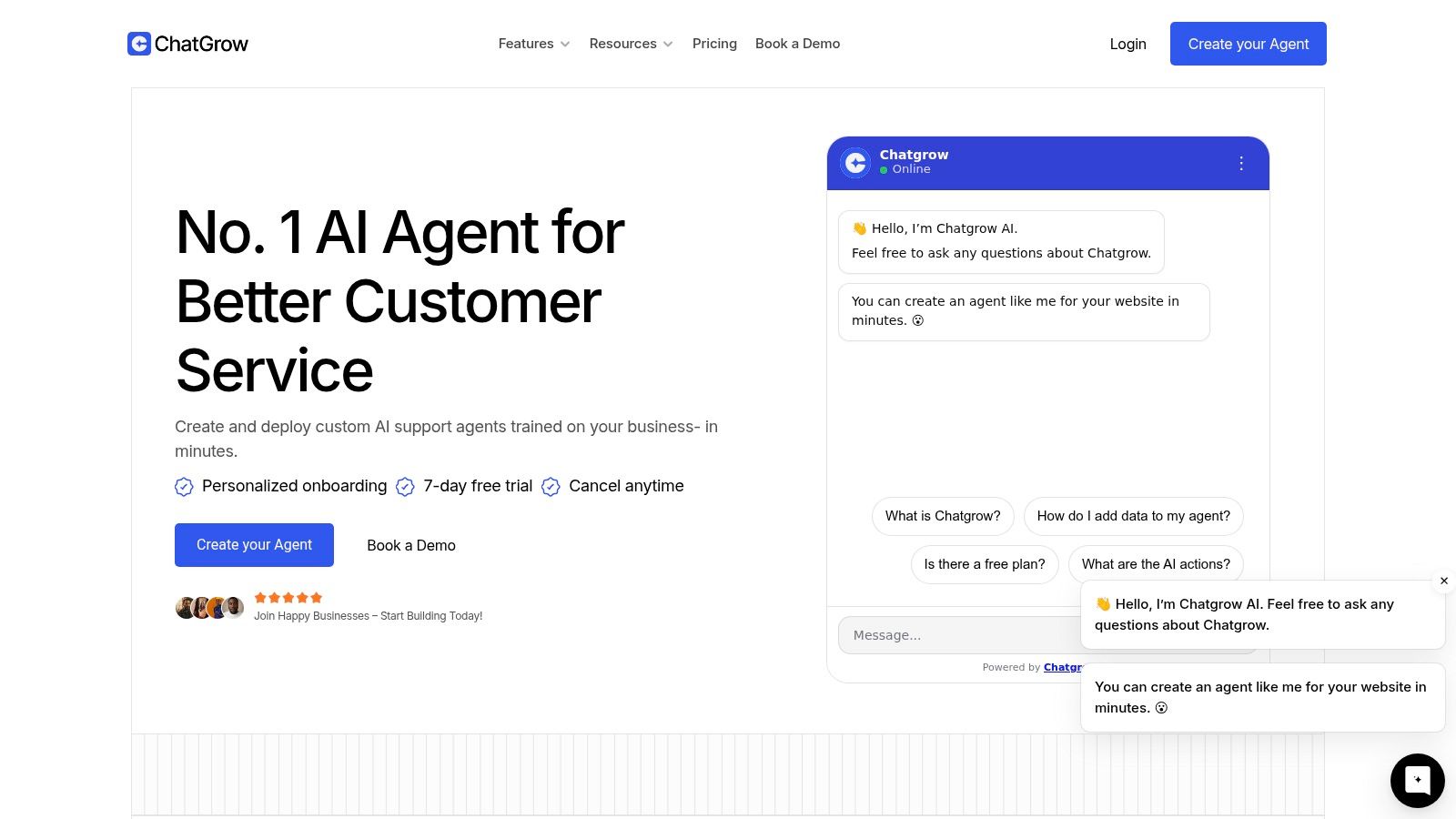
HubSpot Marketing Hub pricing is one of the clearest examples of a tool that can replace several others if you commit to it properly. For agencies serving SMB clients, that matters. You can run lead capture, landing pages, email automation, ad tracking, contact management, and attribution in one environment instead of duct-taping together separate tools that break every quarter.
HubSpot is strongest when the client wants one operational center, not a best-of-breed puzzle. The CRM tie-in is a key advantage. Campaign activity connects to actual contacts and deal stages, so your reporting isn't just "traffic went up." You can show what happened after the click.
Where HubSpot earns its keep
The visual workflow builder is mature, the forms and landing pages are reliable, and the partner ecosystem helps agencies onboard staff faster than most enterprise-leaning platforms. If your team also offers chat, qualification, or inbound handoff support, it's worth reviewing how conversational marketing platforms fit around HubSpot rather than assuming native tools are always enough.
A practical integration many agencies need early is a Hubspot form integration, especially when leads originate outside the main site stack.
Best for integrated delivery: Great when your agency handles email, nurture, lead capture, and reporting together.
Watch contact-based pricing: Costs can rise as databases grow, especially if clients keep every old contact forever.
Plan setup time: Basic campaigns are easy. Clean lifecycle stages, attribution logic, and multi-client governance take work.
Practical rule: Don't buy HubSpot just to send newsletters. Buy it when you want CRM-linked marketing operations.
2. ActiveCampaign

ActiveCampaign pricing makes sense for agencies that care strongly about lifecycle email and behavior-based automation but don't need the full weight of a large CRM suite. Many retention-focused agencies often gravitate to this option, especially in ecommerce and subscription businesses.
Its automation builder is the reason to use it. You can create sequences based on purchases, page visits, tags, events, and custom conditions without making the workflow unreadable. That's useful when a client needs abandoned cart logic, win-back campaigns, nurture branching, or lead scoring that goes beyond simple drip emails.
Best fit and common friction
ActiveCampaign tends to work best when email is a real revenue channel, not a side task. If your agency's value comes from segmentation, offer timing, and conversion paths, it gives you enough control to do smart work without forcing clients into a bigger platform than they need.
The downside is familiar. Contact counts drive pricing, and useful features can sit behind higher tiers or add-ons. Teams often start cheap, then discover they need more testing, CRM features, SMS, or transactional support.
Strong SMB automation platform: Better than basic newsletter tools when journeys need logic and branching.
Good ecommerce compatibility: Shopify, WooCommerce, Stripe, and Zapier integrations make it practical for direct-response work.
Not ideal for bloated databases: If a client hoards inactive contacts, cost discipline gets messy fast.
ActiveCampaign is rarely the wrong tool for advanced email. It's usually the wrong tool when an agency expects it to become the whole operating system.
3. Semrush
Semrush pricing puts it in the category of tools agencies buy because they need breadth. SEO research, site auditing, keyword tracking, competitor analysis, content planning, and paid search intelligence all live in one place. For pitch work alone, that breadth is hard to ignore.
Semrush is especially useful when your team sells strategy across search, content, and paid media. A strategist can move from keyword opportunities to competitor ad patterns to technical issues without leaving the platform. That shortens research cycles and makes client prep cleaner.
Where Semrush stands out now
The newer reason agencies are paying attention is AI visibility. The gap is real. Agencies are still underserved by tools that quantify brand presence inside generative AI answers, not just blue-link rankings. Marcus Sheridan shared that 73% of marketing agencies still ignore AEO, with real risk as client expectations shift toward AI-first outcomes, as noted in his LinkedIn post on AEO adoption.
That makes Semrush's AI visibility direction more important than many agencies realize.
Best for multi-channel search teams: Especially valuable when SEO and PPC sit under one account lead.
Great for audits and pitches: Competitive snapshots are fast to build.
Expect a learning curve: New users can get lost if nobody owns the platform internally.
Most agencies already report rankings. Fewer can explain whether a brand shows up inside AI-generated answers. Clients will start asking.
4. Ahrefs

Ahrefs pricing is easier to justify when link intelligence matters to your work. For backlink audits, digital PR prospecting, competitive research, and content gap analysis, Ahrefs still feels faster and more intuitive than many broader platforms.
This is the tool I reach for when a client says, "Why is that competitor outranking us?" Site Explorer and Content Explorer usually get you to a useful answer quickly. You can inspect backlink profiles, identify link-worthy pages, review keyword overlap, and find where a rival has momentum.
What Ahrefs does better
Ahrefs is often the cleaner choice for specialist SEO teams that don't need a giant suite. The workflows are practical. Open domain, inspect links, compare pages, export findings, move on. That speed matters when account managers need answers during live calls or when SEO leads are triaging multiple clients.
Its trade-off is cost versus usage. If only one or two people in the agency know how to use it well, you can still justify it. If you hand out seats without process, it becomes expensive shelfware.
Excellent for link-led SEO: Strong fit for audits, authority analysis, and digital PR support.
Fast research environment: Teams can get to useful answers quickly.
Less of a general marketing suite: Better as a sharp specialist tool than as your only search platform.
Ahrefs doesn't replace strategy. It helps experienced search teams see the field faster.
5. Chatgrow
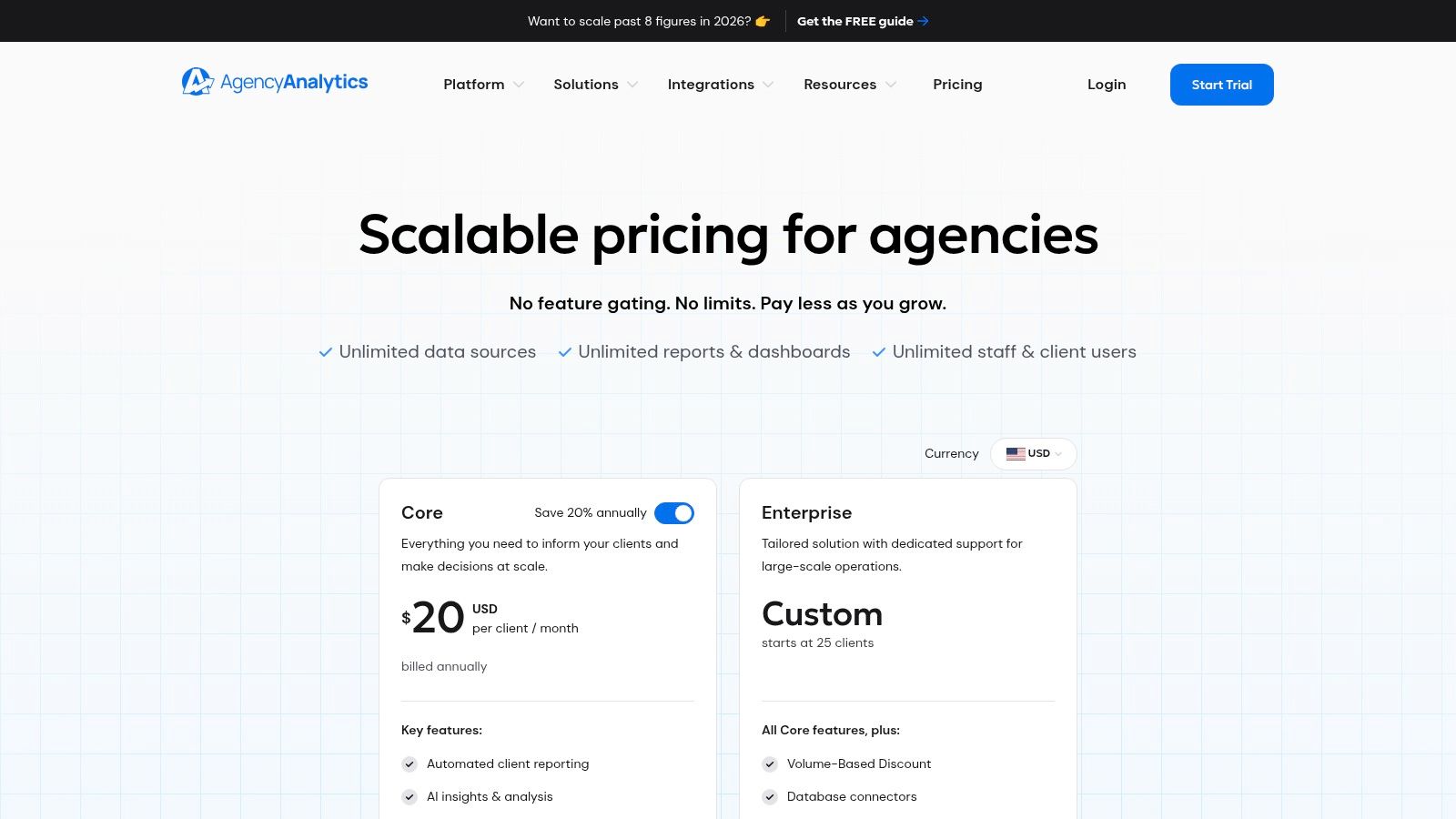
A familiar agency problem. A client pays to drive traffic to a pricing or service page, a prospect has one buying question, and nobody answers it until the next business day. By then, the lead is gone.
Chatgrow fits the stack as a conversion layer for agencies that need faster response times without adding live chat staffing. It trains AI agents on a client's existing site content, then handles common pre-sales and support questions in real time. That makes it useful for SMB, SaaS, ecommerce, education, and service accounts where speed and coverage matter as much as traffic volume.
What I like here is the packaging. Agencies can deploy it from content the client already has, set qualification rules, and place it on high-intent pages without turning the engagement into a custom build. That matters if you want a repeatable offer instead of a one-off chatbot project that eats margin.
Where Chatgrow fits in an agency stack
Chatgrow works best as a point solution, not a catch-all platform. Use it when the agency already has traffic generation covered and needs to improve conversion on pages where visitors hesitate, compare options, or need reassurance before booking or buying.
Its pricing is straightforward, which helps during scoping. As outlined in Chatgrow's guide to chatbots for lead generation, the Standard plan starts at $39 per month with a free trial, while Growth is $99 per month. The higher tier adds more agents, more message capacity, more intent actions, and automated retraining. For smaller retainers, that keeps the tool easy to bundle into a CRO or lead capture package.
A few features matter in practice:
Smart Intent: Helps the bot interpret what the visitor wants and respond with relevant answers.
Smart Escalation: Passes the conversation to a human with context, instead of dumping a vague lead into the CRM.
Continuous retraining: Keeps answers aligned with updated site content.
Analytics: Shows what prospects ask before sales calls, which is useful for both copy and offer refinement.
What to watch during implementation
Placement drives performance. Pricing pages, service pages, demo pages, comparison pages, and support-heavy product pages usually produce better conversations than a generic sitewide install. Teams that launch a bot everywhere on day one often create noise, weak lead quality, and more cleanup work for account managers.
The main trade-off is control versus convenience. Chatgrow is easy to launch, but it still needs guardrails. Review source content, test the prompts, define escalation triggers, and decide which questions the bot should not answer. Message limits and storage can also become a constraint on larger accounts, so agencies should check usage before promising broad deployment across multiple properties.
The strongest setups stay narrow. Answer buying questions quickly, collect context cleanly, and hand off edge cases before the bot starts guessing.
6. AgencyAnalytics
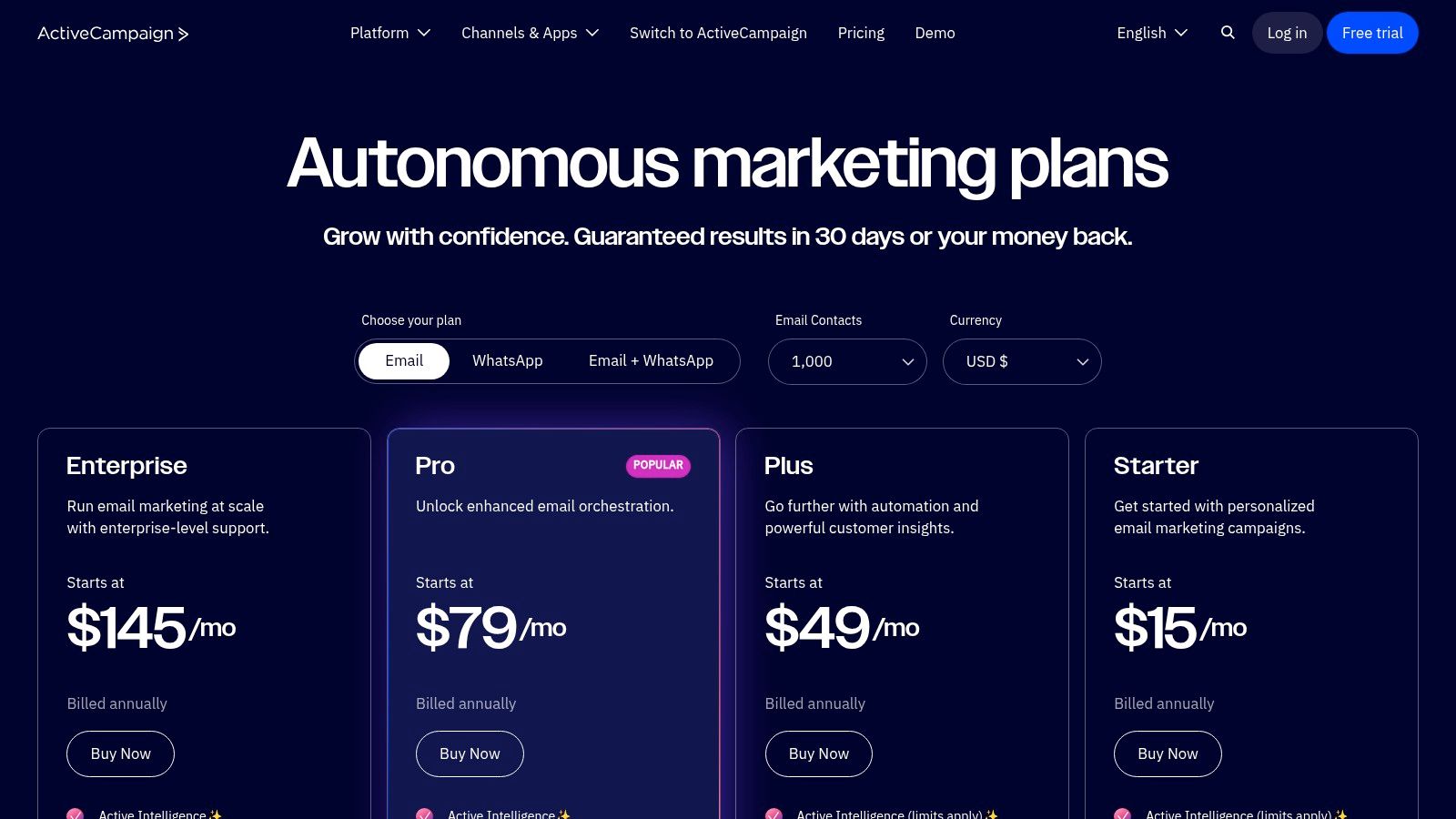
AgencyAnalytics pricing reflects exactly what it is. A reporting platform built for agencies first, not adapted later. That distinction matters when you need white-label dashboards, recurring reports, client portals, and broad integrations without turning every report into a manual production task.
This is the reporting layer I recommend when an agency has outgrown spreadsheets and one-off Looker Studio builds, but doesn't want to engineer a full data stack for every account. It centralizes SEO, ads, email, social, and website reporting well enough for recurring client delivery.
Reporting speed versus reporting depth
AgencyAnalytics is strong when standardization matters more than analytics theater. Clients want clean views, consistent updates, and understandable KPIs. Most don't want a custom analytics thesis every month. The platform helps agencies produce that repeatable reporting quickly.
The trade-off is that some extras, like rank tracking or deeper connectors, may add cost. And like most agency reporting tools, it's only as trustworthy as the inputs.
Good for scale: Unlimited users and dashboard flexibility help growing teams.
Client-friendly presentation: White-labeling and portals reduce reporting friction.
Not a cure for bad data: If naming conventions and source data are messy, dashboards will still be messy.
If your team spends too much time building reports instead of interpreting them, AgencyAnalytics usually gives that time back.
7. Canva for Teams
Canva pricing is low enough that agencies rarely debate the subscription. The main decision is where Canva sits in the stack and where it should stop. I put it in the fast-turn creative layer, between strategy and final distribution, where teams need approved assets out quickly without routing every request through a designer.
That role is useful when client work includes constant small asks. New ad sizes, webinar slides, repurposed social graphics, sales one-pagers, simple video edits, and internal presentation decks all add up. Canva handles that production load well if the agency has templates, brand controls, and a clear approval path.
Where Canva earns its seat in the stack
Canva for Teams works best for repeatable deliverables, not flagship creative. Brand Kits, shared folders, template locking, comments, and approvals help account managers and content teams produce on-brand work without slowing down the design team. For agencies serving local businesses, franchises, or multi-location brands, that speed matters because content volume is usually the problem, not a lack of design software.
There is a trade-off. Canva makes it easy to create assets. It also makes it easy to create inconsistent assets if nobody owns template governance.
Strong fit for production volume: Great for social graphics, ad variants, decks, proposals, and client recap documents.
Useful for cross-functional teams: Strategists, account managers, and coordinators can make approved edits without touching Adobe files.
Weak for advanced design work: Complex animation, detailed retouching, and high-end brand systems still belong in pro design tools.
I have seen Canva save hours each week. I have also seen agencies turn it into a cluttered asset graveyard. The difference is operational discipline. Set naming conventions, limit who can create templates, and tie visual workflows to the client communication process. That matters even more for teams handling inbound engagement or social media customer service workflows, where a rushed graphic can end up in a live customer conversation within minutes.
8. Sprout Social

Sprout Social pricing tends to filter agencies quickly. If you're managing a handful of social profiles with light engagement needs, it may feel expensive. If you're managing many brands, approval chains, reporting expectations, and inbox volume, it starts to make more sense.
Sprout's strength is operational maturity. Publishing, engagement, analytics, listening, and permissions are handled in a way that feels built for teams, not just solo schedulers. That matters when multiple strategists, community managers, and account leads touch the same client accounts.
When Sprout is worth the spend
Sprout is especially useful when social isn't just content distribution. If clients expect timely replies, escalation paths, and cleaner reporting, you need more than a calendar. Agencies that also support service workflows should think carefully about how social care and lead capture connect, as social media customer service stops being a support side project and becomes part of retention and conversion.
Social teams get blamed for slow response times even when the real problem is bad routing between marketing, support, and sales.
Strong for multi-brand management: Better when teams need governance and shared workflows.
Reliable reporting: Client-facing analytics are cleaner than many lighter tools.
Per-user costs add up: Plan seats carefully before rolling it out broadly.
Sprout isn't cheap, but neither is losing control of client social operations.
9. ClickUp
ClickUp pricing looks attractive because it can replace several separate tools. Project management, docs, calendars, forms, proofing, dashboards, goals, automations, and time tracking can all live in one workspace. For agencies with too many disconnected internal tools, that's a real opportunity.
It can also become a cluttered mess if no one designs the workspace properly. ClickUp rewards process owners. It punishes agencies that let every department build its own system with no naming standards, no status definitions, and no intake rules.
Build process before views
ClickUp is at its best when you standardize recurring agency operations. New client onboarding, monthly reporting, campaign launches, content production, QA, approvals, and capacity planning can all be templatized. Once that structure exists, the platform becomes powerful. Without it, people just create tasks in prettier places.
A few practical uses stand out:
Intake forms: Useful for controlling request quality before work starts.
Dependencies and proofing: Helpful when multiple teams touch a campaign.
Dashboards and workload views: Good for spotting delivery bottlenecks.
Client access needs careful setup. Most agencies underestimate permissions, guest roles, and what a client should see. ClickUp can support client collaboration, but it doesn't create good client process on its own.
10. Google Analytics 4
Google Analytics remains the measurement foundation in most agency stacks, even when teams complain about it. GA4 is event-based, cross-platform capable, closely tied to Google Ads, and broadly supported across the ecosystem. That makes it hard to avoid and foolish to ignore.
The mistake agencies still make is treating GA4 like a reporting destination instead of an instrument panel. If tracking plans, event naming, conversions, and channel mapping aren't set correctly, the interface doesn't save you. It only visualizes confusion.
Where GA4 fits in the stack
GA4 should sit underneath your reporting and optimization layers. It feeds campaign analysis, audience building, and conversion review. For SEO teams, it pairs well with Search Console. For paid teams, it supports ad performance analysis. For reporting teams, it's part of the core dataset behind client dashboards and mastering SEO tracking.
The trade-offs are familiar:
Essential ecosystem tool: Broad support and direct ties to Google's ad stack.
Needs real implementation discipline: Event architecture and conversion setup matter.
Not enough by itself: It doesn't solve attribution, normalization, or executive reporting on its own.
GA4 isn't the glamorous part of the stack. It's the part that keeps the rest honest.
Top 10 Marketing Agency Tools Comparison
Product | Core focus & key features | UX & quality (★) | Value & pricing (💰) | Best for (👥) | Unique selling point (✨) |
|---|---|---|---|---|---|
HubSpot Marketing Hub | CRM‑tied marketing automation, landing pages, forms, attribution | ★★★★ | 💰 Tiered pricing; can escalate with contacts/seats | 👥 Agencies & growing SMBs | ✨ All‑in‑one stack + HubSpot Academy |
ActiveCampaign | Email & lifecycle automation, visual workflows, ecommerce integrations | ★★★★ | 💰 SMB‑friendly but scales by contacts/add‑ons | 👥 Ecommerce & SMBs focused on email | ✨ Powerful automations at entry budgets |
Semrush | Keyword/competitor research, site audit, PPC & content planning | ★★★★ | 💰 Tiered; can be costly for full feature set | 👥 SEO/paid search teams & agencies | ✨ Deep competitive intelligence & research |
Ahrefs | Backlink index, Site/Keywords/Content Explorer, audits | ★★★★ | 💰 Premium for heavy link/keyword usage | 👥 SEOs, digital PR & content teams | ✨ Industry‑leading backlink data |
🏆 Chatgrow | AI customer‑service agents trained on your site, lead qualification, 24/7 coverage | ★★★★★ | 💰 Starts $39/mo, 7‑day trial, clear message‑credit tiers | 👥 SMBs, e‑commerce, SaaS, agencies & marketers | ✨ Smart Intent + Smart Escalation, rapid non‑technical setup |
AgencyAnalytics | White‑label reporting dashboards, scheduled reports, 80+ integrations | ★★★★ | 💰 Per‑client pricing; efficient for standardized reports | 👥 Marketing agencies with many clients | ✨ White‑label client portals & automated reporting |
Canva for Teams | Brand kits, templates, social assets, approvals, AI tools | ★★★★ | 💰 Affordable per‑seat tiers; higher tiers for SSO/governance | 👥 Marketers & non‑designer teams | ✨ Fast on‑brand asset creation & collaboration |
Sprout Social | Social publishing, unified inbox, listening, reporting & approvals | ★★★★ | 💰 Per‑user pricing can be expensive for large teams | 👥 Multi‑brand agencies & social teams | ✨ Robust listening + client‑ready analytics |
ClickUp | Work OS: calendars, Gantt, docs, proofing, automations | ★★★★ | 💰 Strong value at Business/Unlimited per‑user tiers | 👥 Agencies standardizing ops & delivery | ✨ Replaces multiple PM tools with built‑in tracking |
Google Analytics 4 | Event‑based analytics, cross‑platform reporting, BigQuery export | ★★★★ | 💰 Free standard property; enterprise exports via BigQuery | 👥 Analysts, ad & SEO teams | ✨ Essential ad/SEO measurement + BigQuery integration |
How to choose and integrate tools by agency size
A two-person agency and a 20-person agency should not buy software the same way.
I have seen small teams bury themselves under enterprise-grade subscriptions they never fully implement. I have also seen growing agencies stay on lightweight tools too long, then pay for it in missed handoffs, reporting errors, and messy client communication. The right stack depends less on what is popular and more on where your agency breaks under load.
Small agencies and solo operators
For a lean shop, the stack should stay tight. Pick one core hub for contacts and follow-up, one delivery system, one measurement layer, and one or two specialist tools that directly support your main service line. If SEO is a core offer, keep Semrush or Ahrefs. If inbound lead capture matters, add Chatgrow. If content and social drive revenue, Canva for Teams covers a lot before you need a heavier creative workflow.
The mistake at this stage is overlap. HubSpot plus ActiveCampaign plus another CRM usually creates duplicate records and unclear ownership. Sprout Social can also be too much if a small team is only scheduling basic posts and replying to comments manually.
A practical starter stack often looks like this:
Core hub: ActiveCampaign or HubSpot Marketing Hub
Search and visibility: Semrush or Ahrefs
Client delivery: ClickUp
Reporting and measurement: GA4, then AgencyAnalytics once reporting volume justifies it
Creative production: Canva for Teams
Lead capture or support: Chatgrow
Keep the handoffs simple. One person should be able to explain where a lead enters, where work gets assigned, and where results get reported without opening six tabs.
Growing agencies with a few specialists
Once the team has dedicated roles for account management, paid media, SEO, content, or social, the stack needs clearer lanes. This is the point where tool depth starts to matter. Semrush and Ahrefs can both be justified if one supports prospecting and technical audits while the other supports link analysis and editorial planning. Sprout Social starts making sense when social approvals, inbox management, and client reporting take real time every week.
Process maturity matters more than feature count here. A growing agency gets more value from standard fields, permissions, naming conventions, and templates than from adding a fifth specialist platform.
At this stage, build in functional groups:
Core hubs: HubSpot Marketing Hub or ActiveCampaign, ClickUp
Search and visibility: Semrush, Ahrefs, GA4
Client communication and reporting: AgencyAnalytics, Sprout Social
Creative and content production: Canva for Teams
Conversion support: Chatgrow
That grouping helps in procurement and onboarding. It also makes it easier to see where you have overlap. If two tools are both trying to be the reporting layer, one of them will end up underused.
Larger agencies with mature delivery teams
Larger teams need operating rules before they add more software. Without that discipline, every department builds its own mini-stack and clients get inconsistent experiences.
Role-based access, shared campaign taxonomy, QA checklists, and documented integration ownership should come first. Then the stack can expand with less friction. HubSpot often becomes the commercial system of record. ClickUp runs delivery. AgencyAnalytics handles recurring client dashboards. GA4 supports measurement. Semrush, Ahrefs, and Sprout Social serve the specialist teams. Chatgrow can route conversations and qualify leads, but only if escalation rules and ownership are already clear.
Bigger agencies usually see smaller gains from each new tool than smaller shops do. Coordination becomes the limiting factor. The software is rarely the problem by itself. The issue is who owns the workflow, who maintains the integration, and who catches bad data before a client does.
Select tools by maturity, not just headcount
Headcount is only one signal. I would also look at service complexity, client mix, reporting frequency, and how often work moves between specialists.
A five-person agency with retainer SEO, paid media, and lifecycle email work may need a more structured stack than a 12-person content studio. An agency serving enterprise clients may need stronger permissions, approvals, and white-label reporting far earlier than its size suggests.
Use a simple filter when choosing the next tool:
Does it replace manual work that happens every week?
Does it improve a client-facing deliverable?
Does it reduce errors in handoff, reporting, or follow-up?
Does one team clearly own setup and maintenance?
Does it overlap with something already in the stack?
If the answer is vague on three of those five, wait.
Normalize data before you automate
Agencies skip this step all the time. Then they add dashboards, AI summaries, and automated alerts on top of inconsistent campaign names and mismatched conversion definitions.
Swydo warns that cross-channel comparisons break down when agencies do not normalize naming and reporting inputs through a consistent data pipeline, as summarized in Swydo's review of marketing agency tools.
Clean naming is operational infrastructure. Without it, reporting drifts, automations misfire, and AI summaries repeat bad inputs faster.
A workable integration order is usually straightforward:
Set the system of record: Decide whether CRM, project management, or reporting owns each workflow.
Standardize naming: Align campaign names, source labels, lifecycle stages, and deliverable types.
Connect tools one at a time: Test data flow before adding the next integration.
Automate summaries last: Summaries work when the underlying data is already clean.
That order saves rework. It also makes the stack easier to maintain when the team grows.
Your Tech Stack Is Your Strategic Advantage
The best marketing agency tools don't make an agency better on their own. They make good process repeatable, visible, and easier to scale. That's the difference between a stack that helps and a stack that incurs unnoticed overhead.
Most agencies don't have a software problem first. They have a systems problem. One team logs campaign names one way, another reports results another way, and the client sees a dashboard that doesn't match the strategy call. Then leadership adds more software to fix what is really a workflow and ownership issue. That never holds for long.
A strong stack starts with role clarity. HubSpot or ActiveCampaign can manage lead flow and nurture. Semrush and Ahrefs sharpen search work. Chatgrow handles high-intent conversations that would otherwise go unanswered. AgencyAnalytics turns recurring reporting into a product instead of a monthly scramble. Canva speeds asset production. Sprout Social gives structure to social operations. ClickUp runs delivery. GA4 provides the measurement base. Each tool has a lane.
The hard part is resisting overlap. If two tools do similar things, your team will split usage. If nobody owns implementation, every tool underperforms. If the data underneath the stack isn't normalized, the whole setup becomes a nicer-looking version of the same confusion. That's why the winning agencies treat software selection like service design. They decide what client experience they want to deliver, then build the stack backward from that outcome.
There's also a commercial advantage here. A clean stack helps agencies defend retainers because it makes delivery legible. Clients can see what happened, where leads came from, how work moved, and where opportunities are being surfaced. That kind of visibility changes the relationship. You're no longer the team "doing some marketing." You're the team operating a reliable growth system.
If you want a good outside perspective on reporting-layer decisions, Oviond on agency reporting software is a useful reference point.
Treat your stack as an asset, not a shopping list. Start with the foundation. Add tools that solve real operational problems. Integrate them with discipline. Review them every quarter. The agencies that do this well don't just work faster. They sell more confidently, onboard more smoothly, and retain clients longer because the engine behind the service is built to last.
If you want one practical upgrade that improves both lead capture and client experience, start with Chatgrow. It gives agencies a fast way to deploy trained AI agents on client sites, answer high-intent questions instantly, qualify leads, and escalate the right conversations to humans without turning the setup into a long technical project.
Related Posts
Continue Reading
More articles from the ChatGrow Team.


