Blog
Sales Tracking Software: Your 2026 Guide to Boost Sales
By
Nelson Uzenabor
Leads are coming in from your website, someone on the team is answering a few by email, a few sit in a shared inbox, and the rest live in a spreadsheet that only one person fully understands. Sales calls happen, but notes are inconsistent. Follow-ups depend on memory. Forecasts come from gut feel and optimism.
That setup works for a while. Then volume grows and the cracks become expensive. A rep forgets to send the proposal. Marketing sends leads that sales says are weak, but nobody can prove it. A founder asks which channel is producing revenue, and the room goes quiet.
That's where sales tracking software stops being “admin software” and becomes operating infrastructure. It gives you one place to see what entered the pipeline, what happened next, who owns the next action, and where deals stall. It also creates the raw material for better decisions, because your team no longer has to reconstruct reality from inboxes and memory.
This isn't a niche category anymore. The global sales software market is valued at USD 35.9 billion in 2026 and is projected to reach USD 71.83 billion by 2031 at a 14.86% CAGR. That projection tells you something practical. Companies in every sector are treating sales tracking and analytics as a core business system, not a nice add-on.
Table of Contents
Introduction From Sales Chaos to Clarity
A growing company usually doesn't realize it has a tracking problem until someone asks a simple question: “What happened to those leads from last month?” Then the scavenger hunt starts. One rep has notes in Gmail. Another uses a notebook. Marketing has form submissions in one tool and campaign data in another. Nobody is lying. The system is just fragmented.
The cost isn't only lost visibility. It's inconsistent execution. Some prospects get five touchpoints in a week. Others get one reply and then silence. Managers can't tell whether a thin pipeline comes from poor lead quality, weak follow-up, or bad stage definitions. If the process is messy, every diagnosis is partly guesswork.
Practical rule: If your team needs a meeting just to figure out the current state of open deals, you don't have a tracking process. You have a reporting ritual.
Sales tracking software fixes that by turning activity into a shared record. Leads enter one system. Calls, emails, meetings, tasks, and stage changes tie back to the same account or opportunity. That doesn't make the team magically better. It does make underperformance visible, and that's what allows correction.
The key shift is this. You stop treating sales data as something you compile after the work. You start treating it as part of the work itself. Good systems capture what happened while reps sell, not days later when details are fuzzy and updates become selective.
For a company trying to grow, that difference matters more than feature lists. Clean tracking creates accountability, coaching opportunities, and a better handoff between marketing, sales, and support. It replaces “I think” with “here's what happened.”
What Is Sales Tracking Software Really
Sales tracking software is the central nervous system of a sales operation. It collects signals from every part of the selling process and sends them to one place where the team can interpret them. Every call logged, every email reply, every meeting booked, every deal stage change. Those signals tell you whether pipeline movement is healthy or whether the team is just busy.
A lot of teams confuse this with a contact database. An address book stores names, job titles, and phone numbers. Useful, but static. Sales tracking software deals with movement. It tracks where a lead came from, what actions happened, what stage it entered, how long it stayed there, and what should happen next.
More than a basic CRM record
The distinction matters. A CRM can be broad. It may cover marketing, service, account management, and customer history. Sales tracking software is narrower and more operational. It focuses on pipeline flow, rep activity, deal progression, and sales execution.
In practice, many platforms do both. That's fine. What matters is whether the system helps your team answer questions like:
Pipeline health: Which deals are active, stalled, or at risk?
Rep execution: Are follow-ups happening on time?
Lead quality: Which sources produce real opportunities?
Forecast confidence: Are stage movements backed by recent activity?
If the software can't answer those questions cleanly, it may be a contact repository with a pipeline view attached.
What it should track every day
At minimum, a useful setup tracks four categories of information:
Leads and accounts: Who the prospect is, where they came from, and which segment they fit.
Deals or opportunities: What the potential sale is worth, what stage it's in, and who owns it.
Communications: Emails, calls, meetings, notes, and replies tied to the right record.
Activities and next steps: Tasks due, overdue actions, booked follow-ups, and handoffs.
The best sales tracking software doesn't ask reps to become data clerks. It captures enough detail to manage the pipeline without slowing the sale down.
That last point is where many implementations go wrong. Teams buy an advanced platform, then overload it with fields, custom objects, and reporting requirements that don't help reps move deals. Adoption drops. Data quality follows.
A good system should feel like operational support, not surveillance. Reps should be able to open a record and immediately understand the context, the latest interaction, and the next action required. Managers should be able to scan the pipeline and spot patterns without interrogating the team for updates. When that happens, the software becomes part of how the team sells, not just how leadership reviews.
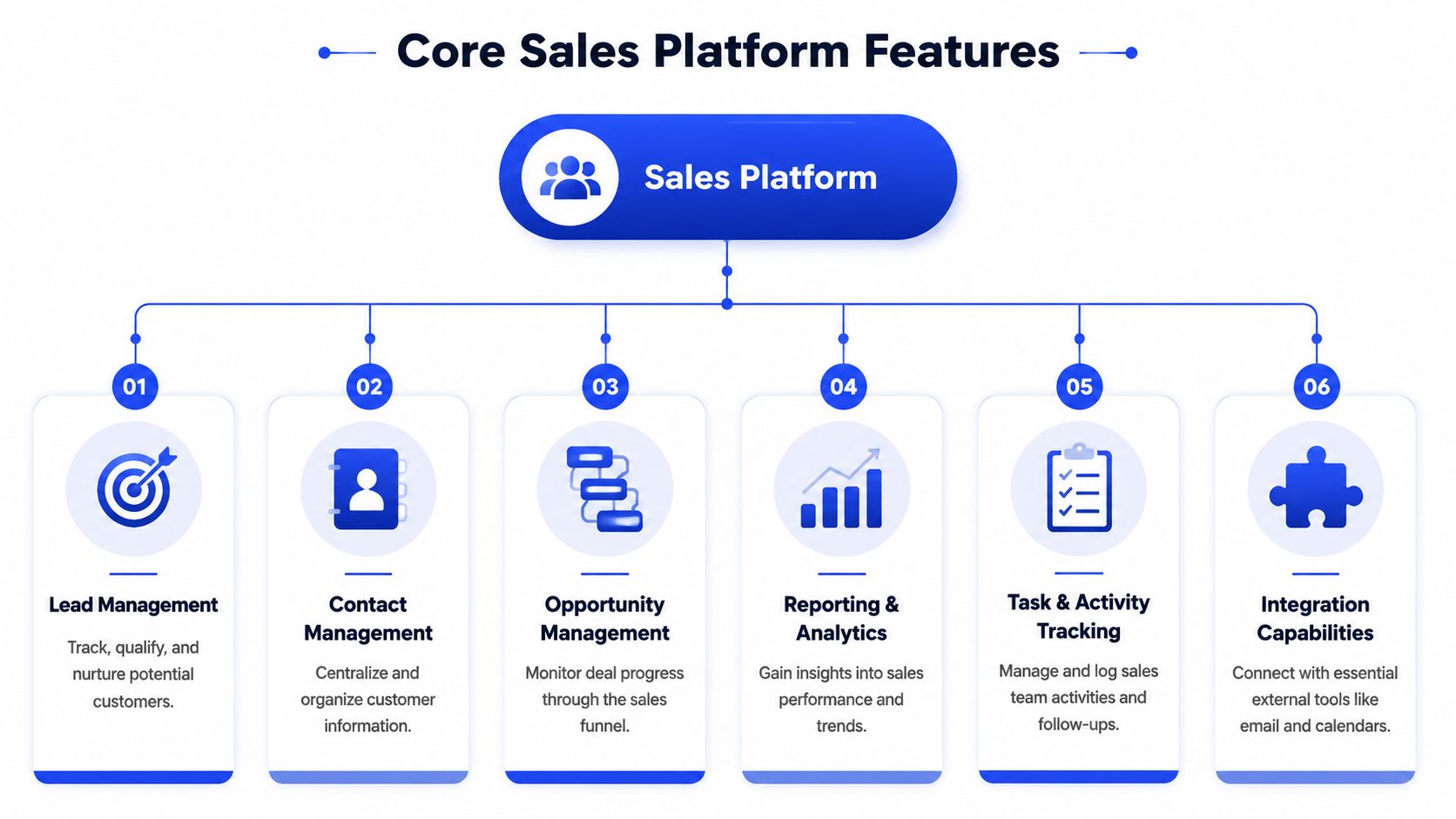
Core Features Every Sales Platform Needs
A lot of software evaluations go off the rails because teams chase long feature matrices instead of asking a harder question: which functions will improve execution this quarter? Teams often need fewer bells and more discipline.
Pipeline visibility beats spreadsheet status updates
Your pipeline view should show deals by stage in a way reps and managers can scan in seconds. Kanban-style boards are popular for a reason. They expose bottlenecks quickly. If proposals pile up and demos move slowly, you can see the blockage without digging through reports.
That visual layer only works if stages reflect the sales motion. “Qualified,” “proposal sent,” and “decision pending” need clear definitions. If stage names are vague, reporting becomes political because each rep interprets them differently.
Core pipeline features to insist on:
Custom stages: The pipeline should match your actual process, not force your team into a generic template.
Deal records with history: Every opportunity should show chronology, owner, notes, and current next step.
Filtering views: Managers need quick views by rep, segment, source, or aging.
Activity capture is where clean data starts
Manual logging sounds harmless until nobody does it consistently. Then dashboards look polished but tell the wrong story. Email sync, calendar sync, and automatic task creation are the features that keep records usable without nagging reps all day.
That's also why integrations matter. If your sales platform doesn't connect cleanly to inboxes, calendars, forms, and your broader customer systems, the pipeline turns into an island. A useful primer on that broader connection is this guide to customer data integration for growing teams.
Here's the practical split between must-haves and nice-to-haves:
Feature area | What works | What doesn't |
|---|---|---|
Activity logging | Auto-capture from email and calendar | Reps logging every touch manually |
Contact history | One timeline with notes and meetings | Notes scattered across tools |
Task management | Next action tied to the deal record | Separate to-do lists with no pipeline context |
Integrations | Native connections to existing tools | Middleware-heavy setups for basics |
Reporting matters only if reps trust the inputs
Dashboards are useful only when the underlying data is fresh. Teams often obsess over advanced analytics before they've solved stage hygiene and activity capture. That's backward. Start with reports that answer operational questions managers ask every week.
Use reporting to inspect:
Stage aging: Where deals sit too long
Source performance: Which channels create real pipeline
Activity patterns: Whether outreach is timely and consistent
Forecast risk: Which open deals lack recent engagement
A report doesn't fix process. It reveals whether the process exists.
The strongest platforms keep these basics easy. The weak ones promise flexibility but require so much administration that reps avoid them. If you're evaluating software, look for the shortest path from real sales activity to trustworthy reporting. That's usually what moves the needle.
Key Sales KPIs You Must Track for Growth
Tracking everything is lazy management disguised as rigor. A strong sales operation chooses a small set of KPIs that expose speed, quality, and conversion. The goal isn't more dashboards. It's faster diagnosis.
That's one reason this category keeps expanding. The global sales analytics software market is valued at US$5.5 billion in 2026 and is expected to reach US$12.5 billion by 2033 at a 12.4% CAGR. Companies are putting real budget behind analytics because performance questions don't get easier as pipeline volume grows.
Track quality of execution, not just effort
A common mistake is rewarding activity totals that don't connect to outcomes. Call count alone can hide bad targeting. Email volume can hide poor timing. Better KPIs show whether the team responds quickly, advances deals cleanly, and gets value from each source.
The most useful examples are often simple:
Lead response time: How quickly the team responds to inbound interest.
Stage-by-stage conversion: How efficiently deals move between defined checkpoints.
Sales cycle length: How long it takes to move from first touch to close.
Lead source effectiveness: Which channels create deals worth working.
Activity-to-pipeline created: Whether effort is generating qualified opportunities.
If you want teams to focus on service quality and responsiveness, this related guide on customer service KPIs that actually matter is worth reviewing alongside sales metrics.
Essential Sales Tracking KPIs
KPI | Definition | Why It Matters |
|---|---|---|
Lead response time | The time between inbound lead creation and first meaningful follow-up | Fast responses improve the odds that a prospect engages while intent is still high |
Stage-by-stage conversion rate | The share of deals that move from one sales stage to the next | Shows exactly where your process breaks down |
Sales cycle length | The time from initial contact to closed deal | Helps identify friction, weak qualification, or approval delays |
Lead source effectiveness | Comparison of pipeline and closed business by source | Prevents overspending on channels that create activity but not revenue |
Follow-up cadence | The pattern of touches within the early part of a deal | Reveals whether reps are consistent or letting opportunities cool off |
Activity-to-pipeline created | The amount of qualified pipeline generated from rep activity | Keeps the team focused on productive work, not busyness |
Next-step coverage | The share of open deals with a scheduled next action | Exposes neglected opportunities before they go dark |
One KPI should always trigger a conversation, not just a score. If one campaign produces leads with long cycle times, that might mean weak qualification. If one rep has strong activity numbers but poor stage conversion, coaching should focus on message quality or discovery, not more output.
Track enough to coach behavior. Don't track so much that nobody knows what to act on Monday morning.
The Real-World Benefits of Automated Sales Tracking
The value of automation in sales tracking isn't that it looks modern. It's that it removes fragile habits from a process that depends too much on memory. When the system captures activity and prompts next steps, managers spend less time chasing updates and more time fixing actual pipeline problems.
Better forecasts come from cleaner behavior
Forecasts fail when the data feeding them is stale, selective, or inflated. Reps remember the promising conversations and forget the quiet ones. Managers inherit that bias if the system doesn't force regular evidence into the record.
Automated tracking improves this because deal status starts reflecting observed behavior rather than personal confidence. Recent meetings, email replies, booked follow-ups, and overdue tasks give managers a stronger basis for judgment than verbal updates in a pipeline meeting.
A practical example is next-step discipline. When every open opportunity needs a scheduled next action, dead deals become visible much faster. That reduces the false comfort of a bloated pipeline.
Productivity gains are real when capture is automatic
The best operational benefit is simple. Reps get time back. They don't have to log every email manually or reconstruct their week before a forecast call. More important, the company gets cleaner data because the system captures work as it happens.
According to ShareCRM's guidance on sales tracking KPIs and tool selection, sales tracking software reduces administrative load by automating activity capture and enforcing next-step discipline across deals, which improves forecast accuracy and can lead to a 15 to 20 percent increase in stage conversion rates when teams adopt email and calendar sync plus automated task creation.
That gain doesn't come from buying software alone. It comes from using the right automations to support the right habits.
A few benefits show up quickly:
Fewer missed follow-ups: Tasks and reminders attach to the deal, not someone's memory.
Cleaner coaching: Managers can review real timelines instead of relying on summaries.
Less debate about data: When emails and meetings sync automatically, there's less room for selective reporting.
Stronger customer context: Anyone stepping into the account can see what happened and what's pending.
Sales tracking pays off when it removes hidden work. If your reps still spend too much time updating records by hand, the implementation isn't finished.
Beyond the Basics Integrating AI for Instant Lead Conversion
Most companies connect sales tracking software to email and calendars first. That's the obvious move, and it's necessary. It helps with records, visibility, and workflow consistency.
Traditional integrations fix records, not response time
Here's the gap I see often in growing teams. They build a decent tracking setup, but inbound leads still wait for a human. The system records the form fill perfectly. The alert fires. The lead is “tracked.” Nobody responds fast enough.
That's a revenue problem, not just an ops issue. Insightly's discussion of the category cites Bain & Company's finding that “selling to small businesses is a huge untapped market” and that 78% of SMBs abandon purchases due to poor lead response times. The same source highlights why scalable, automated service strategies matter in this segment. You can review that point in Insightly's sales tracking software overview.
So the classic model breaks down at the most important moment. A prospect raises a hand, and the business still relies on office hours, rep availability, or an overloaded inbox.
Where AI changes the sales motion
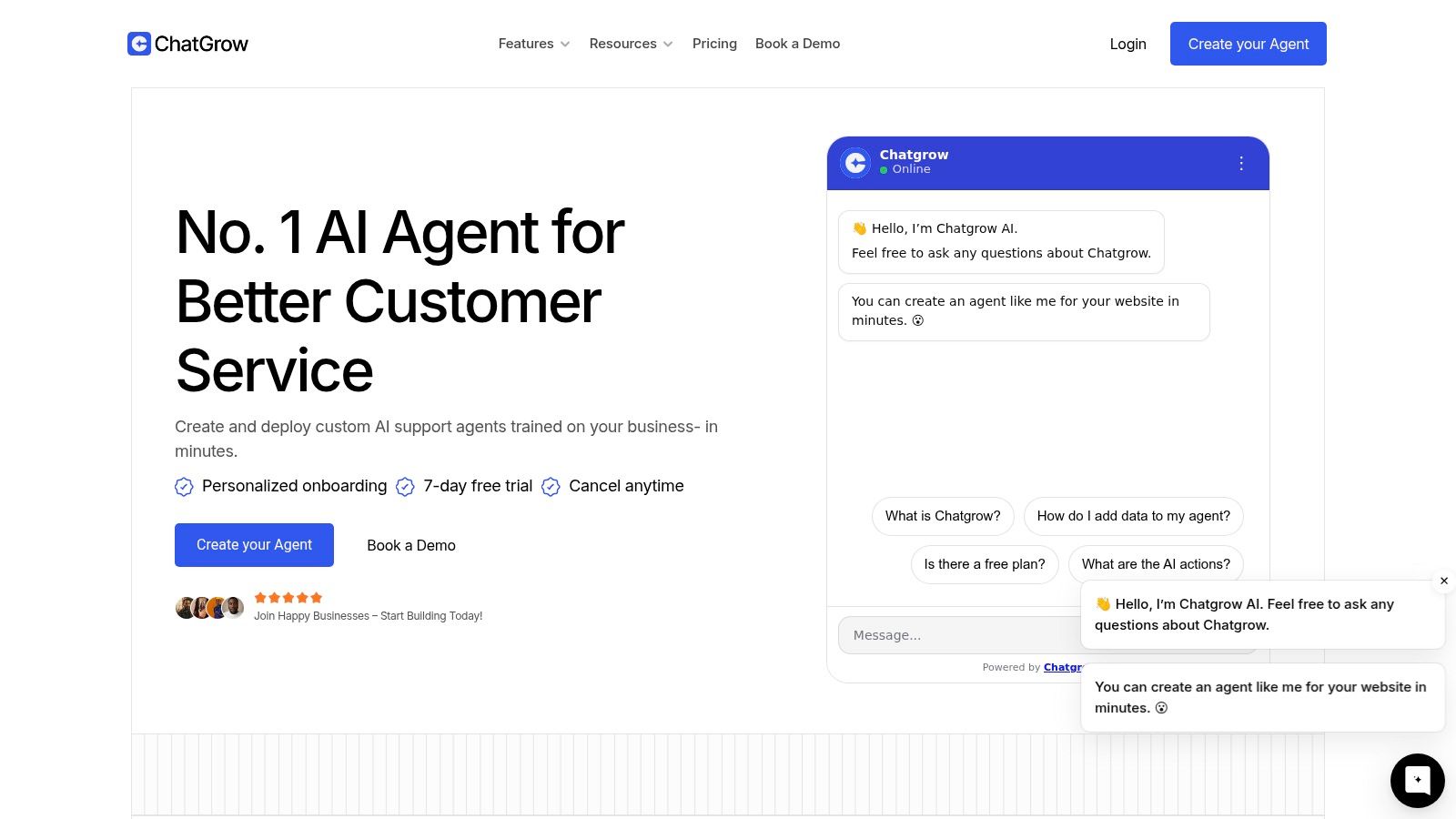
AI-driven chat and qualification tools become more than a support layer. Used well, they sit at the top of the sales workflow and handle the first response instantly. They answer basic questions, collect qualification details, detect buying intent, and route the lead into the sales system with context attached.
That changes the operating model in three useful ways:
Immediate engagement: The buyer gets a response while intent is still active.
Structured qualification: The system collects the same core details every time.
Cleaner handoff: Reps receive a conversation summary instead of a raw form fill.
A strong overview of options in this category is this guide to lead qualification tools for faster routing and prioritization.
The result is a tighter connection between tracking and action. Instead of logging inbound interest and hoping someone follows up soon, the business qualifies interest at the moment it appears. That matters most on high-intent pages like pricing, demo, and product comparison pages.
Video is useful here because seeing the workflow makes the handoff clearer than text alone.
What doesn't work is treating AI as a bolt-on novelty. If the chatbot doesn't connect to your sales process, define qualification criteria, and escalate cleanly when a human is needed, it creates another inbox problem in a different interface. The best implementations don't replace the sales team. They protect the first minute of engagement, which is often where the sale is won or lost.
How to Choose Implement and Price Your Software
Buying sales tracking software is usually less risky than rolling it out badly. Teams often survive the wrong vendor for a while. They struggle much more with poor setup, messy imports, and vague ownership.
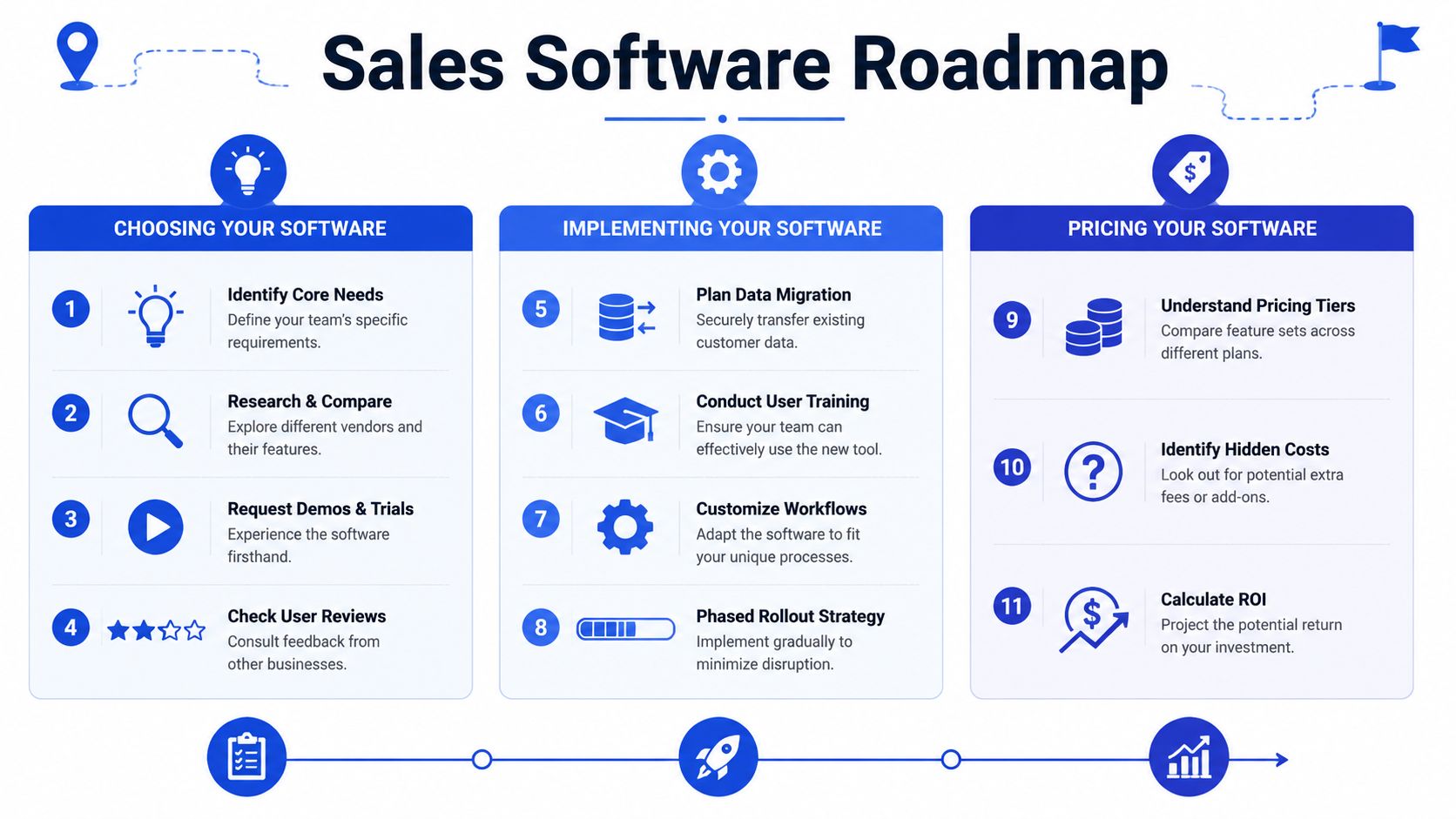
How to choose without getting distracted by demos
Most demos look good because they're performed by people who know the software perfectly. Don't score the tool on the demo. Score it on how quickly your team can do ordinary work inside it.
Use this checklist:
Ease of use: Can a rep update a deal, log context, and set a next step in a few clicks?
Integration fit: Does it connect cleanly with your email, calendar, forms, and existing stack?
Scalability: Can you add pipelines, fields, or reporting depth without rebuilding everything?
Manager visibility: Can leaders inspect activity and aging without exporting data all day?
Support quality: If setup gets messy, will the vendor help?
Buy for the process you run today, plus the next level of complexity you can see clearly. Don't buy for a hypothetical enterprise future that may never arrive.
A practical rollout plan
Implementation doesn't need to become a six-month project. For most small and midsize teams, a disciplined rollout is enough.
Clean the data first. Remove duplicates, standardize company names, close dead records, and decide which fields matter.
Configure the pipeline second. Keep stages tight and define exit criteria for each one.
Train on workflow, not buttons. Show reps how a lead enters, how it advances, when tasks are created, and how handoffs happen.
A few rollout mistakes repeat constantly:
Too many custom fields early: Reps stop updating records when every save feels like paperwork.
No stage definitions: Reporting turns inconsistent fast.
No owner for data hygiene: Everyone assumes someone else will clean it later.
No usage expectations: Adoption slips when managers don't inspect the system weekly.
How pricing usually works
Pricing models vary, but the structure is predictable. Vendors commonly charge per user, per month. Plans then increase based on feature depth, automation access, advanced reporting, integrations, storage, or support tiers.
When you evaluate price, don't just compare the listed plan. Compare the cost of getting the workflow you need. A cheaper plan that excludes activity sync, reporting, or integrations often becomes expensive once add-ons stack up. On the other hand, an enterprise package can be wasteful if your team only needs disciplined pipeline management and basic automation.
The right budget question isn't “What's the cheapest tool?” It's “Which tool solves our current bottleneck without creating a new admin burden?”
If your team already has sales tracking in place but still loses leads to slow follow-up, Chatgrow is worth a close look. It helps businesses respond instantly, qualify leads around the clock, and pass useful context to human teams, which closes the gap between tracking activity and converting demand.
Related Posts
Continue Reading
More articles from the ChatGrow Team.


