
Blog
AI Chatbot Design: Essential Principles & Framework 2026
By
Nelson Uzenabor
By 2024, the global chatbot market reached $7.76 billion, with projections of $27.29 billion by 2030, and independent summaries report that 80% of companies use or plan to use AI-powered chatbots for customer service, while deployments have shown ROI of 148% to 200% according to Jotform's chatbot statistics roundup. That changes the conversation around AI chatbot design. This is no longer a side experiment for innovation teams. It's an operational system that has to answer correctly, route cleanly, reduce workload, and support revenue.
Most chatbot advice still gets stuck on tone, greetings, and personality. Those matter, but they're downstream decisions. The harder work is defining what the bot should know, what it must never guess at, when it should escalate, and how its backend architecture supports the experience users have.
Good AI chatbot design sits at the intersection of UX, content design, support operations, and knowledge management. If one of those breaks, users feel it immediately.
Table of Contents
The Pillars of User-Centric AI Chatbot Design
The teams that get AI chatbot design right don't start by asking, “What should the bot sound like?” They start with a stricter question. “What job is this bot responsible for, and what evidence will tell us it's doing that job well?”
A reliable bot is usually smaller in scope than stakeholders want. That's because useful chatbots depend on minimum viable knowledge, or MVK. The NIH review on chatbot design describes MVK as the smallest set of topics and depth needed to satisfy the bot's purpose, and distinguishes between broad open-domain bots and narrower closed-domain bots in this review of chatbot design approaches. In practice, most customer-facing bots should stay closed-domain. They should answer from your product, policy, pricing, workflow, and support knowledge. Not from the whole universe.
Purpose comes before personality
A bot without a clear purpose turns into an expensive search box with a smiley face. It might respond fluently, but fluency is not the same as usefulness.
In SaaS and ecommerce, a chatbot usually serves one of a few concrete purposes:
Deflect repetitive support questions such as shipping, billing, onboarding, or account access
Qualify leads before handing them to sales
Guide users through a known workflow such as plan selection or troubleshooting
Collect structured context for escalation so human agents don't start cold
If you try to combine all of those without priority, the experience gets muddy fast.
Practical rule: If the team can't finish the sentence “This bot succeeds when users can reliably do X,” the design isn't ready.
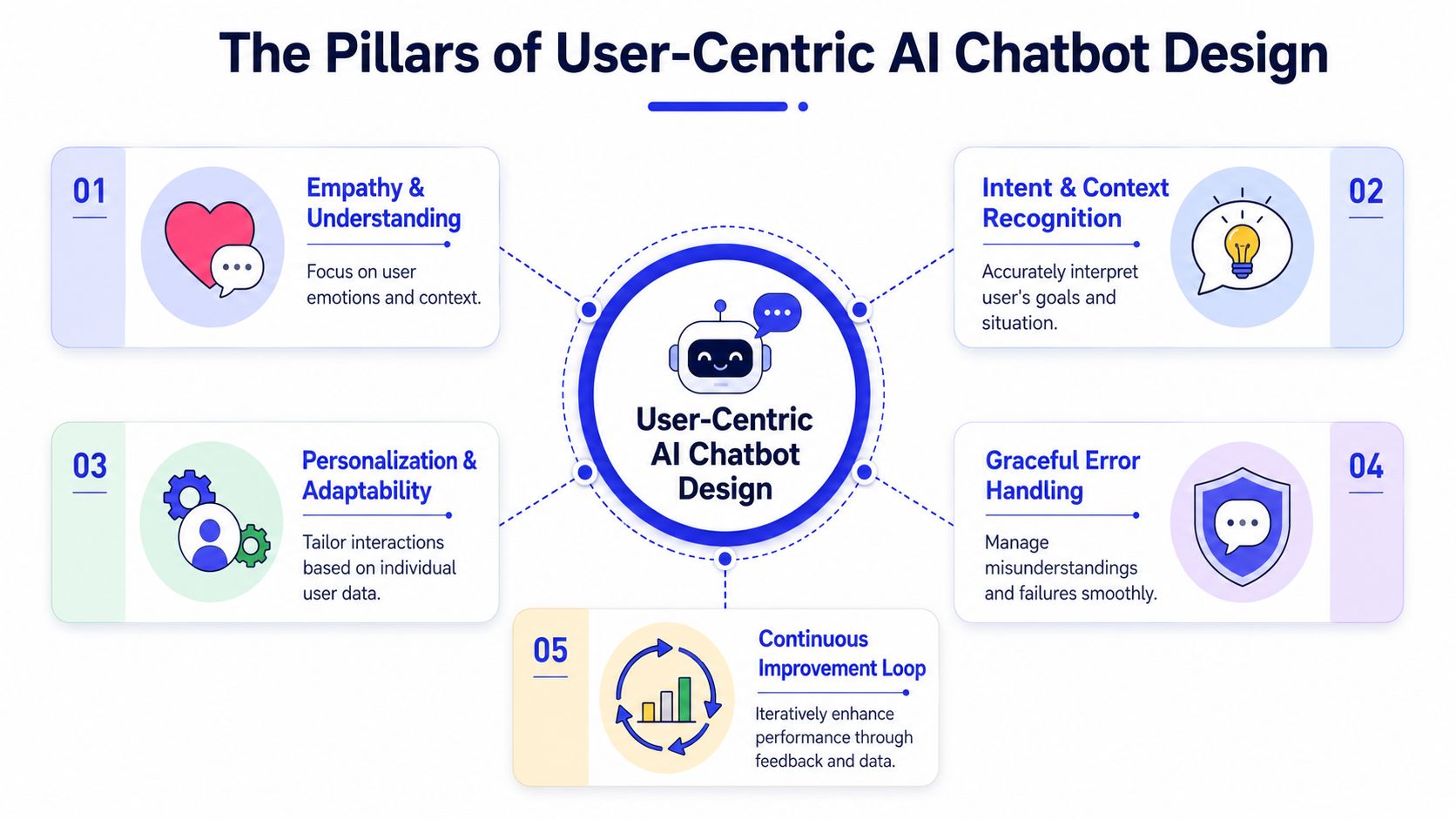
The four pillars that hold up the experience
I use four operational pillars when evaluating AI chatbot design.
Pillar | What it means in practice | What usually breaks |
|---|---|---|
Purpose | A narrow job, clear audience, defined boundaries | Trying to support every use case at once |
Reliability | Answers come from trusted sources and respect scope | The bot improvises outside its knowledge |
Efficiency | Low-friction paths, concise answers, fast routing | Long replies and unnecessary back-and-forth |
Personality | Brand-consistent voice that supports the task | Overly human tone that hides limitations |
Personality belongs last for a reason. If your retrieval is weak, your fallback is vague, and your escalation path is broken, a friendly tone won't save the experience.
The best bots feel competent before they feel charming. They answer the obvious question, admit when they're unsure, and move the user forward. That's what builds trust.
A Practical Framework for Designing Your Chatbot
Most failed bots skip steps. The team loads content, writes a welcome message, tests a few happy-path prompts, and launches. Then real users arrive with messy language, half-formed requests, and edge cases the team never modeled.
A better approach is to treat chatbot design like building a product feature. You need scope, flows, content, escalation logic, and a feedback loop.
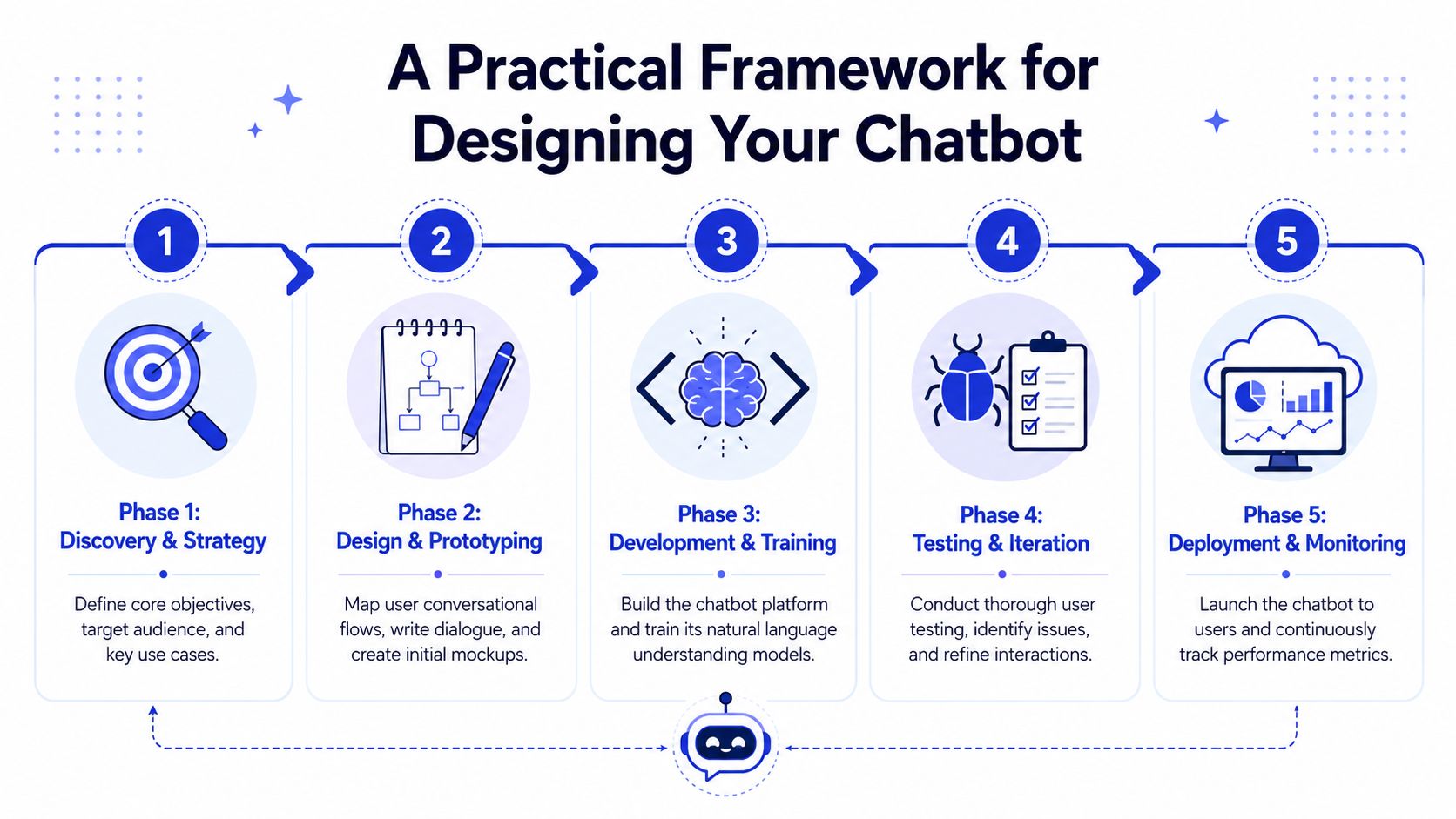
Phase 1 and Phase 2
Think of the first two phases as blueprint work. If you rush them, every later fix gets more expensive.
Define purpose and persona
Pick the primary business outcome first. Support deflection, lead qualification, onboarding assistance, and product education each require different logic. Then define the bot persona as a functional layer, not a branding exercise. Should it sound direct and efficient? Consultative? Reassuring in support contexts? The persona should help users complete the task, not perform as a character.Map the conversation flows
Don't start with scripts. Start with decision paths. What are the top intents? What information is required to answer? Which flows can complete inside chat, and which need escalation or a handoff to another interface? Good flow design removes ambiguity before language generation ever begins.
A simple flow map should identify:
Entry points where users first engage
Primary intents the bot is allowed to handle
Required entities such as plan, order status, account type, or product name
Failure states where the bot should clarify, narrow, or escalate
Later, if you use a platform such as Intercom, Zendesk, or Chatgrow, this map keeps implementation honest. The tool changes. The design logic doesn't.
Phase 3 and Phase 4
A common mistake for many teams is confusing content quantity with quality.
IBM's chatbot design guidance argues that effective design depends on defining minimum viable knowledge, fallback strategies, and confidence thresholds for handoff before launch in IBM's guidance on chatbot design. That's the right sequence. You don't need a giant knowledge base on day one. You need the right one.
Write prompts and gather data
Prompt design has to reflect the operating model. What source can the bot cite internally? How should it respond when retrieval is weak? What should it refuse to answer? What fields must it collect before escalating? This is also where you tighten the knowledge base around your highest-value intents.Design escalation paths
Escalation isn't a failure branch. It's part of the product. Define what triggers handoff. Low confidence, regulated topics, repeated fallback, frustration signals, or account-specific issues are common examples. Then decide what context gets passed to the human team so users don't have to repeat themselves.
A chatbot earns trust by knowing where its authority stops.
Before launch, I want every team to answer one uncomfortable question. “What happens when the bot is wrong?” If the answer is vague, the bot isn't ready.
A short video can help teams visualize how these systems are typically assembled in practice:
Phase 5
Test and iterate
Test with real support transcripts, messy user phrasing, incomplete queries, and emotionally charged messages. Don't limit QA to expected prompts. Probe the edges.
Use a test plan that mixes these inputs:
Happy-path requests that should resolve cleanly
Ambiguous phrasing that requires clarification
Out-of-scope questions that should trigger a fallback
Escalation scenarios where handoff quality matters more than containment
Iteration should focus on patterns, not one-off weird prompts. If the same misunderstanding keeps showing up, that's a design flaw. Fix the scope, retrieval, wording, or flow.
Writing Conversational AI Scripts That Work
Weak chatbot writing usually has one of two problems. It's too robotic, or it's trying too hard to sound human. Both create friction.
Good scripts are plain, bounded, and useful. They tell the user what the bot can help with, ask for the smallest amount of information needed, and move quickly toward an answer or handoff.
Write for clarity, not theater
A support bot doesn't need banter. It needs to reduce effort.
That changes how you write common moments in the conversation:
Greeting copy should set expectations, not perform friendliness
Clarification prompts should narrow the task with concrete options
Fallback messages should admit limits and propose the next best action
Completion messages should confirm what happened and what comes next
Compare these two greetings:
“Hi there. I'm your virtual assistant, and I'd be absolutely delighted to help with anything you need today.”
“I can help with pricing, account questions, and common product issues. Tell me what you need.”
The second version is better because it defines scope. Users know where to start.
Use prompts as guardrails
Under the hood, the writing layer depends on architecture. A solid approach doesn't rely on generation alone. One documented product chatbot architecture rewrites the user query, classifies intent, identifies entities, retrieves candidate documents, reranks the top results, and then uses the strongest results for answer generation in this product chatbot architecture walkthrough. That matters for UX because users experience the result as precision.
When scripting for that kind of system, separate your prompt layers:
Prompt layer | Job | Example instruction |
|---|---|---|
System prompt | Define role and hard boundaries | “Answer only from approved knowledge and say when information is unavailable.” |
Intent prompt | Route behavior by task type | “If the user is thanking you, respond briefly and don't retrieve documents.” |
Few-shot examples | Show desired answer style | “Use short, direct responses with one next step.” |
Many AI chatbot design projects go off course when teams spend time polishing surface language while leaving routing logic fuzzy. The bot then sounds polished while answering the wrong thing.
Weak scripts versus useful scripts
A few practical rewrites fix a surprising amount.
Instead of “I'm sorry, I didn't understand your request.”
Use “I can help with billing, product questions, or account setup. Which one do you need?”Instead of “Please provide additional context so I can assist you better.”
Use “What product are you asking about?”Instead of “Your request has been escalated successfully.”
Use “I've passed this to our team with your details. They'll review the issue and follow up.”
Notice the pattern. Shorter. More specific. Less ceremonial.
The strongest chatbot scripts don't pretend the bot is a person. They make the interaction easy. That's enough.
Choosing the Right Training Data and Knowledge Base
Most chatbot quality problems start long before the user asks a question. They begin in the knowledge base.
If the source material is messy, contradictory, outdated, or too broad, the bot will reflect that. You can add better prompts, better UI, and better fallback copy, but the answer quality will still be unstable because the foundation is unstable.
Start with closed-domain knowledge
The strongest bots are usually narrow by design. The NIH review noted earlier frames this as the difference between open-domain and closed-domain systems, and useful business bots usually perform better when they stay tightly anchored to a specific knowledge area rather than trying to converse about everything.
That means your chatbot should know your business thoroughly, not the world broadly.
A practical knowledge strategy usually starts with these source types:
Product and feature documentation for accurate capabilities and limits
Pricing and plan pages for commercial questions
Help center and FAQ content for common support requests
Policy pages for refunds, returns, cancellations, or compliance topics
Support ticket history for real user phrasing and recurring issues
Each source plays a different role. Docs provide precision. Tickets provide language. FAQs provide repeated patterns.
What to include in the knowledge base
Don't dump your full website into the bot and hope retrieval figures it out. Select content based on what the bot is expected to resolve.
A useful way to decide is to review the top intents and ask two questions:
Does this source contain the answer users need?
Is the content written clearly enough for retrieval and answer generation?
Here's a simple decision view:
Source type | Good for | Risk if used poorly |
|---|---|---|
FAQs | Repetitive support questions | Thin answers that skip nuance |
Product docs | Accurate procedural guidance | Dense pages that hide key steps |
Marketing pages | High-level positioning and plan context | Vague claims instead of usable answers |
Ticket history | Real phrasing and hidden pain points | Messy language and one-off exceptions |
When teams connect customer context to the knowledge layer, the bot becomes much more useful. If you're working through that challenge, this guide to customer data integration is relevant because it shows how support and lead workflows depend on cleaner context, not just more content.
How to structure content for retrieval
The bot shouldn't retrieve giant walls of text. Break long pages into smaller units based on user intent. A pricing page, for example, may need separate chunks for plan differences, billing terms, usage limits, and upgrade paths.
Use these editorial rules:
Keep chunks focused on one topic or task
Use direct headings that mirror how users ask questions
Remove stale content that conflicts with current policy
Rewrite ambiguous copy before adding it to the knowledge base
Clean knowledge beats large knowledge.
This is also where ownership matters. Someone on the team must maintain the content. If nobody owns the source of truth, the bot will drift out of date and users will hit contradictions that support teams then have to clean up manually.
Key Metrics for Evaluating Chatbot Success
A chatbot dashboard shouldn't exist just to reassure leadership that something shipped. It should tell the team where the design is strong, where it leaks, and where users are getting stuck.
The most useful metrics answer operational questions. Are we solving the right problems? Are we containing the right requests? Are users getting stuck in fallback loops? Are handoffs happening at the right moment?
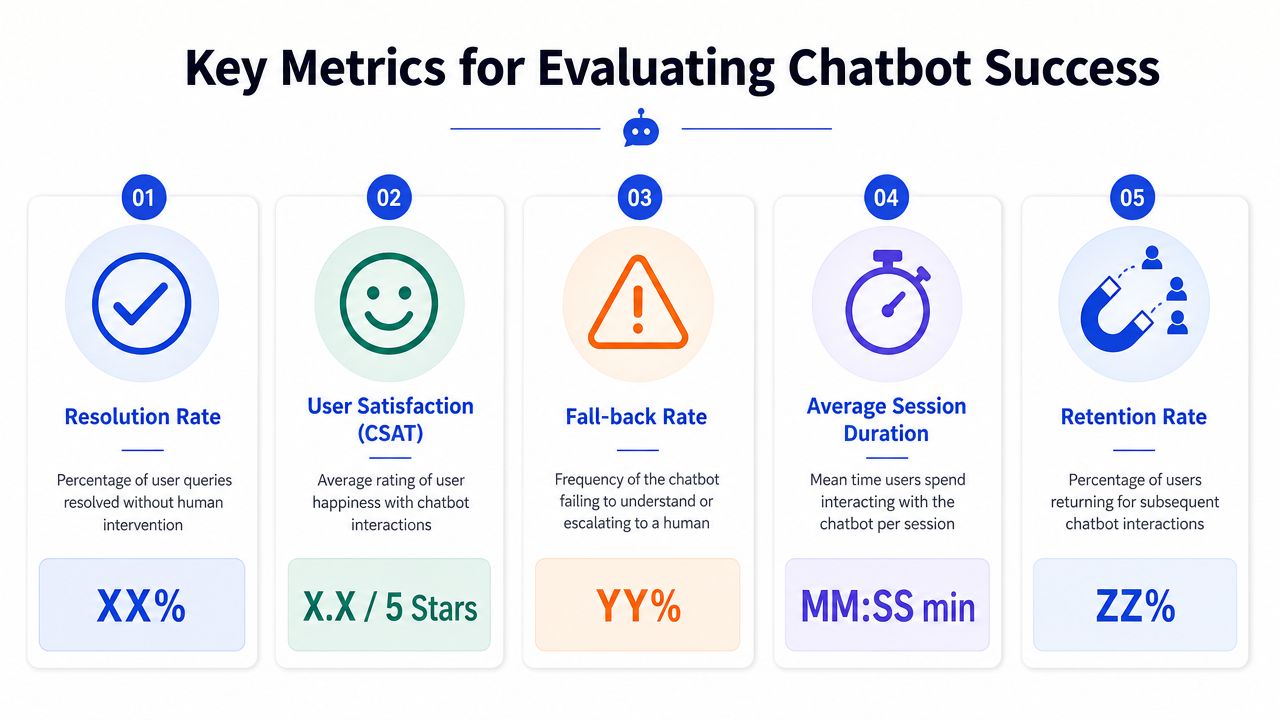
Treat metrics as design signals
I look at chatbot metrics as diagnostic tools, not scorecards.
For support and sales use cases, a practical dashboard usually includes:
Resolution rate to show whether the bot finishes the job without human help
Escalation rate to show how often the bot hands off
Fallback rate to show how often understanding or retrieval breaks down
CSAT or conversation feedback to show perceived usefulness
Session patterns to show whether conversations are short and effective or long and circular
A high escalation rate isn't always bad. If the bot is collecting good context and routing complex cases cleanly, that can be a sign of strong design. A low escalation rate can be bad if the bot keeps users trapped in unhelpful loops.
What each metric is actually telling you
The trick is to interpret metrics together.
Metric | Healthy interpretation | Warning sign |
|---|---|---|
Resolution rate | The bot resolves clear, in-scope requests | It appears high because users abandon |
Fallback rate | Rare and recoverable confusion | Repeated misunderstanding on common intents |
Escalation rate | Appropriate handoff for complex cases | Users escalate because the bot can't answer basics |
CSAT | Users feel the path was useful and clear | Polite tone masks low task success |
For teams building support automation, this overview of AI customer support is a useful companion because it ties bot performance to actual support operations rather than chat novelty.
If a metric can't drive a design change, it's reporting, not product management.
The best teams review transcripts next to metrics. Numbers tell you where to look. Conversation logs tell you what to fix.
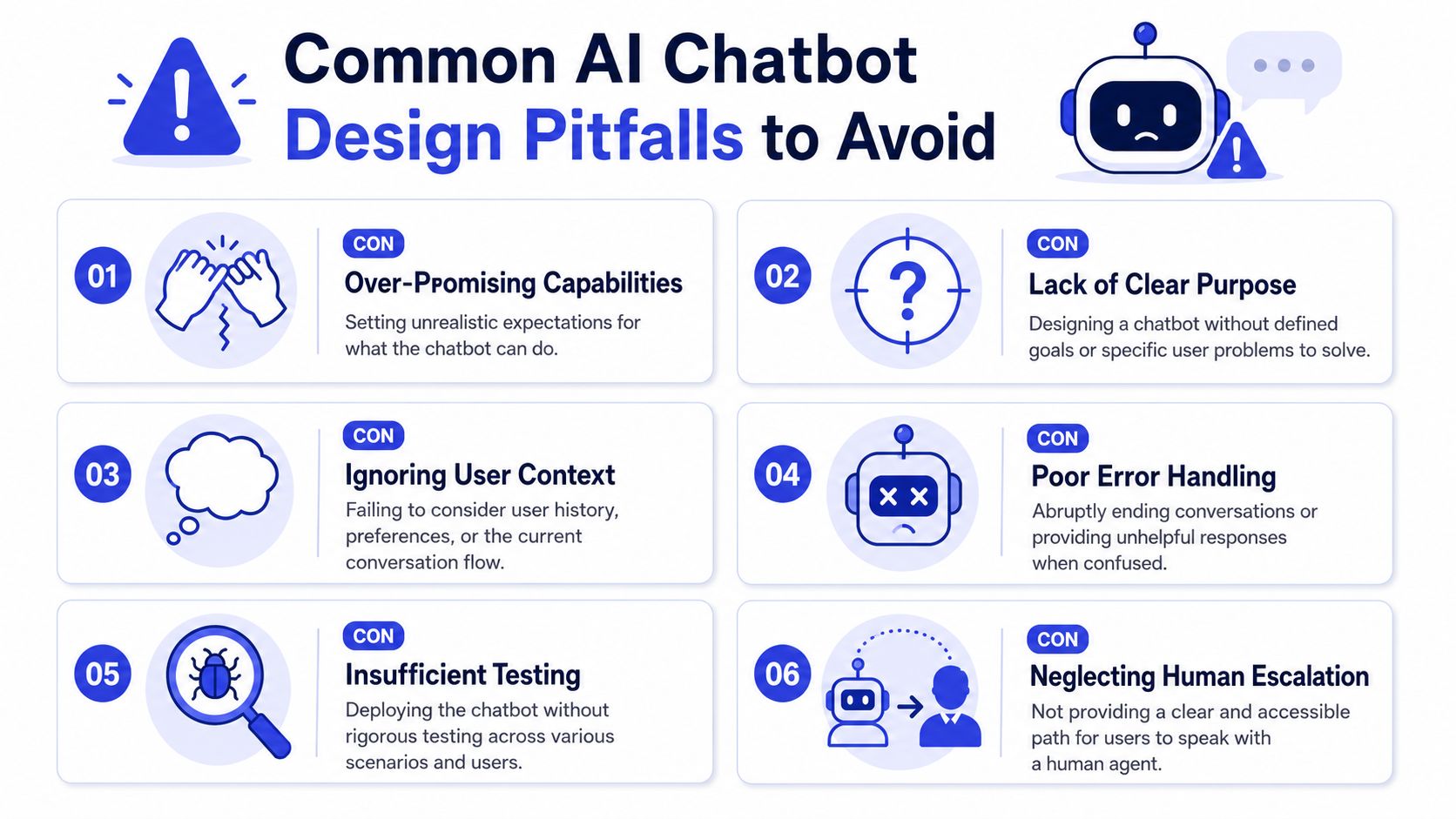
Common AI Chatbot Design Pitfalls to Avoid
Most chatbot failures aren't caused by the model alone. They come from bad product decisions.
The biggest one is simple. Teams use chat because chat feels modern, not because it's the right interface for the task.
A useful piece of UX guidance on AI interfaces argues that chatbots are often the wrong choice for structured, speed-sensitive, or high-control tasks, and that poor interface fit is a design failure, not just a model failure, in this article on when not to use chatbots. That point gets missed constantly.
The wrong assumptions that break bots
Here are the assumptions I see most often.
“Every interaction should happen in chat.”
Wrong for tasks that need forms, dashboards, side-by-side comparison, or precise control.“If we add more content, accuracy will improve.”
Not if the content is noisy, overlapping, or poorly structured.“Human-like personality increases trust.”
It can do the opposite when users discover the bot is confident outside its real competence.“Accessibility can be handled later.”
That leaves out users who prefer voice, clearer alternatives, or non-chat paths.“Escalation means the bot failed.”
No. Missing or delaying escalation is the real failure.
One practical way to pressure-test your own automation strategy is to compare the bot flow with a broader automated customer service model. If a form, guided workflow, or proactive prompt would solve the task faster, use that instead.
What to do instead
A better pattern looks like this:
Choose chat only where conversation helps
Use chat for ambiguous questions, qualification, product discovery, and support triage. Use structured UI where structured UI wins.Design obvious exits
Give users a visible path to a human, a form, or a ticket route. Don't hide the escape hatch.State boundaries early
Tell users what the bot can help with. Narrow scope builds confidence.Test with edge-case users
Include people with different language habits, accessibility needs, and urgency levels.
The best chatbot experience is sometimes a short chat that quickly hands the user to a better interface.
One more pitfall deserves attention. Teams often optimize for containment so aggressively that they make it harder to reach a person. That may improve one dashboard number while damaging trust, support quality, and conversion. Good AI chatbot design doesn't trap users. It routes them well.
Your Path to Smarter Conversations
Strong AI chatbot design isn't about writing clever lines. It's about making a series of disciplined decisions. Scope the bot tightly. Give it trustworthy knowledge. Script for clarity. Build retrieval and escalation around real user needs. Then measure what happens and keep refining.
That's what separates a bot that creates work from one that removes it.
The practical shift is this. Stop treating the chatbot like a personality layer on top of support. Treat it like an operating system for repeatable conversations. When teams do that, persona, prompts, knowledge, routing, and handoff start working together instead of fighting each other.
The payoff isn't just a nicer chat window. It's faster answers, cleaner handoffs, better lead capture, and a support team that spends more time on cases that need judgment.
A well-designed chatbot also gets better over time. Every fallback, escalation, and repeated question gives the team new evidence. That evidence should shape scope, content, and flow design continuously. The bot is never finished, but it can become steadily more useful.
If you're evaluating tools to put these principles into practice, Chatgrow is one option for building AI customer-service agents trained on your website, FAQs, pricing, and product content, with brand-voice controls, smart intent handling, and escalation workflows for lead qualification and support handoff.
Related Posts
Continue Reading
More articles from the ChatGrow Team.


