
Blog
Mastering Ai Powered Customer Service: The 2026 Guide
By
Nelson Uzenabor

Support teams used to ask whether AI belonged in customer service. That question is over. Organizational adoption of AI in service rose from 56% in 2022 to 83% in 2025, a 48% increase in three years, according to Salesforce's State of Service findings summarized in the verified data above. For an SMB owner, that shift matters because customers still expect fast answers at odd hours, while your team still has payroll limits, inbox overload, and only so many hands.
AI-powered customer service isn't about replacing your people. It's about giving them backup. Done well, it answers the repeat questions, captures leads after hours, routes urgent cases correctly, and hands your staff the messy conversations that need judgment.
For small businesses, the hard part usually isn't buying a tool. It's setting one up so it answers with your actual policies, your pricing logic, and your tone. That's where most projects either become useful fast or become another dashboard nobody trusts.
Table of Contents
The New Standard in Customer Support
Small businesses feel the pressure of customer support more sharply than large enterprises do. A missed chat on a pricing page can mean a lost sale. An unanswered weekend message can become a refund request on Monday. Small businesses often lack the budget to staff every channel around the clock, but customers still compare your responsiveness with the fastest brands they use every day.
That's why AI-powered customer service has become a practical operations tool rather than a tech experiment. In simple terms, it means using AI agents, smart routing, and automated workflows to answer common questions, guide buyers, and move harder conversations to a human with context already attached.
The value for SMBs is straightforward:
Coverage without extra shifts: The agent stays available when your team is offline.
Fewer repetitive tickets: Staff stop retyping the same return, shipping, or onboarding answers.
Better prioritization: Urgent or frustrated messages rise to the top instead of sitting in a general inbox.
Cleaner handoffs: The human gets the summary, history, and likely intent before replying.
Practical rule: If a question repeats every week, an AI agent should probably handle the first pass.
The businesses that get the most from AI don't start with grand transformation plans. They start with one narrow problem. After-hours FAQs. Lead qualification on high-intent pages. Support deflection for common account questions. Then they expand once the workflow proves itself.
What Is AI-Powered Customer Service Really
From scripted bot to digital concierge
Most SMB owners hear “AI customer service” and think of the old chatbot problem. A little popup asks how it can help, then traps the customer in rigid buttons that don't fit the question. That isn't what modern AI-powered customer service is.
A better analogy is this. Think of the AI agent as your most informed front-desk employee. It knows your core policies, can search your knowledge base quickly, remembers the context of the conversation, and doesn't clock out. It's not a manager. It shouldn't improvise policy. But it can handle the first layer of customer communication extremely well when it's trained properly.
Modern systems work from intent and context, not just fixed rules. Instead of only reacting to exact keywords, they interpret what the customer is trying to do. “Where's my order,” “my package still hasn't shown up,” and “tracking says delivered but I have nothing” are different sentences with a related support intent.

That's why the customer experience feels different. A modern agent can ask a follow-up, pull the right article, collect missing details, and escalate only when needed. The old bot usually failed the moment a user phrased something unexpectedly.
Why SMBs should care now
This is no longer niche software for large support organizations. Verified Salesforce findings show adoption jumped from 56% in 2022 to 83% in 2025, which represents a 48% increase in three years and signals a move from experimentation to operational necessity, as described in the verified State of Service data.
For SMBs, that change matters because AI has become easier to train on business-specific content. You don't need a data science team to start with your website, FAQ pages, help docs, pricing information, and common support transcripts. What you do need is discipline about what the agent is allowed to answer and where it should defer to a human.
Here's the most useful perspective:
A chatbot of the past followed scripts
An AI agent interprets requests
A well-configured support system knows when not to answer
Good AI support doesn't try to sound magical. It tries to be accurate, fast, and honest about its limits.
How the Technology Works From Query to Resolution
The simple version of the tech stack
Under the hood, the most important layer is Natural Language Processing, or NLP. That's the part that helps the system read a customer message the way a human support rep would. Verified IBM material explains that modern AI tools use NLP to interpret customer queries with high accuracy, enabling chatbots to handle 75% of inquiries without human intervention, while sentiment analysis helps detect dissatisfaction and escalate with context, reducing response delays to unhappy customers by 55% in IBM's overview of AI in customer service.
Machine learning then improves the system over time by learning from prior interactions, approved answers, and routing outcomes. Sentiment analysis adds another layer. It doesn't “feel” emotion, but it can detect signals of frustration, urgency, or confusion and treat those messages differently.

If you're evaluating systems, the practical question isn't whether a vendor uses NLP or machine learning. Most do. The useful question is whether the tool can connect cleanly to your support content and customer records. Clean customer data integration for support workflows matters because the model can only answer with confidence when it has current, relevant information to work from.
A real support flow in plain English
A customer sends a message through chat, email, or a social channel. The AI reads the wording and tries to determine intent. Is this a shipping question, a billing issue, a product comparison, or a cancellation request?
Then the system checks the knowledge source it has access to. That might be your FAQ, help center, pricing page, return policy, or product documentation. If the answer is straightforward and grounded in that source, the agent replies. If not, it asks a clarifying question or routes the case.
A strong workflow usually looks like this:
Receive the message and identify the likely intent.
Check tone and urgency so angry or sensitive cases don't sit in line.
Retrieve approved information from your business content.
Respond or clarify if one detail is missing.
Escalate with context when the question touches policy exceptions, pricing edge cases, refunds, or anything high stakes.
The handoff is part of the product. If the customer has to repeat everything to a human, the automation didn't save much.
For SMBs, the main lesson is simple. The technology works best when the path from question to answer is predictable. It struggles when the business itself has undocumented exceptions, outdated pages, or conflicting internal rules.
Key Business Benefits and KPIs to Track
What improves first
The easiest wins in AI-powered customer service usually come from speed and consistency. Verified data shows that when AI tools are implemented, first-call resolution improves from 68% to 87%, a 28% increase, and average resolution time drops from 18.6 hours to 3.2 hours, meaning issues are resolved 83% faster. The same verified dataset ties that efficiency to a 24% improvement in customer satisfaction.
Those numbers matter because they map directly to daily operating pain. Faster resolution means fewer repeats. Better first-contact handling means fewer handoffs. Higher satisfaction usually follows when customers don't need to ask twice.
For an SMB owner, the benefit stack usually looks like this:
Lower support load: The team spends less time on repetitive questions.
Better after-hours capture: Visitors get answers or leave structured details when no one's online.
Improved agent focus: Staff can spend time on returns disputes, account problems, or sales conversations that need judgment.
More reliable service quality: Customers get the same approved answer to the same common question.
One practical habit helps here. Don't judge the tool by how clever the conversation sounds. Judge it by whether it shortens the path to a correct answer.
Key KPIs for AI customer service
Use a small KPI set first. Too many dashboards create noise.
KPI | What It Measures | Industry Benchmark (with AI) |
|---|---|---|
First-call resolution | Whether the issue gets solved on the first interaction | 68% to 87% based on the verified data |
Average resolution time | How long it takes to fully solve the issue | 18.6 hours to 3.2 hours based on the verified data |
Customer satisfaction | How customers rate the experience after support | 72% to 89% based on the verified data |
AI resolution rate | How many conversations the agent completes without a human | Track internally and compare over time |
Escalation quality | Whether routed cases arrive with usable context | Review qualitatively through ticket audits |
If you want a clean reporting framework, pair those numbers with a simple conversation review. Read transcripts weekly. That catches tone drift, bad answers, and weak handoffs long before they become patterns. A practical chatbot analytics workflow for support teams should combine quantitative metrics with transcript review, not replace it.
Your Step-by-Step Implementation Roadmap
A small, disciplined rollout beats a big launch almost every time. For an SMB, the goal is to get one support workflow working well, prove the economics, then expand.
The practical roadmap is simple. Pick one channel, assign the AI one job, train it on approved business content, and define exactly when a human takes over. Teams that skip those steps usually end up with a bot that sounds polished but creates cleanup work for staff.
Start with one use case and one owner
Choose a narrow job that already has repeatable answers. Good first candidates are shipping questions, appointment logistics, onboarding steps, order-status checks, and pre-ticket intake.
Avoid broad goals like "handle support." That creates vague prompts, weak testing, and messy accountability.
Assign one person to own the rollout, even if support is only part of their role. In small businesses, that owner is usually a support lead, operations manager, or founder. Someone has to decide what the AI is allowed to answer, what source content counts as approved, and what gets revised after launch.
A useful starting question is: what does your team answer every day without checking with a manager? That is usually the first layer to automate.
Train it on the right data, not all your data
Quality depends more on source material than model choice. Feed the system the documents that reflect current policy and customer-facing truth.
Prioritize these sources:
Website pages: product details, pricing, shipping, returns, service areas
Help content: FAQ articles, setup guides, policy pages
Support materials: saved replies, ticket macros, and transcripts from strong past conversations
Escalation rules: a written list of topics the AI must not answer on its own
Small teams often make the same mistake here. They upload every PDF, old deck, and internal note they can find. That usually creates conflicting answers. A better approach is to start with a small knowledge set you trust, then expand after transcript review shows where coverage is missing.
Tone also needs to be configured early. If your support team writes short, direct answers, the agent should do the same. If you need a warmer tone, set that deliberately. A practical AI chatbot design process for support agents should define voice, refusal rules, and escalation triggers before the bot goes live.
Design the handoff first
Escalation is not a fallback. It is part of the product.
The handoff should be clear enough that a human agent can pick up the case without asking the customer to repeat everything. At minimum, the AI should know who receives the case, what summary gets passed along, which details must be collected first, and which topics always require a person.
That usually includes refunds, contract terms, pricing exceptions, account changes, and any issue involving judgment or policy interpretation.
If the agent is uncertain about pricing, exceptions, refunds, or contract terms, it should gather details and hand off. Silence is better than a confident wrong answer.
For SMBs, this is where tool choice matters. You do not need a custom AI stack or a data science team. You need a platform that can connect to your content, route conversations into the inbox your team already uses, and pass a usable summary during escalation.
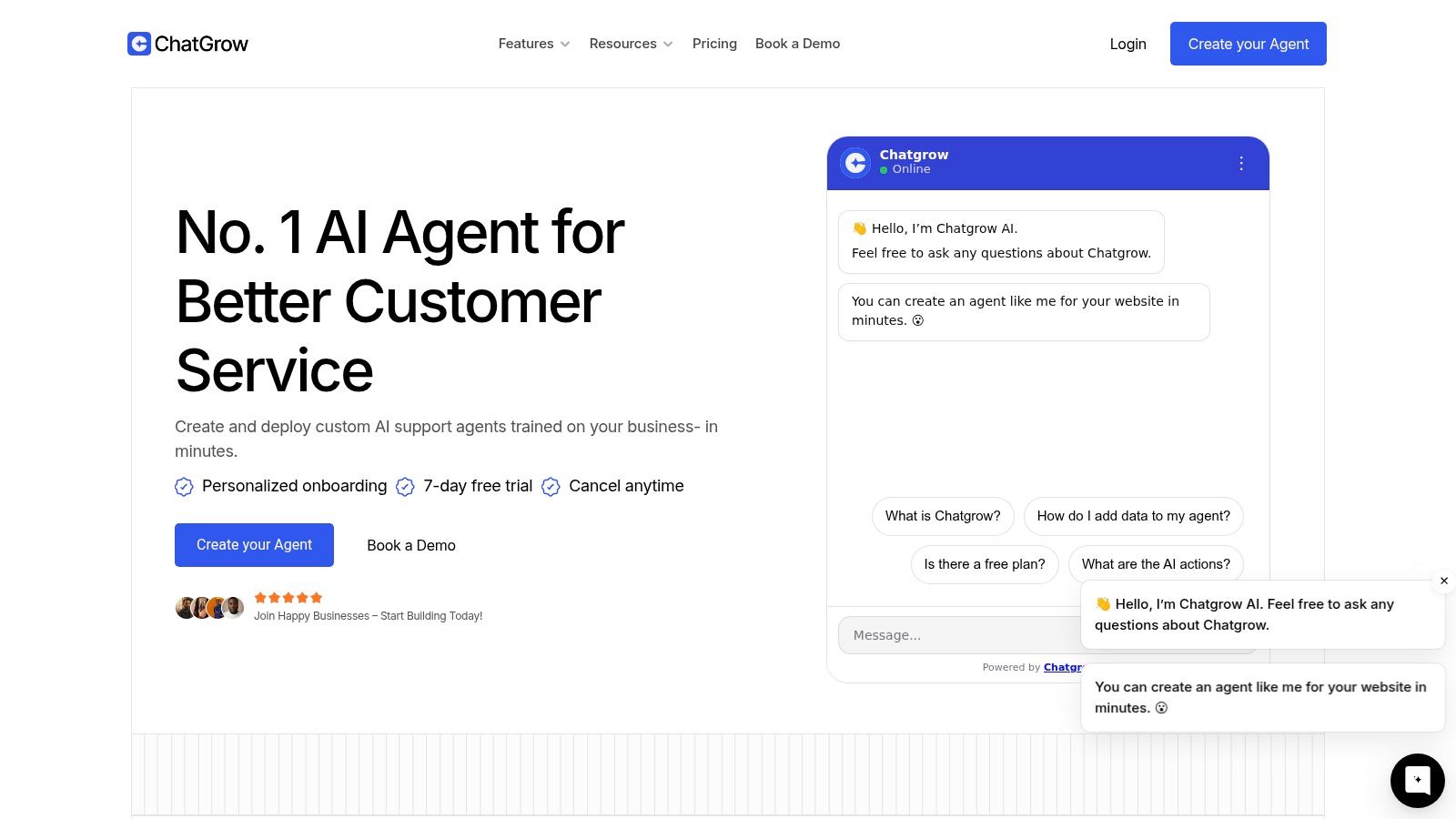
One example of an SMB-friendly tool in this category is Chatgrow, which lets businesses train support agents on website content, pricing, FAQs, and product pages, then deploy them across customer channels with smart escalation and reporting.
Here's a walkthrough that shows what a live setup can look like in practice:
Launch in a controlled environment
Start where the risk is low and the intent is clear. A limited support surface works better than a site-wide rollout on day one.
Good places to test include:
High-volume FAQ pages
Contact or support pages
Post-purchase help flows
A single inbox or one support channel
Review conversations every day for the first couple of weeks. Look for repeated clarification loops, missing policy details, weak summaries, and cases that should have escalated earlier. Those patterns tell you whether the problem is prompt design, weak source content, or bad routing logic.
Improve in weekly cycles
Treat launch as version one. The first goal is reliability, not coverage.
A simple weekly review works well for small teams:
Read a sample of transcripts.
Flag wrong or incomplete answers.
Update the knowledge base and escalation rules.
Retest the failed scenarios.
Expand scope only after the first use case is stable.
That process is less exciting than a full AI transformation plan. It is also how SMBs get value without creating support risk.
Common Pitfalls and How to Mitigate Them
Where SMB implementations go wrong
The biggest risk isn't that the AI answers nothing. It's that it answers confidently when it shouldn't.
Verified data frames this as the Accuracy Paradox. While 70% of queries are handled by AI, the remaining 30% often involve high-stakes scenarios where hallucination risk rises. The same verified data says a 2025 MIT study found 42% of SMBs abandon AI implementations within 6 months due to unreliable brand voice and pricing errors rather than cost.

That finding lines up with what many small teams discover the hard way. The easy questions go well, so confidence rises. Then a customer asks about a special discount, a billing exception, a custom scope, or inventory edge case. The agent fills the gap with language that sounds polished, but the answer is wrong.
Other failure patterns show up fast:
Weak source material: Outdated FAQs produce outdated answers.
No tone controls: The agent sounds unlike your team, which makes customers trust it less.
Messy escalation: The customer gets bounced to a human with no summary.
Overbroad permissions: The agent responds in areas where policy changes often.
How to contain risk without killing speed
Risk control doesn't mean turning the system into a glorified contact form. It means giving it the right guardrails.
A practical mitigation approach looks like this:
Ground answers in approved content: Restrict the agent to known sources for policy, product, and pricing questions.
Set hard escalation categories: Refund disputes, custom pricing, legal questions, cancellations, and exceptions should route to people.
Review transcripts weekly: You'll catch brand drift and answer quality issues faster than waiting for complaints.
Write fallback language on purpose: “I'm not confident enough to answer that accurately” is better than a polished guess.
Keep one owner accountable: Someone needs to maintain content freshness and escalation logic.
A safe AI agent doesn't know everything. It knows what your business has approved, and it knows when to stop.
One more issue deserves attention. AI systems can mishandle non-standard phrasing, low-literacy inputs, or culturally specific language. If your business serves diverse audiences, test with real customer language, not just the clean wording your team uses internally. Inclusive testing often reveals blind spots before customers do.
How to Choose the Right AI Service Platform
For SMBs, platform choice comes down to usability and control. Flashy demos matter less than whether your team can train, audit, and update the system without a consultant every week.
Use this checklist:
Easy training on your own content: You should be able to use your website, FAQs, pricing pages, and docs as source material.
Clear escalation logic: The tool should route uncertain or sensitive questions to a person with a summary attached.
Multi-channel support: Website chat is useful, but inbox, email, and messaging connections make the system more operationally relevant.
Analytics you will use: You need visibility into resolution quality, handoffs, and failed conversations.
Predictable pricing: SMB teams need to know what happens as message volume grows.
Simple maintenance: If updating one refund policy takes a complicated rebuild, the tool won't stay accurate for long.
The right platform should make your support process clearer, not more fragile. If a product promises human-like conversation but makes it hard to control knowledge, tone, and escalation, that's a bad trade for a growing business. Choose software that helps your team answer common questions well, defer risky ones safely, and improve from transcript review over time.
If you're evaluating tools for AI-powered customer service, Chatgrow is worth a look for teams that want to train an agent on their own website, pricing, FAQs, and product pages without a technical buildout. It fits the practical SMB model: start with a focused use case, deploy quickly, monitor conversations, and tighten escalation and brand voice as you learn.
Related Posts
Continue Reading
More articles from the ChatGrow Team.


