Blog
Automated Lead Scoring: A Practical Guide for 2026
By
Nelson Uzenabor

Your CRM is full. Your inbox is full. Your sales team is busy. But the pipeline still feels thin.
That usually means the problem isn't lead volume. It's lead prioritization. Teams reply to whoever filled out a form, booked a low-intent chat, or downloaded a top-of-funnel asset, then wonder why demos stall and follow-ups drag on. Good reps end up acting like human filters.
Automated lead scoring fixes that. It gives marketing and sales a shared way to sort signal from noise, then route attention where it has the best chance to turn into revenue. For SMBs, that matters even more because every rep hour counts, and they can't afford to waste mornings chasing leads that were never serious.
A lot of companies are moving in this direction fast. The lead scoring software market is projected to reach USD 35.4 billion by 2032 with a 24.74% CAGR, which tells you this isn't some experimental workflow anymore. It's becoming standard operating infrastructure.
Table of Contents
Stop Drowning in Low-Quality Leads
A familiar scene plays out in a lot of SMBs. Marketing celebrates a strong month of inbound. Sales opens the queue and finds a mix of students, competitors, job seekers, tire-kickers, and a few real buyers buried in the pile. Nobody's lazy. The system just treats every lead like it deserves the same urgency.
That's where teams lose time. One rep spends half an hour on a contact who only wanted a free template. Another misses the prospect who viewed pricing twice, asked about integrations, and was ready for a real conversation. Without a score, those two people often look identical in the CRM.
Automated lead scoring acts like triage. It ranks leads based on fit and behavior so your team can stop reacting to whoever raised their hand first and start responding to who's showing buying intent. In practice, that means fewer random follow-ups and more disciplined routing.
What changes on the ground
When scoring is set up well, your workflow gets simpler:
Sales sees priority clearly: High-intent leads rise to the top instead of getting buried in a general queue.
Marketing nurtures the rest: Lower-scoring leads don't vanish. They go into the right email, retargeting, or chatbot sequence.
Managers get a common language: Teams stop arguing about whether a lead is “good” and start discussing why it scored the way it did.
Practical rule: If your reps are manually reading every form fill to decide who matters, you already have a scoring problem.
For 2026, this is less about sophistication and more about survival. Buyers expect fast, relevant responses. SMBs don't have the staffing cushion to waste energy on weak signals. Automated lead scoring is the filter that keeps your team from drowning in activity that looks productive but doesn't move pipeline.
What Is Automated Lead Scoring and How Does It Work
Automated lead scoring assigns a value to each lead based on two questions: how well they fit your customer profile, and how strongly their behavior suggests they want to buy. In a small business, that matters because sales usually cannot afford to treat every form fill, chat, and ebook download the same way.
The mechanics are simple. You choose a set of signals, assign points, and let your CRM or marketing platform update the score as new activity comes in. The score then determines what happens next. Some leads go to nurture. Some stay under watch. Some go straight to a rep.
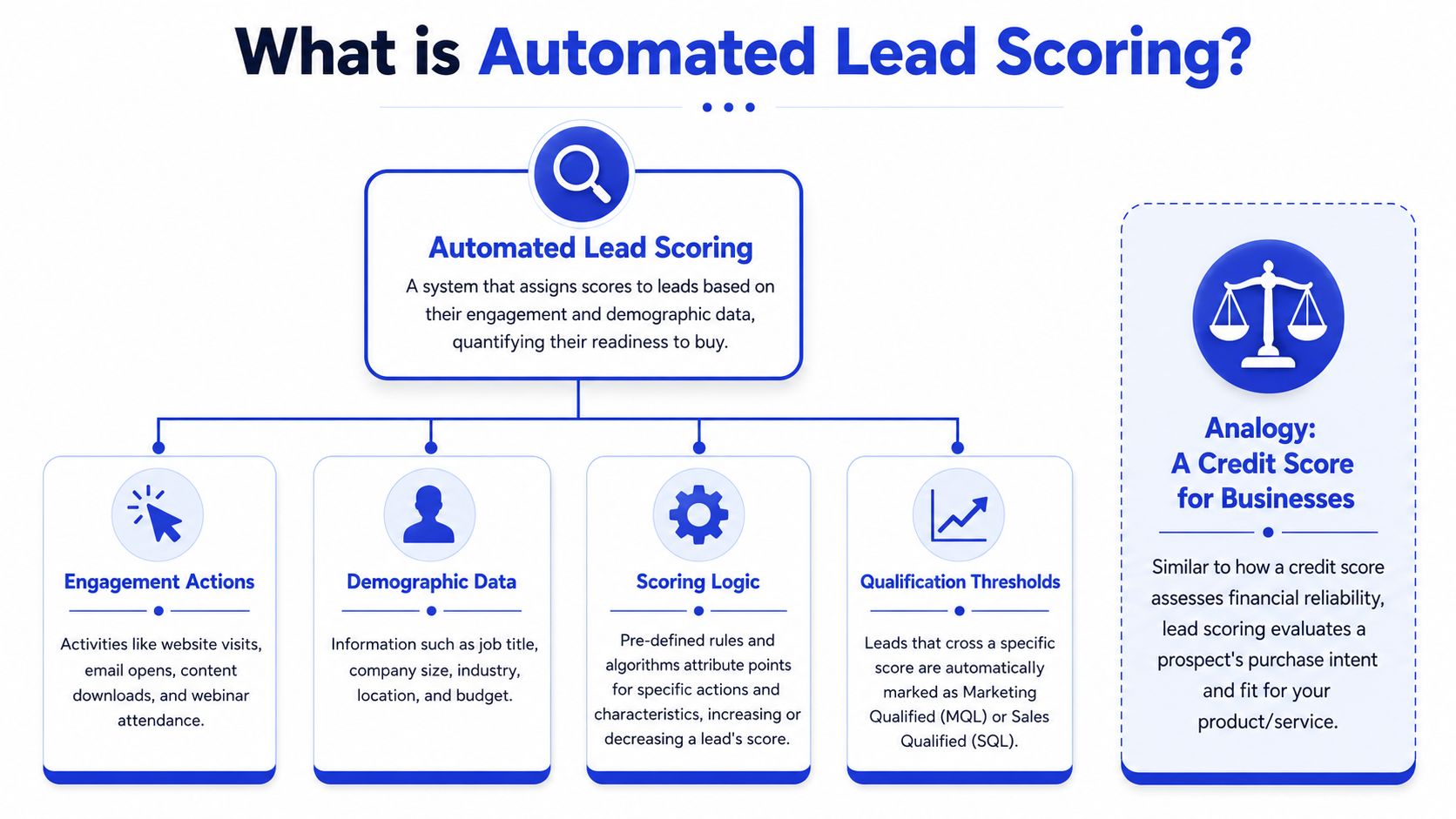
Many teams use a 0 to 100 scale because it is easy to explain across marketing, sales, and ops. You might label ranges such as cold, warm, and hot, then tie each band to a response. The exact numbers matter less than consistency. If sales does not trust what qualifies as a high score, the model will sit in the CRM and nobody will use it.
For SMBs, the best starting point is usually a hybrid model. Use explicit data like company size, role, industry, and form answers. Add behavioral signals from your site, email, and chatbot conversations. That last piece is often overlooked. A chat exchange where a visitor asks about pricing, onboarding time, or integrations can be more useful than another anonymous page view because it gives you context, not just activity.
If you're setting this up for the first time, a useful companion resource is Formzz's guide on how to build a lead scoring model. It helps translate scoring ideas into fields, rules, and thresholds you can maintain.
The three signal types that matter
Most working models rely on three inputs.
Firmographic signals
These tell you who the lead is. For B2B teams, that usually means company size, industry, job title, geography, and whether the account matches your ideal customer profile.
A founder at a 20-person SaaS company in your target market should score differently from a student using a Gmail address. That does not mean the founder is sales-ready today. It means the lead is a better fit, so future behavior deserves more attention.
Behavioral signals
These tell you what the lead has done. Common examples include pricing page visits, demo requests, repeat sessions, webinar attendance, and form submissions.
Behavior often reveals urgency faster than profile data. A lead with an average title can still become a priority if they come back three times in a week, visit high-intent pages, and start a conversation about implementation.
Intent signals
These tell you what the lead is trying to solve right now. For SMBs, first-party intent is usually enough. That includes website activity, email engagement, form responses, and chatbot conversations collected through tools like Chatgrow.
Smaller teams rarely have the volume of closed-won and closed-lost data needed for a pure predictive model. Chat data helps close that gap. If a prospect asks whether your product works with their stack, how quickly they can launch, or what plan fits a team of five, you have buying context that a standard pageview score misses.
What the score accomplishes
A score only matters if it changes workflow.
A practical setup looks like this:
Low score: Put the lead into a nurture sequence and keep collecting signals.
Mid-range score: Watch for another high-intent action or send a light-touch follow-up.
High score: Route the lead to sales, create a task, and notify the owner.
One more piece keeps scores honest over time. Score decay. If someone looked active six months ago but has gone quiet since, their score should fall. Otherwise your team ends up chasing stale interest as if it were current demand. I've seen this create more confusion than a weak model. Old engagement keeps leads floating at the top, and reps stop trusting the system.
A good scoring model does not ask whether a lead converted on one asset. It asks whether the full pattern, fit, behavior, conversation data, and recency, looks like a real buying motion.
Choosing Your Model Rule-Based vs Predictive AI
Most SMBs get stuck here because the market pushes “AI” as the obvious answer. In practice, the right choice depends less on hype and more on what data you have, who will maintain the model, and how quickly you need something useful.
Rule-based scoring works when speed matters
Rule-based scoring is manual logic. You decide which signals matter, assign points, and create thresholds. For example, you might give more weight to a target job title, a pricing page visit, or a demo request, then subtract points for signals that suggest poor fit or disengagement.
This model is usually the best starting point for SMBs because it's understandable. Sales can inspect it. Marketing can edit it. Ops can troubleshoot it. If a score looks wrong, someone can trace the logic without calling a data scientist.
Rule-based models are also faster to launch. You can build a useful first version with CRM data, form fields, website behavior, and chatbot interactions, then improve it over time.
Predictive scoring works when data is deep
Predictive scoring uses machine learning to find patterns across historical data. Done well, it can spot relationships a human team wouldn't think to encode manually. That matters when you have a large volume of closed-won and closed-lost data and a complex buyer journey.
There is a real upside here. Demandbase notes that machine learning models using behavioral and firmographic data, plus negative scoring, can improve lead-to-opportunity conversion rates by 15–25% compared to simpler rule-based models. But that advantage depends on the model having enough quality data to learn from.
SMBs often don't have that luxury. A predictive system trained on thin or messy history can become expensive guesswork. It may look advanced while scoring noise.
Rule-Based vs. Predictive Lead Scoring
Feature | Rule-Based Scoring | Predictive (ML) Scoring |
|---|---|---|
Setup speed | Fast to launch | Slower to configure and validate |
Transparency | Easy to explain and audit | Harder to interpret |
Data requirement | Works with limited history | Needs stronger historical data |
Maintenance style | Manual tuning by ops and sales | Ongoing model monitoring and retraining |
Best fit | Early-stage teams and SMBs | Higher-volume teams with mature CRM history |
Cost profile | Usually lower and simpler | Usually higher and more tool-dependent |
Failure mode | Too simplistic or outdated | Overfit, opaque, or trained on weak data |
The best model isn't the smartest one. It's the one your team trusts enough to use every day.
A practical path for most SMBs is staged. Start with rules. Add negative scoring. Tighten thresholds. Then move toward predictive layers only after your CRM has enough reliable conversion history to support them. That sequence usually gets value faster and creates less internal resistance.
Implementing Automated Lead Scoring Step by Step
Most failed lead scoring projects don't fail because the logic is impossible. They fail because teams start inside the tool before they've agreed on what a qualified lead looks like.
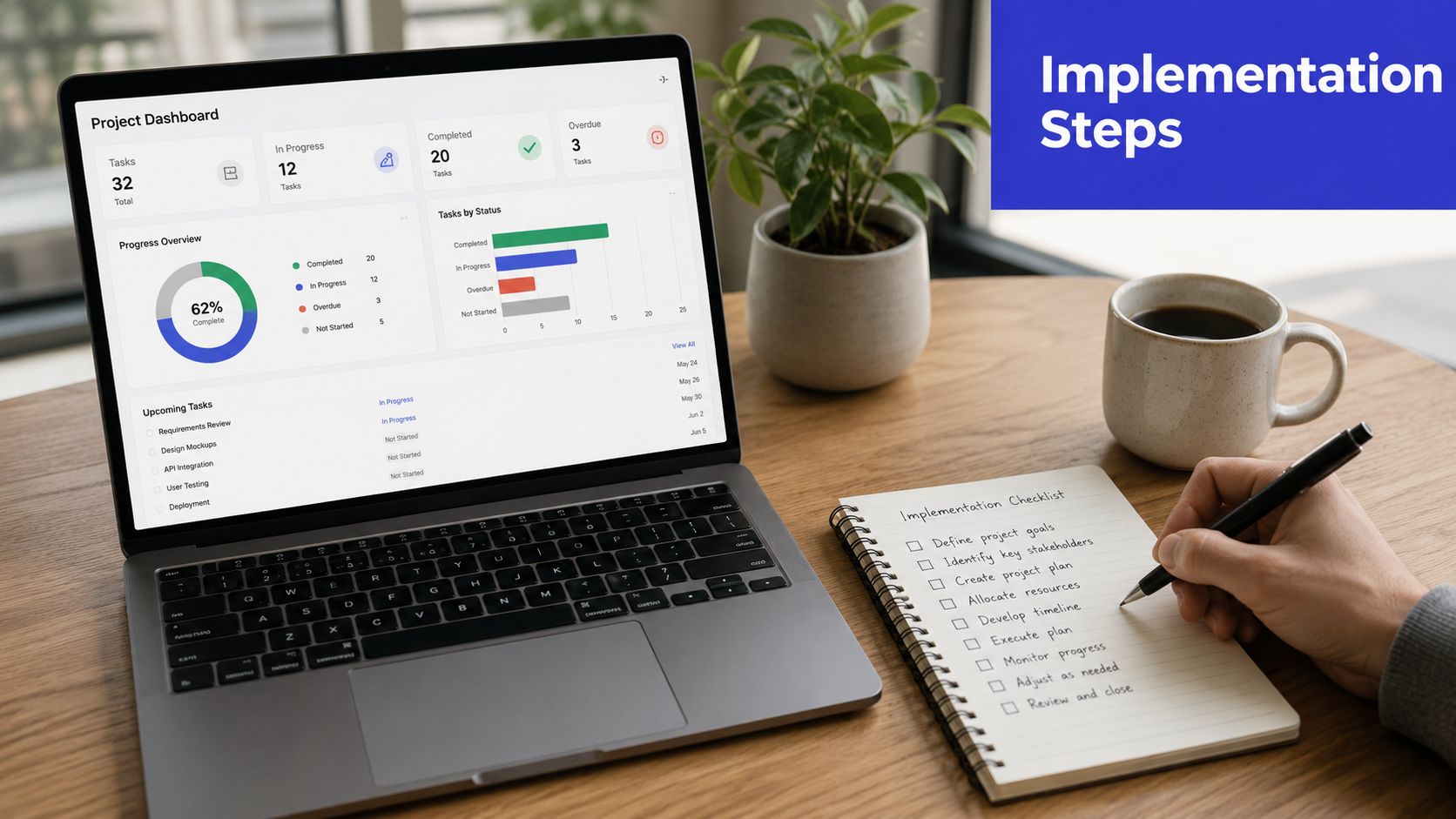
Start with your definition of qualified
Before assigning a single point, get sales and marketing in the same room and answer a plain question: what makes a lead worth a human follow-up?
For some teams, it's role plus company fit. For others, it's an action like requesting pricing, asking about integration, or showing repeated product interest. If sales says a lead is qualified only when budget and timing are clear, build that into the design.
Write this down in operational terms:
MQL means: A lead worth further qualification.
SQL means: A lead ready for direct sales action.
Disqualified means: A lead that should not enter the sales queue.
Map signals before you touch the tool
The second step is signal mapping. Don't overcomplicate this. You're looking for the small set of indicators that consistently suggest fit, intent, or disinterest.
That usually includes:
Explicit inputs: Form answers, company details, role, use case, budget range.
Behavioral actions: Pricing page visits, demo requests, repeat sessions, downloads.
Negative signals: Spammy submissions, student emails, no response, irrelevant geographies.
For teams evaluating the surrounding stack, it helps to review practical categories of lead qualification tools so the scoring model matches the systems you already use, rather than becoming another isolated workflow.
Build your first model like a checklist, not like a thesis. You can always add nuance later.
Set thresholds and automate the handoff
Once your signals are clear, define what score triggers which action. During this process, many teams either get too timid or too aggressive.
A simple operating model often works best:
Low score leads stay in nurture.
Mid-score leads get monitored or sent lighter-touch outreach.
High score leads create a task, notify sales, and move to a priority queue.
If your CRM or automation platform supports lifecycle stages, align score thresholds to those stages. Don't leave reps guessing what a score means. Every threshold should have a corresponding action.
A walkthrough like this can help your team think through the workflow mechanics in a more visual way:
Review the workflow in action
After launch, test the system with real examples. Pull a handful of recent leads and ask:
Did the score match reality?
Did high-scoring leads reach the right person quickly?
Did low-fit leads stay out of the sales queue?
Then listen to sales. If reps repeatedly say a certain score band is junk, that's not resistance. That's diagnostic feedback. Good automated lead scoring gets sharper through use, not through perfect planning on day one.
Qualify Leads 24/7 with Chatbots and Chatgrow
Most SMB guides on automated lead scoring assume you have a rich CRM full of closed deals. Many don't. That's why chatbot data is so useful. It gives you live qualification signals before your database is mature.
A chatbot doesn't just capture an email address. It captures context. What the person asked. Which path they took through the conversation. Whether they asked about pricing, setup, integrations, team size, or support. Those are first-party signals, and they tend to be far more revealing than a generic top-of-funnel form.
Why chatbot conversations are scoring gold
A chat conversation combines two kinds of data at once.
First, you get explicit data. That's information the lead tells you directly, such as company size, use case, urgency, or whether they need a team plan.
Second, you get implicit data. That's what their behavior suggests. Did they ask about enterprise pricing? Did they request a handoff to sales? Did they abandon after a basic FAQ answer? Those actions tell you where they are in the buying journey.
For teams thinking through chatbot setup specifically, this guide on a chatbot for lead generation is useful because it shows how conversational flows can surface buying intent without forcing long forms.
A practical hybrid model for SMBs
For smaller teams, a hybrid approach often outperforms pure prediction. Act-On's write-up cites HubSpot 2025 data showing hybrid models achieve 89% lead qualification accuracy for SMBs, while pure predictive models can drop to 62% without sufficient training data
That fits what operators see in the field. If you only have a small sample of closed deals, an AI-only model doesn't have much to learn from. But if you combine direct answers from chat, form fields, and real on-site behaviors, you can create a scoring system that is both practical and strong enough to act on.
A simple hybrid setup might weight:
Stated need: They ask about implementation, pricing, or a product-specific use case.
Commercial fit: Their company type, team size, or role matches the customers you serve.
Behavior in session: They continue the conversation, request next steps, or revisit high-intent pages.
What to score inside the conversation
You don't need fancy NLP theory to get value here. Start by identifying moments in a chat that clearly separate buyers from browsers.
For example:
High-intent prompts: Pricing, demo requests, integrations, onboarding, security, bulk usage.
Fit qualifiers: Industry, team size, role, geography, timeline.
Disqualifiers: Job seekers, support-only requests for a product they don't use, student research, vague browsing.
A chatbot transcript often tells you more about purchase intent than a short form ever will.
The operational advantage is simple. You're not waiting months for a predictive model to mature. You're using live conversation data to score leads now, around the clock, with the signals already available on your site.
Measuring Success and Evaluating Your Model
A lead score is not a result. It's a hypothesis. The only thing that matters is whether the leads your model ranks highly do move through the funnel better than the rest.
Lead conversion rate comes first
The core metric is lead conversion rate. If high-scoring leads aren't turning into real opportunities and customers at a better rate than lower-scoring ones, the model needs work.
That doesn't mean every top-scored lead should close. It means the score bands should create useful separation. Your best leads should consistently look better than the average queue.
The supporting metrics that reveal model quality
After conversion rate, look at the surrounding evidence.
Sales cycle length: Do high-scoring leads move faster from first touch to meaningful sales stage?
Deal size: Do better-scored leads tend to produce more valuable conversations or opportunities?
Rep follow-up behavior: Are reps acting quickly on the highest-scoring leads, or ignoring them?
Sales feedback: Do reps agree that top-scored leads feel stronger?
This is also where measurement discipline matters. If your team wants a stronger framework for how to connect marketing spend to revenue, it's worth reviewing broader measurement thinking so scoring doesn't become an isolated ops project.
Your evaluation should also include data flow. If lead records are missing fields, split across systems, or delayed between tools, the model can look worse than it is. A clean foundation for that depends on reliable customer data integration practices, especially when chat, forms, CRM, and automation tools all feed the same scoring logic.
Use feedback to recalibrate
Good teams review score bands against real outcomes. Pull closed-won, closed-lost, and stalled deals. Look for patterns.
Ask questions like:
Which high-scoring leads never became real opportunities?
Which lower-scoring leads closed anyway?
Which signals are overweighted or missing?
Then make small changes. Don't rebuild the entire model every time someone complains. Tuning works better than thrashing. If your system becomes a moving target, sales will stop trusting it.
Common Pitfalls and How to Avoid Them
Most lead scoring failures are operational, not technical. The logic may be fine, but the model gets ignored, drifts out of date, or starts rewarding stale behavior.
The model is too clever to trust
A scoring system that only ops understands won't get adopted. If sales can't explain why a lead is marked hot, they'll override the score and go back to gut feel.
The fix is simple. Keep the first version legible. Use visible criteria, clear thresholds, and regular review with sales. A score should be explainable in one minute.
Old engagement keeps bad leads looking hot
This is the most overlooked failure point. A lead that looked promising two weeks ago may be cold now. A lead that looked hot six months ago is almost certainly not a priority just because they once downloaded something valuable.
That's why score decay matters. Landbase reports that 68% of B2B marketers still rely on static rules that don't account for engagement decay, causing a 35% drop in conversion accuracy within 6 months, while decay-aware models see a 22% higher sales-to-lead velocity.
A practical version of decay is easy to understand:
Recent activity keeps points active
Silence removes urgency over time
Re-engagement restores score quickly
If nobody touched the pricing page, replied to outreach, or continued the conversation, the lead shouldn't sit at the top of the queue forever.
Treat lead scores like produce, not canned goods. Freshness matters.
Dirty data breaks good logic
Scoring quality depends on data quality. Duplicate records, bad routing, missing company fields, and inconsistent lifecycle definitions all create false confidence.
This is also where governance matters. If you need a practical reference for how to ensure data compliance while keeping your CRM usable, good governance habits will protect both scoring accuracy and internal trust.
A short prevention checklist helps:
Get sales input early: Build the model with the people who work the leads.
Use negative scoring: Reward interest, but also subtract for weak fit and inactivity.
Review on a schedule: Models drift when nobody owns maintenance.
Apply decay: Yesterday's intent is not today's priority.
Audit the data source: Bad inputs produce bad scores.
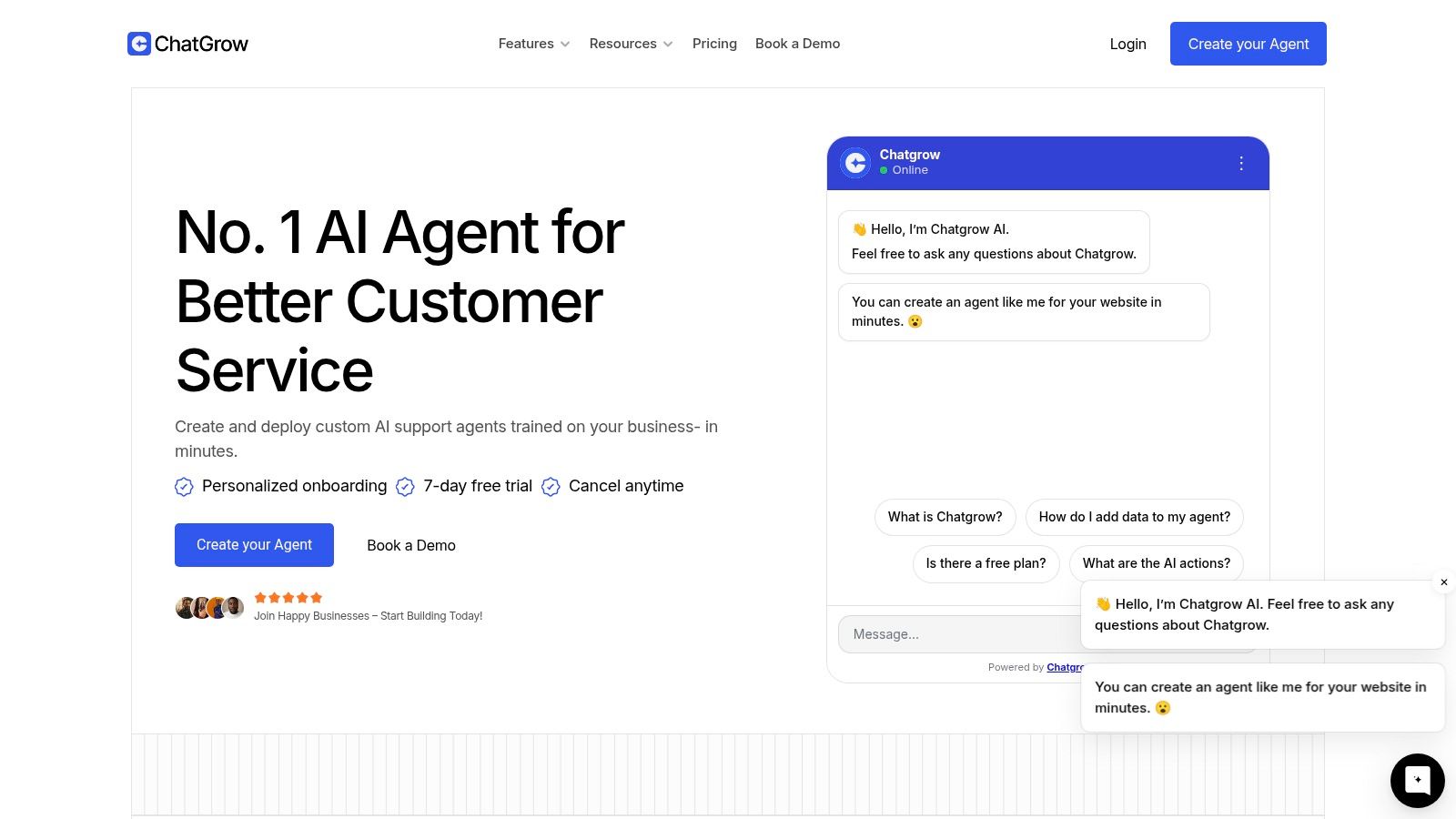
If you want a practical way to qualify leads around the clock using the conversations already happening on your site, Chatgrow gives you a fast path. You can train an AI agent on your pages, FAQs, and pricing content, capture explicit buying signals in chat, and route stronger leads to your team without making prospects wait for business hours.
Related Posts
Continue Reading
More articles from the ChatGrow Team.


