Blog
Top 10 Chatbot Best Practices: A Guide for 2026
By
Nelson Uzenabor

The global AI chatbot market was valued at $15.6 billion in 2024 and is projected to reach $46.6 billion by 2029. That's why chatbot best practices now matter less as design theory and more as operating discipline. If your bot gives stale answers, hides the path to a human, or breaks on mobile, customers notice immediately.
Chatbots now sit inside the highest-friction parts of the customer journey. Product questions, shipping checks, pricing objections, account access, trial qualification, renewal support. For SMBs and SaaS companies, that's good news and bad news. You can deliver coverage that used to require a much larger team, but only if the bot is trained, scoped, and monitored like a real revenue and support channel.
The gap between a useful bot and an annoying one usually comes down to execution. Strong bots know what they know, admit what they don't, collect the right context, and pass clean summaries to humans. Weak bots try to fake competence, over-answer, and trap users in loops.
This guide focuses on practical chatbot best practices for SMBs, ecommerce brands, and SaaS teams that need results without enterprise complexity. The emphasis is immediate execution. What to train on, what to automate first, how to handle escalation, what to measure, and how tools like Chatgrow fit into the workflow.
Table of Contents
3. Design Conversational Flows That Feel Natural and On-Brand
6. Implement Comprehensive Analytics and Performance Monitoring
9. Create Clear Personality and Personalization Without Over-Automation
10. Establish Clear Governance, Testing, and Quality Assurance Processes
1. Train Chatbots on Accurate, Up-to-Date Knowledge Sources
A chatbot is only as reliable as the material behind it. Most failures I see in SMB support bots don't come from the model itself. They come from outdated pricing pages, half-finished help docs, conflicting refund policies, and missing product details.
For ecommerce, the minimum useful knowledge set usually includes product pages, shipping and return policies, promo logic, sizing guidance, and common pre-purchase objections. For SaaS, it's pricing, feature pages, onboarding docs, API references, billing rules, and account-management workflows.

Start with source quality, not model hype
Intercom's guidance on knowledge-base best practices for AI support is especially useful here. They recommend creating new help articles from recurring customer questions, saved replies, and gaps where users should have self-served but couldn't. They also recommend simplifying language and using tables or lists so AI can retrieve the right answer more reliably.
That advice matters because “train it on the FAQ” is too shallow. Good chatbot best practices require knowledge-base engineering. If your support inbox shows repeated questions about subscription pauses, damaged deliveries, or setup steps, turn those into bot-ready articles with direct wording that mirrors how customers ask.
A practical setup inside Chatgrow often looks like this:
Pull from high-intent pages: Train on pricing, product, shipping, return, and demo-request pages first.
Use support tickets as content briefs: Repeated replies from agents usually reveal missing docs.
Connect customer context carefully: If you want the bot to answer account-specific questions, plan the customer data integration workflow before launch.
Practical rule: If a human agent has to say, “That page is outdated,” your bot shouldn't be trained on it yet.
Run content audits on a schedule. When policies, plans, or inventory logic change, update the source before the bot keeps answering with yesterday's truth.
2. Implement Clear Intent Recognition and Smart Escalation
A bot shouldn't treat every message like a generic FAQ. “Where's my order?” is different from “I was double charged,” and both are different from “Can your platform replace Zendesk?” Intent recognition is what keeps those paths from collapsing into the same mediocre answer.
One broad industry summary reports that 87.2% of consumers rate bot interactions as neutral or positive, 62% prefer engaging with customer-service digital assistants, and chatbots are used most often in sales and customer support. Those numbers support a simple rollout sequence for SMBs. Automate the frequent, structured, lower-risk conversations first, then escalate complex or emotional cases quickly.
Route the right issue to the right path
For ecommerce, useful intent buckets include product advice, order tracking, returns, damaged items, billing issues, and wholesale inquiries. For SaaS, think pricing, demo requests, technical troubleshooting, feature fit, billing changes, cancellation risk, and API questions.
The handoff matters as much as the detection. A strong escalation doesn't just say, “A human will follow up.” It passes summary, intent, customer details, and the failed path so your team can act without restarting the conversation.
Good escalation design usually includes:
Collecting key context first: Order number, workspace URL, plan name, browser, or device.
Writing a human-readable summary: One short note beats a raw transcript dump.
Sending the case to the right team: Sales, support, billing, or technical success.
Complaint handling is where this discipline pays off fastest. If your team deals with refunds, delays, or broken expectations, map the escalation path around customer complaint workflows that preserve context.
When a bot escalates well, the customer feels helped before a human even joins.
What doesn't work is forcing users through three more questions after they've already signaled frustration. Once the bot detects risk, speed matters more than automation purity.
3. Design Conversational Flows That Feel Natural and On-Brand
A good bot doesn't sound “human” in the abstract. It sounds like your company on its best day. Clear, concise, helpful, and consistent with how your team already explains products and solves problems.
That matters more than cleverness. A SaaS bot for finance workflows shouldn't sound like a meme account. A skincare store bot shouldn't sound like legal copy pasted into a bubble.

Write like your team talks
Start with the phrases your support and sales teams already use when they're effective. Product recommendation bots for stores often work best with short suggestion patterns like, “I can help narrow that down. Is this for daily use, gifting, or a specific skin concern?” SaaS bots often need more direct routing language such as, “I can help with pricing, integrations, trials, and account basics.”
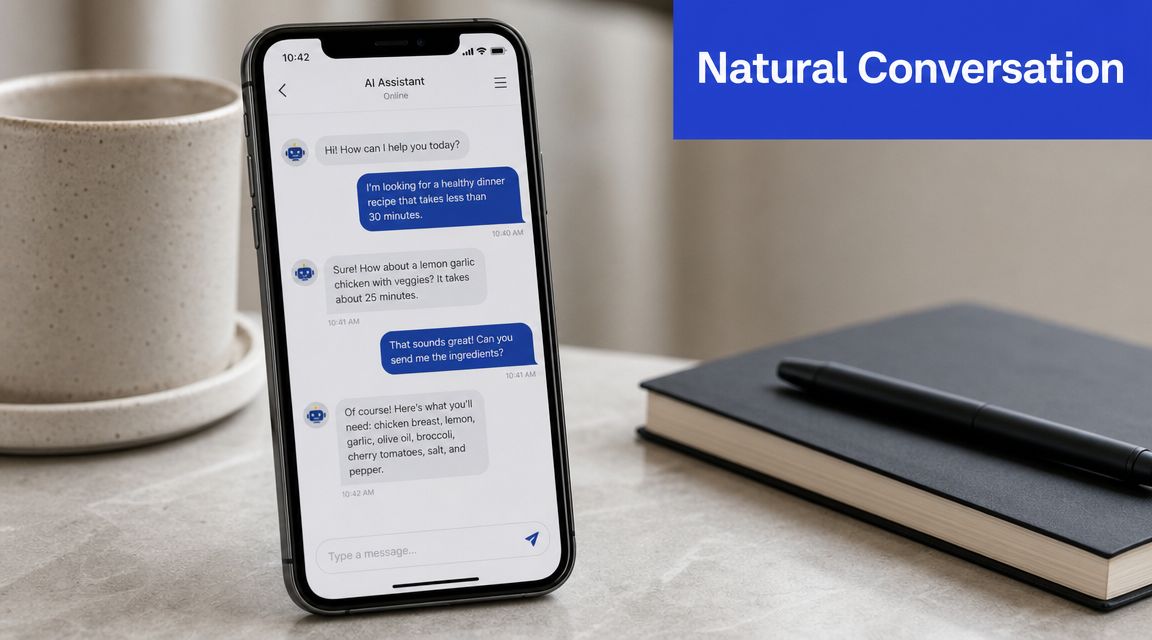
Short messages beat dense paragraphs. Buttons and quick replies reduce ambiguity. If your bot keeps asking open-ended questions too early, users will type broad requests and the conversation gets messy fast.
For a cleaner structure, define:
Greeting tone: Warm, direct, or consultative.
Fallback style: Helpful and transparent, not defensive.
CTA language: “Book a demo,” “See plans,” “Track order,” or “Talk to support.”
If you're refining tone, flow, and interaction patterns, this breakdown of AI chatbot design choices is a practical place to start.
A useful demo of conversational UX patterns sits below.
Natural doesn't mean unstructured. The best chatbot best practices combine scripted clarity with enough flexibility to handle messy phrasing, incomplete context, and impatient users.
4. Set Clear Boundaries and Manage User Expectations
One of the fastest ways to lose trust is to let the bot imply it can do more than it is capable of. Customers are surprisingly forgiving when a bot is honest. They're much less forgiving when it pretends to understand and then stalls.
The opening message does real work. Don't open with generic friendliness alone. Open with scope. Tell people what the bot can help with, what requires a human, and what the expected follow-up window looks like if escalation is needed.
State what the bot can handle upfront
For an ecommerce store, a good opening might focus on orders, returns, sizing, and product questions. For SaaS, it might focus on pricing, feature basics, account help, and routing to sales or support. If your team is offline, say so clearly and explain what happens next.
Useful boundary-setting patterns include:
Lead with capability statements: “I can help with pricing, plans, and common setup questions.”
Name the edge of scope: “For billing disputes or account-specific changes, I'll collect details for the team.”
Set support timing: If human replies are not instant, say that upfront.

This isn't just a UX nicety. It directly reduces frustration loops, especially after hours. If your bot offers “24/7 help,” define what that means. Instant answers for known questions are not the same as immediate human resolution for every issue.
Clear limits make bots feel more trustworthy, not less capable.
The teams that get this right also write graceful out-of-scope replies. No dead ends. No fake certainty. Just a clean acknowledgment and a next step.
5. Optimize for Mobile and Multi-Channel Deployment
Many chatbot demos are reviewed on a desktop by the team that built them. That's not how most real users experience them. Customers open chats while scrolling on a phone, juggling tabs, sitting in a checkout flow, or trying to fix an issue from an email link.
Mobile-first design changes the shape of the conversation. Long messages become hard to scan. Overly wide buttons become clumsy. Multi-step forms feel heavier. If your bot only works elegantly on a large screen, it's not production-ready.
Design for thumbs, not desktop demos
Keep mobile interactions narrow and obvious. One question at a time. Short answer options. Minimal typing where possible. If the flow needs account details, collect them in a sequence that feels light, not interrogative.
For multi-channel deployment, consistency matters more than identical formatting. A website widget, WhatsApp conversation, and in-app support panel all have different UI constraints. The core intent logic, escalation rules, and source knowledge should stay aligned even when the presentation changes.
Practical priorities for SMB teams:
Keep entry points consistent: The greeting and main options should feel familiar across channels.
Preserve context when possible: If a user starts on a pricing page, don't drop them into a generic support opening.
Adapt to channel strengths: Quick replies on web, concise prompts on messaging apps, richer account context in-app.
A Shopify store might use a website bot for product discovery and order questions, then route post-purchase updates into a messaging channel customers already monitor. A SaaS company might use a public-site bot for lead qualification and an in-app bot for account support.
What usually fails is copying the same desktop-heavy script everywhere. Channels differ. Your logic can stay stable, but the interaction pattern should respect the environment.
6. Implement Comprehensive Analytics and Performance Monitoring
If you only track chat volume, you won't know whether the bot is helping or hiding problems. Strong chatbot best practices start with outcome metrics tied to the job the bot is supposed to do.
That's where the market shift matters. As noted earlier, adoption is large enough that teams are now expected to run chatbot programs with real business analytics. The practical guidance from Zoho's industry summary is to define success before launch, monitor actual interactions after launch, and keep updating training data, FAQs, and fallback paths based on unresolved intents and logs.
Measure outcomes, not just chat volume
Calabrio recommends treating self-service resolution as a core KPI and aiming for 75%+ containment. That's a useful operational benchmark because it forces teams to examine where users drop off, where escalations are unnecessary, and which intents still create friction.
For SMBs, a compact dashboard is enough if it answers real questions:
Resolution: Did the user finish the task without needing a human?
Escalation quality: Was the handoff appropriate and well summarized?
Business impact: Did the chat help qualify a lead, assist a purchase, or unblock support?
Crisp adds one of the most useful less-obvious metrics: track the gap between daytime and nighttime CSAT, and keep the day-versus-night difference under 5 points if the always-on promise is really working. They also stress reviewing failed night sessions weekly and testing with fragmented, messy queries instead of clean prompts.
Watch this metric: If after-hours chats perform noticeably worse, your bot isn't extending service. It's just absorbing traffic.
That's the difference between reporting and management. Analytics should tell you what to change next.
7. Prioritize Data Security and Privacy Compliance
A chatbot can become a quiet data risk if you let it collect too much, store it too long, or expose it to too many people internally. This is especially important for SaaS teams handling workspace data, ecommerce brands touching order details, and any business operating across multiple regions.
The safest design choice is usually restraint. Ask only for the information needed to complete the task or route the case properly. Don't request sensitive details just because the form can hold them.
Collect less and control access tightly
Good privacy practice starts before launch. Decide what the bot can ask, what it must never ask, where conversation data is stored, who can access it, and when it should be deleted or redacted.
That usually means:
Minimizing collection: Order number and email may be enough. You often don't need more.
Separating roles: Support managers, developers, and sales reps rarely need the same transcript access.
Writing plain-language disclosure: Tell users what's being collected and why.
For regulated environments, the bar rises quickly. Healthcare, finance, education, and B2B software with sensitive account information should treat bot deployment like any other customer-data workflow. Legal review, retention rules, consent language, and vendor controls belong in the setup, not as cleanup later.
This is one area where over-automation causes damage. If the bot starts asking for payment details, personal identifiers, or protected information in an open-ended way, trust drops fast. Keep the bot inside safe boundaries and hand sensitive actions to secure workflows or humans.
The best privacy posture is boring by design. Limited collection, visible consent, clear retention, and strong access controls.
8. Design for Continuous Learning and Iterative Improvement
Launching the bot is the start of the work, not the finish. Conversation logs reveal what your assumptions missed. Users ask in fragments. They mix questions together. They describe the same issue five different ways. That's normal.
One of the most useful market signals here is that global business adoption of chatbots grew about 4.7 times between 2020 and 2025. As usage becomes mainstream, the teams that improve fastest are usually the ones with a disciplined review cycle, not the fanciest prompts.
Review failures on a schedule
Set a recurring review process and keep it small enough that your team will maintain it. Weekly works well for active bots. Review unresolved intents, poor handoffs, weak answers, and sessions where users abandoned the conversation after the bot replied.
Focus on patterns, not one-off oddities. If multiple users ask, “Can I pause my subscription instead of canceling?” and the bot gives vague billing language, that's a content problem. If users asking about “bulk pricing” keep landing in support instead of sales, that's an intent-routing problem.
A lightweight improvement loop usually includes:
Failed conversation review: Identify the exact moment the exchange stopped being useful.
Content updates: Add or rewrite help articles, policy snippets, or product answers.
Flow tests: Re-run the revised path using messy real phrasing from logs.
The point isn't endless tuning. It's targeted maintenance. Good bots get better because somebody owns the backlog and closes the gap between what customers ask and what the bot can answer cleanly.
9. Create Clear Personality and Personalization Without Over-Automation
Personality helps when it supports clarity. Personalization helps when it removes work for the user. Both backfire when they become performative or intrusive.
A useful bot might remember that a returning customer usually asks about delivery windows, or that a trial signup came from the pricing page and probably wants plan guidance. That's helpful context. Mentioning too much behavioral history too early often feels unsettling instead.
Use context where it helps, not where it creeps people out
For ecommerce, subtle personalization usually works best in recommendation and follow-up moments. “Based on what you're shopping for, I can suggest a few options” feels helpful. “I saw you viewed this item three times this week” often doesn't.
For SaaS, good personalization often means role-aware routing. A founder evaluating plans, an admin troubleshooting SSO, and a current customer changing billing should not see the same default flow.
Keep a few rules in place:
Earn the right to personalize: Start useful, then add context when it clearly improves the answer.
Be transparent: If account context affects the response, say so in plain language.
Leave room for correction: Give users an easy way to say, “That's not what I need.”
Personality should also fit the moment. A cheerful tone during product discovery can work well. The same tone during a failed payment or missed order rarely lands. The bot should adapt by situation, not just by brand voice document.
The best chatbot best practices here are conservative. Add warmth. Use known context. Avoid theatrics and overfamiliarity.
10. Establish Clear Governance, Testing, and Quality Assurance Processes
Most chatbot problems are preventable before launch. Broken links, wrong routing, outdated policies, sloppy fallbacks, and messy handoffs usually aren't mysterious AI failures. They're QA failures.
That's why chatbot governance matters even for small teams. Someone needs to own content approval, prompt changes, routing logic, escalation rules, and release checks. If everybody can tweak the bot whenever they want, quality drifts fast.
Ship like a product team, not a prompt experiment
Before any major update, test the main journeys end to end. For ecommerce, that often means product advice, shipping questions, returns, discount confusion, and damaged-order escalation. For SaaS, test pricing, demo qualification, account basics, technical troubleshooting, and billing edge cases.
A useful QA pass covers more than happy paths:
Core flow testing: The most common customer goals should work cleanly every time.
Edge-case testing: Misspellings, fragmented queries, mixed intents, and frustrated language.
Fallback testing: What happens when the bot doesn't know, shouldn't answer, or needs a human.
In practice, staging matters. So does rollback. If a knowledge update creates bad answers, you should be able to revert quickly instead of debugging live with customers in the loop.
Reliable chatbot operations come from ownership, review, and release discipline.
For SMBs, this doesn't need enterprise bureaucracy. A shared test script, one owner, a staging environment, and a weekly quality review will outperform a “set it and forget it” launch every time.
10-Point Chatbot Best Practices Matrix
Practice | Implementation Complexity 🔄 | Resource Requirements ⚡ | Expected Outcomes ⭐📊 | Ideal Use Cases 💡 | Key Advantages 📊 |
|---|---|---|---|---|---|
Train Chatbots on Accurate, Up-to-Date Knowledge Sources | 🔄 Medium–High: integrates multiple sources + retraining | ⚡ Continuous data engineering, version control, QA | ⭐ Accurate responses; 📊 fewer tickets; increased conversions | 💡 E‑commerce, SaaS, travel with dynamic pricing/availability | 📊 Builds trust; reduces escalations; improves conversion |
Implement Clear Intent Recognition and Smart Escalation | 🔄 High: ML models, confidence scoring, handoff logic | ⚡ Labeled data, model training, integration with agents | ⭐ Higher first‑contact resolution; 📊 faster handling of complex issues | 💡 Lead qualification, support triage, sales routing | 📊 Better routing; saves agent time; improves CX |
Design Conversational Flows That Feel Natural and On‑Brand | 🔄 Medium: conversation design, branching logic | ⚡ UX writers, designers, testing with users | ⭐ Higher engagement; 📊 improved conversion and loyalty | 💡 Brand-focused experiences for retail, SaaS, agencies | 📊 Consistent brand voice; reduced user friction |
Set Clear Boundaries and Manage User Expectations | 🔄 Low–Medium: messaging, availability indicators | ⚡ Content creation, policy definitions, simple UI | ⭐ Reduced frustration; 📊 fewer inappropriate escalations | 💡 Banking, healthcare, support bots with scope limits | 📊 Transparent expectations; reduced support load |
Optimize for Mobile and Multi‑Channel Deployment | 🔄 Medium–High: responsive UI + platform integrations | ⚡ Cross‑platform development, QA, API work | ⭐ Wider reach; 📊 higher adoption and conversions | 💡 E‑commerce, global services, companies needing 24/7 access | 📊 Omnichannel consistency; better accessibility |
Implement Comprehensive Analytics and Performance Monitoring | 🔄 Medium: tracking plan + dashboards | ⚡ Analytics tooling, data engineers, storage | ⭐ Data‑driven improvements; 📊 measurable ROI and KPIs | 💡 Enterprises and product teams optimizing bots | 📊 Identifies optimization opportunities; supports A/B tests |
Prioritize Data Security and Privacy Compliance | 🔄 High: encryption, access controls, audits | ⚡ Security expertise, legal counsel, compliance tooling | ⭐ Reduced legal risk; 📊 preserved reputation and trust | 💡 Healthcare, finance, organizations handling PII | 📊 Prevents breaches/fines; demonstrates data stewardship |
Design for Continuous Learning and Iterative Improvement | 🔄 Medium: feedback loops + retraining pipelines | ⚡ Ops resources, ML pipelines, analytics | ⭐ Performance improves over time; 📊 fewer repeat failures | 💡 Mature bots needing ongoing optimization | 📊 Proactive gap identification; better long‑term ROI |
Create Clear Personality and Personalization Without Over‑Automation | 🔄 Medium: personalization logic + consent controls | ⚡ Profile data, consent flows, testing to avoid creepiness | ⭐ Higher engagement and CLTV when balanced; 📊 better relevance | 💡 E‑commerce, loyalty programs, subscription services | 📊 Tailored experiences; increased conversions and loyalty |
Establish Clear Governance, Testing, and Quality Assurance Processes | 🔄 Medium–High: test frameworks, change management | ⚡ QA teams, automation tools, staging environments | ⭐ Reliable production behavior; 📊 fewer regressions and incidents | 💡 Regulated industries, large scale deployments | 📊 Ensures consistent quality; safe, confident releases |
From Conversations to Conversions Your Next Steps
The practical value of chatbot best practices is simple. They turn a bot from a reactive FAQ layer into an operating system for support, sales, and lead qualification. That shift matters because customers don't judge your chatbot as a separate experiment. They judge it as part of your brand experience.
The strongest bots share a few traits. They answer from current knowledge, not stale documentation. They recognize intent early. They escalate cleanly. They respect mobile behavior. They collect only the data they need. And they improve because somebody reviews the logs and fixes what breaks.
For SMBs, ecommerce teams, and SaaS companies, the opportunity is unusually good right now. You don't need a giant automation team to build something useful. You need a focused scope, a clean content base, and the discipline to start with the workflows that are frequent, structured, and high-value. Product questions. Shipping and returns. Demo qualification. Pricing clarification. Account basics. Those are the conversations where a well-built bot saves time and protects revenue.
What usually slows teams down is trying to do too much on day one. They want the bot to support every channel, every product line, every edge case, and every customer segment immediately. That approach creates weak answers and messy handoffs. A narrower launch almost always performs better. Pick the top intents. Write the source content properly. Define the escalation path. Review the transcripts. Expand from there.
This is also where platform choice matters. A useful chatbot platform should make it easy to train on real business content, route conversations by intent, escalate with summaries, and monitor outcomes without a complicated enterprise implementation. That is the operational standard now. Not just “does it chat,” but “does it improve support quality, lead handling, and conversion workflow?”
Chatgrow fits that model well for growing teams. It lets businesses train agents on websites, pricing pages, FAQs, and product content, deploy across customer touchpoints, and keep the system current as the business changes. Smart Intent helps the bot understand what the user is trying to do. Smart escalation helps your team receive a clean handoff instead of a transcript mess. That combination is what makes a chatbot usable in day-to-day operations.
If you're implementing these practices this year, start with one high-intent use case and make it excellent. Then add the next one. That's how chatbot programs become dependable, measurable, and profitable.
If you want a faster path from strategy to launch, Chatgrow gives SMBs, ecommerce brands, and SaaS teams a practical way to build support and lead-qualification agents without heavy setup. You can train the bot on your site and help content, define escalation rules, deploy it on high-intent pages, and improve performance from real conversations as they come in.
Related Posts
Continue Reading
More articles from the ChatGrow Team.


