
Blog
Customer Service Automation Software: 2026 Guide to Savings
By
Nelson Uzenabor

By 2026, AI is projected to handle 95% of all customer interactions according to Wise Guy Reports on the customer service automation software market. That number changes the conversation.
Customer service automation software is no longer a side project for enterprise support teams. For SMBs and mid-market companies, it's becoming a practical operating decision. The primary question isn't whether automation matters. It's what you should automate first, what should stay human, and how to avoid turning support into a trust problem.
Most buying guides get this wrong. They focus on feature checklists, vendor categories, and shiny AI language. The harder part is scope discipline. If you automate the wrong interactions, customers feel trapped. If you automate the right ones, your team becomes more effective, customers get faster answers, and the software starts paying for itself.
Table of Contents
Why Customer Service Automation Is Exploding in 2026
Support economics tightened fast in the last two years. Labor costs rose, customer acquisition got more expensive, and teams could no longer justify using skilled agents to reset passwords, check order status, or answer policy questions that follow the same pattern every day.
That pressure is strongest in SMBs and mid-market companies because they do not have much slack. A five-person support team cannot absorb a 20 percent ticket spike the way a large enterprise can. The usual response used to be hiring. In 2026, that math breaks down sooner. Adding headcount raises fixed cost every month, while automation can reduce repetitive volume without adding another full-time salary.
The key shift is not that automation got popular. The key shift is that support leaders got more disciplined about scope.
Teams that see good results are not trying to automate everything. They start with narrow, repeatable requests where accuracy is easy to audit and customer risk is low. Order tracking is a common example in e-commerce. Return policy questions are another. For merchants evaluating Shopify support automation for high-volume stores, the question is not whether automation can answer customers. It is which conversations should be automated first, which should stay human, and what handoff should happen when confidence is low.
The pressure is financial and operational
Response time now affects revenue more directly than many teams admit. If a customer waits six hours for a shipping update, the issue is not only service quality. That customer is less likely to place the next order, and the support team still paid an agent to answer a question the system already knew how to resolve.
I have seen this pattern repeatedly. Companies buy automation software expecting labor savings, then miss the bigger gain. The bigger gain usually comes from protecting agent time for cases where judgment matters, such as damaged orders, billing disputes, or retention-risk conversations.
Practical rule: Automate the questions with stable answers. Keep humans on the questions where context, emotion, or exception handling changes the outcome.
Why 2026 rewards scope discipline
Earlier automation waves often failed because companies treated bots like a layer on top of broken processes. The bot deflected a few contacts, frustrated customers, and pushed the hard work back to the queue.
The better approach is smaller and more measured. Map the top contact reasons. Isolate the ones with clear inputs, clear outputs, and low downside if the system gets them wrong. Automate those first. Review containment, recontact rate, and CSAT. Then expand.
That discipline matters more than feature depth for SMBs. Mid-market teams feel it too. Over-automate and trust drops fast. Automate the right slice of work and the software starts acting like a pressure valve for the whole support operation.
What Is Customer Service Automation Software Really
Customer service automation software is often described as software that answers questions or routes tickets. That definition is technically fine, but it misses the point.
The better way to think about it is this. A basic bot is like a vending machine. It works when the request is predictable and the options are fixed. A mature automation system is closer to a front-desk concierge. It listens, identifies what the person intends to do, checks the available context, and either solves the issue or hands it to the right person with a useful summary.
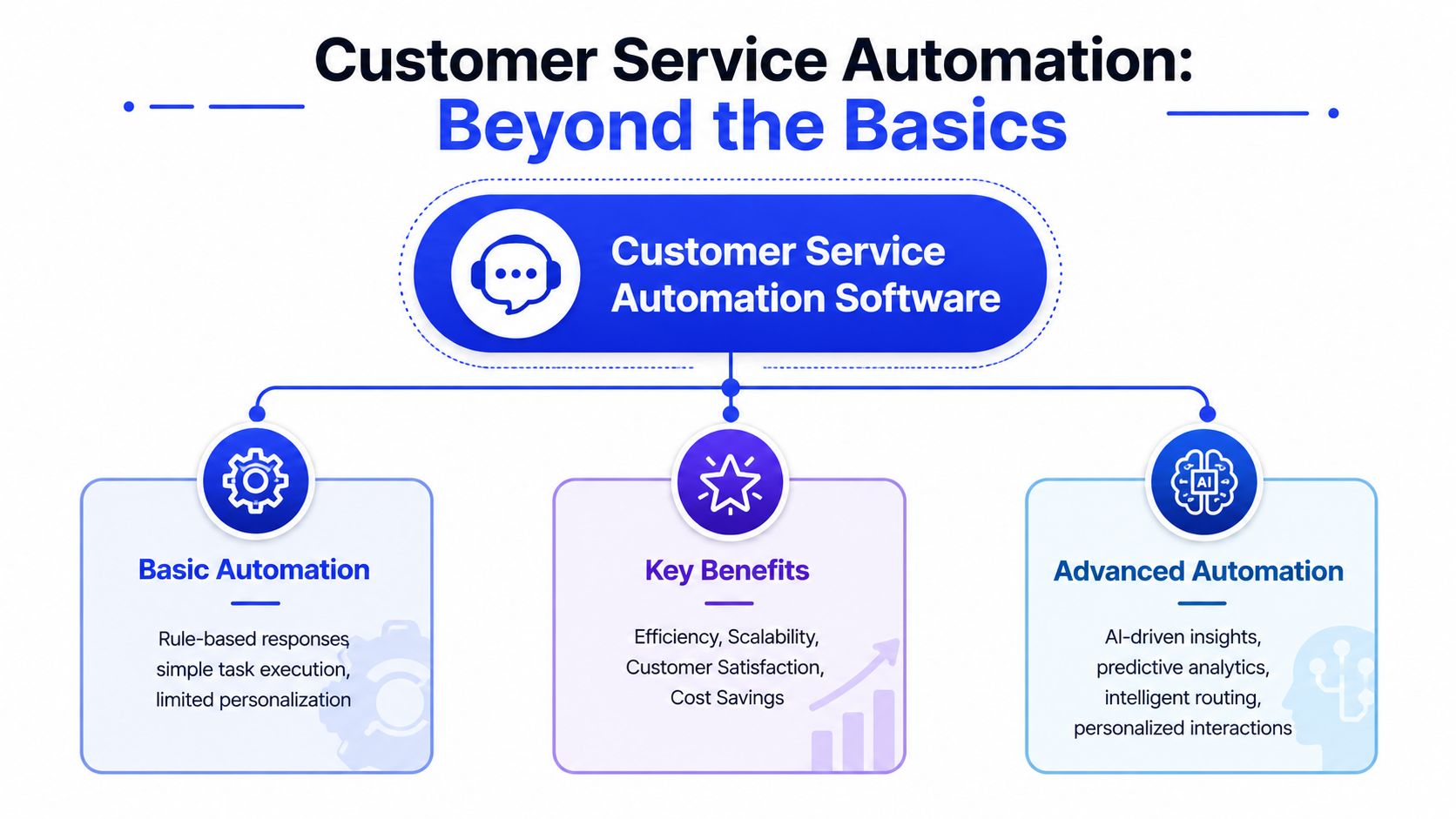
From scripted bot to capable agent
That distinction matters because many teams still buy based on the older model. They assume automation means canned responses, FAQ prompts, and a frustrating “choose from these options” experience.
In practice, modern systems do more when they're built on better understanding. They interpret what a customer means, not just the exact words used. For e-commerce teams looking at concrete examples of how this plays out in busy retail operations, this guide to Shopify support automation for high-volume stores is useful because it shows where automation fits into repetitive support flows without trying to automate everything at once.
The real job is resolution
Good customer service automation software should do four things well:
Handle repeatable requests: Common questions like shipping status, billing policy, appointment details, or account access shouldn't consume agent time every day.
Improve consistency: Customers should get the same accurate answer whether they ask at noon or midnight.
Prepare human handoff: If the case needs empathy, judgment, or exception handling, the system should collect details before passing it on.
Support business outcomes: In many businesses, support and sales overlap. A well-configured agent can answer product questions, qualify interest, and reduce drop-off on high-intent pages.
A lot of failed implementations share the same flaw. The company tried to “automate support” as a category. That's too broad. Automation works best when it is assigned a narrow job first, then expanded only after the team trusts the results.
Automating a bad process faster doesn't create efficiency. It spreads the bad process across more conversations.
For that reason, the smartest teams judge software less by how human it sounds and more by whether it can produce a clean outcome. If a customer still has to repeat the issue to an agent, the system may have answered quickly without providing much help.
Core Features That Power Modern Automation
The strongest customer service automation software isn't one feature. It's a stack of capabilities working together. When one layer is missing, the whole experience gets brittle.
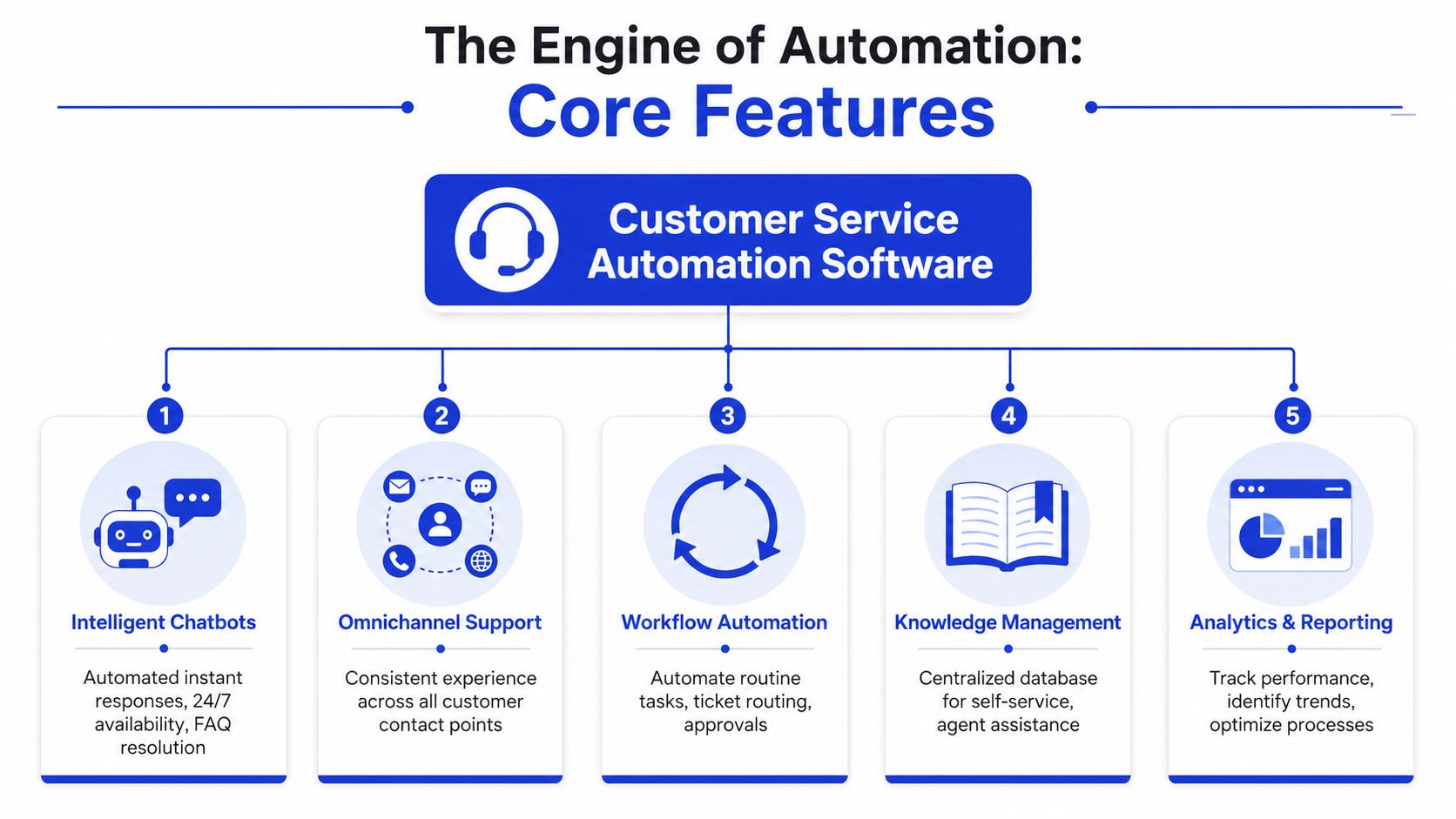
Intent understanding and natural language processing
The first layer is language understanding. According to The CX Lead's overview of customer service automation software, these systems rely on Natural Language Processing and intent recognition to interpret the semantic meaning of customer inputs, which allows bots to handle multi-intent queries and respond more naturally than scripted FAQ tools.
That sounds technical, but the practical meaning is simple. A customer rarely asks one clean question. They might say, “My order still hasn't arrived, I think the address is wrong, and I need it before Friday.” A weak bot sees keywords. A better system sees urgency, delivery status, and a possible address issue in the same message.
If your team also handles pre-sales questions inside support flows, this sales assist AI guide is worth reading because it shows how intent understanding can support both service and conversion work in the same conversation.
Knowledge, workflows, and escalation
Intent alone isn't enough. The system also needs access to approved information and the right workflow logic.
Here's the core stack that usually matters most:
Feature | What it does in practice | What goes wrong without it |
|---|---|---|
Knowledge management | Pulls answers from current FAQs, docs, policies, and product info | The bot gives outdated or generic replies |
Workflow automation | Routes tickets, tags issues, triggers follow-up tasks | Agents still do manual sorting and admin work |
Omnichannel support | Keeps conversations consistent across chat, email, and site messaging | Customers repeat themselves when switching channels |
Smart escalation | Hands off emotional or complex cases with context attached | The human agent starts from zero |
Analytics | Shows what resolved, escalated, failed, or needs retraining | The team can't improve performance reliably |
Smart escalation is a feature teams often underestimate. In a real support environment, a handoff shouldn't be a failure. It should be a controlled decision.
A practical example is a setup where the system detects frustration, asks two or three clarifying questions, then forwards a short summary to the support queue. Tools such as help desk automation approaches often focus on exactly this handoff layer because it's where customer experience can either stay smooth or break down completely.
Analytics that show what is working
Strong automation also needs observability. If you can't see which conversations were resolved, which were escalated, and which failed because the knowledge was weak, you're operating blind.
Many teams confuse activity with impact. A bot can answer lots of messages and still reduce trust if the answers are wrong, incomplete, or slow down access to a human. The software should show patterns your team can act on, not just transcript volume.
If the reporting only tells you how often the bot responded, you still don't know whether the customer got help.
The best feature set, then, isn't the longest feature list. It's the shortest list that covers understanding, trusted knowledge, workflow execution, smart handoff, and clear reporting.
The Business Case for Automation ROI and Key Benefits
The financial argument for automation is strong, but the strongest business case usually starts somewhere more practical. Support teams get buried in repeatable work. Agents spend time on routing, status checks, and routine explanations instead of the conversations that require judgment.
That's where automation earns its place. According to ChatMaxima's 2026 AI customer support statistics, businesses implementing AI support report returns ranging from 3.5x to 8x, and Gartner forecasts that by 2026 conversational AI will reduce contact center labor costs by $80 billion.
Where the savings actually come from
The cleanest savings usually come from three places:
Routine contact handling: Repetitive requests stop consuming paid agent time.
Lower admin overhead: Routing, tagging, and summaries happen before a human ever opens the case.
Better queue shaping: Human agents spend more time on exceptions, escalations, and retained revenue situations.
The key point is that labor savings don't only come from replacing conversations. They also come from removing the invisible work around conversations.
Why ROI is bigger than labor reduction
The broader benefit is operational quality. Faster answers improve customer experience when the issue is simple. Consistent answers reduce policy drift. Agents do better work when they're not answering the same basic question all week.
That's why many teams pair automation with a broader support redesign rather than treating it as a chatbot project. If you're mapping the strategic side of that decision, this overview of AI customer support is helpful because it frames automation as part of the support model, not just a new interface.
There's also a softer but important benefit. Teams tend to accept automation when it removes drudge work. They resist it when it creates cleanup work. That sounds obvious, but many failed rollouts come down to this exact issue. The software generated more triage, more confusion, and more irritated customers for agents to calm down.
Good automation removes repetitive effort from the queue. Bad automation moves repetitive effort to a later step.
So the ROI test is straightforward. Does the software reduce avoidable contacts, shorten the path to resolution, and make your human team more effective on the cases that remain? If yes, it's worth serious consideration. If not, the feature set doesn't matter much.
How to Choose the Right Software A Buyer's Checklist
Most demos are designed to make every platform look capable. The hard part is figuring out whether the software fits your operation after the polished walkthrough ends.
A buying process works better when you treat customer service automation software like an operations tool, not a marketing promise. The right product for your team depends on workflow depth, integration quality, update discipline, and how much complexity your team can manage.
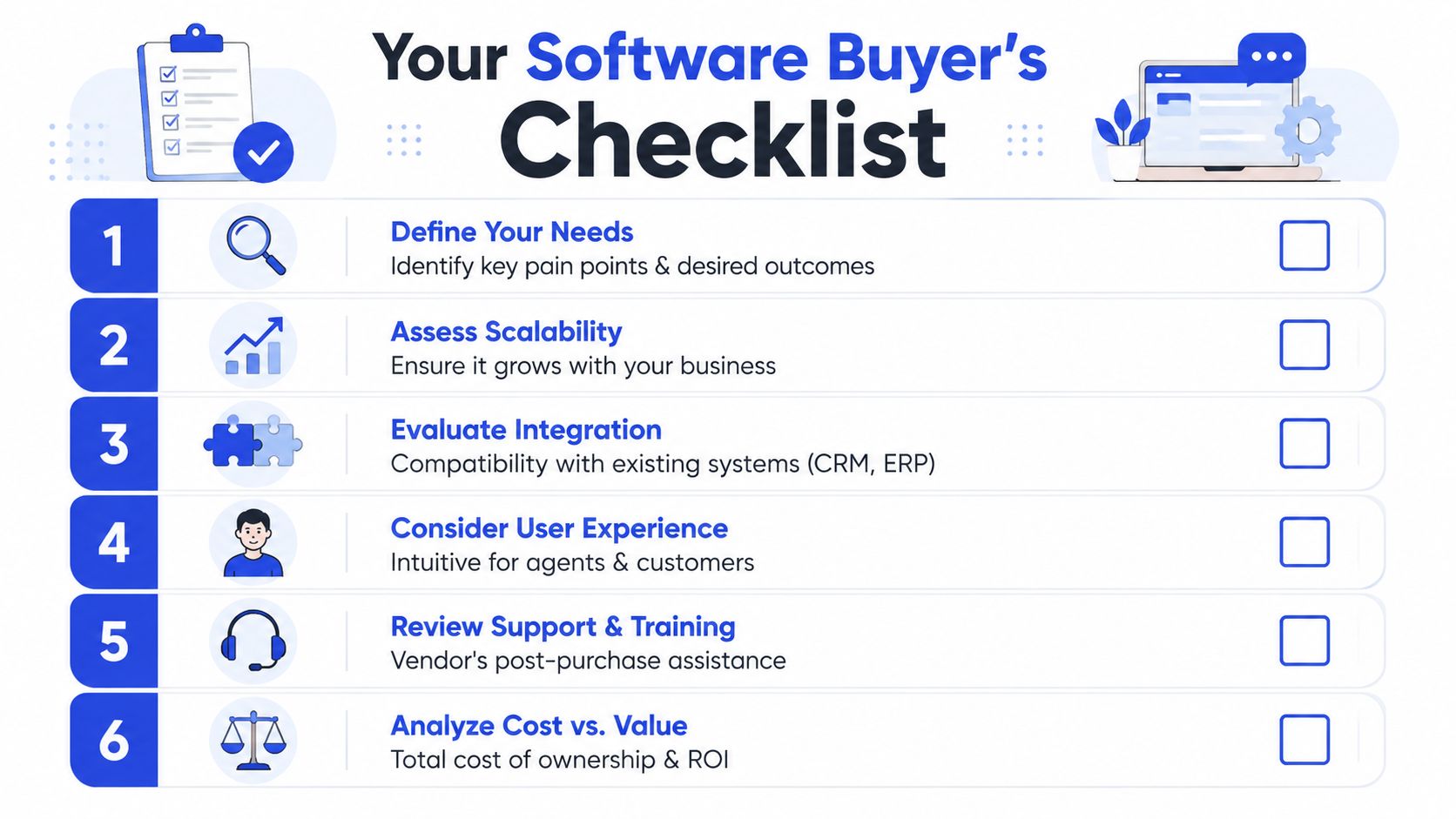
Start with process fit, not vendor demos
Before you compare tools, list the tasks your team repeats every week. Don't start with channels or AI labels. Start with work.
According to Kustomer's customer service automation software guide, monitoring KPIs such as response time and time-to-resolution before and after automation, and ensuring integration with CRM and order management systems, are critical because that's what lets teams quantify gains and enable real resolutions instead of simple information delivery.
Use that idea as your filter. If the software can't connect to the systems your agents use to solve issues, it won't do much beyond conversation handling.
A short vendor explainer can help you frame the evaluation before live demos. This walkthrough is a useful starting point:
Questions to ask every vendor
Ask direct questions. If the answers stay vague, move on.
Integration depth: Can the system read from and write back to our CRM, help desk, billing, or order tools? What actions can it complete?
Escalation logic: How does the handoff work when confidence is low, sentiment is negative, or a customer asks for a person?
Knowledge control: How are answers grounded in approved content, and how do we remove outdated information quickly?
Reporting quality: Can we separate resolved conversations, escalated conversations, and failed attempts that need retraining?
Pricing model: Are we paying by agent, by conversation, by resolution, or by usage layer? What gets expensive as volume grows?
How to evaluate the training workflow
Many buyers are later surprised. A platform may look great in a demo and still become hard to operate because the training and update process is clumsy.
Check these points:
Content updates: How fast can your team push new pricing, policy, or product information into the system?
Approval flow: Can non-technical staff review, revise, and approve changes?
Version control: Can you trace why the agent answered a question a certain way?
Feedback loop: Does the software make it easy to flag weak answers and retrain on them?
A useful test is to pick one policy that changed recently. Ask the vendor to show how your team would update that answer in production. If the process looks fragile in a demo, it will look worse during a busy week.
Buy for the maintenance reality, not the launch week excitement.
The best choice is rarely the tool with the most features. It's the one your team can keep accurate, integrated, and trustworthy six months after rollout.
Use Cases From SMBs to E-commerce
The right use case depends less on industry labels and more on the shape of the incoming questions. A local service business, a SaaS product, and an online store can all benefit from automation. They just shouldn't automate the same things first.
SMBs need a force multiplier, not a fake support department
For smaller teams, automation works best as a first layer. It answers business hours, pricing basics, booking rules, account questions, and lead qualification prompts. That gives founders and lean support teams breathing room without pretending the system can handle every edge case.
Scope discipline is of utmost importance. According to NICE's analysis of customer service automation tools, automation is only worth the investment for SMBs when scope is tightly limited to questions with “one correct answer”, because over-automating complex, emotional, or context-heavy issues can damage trust.
That warning is practical, not theoretical. Smaller companies often don't have enough historical support data to support broad automation safely. They need narrow wins first.
E-commerce wins with operational questions
E-commerce teams usually get immediate value from automating order tracking, shipping policies, return windows, exchange steps, and product detail questions. These are high-frequency requests with relatively structured answers.
The strongest setups also collect context before escalation. If a customer says a package is delayed, the system can ask for the order identifier, gather the issue type, and route a clean summary to an agent if the case is unusual. For businesses exploring that model, examples of automated customer service show how structured intake can reduce back-and-forth instead of just adding a bot layer.
SaaS teams should automate guidance, not customer frustration
SaaS companies often benefit from automating onboarding help, login and account questions, feature discoverability, and documentation-based troubleshooting. The mistake is trying to automate nuanced product complaints too early.
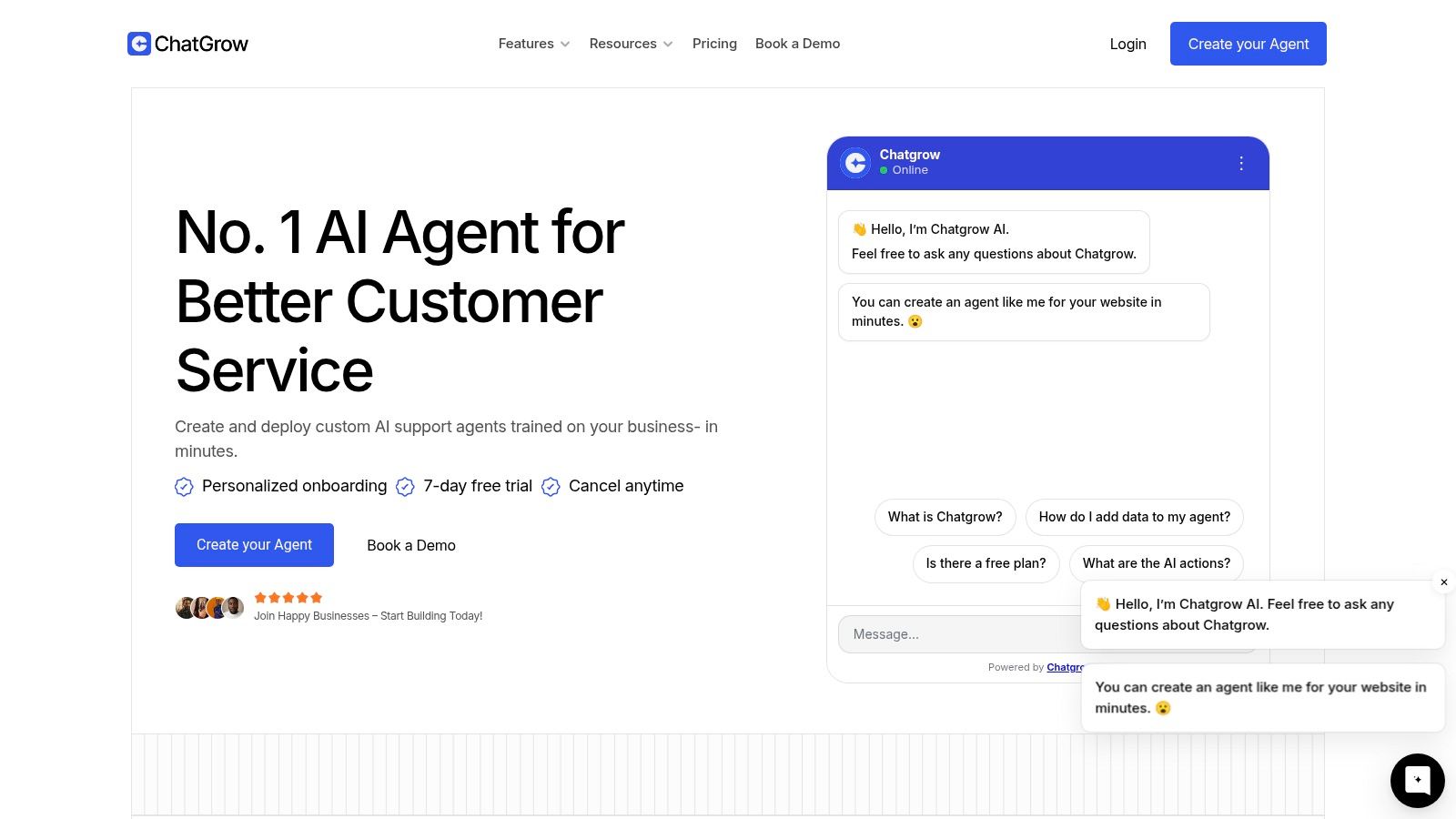
One practical option in this category is Chatgrow, which lets teams train support agents on website pages, FAQs, product information, and knowledge sources, then use intent recognition and smart escalation to answer common questions and pass summarized conversations to humans when needed. That makes it suitable for companies that want a lightweight support and lead-qualification layer without building a complex support stack from scratch.
Here's a simple way to frame rollout priorities across business types:
Business type | Good first automations | Keep human-led early on |
|---|---|---|
SMB services | Hours, pricing basics, booking policies, qualification | Complaints, exceptions, emotional cases |
E-commerce | Order status, returns policy, shipping details, product FAQs | Refund disputes, damaged orders, edge-case logistics |
SaaS | Onboarding questions, login help, feature FAQs, docs guidance | Technical diagnosis, billing disputes, churn-risk conversations |
The common thread is disciplined scope. The teams that get value fastest don't automate the hardest problem first. They automate the most repetitive problem with the clearest answer.
Your Next Steps in Automation
Many teams don't need a massive rollout plan. They need a narrow starting point and a way to learn quickly.
Start with an inquiry audit. Pull a sample of recent conversations and group them by repeated question type. You're looking for issues that show up often, have one stable answer, and don't require emotional judgment. Those are your first automation candidates.
Then cut the scope further. Pick the top two or three categories only. That constraint matters. It keeps training cleaner, reporting easier to interpret, and mistakes easier to catch before they affect too many customers.
Finally, test in production with guardrails. Route low-risk conversations through the system, review transcripts, and watch the handoffs closely. If the software answers well and escalates cleanly, expand from there. If it struggles, tighten the scope again instead of pushing harder.
Start with clarity, not ambition. Automation usually fails because the scope was too wide, not because the idea was wrong.
Customer service automation software works best when it behaves like a disciplined operator. It should handle repeatable work consistently, know when to stop, and make your human team more effective where human judgment matters. That's the version worth buying.
If you're evaluating platforms and want a practical way to test this approach, Chatgrow is one option to explore. It lets businesses train AI support agents on their own website and knowledge sources, deploy them quickly, and use smart escalation when a human follow-up is needed. For SMBs and mid-market teams, that makes it a useful way to validate automation scope before committing to a larger support overhaul.
Related Posts
Continue Reading
More articles from the ChatGrow Team.


