Blog
Creating a Chatbot: A Business Guide for 2026
By
Nelson Uzenabor

A potential customer lands on your pricing page at 10 PM. They have a real buying question, not a casual one. They want to know whether your plan includes a feature they need, whether you support their use case, or whether they can talk to sales tomorrow.
No one answers. They leave.
That's the business case for creating a chatbot. Not novelty. Not trend chasing. Coverage.
The hard part is that most first chatbot projects focus on launch instead of durability. Teams spend time on the widget, the welcome message, and the model choice, then discover significant problems later: the bot answers with stale information, or it escalates to a human without collecting the details the sales or support team requires. Those two failures subtly erode the value of the whole project.
Table of Contents
Beyond a Welcome Mat Why Businesses Need a Strategic Chatbot
Define Your Blueprint Planning Chatbot Goals and User Intents
Beyond a Welcome Mat Why Businesses Need a Strategic Chatbot
A chatbot used to be a site accessory. Today it's closer to a front-line business system. Buyers expect immediate answers, and support teams can't staff every hour or every high-intent page.
That shift is visible in the market. The global chatbot market is projected to expand at 23.3% annually and reach $15.5 billion by 2028, while 62% of respondents prefer engaging with customer service digital assistants rather than waiting for human agents, according to Master of Code's chatbot statistics roundup. Those numbers matter because they reflect behavior, not hype. People would rather ask now than wait in a queue.
For a business owner, the implication is simple. If your website attracts traffic outside business hours, across time zones, or from prospects who want fast qualification, creating a chatbot is a response to customer demand.
Practical rule: If visitors regularly hit pricing, demo, product, shipping, or policy pages without immediate human coverage, you already have a chatbot use case.
The mistake is thinking a chatbot's job is only to greet visitors and answer FAQs. The stronger use case is broader. A well-designed bot can resolve routine support questions, route complex cases with context, and keep potential buyers engaged until a human steps in.
That's why planning matters more than tool selection. Some teams need a no-code builder. Others need deeper orchestration, channel integration, or custom workflows. If you're comparing options and trying to understand when off-the-shelf flows stop being enough, this overview of custom chatbot development services is useful because it frames the build-versus-buy trade-off in practical terms.
Two issues decide whether the project pays off. First, can the bot stay accurate as your website, pricing, product details, and policies change? Second, can it hand conversations to humans in a way that captures buying context instead of dropping it?
Those aren't advanced edge cases. They're the difference between a bot that saves time and one that creates cleanup work.
Define Your Blueprint Planning Chatbot Goals and User Intents
Most chatbot projects go wrong before anyone writes a prompt. The team starts with features instead of purpose. That usually leads to a bloated assistant that tries to do everything and does none of it well.
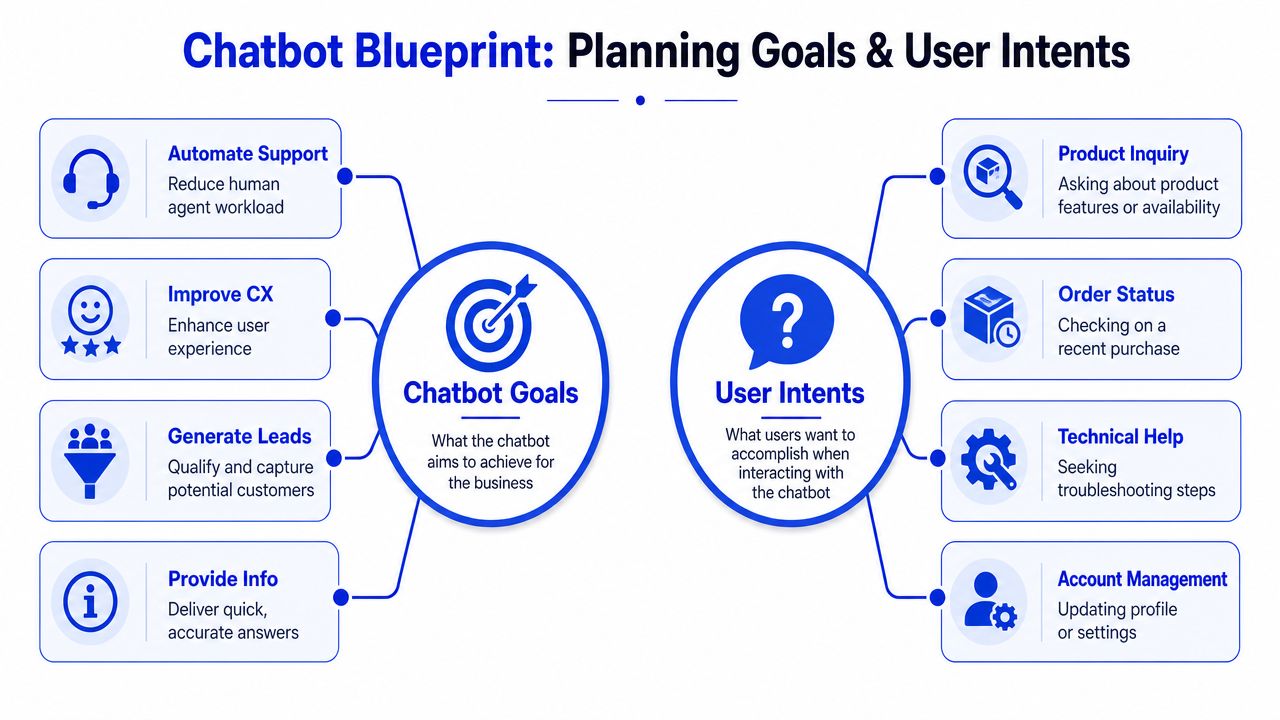
Start with one primary job
Pick the main job first. Not three jobs. One.
For most small and mid-sized businesses, that primary role falls into one of these buckets:
Support agent: Handles repeat questions like shipping, returns, billing, setup steps, and account basics.
Lead qualifier: Engages buyers on pricing, services, demos, and fit questions before routing them to sales.
Onboarding assistant: Helps new customers activate, configure, and find the right documentation.
Information guide: Answers product, policy, and operational questions with consistent language.
A SaaS company might start with demo qualification. An e-commerce brand usually starts with order, shipping, and return questions. An agency often gets more value from a bot that pre-screens inbound leads before a strategist joins the conversation.
If your team is already experimenting with automation and wants a better mental model for shipping AI features and agents, it helps to separate simple chat interfaces from agents that orchestrate actions, use tools, and collect structured information.
Map intents before you map flows
A useful chatbot doesn't need to understand everything on day one. It needs to understand the questions people ask most often and the moments where response speed matters most.
List your top user intents. In practice, that usually means the first 5 to 10 intents you want the bot to handle, as described in the planning framework for this article. Write them in the language customers use.
Examples work better than abstract labels:
Business type | Common intent | Real-world phrasing |
|---|---|---|
E-commerce | Shipping question | “How long does delivery take?” |
E-commerce | Return policy | “Can I return this if it doesn't fit?” |
SaaS | Demo request | “Can someone show me how this works?” |
SaaS | Pricing fit | “Do I need the higher plan for multiple users?” |
Agency | Service qualification | “Do you work with B2B SaaS companies?” |
Agency | Timeline | “How soon could you start?” |
Don't stop at naming the intent. Add what the bot should do next. For a refund-policy question, the bot should answer directly and offer the relevant policy page. For a demo request, the bot should gather qualification details and offer scheduling or sales follow-up.
A strong intent map sounds like operations, not brainstorming. “User asks X, bot does Y, human joins only when Z.”
Set success criteria people can act on
Good goals change decisions. Bad goals sit in a slide deck.
For creating a chatbot, useful success criteria include:
Containment target: For support use cases, define how many conversations should be fully handled without human help.
Lead quality standard: For sales use cases, define what information must be collected before routing.
Coverage priority: Decide which pages, channels, and business hours matter most.
Knowledge ownership: Assign who updates product, pricing, and policy information when it changes.
You don't need a perfect strategy document. You need a usable one. One page is enough if it answers four questions clearly:
What job does the bot own?
Which intents does it support first?
When does it escalate?
What counts as success?
If those answers are fuzzy, the build will be fuzzy too.
Feed Your AI Preparing a Dynamic Knowledge Base
A lot of teams still treat the knowledge base like a one-time setup task. They upload an FAQ PDF, maybe a few help center articles, and assume the chatbot is trained.
That approach breaks fast.

Static uploads create stale answers
Most businesses change more often than they realize. Pricing pages get revised. Product descriptions evolve. Shipping terms shift by season. Service packages get renamed. Promotions start and end. If the bot doesn't track those changes, it starts sounding confident and wrong.
That's not a model problem. It's a knowledge-management problem.
According to ProjectPro's discussion of FAQ chatbot and RAG implementation issues, 60% to 70% of chatbot failures stem from outdated or fragmented knowledge bases, not poor AI models. The same source notes that without continuous, automated retraining, chatbot accuracy can drop by 40% within 30 days.
That should change how you scope the project. The core question isn't “Which model should we use?” It's “Where will the bot get current information, and how will that stay synchronized?”
Treat your website, help center, and pricing content as live systems. Your chatbot should inherit that reality, not fight it.
Build around your source of truth
The best setup usually pulls from the places your team already maintains. For most companies, that means some mix of:
Website pages: Product, feature, pricing, policy, shipping, and service pages.
Help center content: FAQs, how-to articles, troubleshooting guides, onboarding docs.
Internal approved content: Support macros, policy notes, sales qualification guidelines.
Structured business data: Plan tiers, service packages, operating hours, location-specific details.
If your content changes weekly, manual retraining will become a bottleneck. That's where retrieval workflows matter. A clear explainer on building a RAG pipeline for web data is useful because it shows how web content can be ingested and refreshed systematically instead of copied by hand into a static bot.
Some platforms also support syncing from approved web sources and connected content systems so the knowledge base updates without a rebuild. Chatgrow, for example, is designed to train agents on website, pricing, FAQ, and product content, then keep them current through ongoing retraining rather than a one-time upload.
For a deeper look at how this connects with the rest of your stack, this guide to customer data integration for AI support workflows is worth reading.
What belongs in the knowledge base
Not all content should go in. Include material that is stable enough to trust but current enough to matter.
A practical filter:
Include: Customer-facing facts, approved policies, documented workflows, product descriptions, pricing logic, support answers.
Exclude: Draft messaging, internal debate, old campaign copy, conflicting versions of the same policy.
Review carefully: Competitive claims, legal language, and anything with time-sensitive constraints.
A dynamic knowledge base should also be written for retrieval, not just for human browsing. That means cleaner headings, tighter answers, fewer contradictions, and obvious page ownership inside your team.
When businesses skip this step, they create a hidden tax. The bot works on launch week, then people lose trust because it keeps surfacing yesterday's answer. Once that happens, your team starts bypassing the system instead of improving it.
Design the Conversation Training the Model and Its Voice
A chatbot isn't just an answer engine. It's an interaction design problem. The bot has to recognize what the user means, choose the next useful step, and say it in a way that fits your brand.

Train for intents not exact wording
If you build the bot around exact-match phrasing, users will break it immediately. Real people ask the same thing in messy, indirect, inconsistent ways.
A stronger architecture uses Natural Language Understanding, or NLU, to identify intent beyond keywords. According to Rasa's overview of enterprise chatbot architecture, mature bots often target a containment rate above 70% to 80%, and that depends on correctly extracting intent instead of matching rigid phrases.
That has practical consequences for training:
Use varied utterances: Don't train only on “What is your refund policy?” Add alternatives like “Can I get my money back?” or “How do returns work?”
Include ambiguity: Users rarely arrive with clean phrasing. Train on partial, vague, and conversational inputs.
Plan for context shifts: Someone might start with pricing, then ask about onboarding, then return to contract length.
A bot that understands intent can recover from human language. A scripted bot often can't.
Write dialogue that guides not traps
Conversation design should move the user forward. That's different from dumping information.
Think in paths, not isolated answers. If someone asks whether your service fits their team, the bot shouldn't only describe features. It should ask a clarifying question, narrow the use case, and guide the person toward the next relevant action.
Useful dialogue patterns include:
Answer then advance: Give the direct answer first, then offer the next step.
Clarify when needed: If the question is broad, narrow it with one useful follow-up.
Confirm transitions: Tell the user what's happening before the bot asks for more information or routes them onward.
Fail gracefully: If confidence is low, the bot should say so clearly and escalate cleanly.
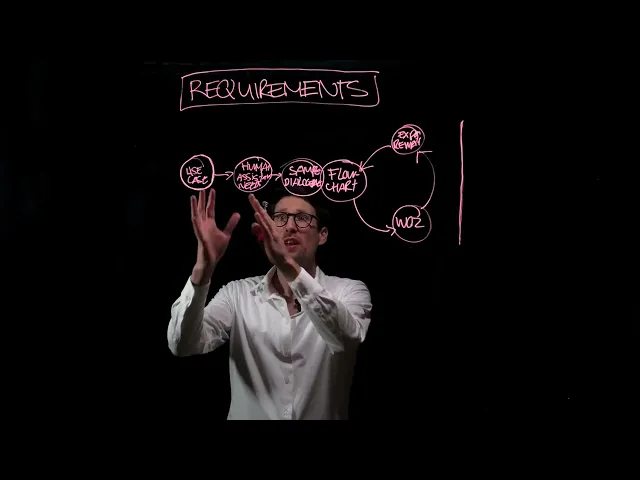
This walkthrough is a helpful primer on conversation structure before launch:
Don't make the user guess what the bot needs. Ask for one relevant piece of information at a time and explain why it matters.
Give the bot a brand-safe voice
Voice matters more than many teams expect. A bot that sounds too robotic feels brittle. A bot that sounds too casual can damage trust, especially in support, financial, healthcare, or contract-related contexts.
Define the voice in writing. Be specific:
Voice trait | What it sounds like | What to avoid |
|---|---|---|
Clear | Short direct answers | Long padded explanations |
Helpful | Next-step guidance | Dead-end replies |
Professional | Calm confident wording | Slang or forced humor |
On-brand | Uses approved terminology | Invented phrases and inconsistent naming |
Then test that voice against real scenarios. Returns. Billing disputes. Demo requests. Technical confusion. The same tone that works on a marketing page may not work in a cancellation conversation.
Creating a chatbot gets easier when the team separates three layers clearly: intent recognition, orchestration logic, and response style. Once those layers are distinct, you can improve understanding without rewriting brand voice, and refine voice without breaking routing logic.
Integrate Channels and Master the Handoff
Where you deploy the bot matters. So does where you don't.
A chatbot on your homepage may be useful, but the higher-value placements are often pages where buying or support intent is already obvious. Pricing pages, product pages, demo pages, order status pages, and help center entry points tend to produce the most meaningful conversations because users arrive with a concrete task.
Put the bot where buyer intent is strongest
Start with the locations where response speed changes outcomes. For many businesses, that means:
Pricing and plan pages: Users are comparing, hesitating, or trying to confirm fit.
Demo and contact pages: Leads want a faster route than a form.
Help center and support entry pages: Customers want resolution, not navigation.
Checkout or pre-conversion pages: Last-minute objections often appear here.
If you're thinking across web chat, support widgets, and messaging touchpoints, this overview of omnichannel customer service design captures the operational challenge well. The goal isn't to be everywhere first. It's to preserve continuity where users already reach out.
Turn escalation into qualification
Handoff is often treated as a fallback. That's too narrow.
According to Lime Technologies' discussion of FAQ chatbot design and AI agent trends, 55% of “failed” chatbot conversations contain hot leads that get lost because the bot escalates without gathering context. That's a painful waste. The user was willing to engage, but the system passed them along without collecting the information the human team needs.
A smarter handoff does two jobs at once. It acknowledges that the human should take over, and it uses the last few turns to qualify the conversation.
For sales-oriented handoffs, the bot can ask about:
Business context: Company type, team size, or use case
Need: The problem they're trying to solve
Urgency: Whether they're evaluating now or later
Fit signals: Budget, scope, service needs, or implementation questions
For support-oriented handoffs, the bot should gather issue type, account context, steps already tried, and the exact point of failure.
A handoff shouldn't force the user to repeat themselves. The summary should travel with the conversation.
What a smart handoff should include
When a human picks up the thread, they should receive a concise summary, not a transcript dump.
A solid escalation package usually includes:
Handoff element | Why it matters |
|---|---|
User intent | Tells the agent what the person is trying to accomplish |
Key qualifiers | Gives sales or support the basic context |
Relevant page or channel | Shows where the conversation started |
Conversation summary | Prevents repetition and speeds response |
Escalation reason | Explains why the bot stopped or routed onward |
Many chatbot projects become revenue projects. The bot doesn't replace your team. It prepares the conversation so your team starts warmer.
That changes staffing economics too. Sales spends less time on vague inbound messages. Support spends less time collecting basics. Users get continuity instead of friction.
Deploy Monitor and Continuously Improve Your Chatbot
Launch is the start of the work, not the finish. Teams that expect a chatbot to stay effective without active maintenance usually watch quality drift and blame the model.
The bigger issue is neglect.
Launch narrow before you launch wide
A controlled rollout gives you better signal. Put the bot on one or two high-intent pages first, then watch what users ask.
This does two things. It limits risk, and it creates a clean sample of conversations around a known use case. If your first deployment spans every page, every intent, and every channel, diagnosing problems gets harder because too many variables change at once.
A tight first deployment might look like this:
Scope one use case: Support FAQ resolution or lead qualification, not both.
Choose a few pages: Usually pricing, demo, or help content.
Set review ownership: Someone must read logs, update content, and refine flows each week.
Read logs like product feedback
Conversation logs show where the blueprint was wrong, where the knowledge base is weak, and where the bot's wording creates confusion.
Look for patterns such as:
Unanswered or badly answered questions
Repeated clarifications on the same topic
Escalations that happened too early
Escalations that happened too late
User wording you didn't anticipate during intent training
One of the most useful habits is tagging failure modes. Was the issue missing knowledge, weak intent recognition, poor prompt design, a routing mistake, or a channel-specific problem? If your team can't categorize failures, improvement turns into guesswork.
Build a real improvement loop
The most important maintenance task is retraining and refinement based on fresh interactions. According to Stack AI's enterprise chatbot guidance, 60% of chatbots degrade in performance within three months post-deployment if they aren't retrained on fresh user input, and teams that perform regular feedback-driven iteration maintain stronger performance over time.
That's why the chatbot needs a standing operating rhythm. Not occasional cleanup.
A practical loop usually includes:
Review logs frequently: Look for new phrasing, broken answers, and missed intents.
Update knowledge sources: Refresh product, policy, pricing, and support content.
Refine intent training: Add new utterances and disambiguation logic.
Improve handoff rules: Adjust what gets collected before escalation.
Test again before expanding: Don't scale a weak flow.
If you're building that process from scratch, this piece on continuous learning for AI agents is a helpful operational reference.
The teams that get lasting value from creating a chatbot treat it like a living system. They assign ownership, monitor performance, and improve it in small cycles. The teams that don't usually end up with a bot everyone stops trusting.
From Potential Pitfall to Strategic Asset
A chatbot becomes valuable when it handles a defined job, stays accurate, and hands people off intelligently when a human should step in.
Most failures are predictable. The business launches without a clear purpose. The team uploads static content and calls the knowledge base done. The handoff sends users to a rep without any useful context. Then nobody reviews the logs often enough to catch the drift.
Those aren't AI problems. They're operating problems.
The businesses that get this right usually make four disciplined choices:
They narrow the first use case. One job beats a vague assistant.
They treat knowledge as dynamic. Live content beats static uploads.
They design escalation on purpose. Qualification beats blind transfer.
They keep tuning after launch. Iteration beats neglect.
The most useful chatbot isn't the one that sounds smartest. It's the one that gives correct answers, collects the right details, and knows when to bring in a person.
If you approach creating a chatbot that way, the project stops being a website add-on. It becomes part of how your business captures demand, supports customers, and reduces avoidable manual work.
If you want a faster path from idea to live deployment, Chatgrow gives businesses a way to create, train, and deploy custom support and lead-qualification agents on their own website content, then refine them over time as conversations reveal new questions and opportunities.
Related Posts
Continue Reading
More articles from the ChatGrow Team.


