
Blog
How to Create an AI Agent for Your Business in 2026
By
Nelson Uzenabor
Your team is answering the same questions every day. Shipping details. Pricing questions. Refund rules. Setup help. Someone asks for a demo after hours, no one replies until morning, and that lead has already moved on.
That's usually the point where businesses start searching for how to create an AI agent. Not because they want a flashy AI project, but because they need coverage, consistency, and a way to stop burning human time on repeat work. For customer service and lead generation, a useful agent acts less like a novelty and more like a new front-line teammate. It handles the common cases, collects the right details, and knows when to pass the conversation to a person.
The market signal is clear. One 2026 industry roundup reports that 85% of enterprises and 78% of SMBs are already using AI agents, and says the market was valued at $3.7 billion in 2023 with a projection of $103.6 billion by 2032 at a 44.9% CAGR (AI agent adoption and market projections). That matters because the question is no longer whether businesses will use agents. The crucial question is whether yours will build one that helps customers and creates pipeline.
Table of Contents
Moving Beyond Overwhelmed Support Teams
Support teams rarely break because of one huge issue. They break because of volume and repetition. The same pre-sales questions hit your pricing page every week. The same support questions pile up in chat. The same “just checking in” leads arrive when no one is online.
A customer-service agent is useful when that repetition is predictable. If people keep asking about plans, shipping, onboarding, integrations, availability, or next steps, you don't need more clever copy. You need a system that can answer accurately, collect context, and route edge cases correctly.
The mistake I see most often is treating the agent like a general AI brain. That creates vague expectations and messy outcomes. For business use, the better framing is simpler. The agent is a scoped operator inside a real process.
Practical rule: If your team can describe the repetitive conversation pattern in plain language, you can usually design an agent for it.
For a small business, that might mean:
After-hours lead capture: someone asks about pricing, implementation, or availability and the agent gathers contact details.
First-line support: the agent answers FAQ-style questions from trusted content.
Triage: the agent identifies billing, technical, or account-specific issues and escalates with a summary.
For a SaaS company, it often starts on high-intent pages. For an ecommerce brand, it usually starts with product, shipping, and returns questions. For an agency, it may start with qualification and intake.
Here's the trade-off. A narrower agent feels less ambitious at launch, but it performs better because the team can define the expected inputs, approved answers, and escalation paths. A broad agent sounds impressive in demos, but it tends to fail in live traffic because no one agreed on what it should and shouldn't do.
That's why the first win isn't “AI on the website.” The first win is reducing friction in a business process your team already understands. If you're learning how to create an AI agent, that's the mindset shift that matters most.
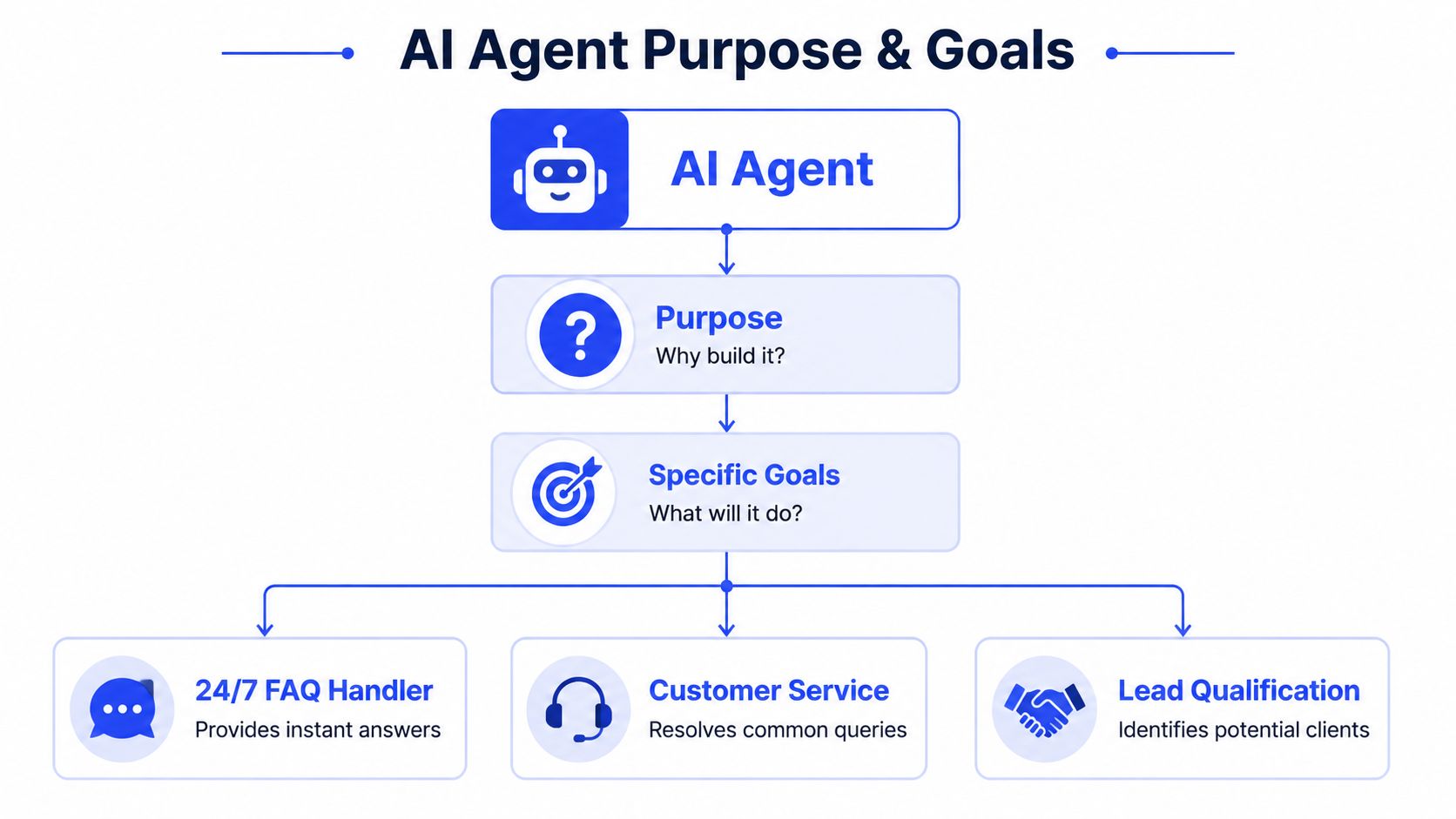
Defining Your Agent's Purpose and Goals
Most failed agents fail before anyone touches the tooling. They fail when the brief is fuzzy. “Help customers” isn't a usable assignment. Neither is “answer anything.”
Major industry explanations break agents into a profile module, a planning module, and an action module, with the action layer defined by APIs and system integrations. They also emphasize starting with a clear role, access to knowledge, and a governed action path (AI agent architecture overview). That's a good business framework because it forces you to decide who the agent is, what it should decide, and what it's allowed to do.
Start with one job, not ten
A customer-service agent usually fits one of three starting roles:
Agent role | Best first use | What success looks like |
|---|---|---|
FAQ handler | Repetitive website and help-center questions | Fast, accurate answers from approved content |
Lead qualifier | Pricing page, contact page, service inquiry flow | Good-fit prospects identified and routed |
Support triage agent | Front door for incoming support conversations | Common issues handled, sensitive cases escalated |
The reason this matters is simple. Each role has different instructions, different data needs, and different failure modes.
A lead qualification agent needs to ask follow-up questions. A support FAQ agent should usually answer directly and keep the interaction short. A triage agent must know when to stop and bring in a person.
Don't define the agent by the model. Define it by the operational job.
There's also a category mistake worth avoiding. Not every automation problem should become an agent. If your task depends on current information, you may need real-time search. If it requires more than five to ten sources, you may need deeper research rather than a simple agent workflow (analysis of AI task types and capability fit). A business agent works best when the task is bounded and the source of truth is clear.
Write a one-page job description
Before you configure anything, write this down in one page:
Role
“Answer common pre-sales and support questions on the pricing and help pages.”Primary responsibilities
Answer FAQs, collect lead details when purchase intent is high, escalate account-specific issues.Knowledge sources
Pricing page, help center, return policy, onboarding docs, product pages.Allowed actions
Ask clarifying questions, collect name and email, route to sales, route to support.Not allowed
Promise discounts, invent policy exceptions, give account-specific answers without human review.Success criteria
Use business-facing criteria, not just model-facing ones. Good examples are answer relevance, correct escalation, lead data completeness, and handoff quality.
This document becomes the operating contract for everyone involved. Product knows what's being built. Support knows what the bot should own. Sales knows what counts as a qualified conversation. Engineering or ops knows what tools and permissions are needed.
If you skip this and jump into prompts, the agent will reflect your organizational ambiguity back to you.
Preparing Knowledge Sources and Agent Persona
An agent is only as reliable as the material it can reference and the rules that shape its responses. Most businesses already have enough content to launch a first version. The problem isn't lack of content. The problem is that the content is scattered, outdated, repetitive, or written for humans who already know the context.
IBM's guidance is blunt and useful here. Purpose definition should come before model selection, and a simple agent with a clearly defined problem and well-mapped solution is more likely to succeed than a complex agent with a poorly matched workflow (IBM guidance on building AI agents).

Choose narrow knowledge before broad knowledge
If you're building a customer-service or lead-gen agent, start with the sources your team already trusts.
A practical first batch usually includes:
Core website pages: homepage, product pages, service pages, pricing, shipping, returns, contact.
Support content: FAQ pages, help-center articles, setup guides, policy docs.
Sales context: qualification questions, service boundaries, common objections, booking rules.
Internal clarifications: approved wording for edge cases, escalation rules, unsupported requests.
The important part isn't just collecting content. It's cleaning it.
Use this checklist before ingestion:
Remove duplicates: if pricing appears in three places with different wording, pick one owner.
Fix stale pages: agents surface contradictions faster than humans do.
Separate policy from marketing: “best-in-class support” is not a support answer.
Rewrite vague content: “Contact us for details” doesn't help an agent answer anything.
Standardize names: if your plan, package, or feature names vary by page, fix that first.
If your data is spread across systems, it helps to think in terms of source authority. Your help center may own troubleshooting. Your pricing page may own plan comparison. Your CRM should not become the agent's public source of truth. A cleaner customer data integration approach pays off, because the agent can only answer consistently if the underlying sources are consistent.
Give the agent a voice your team would actually use
Persona matters, but not in the way it is often assumed. You don't need an elaborate character. You need response behavior that matches the brand and the moment.
For customer service, define these traits explicitly:
Tone: professional, warm, concise, direct.
Response length: short first answer, then expand if needed.
Question style: ask one clarifying question when necessary, not four.
Escalation language: acknowledge limitations without sounding broken.
Brand boundaries: no slang if your support team doesn't use slang, no playful tone in billing disputes.
Here's a simple example:
Friendly, clear, and efficient. Answer directly from approved sources. If the request is account-specific, explain that a human teammate will help and gather the minimum details needed for handoff.
That last line matters. A lot of weak agents sound human until they hit a boundary, then they become robotic. The better pattern is to design the fallback voice as carefully as the happy path voice.
A narrow knowledge base and a disciplined persona do two things at once. They reduce hallucination risk, and they make the experience feel consistent with your team. That's a better starting point than chasing a more advanced model.
Building and Training Your AI Agent
Once the brief is clear and the knowledge is cleaned up, building the agent becomes much less mysterious. For most business teams, this is no longer a custom engineering project. It's a configuration workflow.
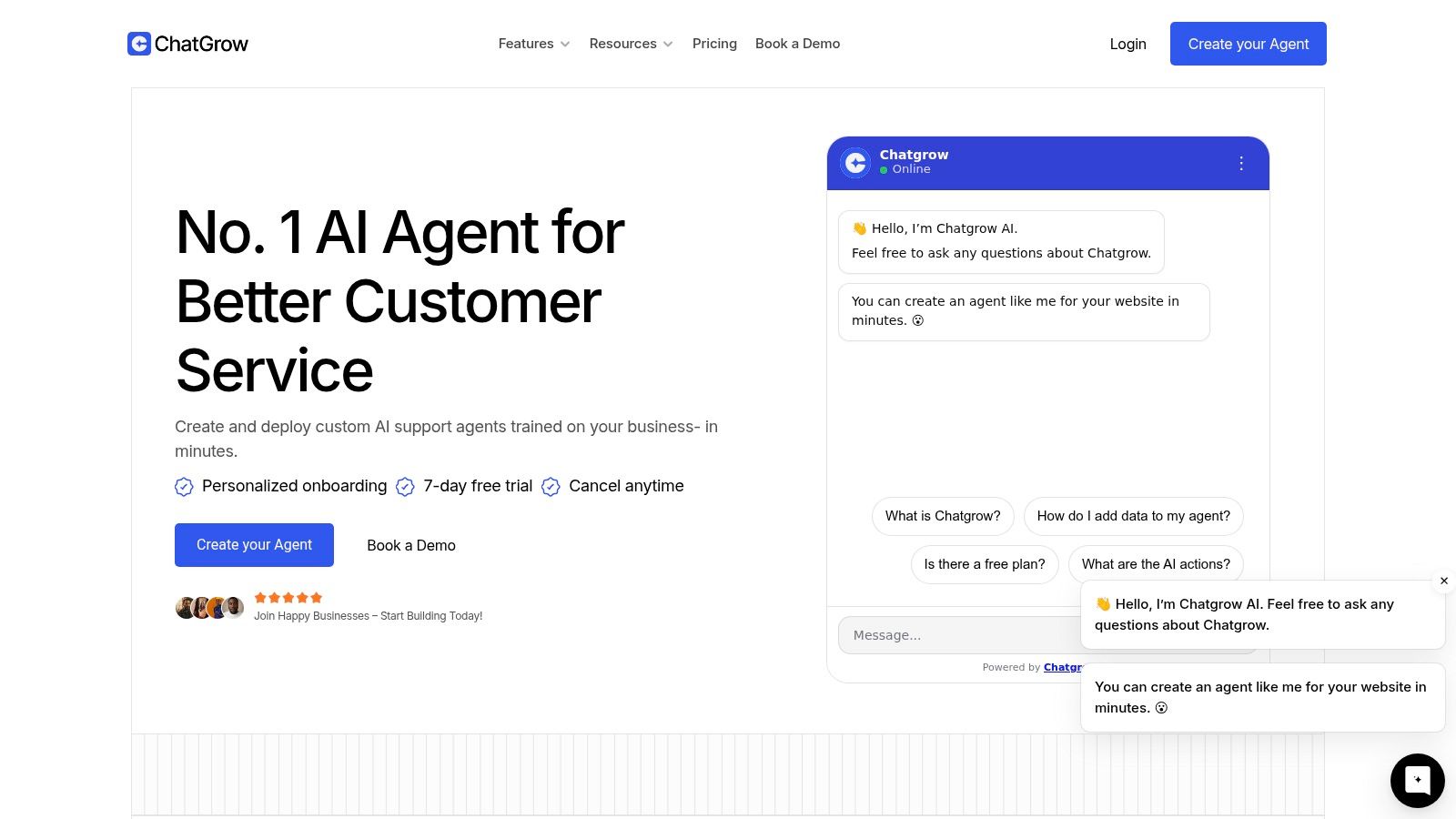
The first setup pass usually looks the same across platforms. You connect the source material, add instructions, define allowed behaviors, and test sample conversations. If you're comparing tools, look for products that support website training, prompt controls, qualification logic, and human handoff. For example, Chatgrow's no-code chatbot builder follows that business-friendly flow, similar to how many modern support-agent platforms now package setup for non-technical teams.
Turn source material into usable behavior
A lot of people assume “training” means the platform somehow understands everything automatically. In practice, the useful work is in the instructions and constraints.
A strong first instruction set usually covers:
What the agent is for: answer support and pre-sales questions on approved topics.
What sources to trust: only use connected pages and docs.
How to respond: concise, helpful, on-brand.
When to ask questions: only to clarify intent or collect lead details.
When to escalate: billing disputes, account-specific troubleshooting, policy exceptions, or user frustration.
OpenAI's guidance frames agent architecture around three parts: a model for reasoning, tools for external actions, and explicit instructions and guardrails. IBM similarly stresses matching the solution to the workflow rather than overcomplicating it. Those two ideas are useful together even without linking them again. The model matters, but clear instructions and limited actions usually matter more in the first version.
What modern no-code setup actually looks like
A practical build flow for customer service looks like this:
Upload or connect your approved pages and documents.
Add a short system instruction set tied to the role.
Define lead capture fields such as name, email, and company context.
Add escalation rules for unsupported or sensitive requests.
Test common customer questions before you publish anything.
Here's the kind of walkthrough that helps teams visualize the process before launch.
Where teams go wrong is overbuilding too early. They add too many tools, too many actions, too many edge-case instructions, and sometimes multiple agents before a single-agent workflow has proven itself.
What works better is a staged approach:
Build choice | What usually happens |
|---|---|
Add one agent with one clear role | Easier testing, clearer ownership |
Add many tools at launch | More failure points and harder debugging |
Start on one page or one funnel | Faster learning from real traffic |
Try to support every use case on day one | Confusing responses and brittle flows |
If you want to learn how to create an AI agent that survives contact with real users, keep the first version boring. Boring is good. Boring means the team can understand why it answered, why it escalated, and what to improve next.
Configuring Rules for Leads and Escalation
An agent becomes commercially useful when it can do more than answer questions. It needs to recognize intent and take the next appropriate step.
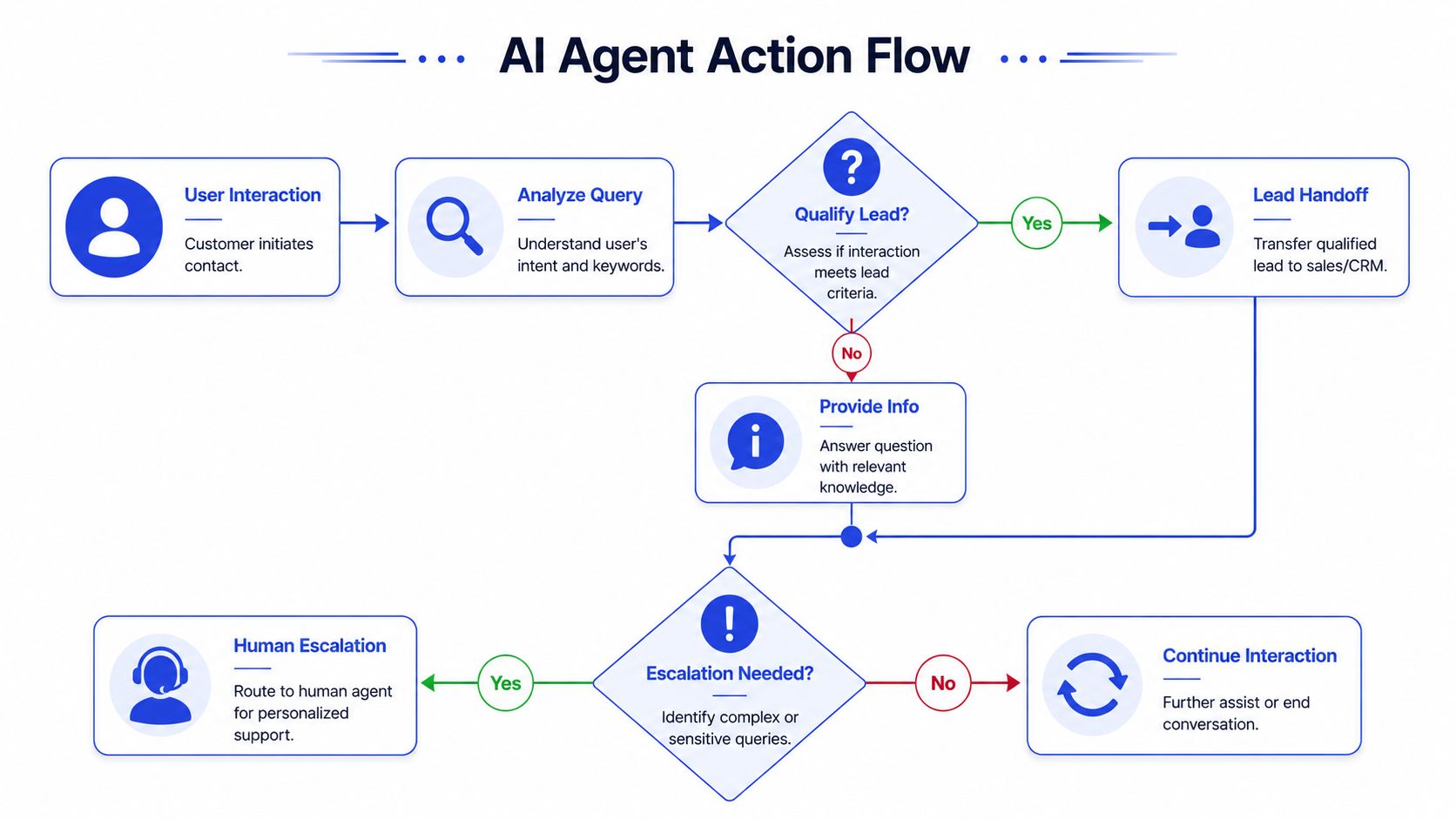
For a support and sales hybrid use case, that usually means two logic layers. One identifies promising conversations and collects details. The other protects the customer experience by escalating when confidence, authority, or sensitivity runs out.
Teach the agent what a qualified lead looks like
A qualified lead isn't just “someone who chatted.” The rule should reflect your actual buying signals.
Examples of strong signals include:
Commercial intent: asks about pricing, contracts, implementation, onboarding, or timelines.
Fit clues: mentions team use, business use, multiple users, or a service need your company supports.
Readiness: asks to book, compare plans, or speak with sales.
Then decide what the agent should collect before handoff. Keep it minimal. If you ask for too much, people drop off. In most cases, a useful handoff includes:
Contact details: name and email
Business context: company name or use case
Need summary: what they want help with
Urgency or timing: when they want to move
A simple logic example works well in practice. If a visitor asks about enterprise pricing, custom setup, or service availability, the agent should stop trying to be purely informative and shift into qualification mode.
The best lead-gen agent doesn't force a script. It recognizes the moment when answering should turn into routing.
Escalation rules protect trust
Escalation is not a failure path. It's part of the design.
A customer-service agent should escalate when:
The issue is account-specific: billing, login, order changes, refunds outside policy.
The request is high risk: legal, compliance, security, sensitive customer data.
The user is frustrated or confused: repeated failed attempts, explicit dissatisfaction.
The answer requires judgment: exceptions, custom deals, non-standard commitments.
The handoff quality matters as much as the trigger. Don't just route the chat. Package it.
A good escalation summary includes the user's question, what the agent already tried, key details collected, and why it escalated. That prevents the classic failure where the human has to ask the customer to repeat everything.
You also want different rules for different destinations. Sales handoff and support handoff are not the same event. Sales needs qualification context. Support needs issue context. If both get the same generic transcript, your internal team still does too much cleanup.
Many website bots often underperform in this specific area. They answer decently but don't convert conversations into usable internal actions. Business value materializes in the action layer.
Testing Deploying and Iterating Your Agent
Many teams spend too much time on setup and not enough on evaluation. That's backward. The primary risk in production isn't whether the model can sound fluent. It's whether the system behaves reliably under normal and messy conditions.
Salesforce's build guidance includes splitting data into training and testing sets, monitoring metrics, and validating the agent with predefined tasks and user testing before full deployment. A practitioner guide adds that production-ready agents need 30–100 labeled scenarios to catch regressions (agent testing and validation guidance). That's one of the most useful benchmarks in this space because it turns “test it more” into something operational.
Test the workflow, not just the wording
Your evaluation set should include the obvious happy paths, but it should also include the annoying cases your customers generate every week.
Use labeled scenarios such as:
Straightforward FAQs: plan comparison, shipping window, refund policy
Ambiguous requests: “Can you help me choose?” without enough detail
Lead intent cases: pricing, implementation, availability, service fit
Escalation cases: billing dispute, account access, angry customer
Bad inputs: typos, fragments, pasted logs, unclear phrasing
Then review outcomes against business criteria.
A simple scorecard works well:
Metric | What to check |
|---|---|
Answer quality | Was the response grounded in approved content? |
Task completion | Did the user get to a useful next step? |
Escalation correctness | Did the agent escalate when it should have? |
Lead capture quality | Did it collect the right details without overasking? |
Tool reliability | Did actions fire correctly when required? |
Teams often discover that the weak point isn't the model. It's unclear instructions, poor source content, or sloppy action rules.
A production agent should prove it can fail safely before it tries to succeed at scale.
Deploy narrowly and learn fast
Don't launch site-wide on day one unless the scope is already very controlled. A better rollout is to deploy on high-intent pages first, then expand once the behavior is stable.
Good first placements often include:
Pricing pages
Demo or contact pages
High-volume help articles
Service pages with repetitive pre-sales questions
Then watch the conversation data closely. Your analytics should show where users got answers, where they asked for humans, where the agent hesitated, and where handoffs were useful versus noisy. If you need a framework for that review cycle, chatbot analytics reporting patterns are worth studying because they focus on operational performance rather than generic engagement vanity.
Iteration usually follows a simple loop:
Review failed or weak conversations.
Identify whether the problem came from content, instructions, or rules.
Update the knowledge base or prompt.
Re-test the affected scenarios.
Expand traffic only after the fixes hold.
A lot of “AI agent” advice stops at deployment. In practice, deployment is where core product work begins. Your first version teaches you what customers ask, which intents matter, and where your own policies are too vague for automation. That feedback loop is what turns a chatbot into an operational asset.
If you want a faster path from idea to production, Chatgrow is one option built for this exact workflow. You can train a customer-service agent on your website and FAQs, define lead qualification and escalation rules, deploy it on high-intent pages, and keep improving it as real conversations come in.
Related Posts
Continue Reading
More articles from the ChatGrow Team.


