Blog
No Code Chatbot Builder: A Complete 2026 Guide
By
Nelson Uzenabor
Your team is probably feeling one of two pains right now. Support keeps answering the same questions, or valuable leads arrive after hours and leave before anyone responds. In both cases, the issue usually isn't demand. It's response speed, consistency, and the lack of a scalable way to handle conversation.
That's where a no code chatbot builder becomes useful. Not as a novelty widget, and not as a replacement for your team, but as a practical operating layer for repetitive conversations. When it's chosen well and implemented with discipline, it can handle routine support, capture buying intent, qualify prospects, and route edge cases to humans without turning the customer experience into a dead end.
Many teams make the same mistake when they evaluate chatbot tools. They compare templates, drag-and-drop editors, and AI labels, then stop there. The better question is simpler: can this tool help us improve support efficiency or conversions on a specific workflow, with a rollout our team can manage?
Table of Contents
Build Your Digital Employee in Minutes
A good chatbot behaves less like a pop-up and more like a dependable employee. It answers the same core questions accurately, shows up at all hours, follows the playbook, and knows when to bring in a human. That's the core promise behind a no code chatbot builder.
For a small support team, that might mean handling shipping questions, return-policy lookups, appointment requests, or account basics without creating a backlog. For a sales-focused team, it often means greeting visitors on pricing or product pages, asking a few useful qualification questions, and passing warm opportunities to the right person while the team sleeps.
A no code chatbot builder is a platform that lets non-technical teams create and launch those flows without writing software. Instead of relying on developers for every update, a CX lead, marketer, founder, or agency team can adjust content, refine conversation paths, test new prompts, and deploy changes directly.
A chatbot is most useful when it removes waiting, not when it tries to sound clever.
That distinction matters. Many failed bots are built like demos. They greet people with personality, then stall the moment a customer asks something slightly specific. The better implementations are narrower and more disciplined. They focus on repeatable conversations, use trusted business content, and hand off cleanly when confidence is low.
For growing teams, that changes the speed of execution. You don't need a long development cycle to launch an FAQ assistant, a lead qualifier, or a simple support bot. You need a clear use case, clean source content, and a tool that lets operations teams own the workflow instead of queueing behind engineering.
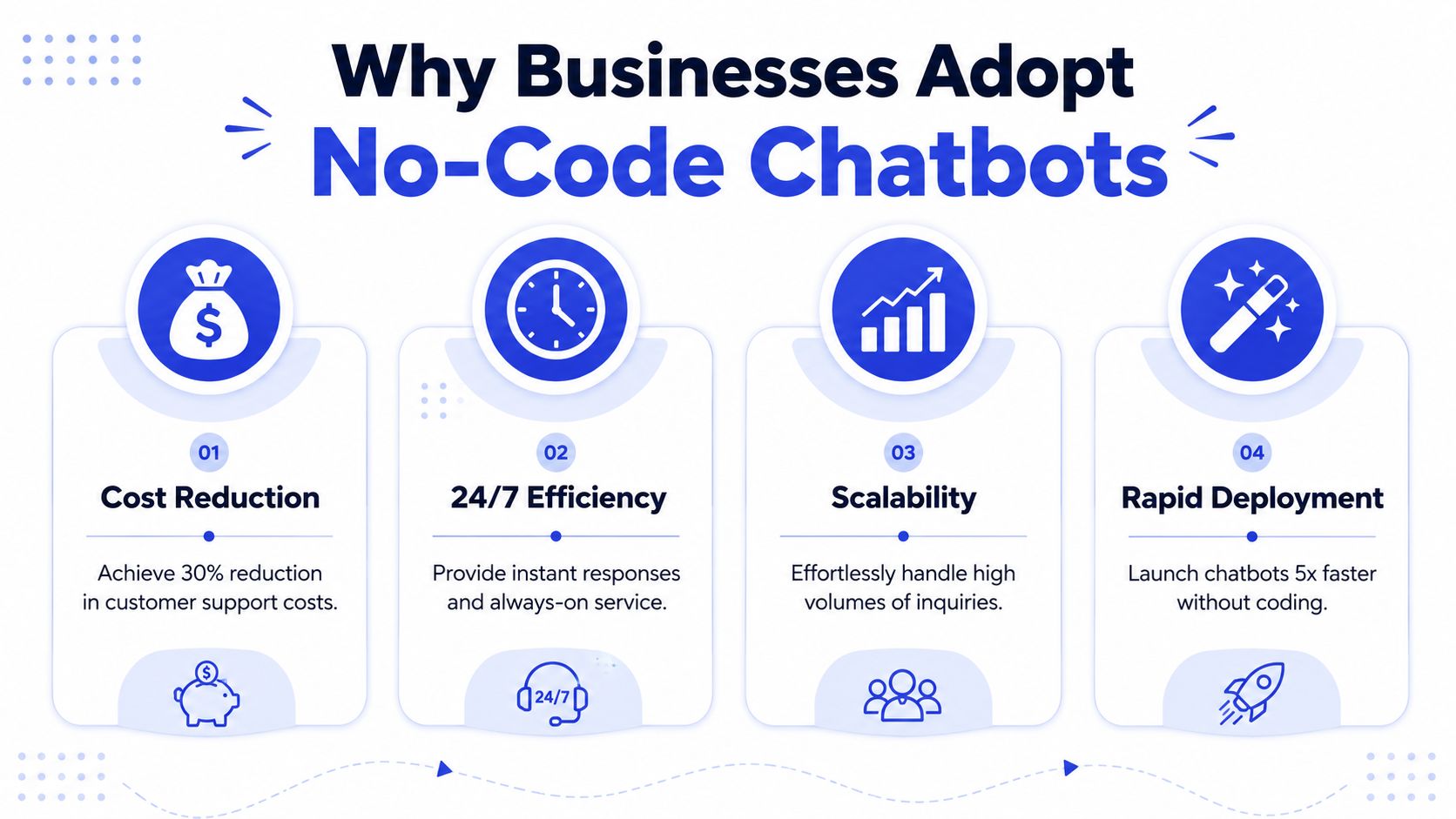
Why Businesses Are Adopting No-Code Chatbots
A support inbox spikes on Monday morning. The sales team has pricing-page traffic over the weekend. Nobody wants to add headcount just to answer the same ten questions faster. That is the operating problem pushing businesses toward no-code chatbots.
The market demand is real, but the stronger reason is financial. Analysts cited in Master of Code's chatbot statistics roundup estimate the chatbot market at USD 7.76 billion in 2024 and project USD 27.30 billion by 2030 by 2030. The same roundup notes adoption is concentrated in sales (41%), customer support (37%), and marketing (17%), and reports that 62% of consumers prefer using a digital assistant over waiting for a human agent while 87.2% describe bot interactions as neutral or positive. Those are the parts of the business where response time affects conversion rate, resolution speed, and staffing pressure.
Customers reward fast answers
Buyers and customers rarely ask for a chatbot. They ask for a useful answer without waiting. If the bot can tell them whether an item is in stock, how returns work, whether you serve their region, or how to book a demo, it has done its job.
That is why strong chatbot programs are usually judged on business outcomes first. Fewer repetitive tickets. More captured leads. Shorter time to first response. Better coverage outside business hours.
I have seen teams get value quickly when they stop treating the bot as a brand experiment and treat it as an operations channel. A support bot should reduce ticket volume in a specific queue. A sales bot should increase qualified conversations on pages with purchase intent. If neither result is measurable, the launch usually turns into a content project with no clear owner.
Adoption is driven by practical use cases
The adoption pattern is consistent because the use cases are narrow and high-frequency:
Support deflection: Answer repeat questions about shipping, returns, billing, store hours, and account basics before they become tickets.
Lead capture: Start a conversation on pricing, product, or demo pages and collect enough context to route qualified prospects correctly.
After-hours coverage: Give visitors a useful path at night and on weekends instead of sending them to a form and hoping they come back.
The trade-off is straightforward. A narrowly scoped bot can perform well fast, but it will not cover every edge case. A broad bot sounds ambitious, yet it usually fails in the first week because the content, routing logic, and fallback paths are not ready. Businesses adopting no-code tools successfully tend to start with one queue, one page group, or one repeatable workflow, then expand after they can see the results.
Practical rule: If you cannot name the exact queue, page, or workflow the bot should improve, the use case is still too broad.
No-code builders appeal to operators for another reason. The people closest to customer friction can change the experience without waiting for a product sprint. That shortens the gap between spotting a repetitive conversation and putting a working flow in front of customers. For support leaders and revenue teams, that speed is often the difference between a pilot that proves value and a project that stalls in planning.
How No-Code Chatbot Builders Actually Work
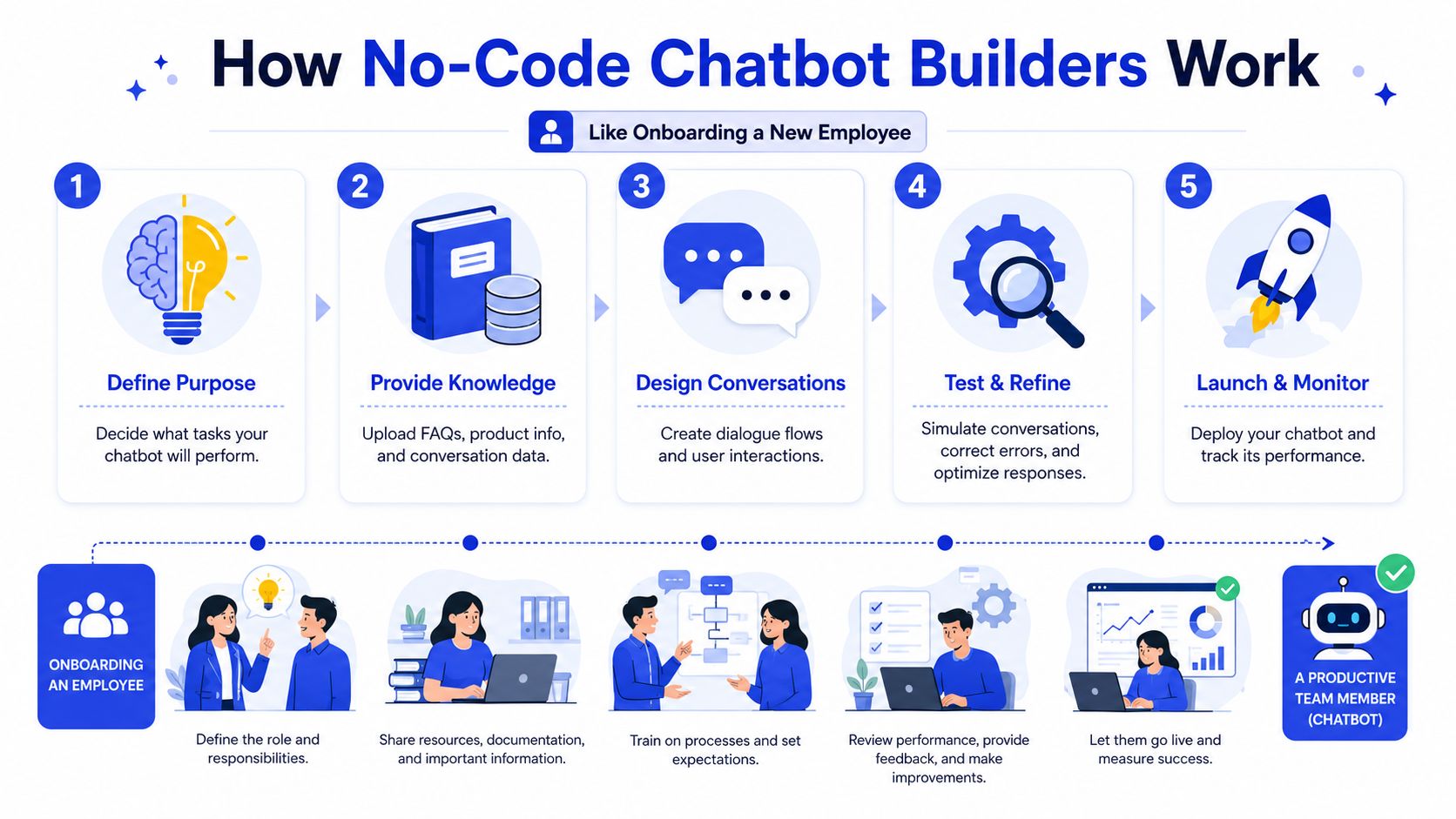
A no code chatbot builder works a lot like onboarding a new employee. You give it a job, train it on your business information, define how it should respond, and review how it performs. The tools may use AI under the hood, but the operating logic is straightforward.
A quick visual helps make that concrete.
Start with a job, not a tool
The first step is deciding what the bot is responsible for. Not everything should go into the first version.
Good starting jobs include:
Answer common support questions from a help or contact page.
Qualify inbound interest on a pricing page.
Route requests to the correct team based on a few simple questions.
Collect context before handoff so the human team doesn't start cold.
Weak starting jobs are broad and vague. “Handle customer service” is too wide. “Answer return policy, shipping, and store-hours questions” is workable.
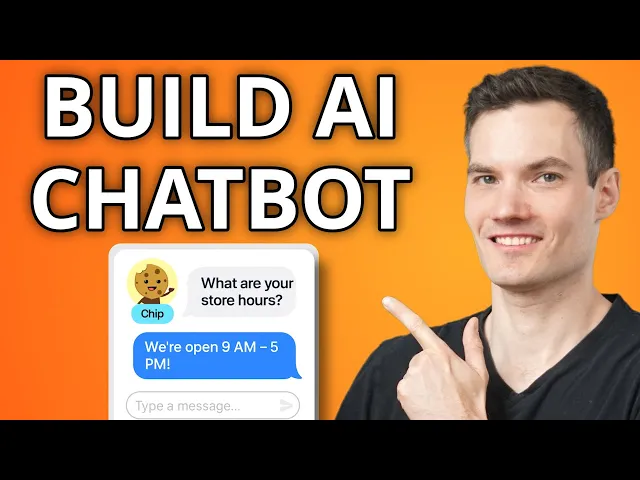
Later in the process, teams often add video walkthroughs or platform tutorials for internal users. This can help non-technical teams understand how to set up flows inside the builder:
Train it like a new team member
The bot needs source material. In practical terms, that usually includes your FAQ pages, help-center content, product pages, policy pages, pricing details, and other approved customer-facing content.
If the source material is messy, the bot will be messy too. Teams often blame the tool when the underlying issue is weak documentation. If your refund policy is inconsistent across pages, or your pricing terms are hard to interpret, the chatbot will expose that immediately.
The best no-code systems make it easy to ingest and update business knowledge. But no platform can fix unclear content on its own.
Give it rules for judgment and handoff
Once the bot knows your content, the visual builder acts as the operational playbook. You define message sequences, buttons, branching logic, fallback responses, and escalation paths.
In this context, many teams either overbuild or underbuild.
Overbuilt bots force users through long decision trees for simple questions.
Underbuilt bots rely on AI answers but provide no clear fallback when the answer isn't reliable.
A better setup combines both. Let the bot answer straightforward questions directly, ask clarifying questions when needed, and escalate with context when confidence drops. Modern no-code workflows also let teams monitor metrics such as containment rate, drop-off points, and top intents, which is one reason these tools now function more like operating systems than simple website widgets, as described in Infobip's guide to no-code chatbot builders.
Core Features to Evaluate in a No-Code Builder
A team launches a chatbot to cut ticket volume. Three weeks later, support is still answering the same questions, sales says lead quality has not improved, and nobody feels confident updating the bot without breaking something. In that situation, the problem is usually not a missing feature. It is a poor fit between the builder, the workflow, and the team expected to run it.
That is the lens to use during evaluation. Choose the platform that your team can operate consistently, measure clearly, and improve without a developer standing by.
Evaluate for day-two operations, not the product demo
The right questions are operational:
Who will maintain it every week? If CX, support, or marketing owns the bot, the interface should let them update answers, flows, and routing rules on their own.
How quickly can content be updated? Product details, pricing, shipping rules, and policy changes need to be easy to revise. If updates are slow, answer quality degrades fast.
How does human handoff work in practice? Good escalation should pass context, not force the customer to repeat the issue.
Can the bot support the channels you plan to use? A website widget may be enough for a pilot, but some teams will need email capture, social DMs, or messaging apps later.
Can the team see what is working and what is failing? Without intent reporting, drop-off visibility, and containment data, optimization turns into opinion.
I always recommend a live test during evaluation. Ask the vendor to let someone from your team make a real change. Update an FAQ, edit a qualification path, or change a routing rule. That exercise exposes usability issues much faster than a polished walkthrough.
Features that affect business results
Some features look impressive in a sales call but have little effect on conversions or support efficiency. A smaller group matters a lot.
Knowledge management sits near the top of the list. The builder should make it easy to add approved content, remove outdated answers, and see what the bot is drawing from. If knowledge updates are clumsy, the bot becomes stale and trust drops.
Conversation control matters just as much. Teams need to shape prompts, clarification questions, button paths, and fallback behavior so the bot can guide users toward the right outcome instead of producing loose, generic replies. This is also where strong AI chatbot design patterns help during evaluation.
Escalation design is where many tools start to separate. A useful builder does not just send the customer to a form or generic inbox. It passes the transcript, user inputs, and likely intent to the next system or teammate. That cuts handling time and reduces customer frustration.
Integrations often decide whether the bot becomes operational or stays a website layer. CRM sync, helpdesk routing, calendars, forms, and ticket creation usually matter more than cosmetic customization. If the bot cannot write data to the systems your team already uses, it will create parallel work.
Testing and version control deserve more attention than they usually get. Teams need a safe way to test new flows, review answers, and catch mistakes before changes go live.
A practical comparison lens
A short scorecard works better than a long vendor checklist.
Evaluation area | Weak sign | Strong sign |
|---|---|---|
Ease of ownership | Changes require technical help | CX or marketing can update flows directly |
Answer quality | Generic replies, weak grounding | Answers reflect your actual business content |
Escalation | Customer starts over with a human | Transcript and intent carry through |
Channel readiness | Website-only with no path to expand | Reusable deployment across key channels |
Analytics | Basic chat volume only | Intent, drop-off, and containment visibility |
One more trade-off is worth calling out. Simpler builders are often faster to launch and easier for small teams to manage. More advanced platforms can support broader routing, deeper integrations, and multi-channel programs, but they also require clearer ownership and tighter process discipline. The better choice depends on the maturity of the team running it, not just the size of the feature list.
Buy for the weekly operating routine, not for the demo environment.
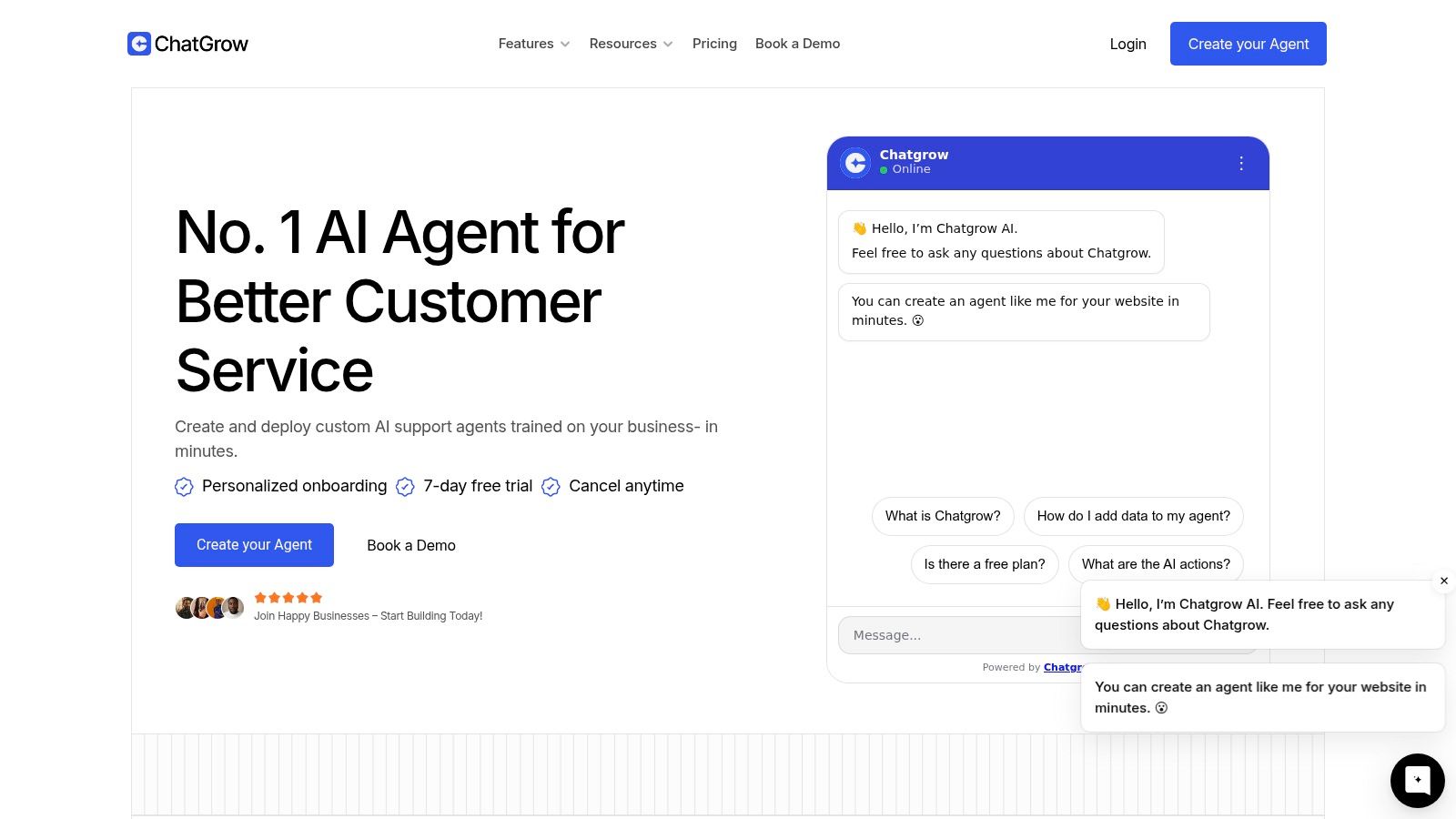
One factual example of a tool in this category is Chatgrow, which offers a visual builder for creating and training support agents on website content and FAQs, with lead qualification and escalation workflows for customer-facing use cases.
Your Guide to Implementation and Integration
Most chatbot rollouts fail because the first version tries to solve too much. A tighter launch plan works better. Pick one high-frequency conversation, train the bot on approved material, and deploy it where intent is already high.
Launch one narrow use case first
Start with a workflow that has three traits. It should be repetitive, easy to define, and connected to a business outcome.
Common starting points include:
Support FAQ bot: Good for help centers, contact pages, and post-purchase support.
Pricing-page qualifier: Useful for SaaS, agencies, and service businesses that want to screen inbound interest.
Routing assistant: Ideal when requests need to be sent to sales, support, billing, or account management.
The screenshot below shows the kind of interface teams often use when building these agents visually.
Once the use case is selected, gather the source material. Clean it before upload. Remove outdated answers, duplicate policies, and vague language. A chatbot magnifies inconsistencies fast.
Connect the bot to real business context
Integration work is where a pilot becomes operational. If the bot sits in isolation, it may answer questions, but it won't route well, personalize properly, or support the team behind it.
At minimum, map these connections:
Knowledge sources such as FAQs, product content, and policy documents.
Handoff destination such as a helpdesk inbox, shared support workflow, or sales email.
Lead capture fields so qualified conversations don't disappear into transcripts.
Page or channel context so the bot behaves differently on support pages and buying pages.
For teams planning this layer, this guide to customer data integration for chatbots is useful because it frames integration around conversation outcomes, not just data syncing.
Roll out in layers
A phased launch reduces risk and produces cleaner learning.
Use a rollout sequence like this:
Internal test: Let your own team try to break it.
Soft launch on one page: Start where user intent is clear.
Review transcript patterns: Look for missed questions, weak answers, and awkward handoffs.
Expand gradually: Add pages, channels, and use cases after the first workflow is stable.
Launching site-wide before you've reviewed real transcripts is one of the fastest ways to lose confidence in an otherwise good tool.
The implementation standard should be simple. The bot must answer a defined set of questions well, collect the right information when needed, and escalate without friction. Everything else can wait.
Measuring Success and Avoiding Common Pitfalls
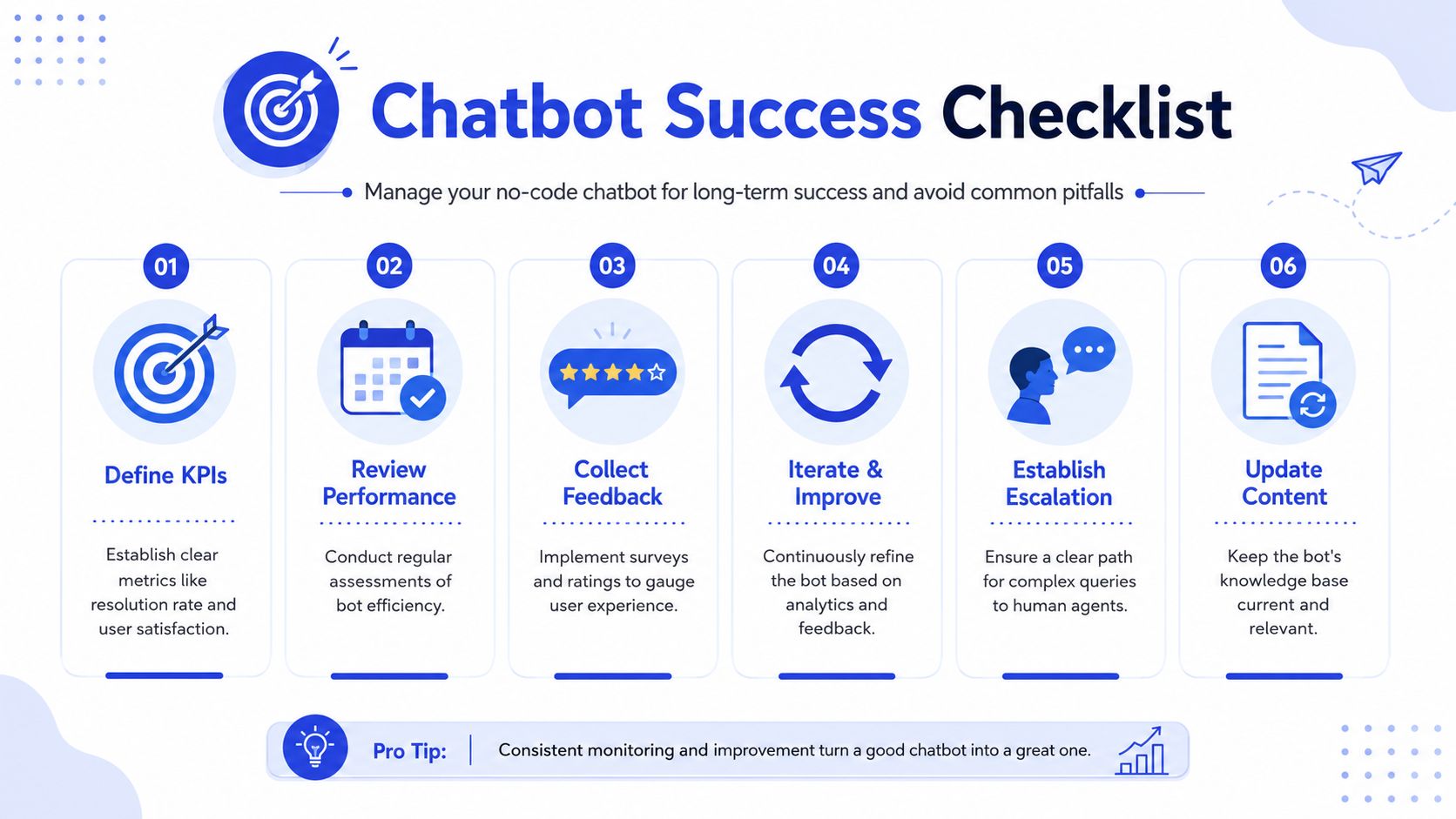
A no code chatbot builder only produces business value when someone manages it like an operational asset. That means measuring the right outcomes, reviewing conversations regularly, and improving the system based on what users ask.
A visual checklist helps keep that discipline visible.
Track operational and commercial outcomes
For support use cases, focus on whether the bot resolves routine queries and reduces unnecessary human handling. For sales or lead capture use cases, focus on whether it starts useful conversations and passes qualified intent effectively.
The most useful KPI set usually includes:
Containment rate: How often the bot resolves the issue without human involvement.
Drop-off points: Where users leave or stop engaging.
Top intents: What people are trying to do.
Lead quality signals: Whether collected inquiries are relevant and actionable.
Escalation quality: Whether the human team receives enough context to continue smoothly.
If your platform gives you those signals but your team never reviews them, the bot will drift. If you want a framework for turning conversation data into updates, this article on chatbot analytics workflows is a practical reference.
No-Code Chatbot Builder Buyer's Checklist
Capability | What to Look For | Why It Matters |
|---|---|---|
Knowledge training | Easy ingestion and updating of approved business content | Keeps answers aligned with current policies and products |
Intent recognition | Ability to understand user goals, not only exact phrasing | Improves accuracy across natural-language variations |
Visual flow control | Editable paths, fallback logic, and routing rules | Lets non-technical teams refine conversations quickly |
Human escalation | Clear handoff with transcript and context | Prevents dead ends and repeated explanations |
Multi-channel deployment | A credible path beyond a single website widget | Supports growth across messaging and support surfaces |
Analytics | Visibility into containment, drop-off, and top intents | Enables ongoing optimization instead of guesswork |
Integrations | CRM, helpdesk, forms, calendars, and internal tools | Connects the bot to real business workflows |
Governance | Permissions, review process, and content ownership | Reduces errors and keeps changes controlled |
The mistakes that sink performance
Most underperforming bots fail for boring reasons, not exotic technical ones.
Weak source content: If the business information is outdated or contradictory, the bot can't answer reliably.
No escalation path: Users get trapped when the bot can't help and no human path exists.
Over-automation: Teams push the bot into complex edge cases too early.
No owner: Everyone wanted the chatbot. Nobody owns the updates.
Set-and-forget behavior: The launch happens, then transcripts go unread and content goes stale.
Review transcripts weekly at the start. You'll learn more from twenty real conversations than from a month of internal assumptions.
The strongest teams treat the bot like a live service channel. They refine prompts, fix weak answers, expand carefully, and keep a human safety net in place.
Your Next Steps From Trial to a Pilot Program
The smartest next move isn't a full rollout. It's a controlled trial tied to one measurable workflow.
Use the trial period to test a single use case. Put an FAQ bot on your support page, or a lead qualifier on your pricing page. Watch the actual conversations. Don't judge the tool by setup speed alone. Judge it by answer quality, handoff quality, and how easily your team can make improvements after seeing real traffic.
Then structure a pilot program around one operational outcome. Keep the scope narrow, assign one owner, define success before launch, and review performance on a fixed cadence. If the pilot improves a real workflow, you'll have the evidence and internal confidence to expand. If it doesn't, you'll know whether the issue was content, implementation, or platform fit before you've overcommitted.
A no code chatbot builder pays off when it becomes part of how your team works. Not a side experiment. Not a flashy widget. A reliable layer that handles repetitive conversations well, supports your staff, and gives customers a faster path to resolution or purchase.
If you want to test that approach with a focused pilot, Chatgrow is one option for building AI support and lead-qualification agents from your website content, FAQs, and product pages, then deploying them with escalation and reporting workflows your team can manage without code.
Related Posts
Continue Reading
More articles from the ChatGrow Team.