
Blog
How to Improve Conversion Rates: A Proven CRO Framework
By
Nelson Uzenabor

A lot of businesses treat conversion work like a design problem. It usually isn't. When the average website conversion rate is about 2.35% and the average ecommerce conversion rate is about 1.81%, small leaks have outsized consequences because most visitors already leave without buying, booking, or contacting you (CRO benchmarks and channel averages).
That's why learning how to improve conversion rates starts with a mindset shift. You don't need a prettier homepage first. You need a system for finding friction, testing changes in the right order, and capturing intent when real buyers show up, especially when your team is offline.
Table of Contents
Why Most Websites Fail to Convert
Most websites fail for simple reasons. They ask for too much too early, bury the next step, load too slowly, or leave visitors alone at the exact moment a question blocks action.
A useful way to think about CRO is the leaky bucket. You're already paying for traffic through SEO, ads, referrals, email, or social. If the site creates friction after the click, more traffic just means more wasted spend. That's one reason I tell small business owners not to start with a homepage redesign unless they can point to a specific conversion problem.
Practical rule: Don't optimize pages because they look weak. Optimize pages where buyers hesitate, abandon, or get confused.
This is also where many businesses overestimate what “good traffic” can solve. Traffic quality matters, but conversion work is what turns intent into action. If your pricing page is vague, your form is tedious, or your checkout throws unclear errors, the problem isn't awareness. It's execution.
Strong conversion programs usually share three traits:
They define one primary goal. That might be a purchase, a booked demo, a qualified lead, or a support-assisted handoff.
They measure the steps before the final conversion. Add to cart, form start, pricing click, FAQ engagement, and chat interaction all reveal where momentum breaks.
They reduce friction where intent is highest. That can mean fewer fields, clearer copy, sharper CTAs, or live assistance. In some cases, a tool like live chat for customer conversations helps remove hesitation in real time.
The good news is that most low-converting websites don't need miracles. They need a structured process. Find the biggest leak, form a focused hypothesis, test one meaningful change, and keep what improves the path to action.
Build Your CRO Foundation with a Funnel Audit
A funnel audit usually finds the first profitable fix faster than a redesign. For small businesses, that matters because the biggest conversion gains often come from reducing friction at one high-intent step, not rebuilding the whole site.
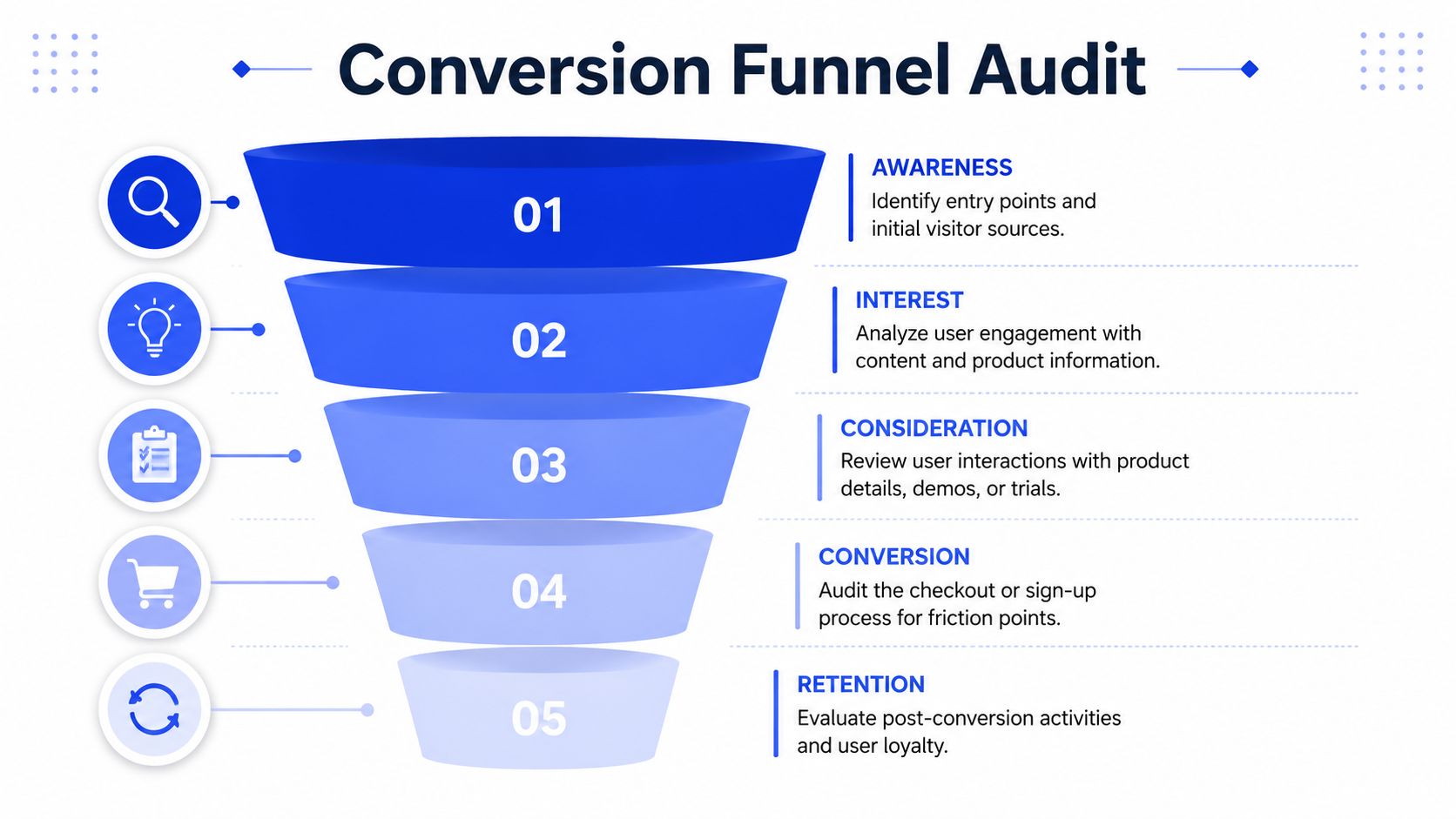
Define the conversion before you diagnose the leak
Start by naming the business outcome you want from the funnel. For one company, that is a purchase. For another, it is a booked consultation, a qualified form fill, or a sales conversation that reaches a defined lead score.
Then separate primary conversions from micro-conversions. Without this distinction, many first-time CRO programs become sloppy. If you only track the final form submission or sale, you miss the smaller signals that show buying intent is building or stalling.
Primary conversions might include:
Purchase completion
Booked consultation
Demo request
Qualified lead submission
Micro-conversions show movement toward that outcome:
Viewed pricing
Started checkout
Opened contact form
Clicked product comparison
Started a chat conversation
Answered an AI agent's qualification question
Accepted a meeting handoff from chat
That last group matters more than it used to. If you use an AI agent to qualify leads around the clock, your funnel no longer ends at a static form. It includes conversational steps such as chat starts, qualification completion, email capture, and sales handoff. Those are measurable conversion points, and they often reveal intent earlier than a completed form does.
A solid audit maps those steps across a fixed time window and checks where prospects drop out. Teams also get cleaner answers when they focus on the highest-impact step first and test one variable at a time, which aligns with guidance on funnel analysis and test discipline.
Audit behavior, not just traffic
Traffic volume tells you where people arrive. Behavior shows why they stop.
Review your analytics first. Identify top entry pages, high-intent pages, top exit pages, and the paths that lead to revenue or qualified pipeline. Then inspect what people do on those pages with heatmaps, session recordings, form analytics, and chat logs if you have them.
Here's a practical audit checklist:
Review speed on key funnel pages. Slow load times on pricing, product, checkout, and contact pages create drop-off before users even evaluate the offer.
Watch session recordings on high-intent pages. Look for repeated scrolling, dead clicks, abandoned forms, and long pauses near pricing, shipping, or CTA sections.
Check form behavior. Extra fields, confusing validation, and weak error messages diminish lead volume.
Compare intent by traffic source. Paid search visitors often need a different page experience than social traffic or branded traffic.
Trace response gaps. If a buyer submits a form at 8 p.m. and hears nothing until the next day, that delay is part of the funnel.
Audit chat and AI agent interactions. Measure chat starts, qualification completion rate, handoff rate, and meetings booked from conversation flows.
I often find that a page looks fine in isolation but fails at the handoff. A visitor clicks pricing, opens chat, asks a purchase question, and leaves because nobody answers after business hours. That is not just a support issue. It is a conversion issue.
One useful layer here is customer data. If your CRM, support inbox, chat platform, and analytics are disconnected, you cannot tell whether weak conversion comes from bad messaging, slow follow-up, or poor lead qualification. Better customer data integration across touchpoints makes the audit far more accurate.
Pages rarely lose conversions for one reason. They usually lose them through a combination of unclear copy, weak intent signals, and a broken handoff to sales or support.
Set goals that match business value
Every tracked action should earn its place on the dashboard. A newsletter signup and a qualified demo request should not carry the same weight, and neither should a generic chat open versus a completed AI-led qualification flow.
I recommend assigning each funnel action a business purpose and reviewing it with whoever owns sales follow-up.
Funnel stage | Example action | Why it matters |
|---|---|---|
Awareness | Landing page visit | Shows which channels bring relevant traffic |
Interest | Product or service page view | Indicates message alignment |
Consideration | Pricing view, FAQ engagement, chat start | Signals active evaluation |
Qualification | AI agent completes lead questions, captures contact details | Separates casual interest from sales-ready demand |
Conversion | Purchase, form submit, booked call, qualified handoff | Creates direct revenue or pipeline value |
Retention | Repeat purchase or follow-up action | Shows post-conversion strength |
That structure changes how you prioritize fixes. Instead of treating the site like a set of pages, you treat it like a revenue path with measurable steps. For many small businesses, the fastest gains come from improving one high-intent page and one response mechanism at the same time, especially when an AI agent can qualify and route leads after hours.
Prioritize Optimization Ideas with a Scoring Framework
After a funnel audit, conversion optimization efforts often generate too many ideas. Rewrite the headline. Shorten the form. Add trust signals. Improve the mobile menu. Test pricing-page CTAs. Add chat. Remove a step from checkout.
The problem isn't a lack of ideas. It's a lack of sequence.
Use ICE to stop chasing random ideas
A simple ICE framework keeps the roadmap grounded:
Impact asks how much the change could influence conversions if the hypothesis is right.
Confidence asks how strongly your evidence supports the idea.
Ease asks how quickly and cheaply your team can launch the test.
Multiply those three scores and rank the list. It's not perfect, but it's far better than letting the loudest opinion win.
This works especially well because CRO guidance consistently recommends fixing the highest-volume leak first and testing one variable at a time. That discipline prevents a common mistake. Teams often spend weeks on a visual redesign when a shorter form or clearer CTA could have produced a cleaner, faster answer.
An example of what deserves attention first
Here's a simple scoring model you can adapt.
Hypothesis | Impact (I) | Confidence (C) | Ease (E) | ICE Score (ICE) |
|---|---|---|---|---|
Shorten the demo request form by removing nonessential fields | 9 | 8 | 7 | 504 |
Rewrite pricing page CTA to match visitor intent | 8 | 7 | 8 | 448 |
Redesign homepage hero section | 5 | 4 | 3 | 60 |
That table reflects a common reality. Homepage redesigns feel important, but they often score poorly because they're expensive, broad, and hard to isolate. A focused change on a high-intent page usually deserves attention first.
Use these decision rules when scoring:
Give higher impact scores to ideas attached to checkout, pricing, contact, or signup friction.
Raise confidence when you have supporting evidence from recordings, funnel data, support logs, or repeated sales objections.
Lower ease when a test requires engineering work, legal review, or multiple departments.
Decision filter: If an idea can't be tied to a specific leak or behavior, it doesn't deserve priority yet.
A good ICE process also protects small teams from burnout. Instead of trying ten things halfway, you run one meaningful test well, record what happened, and move to the next most impactful fix.
Design and Run High-Impact Optimization Tests
Once you've prioritized the backlog, execution quality matters more than enthusiasm. A weak test teaches you nothing. A clean test, even when it loses, gives you a useful decision.
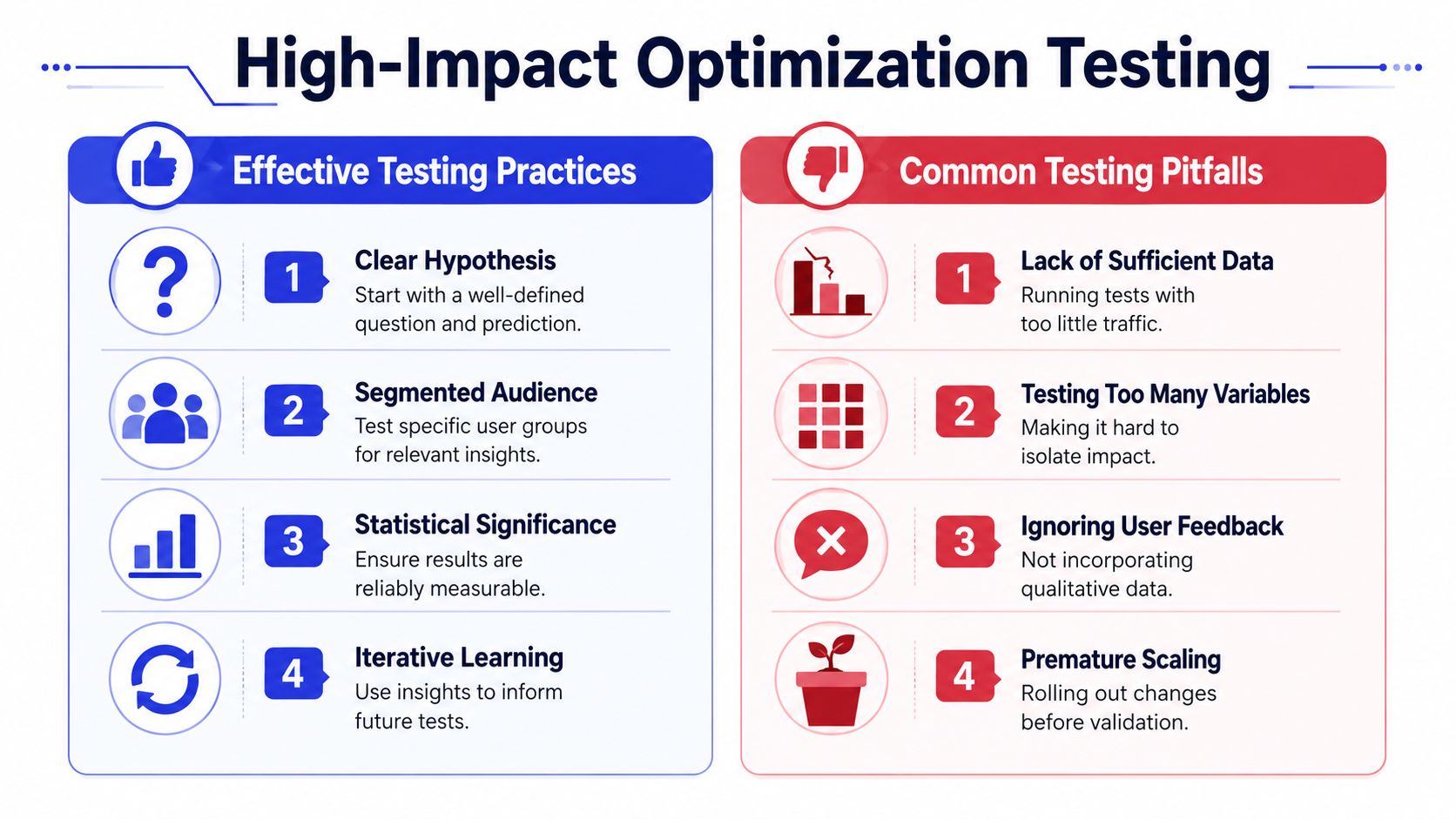
Choose A B testing when you need a clean answer
For most small businesses, A/B testing is the right starting point. You compare one control against one variation and isolate a specific change. That could be a new CTA, a shorter form, a revised offer block, or a different page layout.
Multivariate testing sounds more advanced, but it usually demands more traffic and tighter operational discipline. If you test multiple combinations of headlines, images, and buttons at once without enough volume, you'll end up with noise instead of insight.
Use A/B testing when:
You have one strong hypothesis
You're working on a high-intent page
You need a clear read on cause and effect
Consider multivariate testing only when:
You have meaningful traffic
The page already performs reasonably well
Your team can manage more complex analysis
The biggest testing mistake I see isn't choosing the wrong method. It's bundling too many changes into one experiment. If you rewrite the headline, swap the layout, shorten the form, and change the CTA all at once, you won't know what caused the result.
Test the parts of the experience that change decisions
Some page elements matter more than others because they sit closer to user hesitation. Start there.
Forms and friction
Before: Ask for name, company, phone, team size, budget, timeline, website, and message on the first interaction.
After: Ask only for the details needed to continue the conversation, then collect more context later.
Copy and message match
Before: “Learn more” or “Get started” on every page, regardless of source or intent.
After: Use language that reflects where the visitor is in the journey. Pricing pages need buying language. Educational pages may need softer commitment.
Calls to action
Before: Several competing buttons on the same page.
After: One primary next step with one supporting action if needed.
That last point has strong historical support in CRO research. Personalized calls to action perform 202% better than basic CTAs, and landing pages with a single, focused CTA can increase conversions by 371% (CTA and landing page performance findings). The lesson is straightforward. Reduce choice, sharpen the ask, and match the message to intent.
A practical testing checklist helps:
Write a real hypothesis. Example: “Removing two nonessential fields from the lead form will increase completed submissions because the current form creates unnecessary effort.”
Pick one primary metric. Don't judge the test by five competing KPIs.
Keep the audience consistent. If possible, avoid mixing radically different traffic sources inside one conclusion.
Document what changed. Future you will need this.
Wait for enough data. Early movement is tempting, but it often reverses.
Good CRO teams don't ask, “Did this design win?” They ask, “Did this specific change reduce friction for a specific kind of visitor?”
Leverage AI for 24/7 Conversion and Lead Qualification
Analysts at Time to Reply found that 68% of users browse after 8 PM when human agents are unavailable, and their review of AI response performance suggests AI-driven, intent-based instant responses on high-intent pages can recover 34% of lost conversions by qualifying leads before visitors drop off (after-hours browsing and AI response impact).
Static CRO work improves pages. It does not answer the question a buyer asks at 9:17 PM on your pricing page.
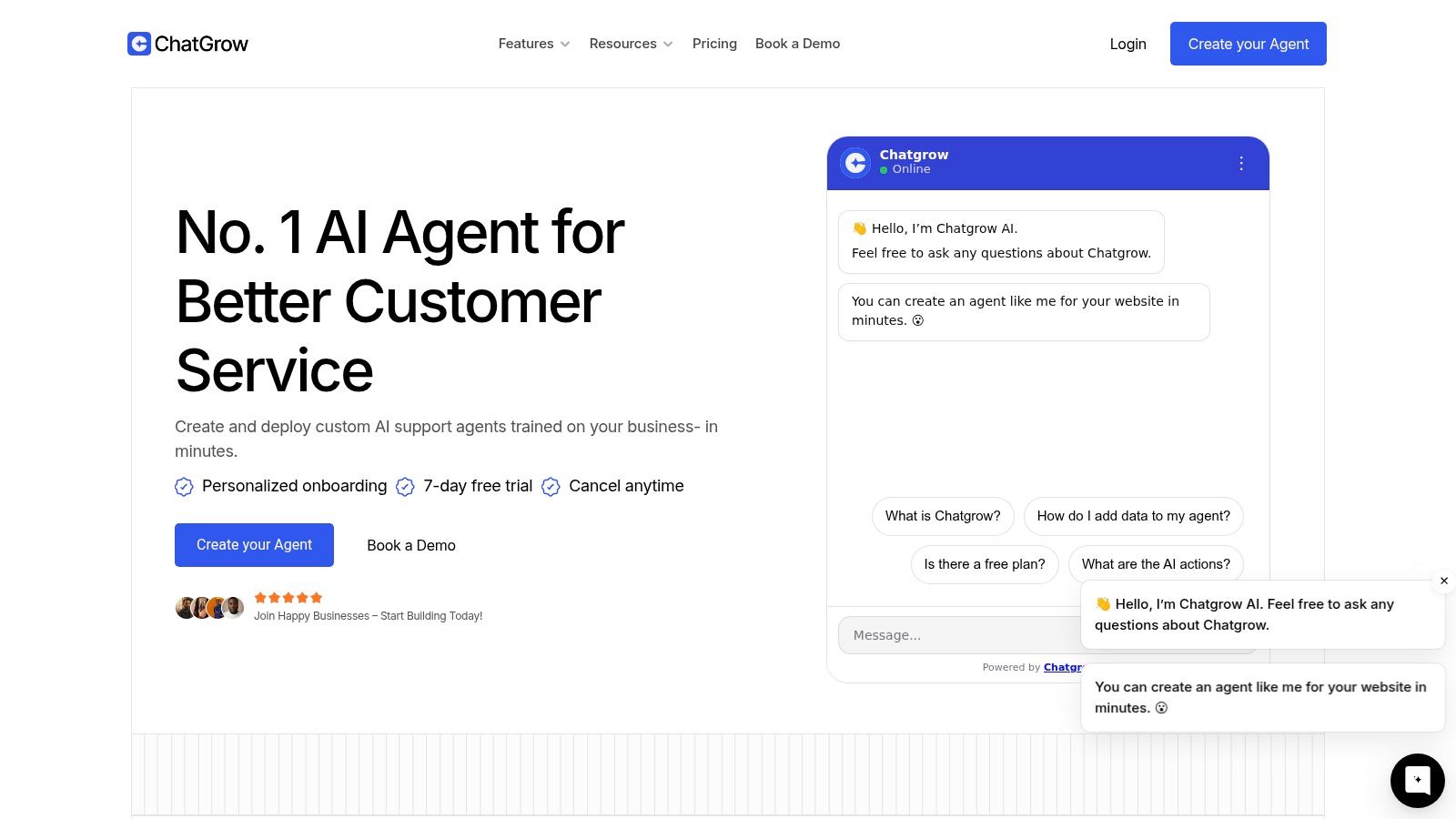
That missed moment matters more than many small businesses realize. A visitor may already be convinced your offer is relevant, but one unresolved objection stops the next click. Common examples show up late in the session:
“Will this work with my current tools?”
“Is my use case supported?”
“What happens after I book a demo?”
“Can someone follow up tomorrow?”
If nobody answers, the visitor leaves with buying intent still intact. That is a conversion problem, but not the usual headline, form, or button problem.
AI agents are useful here because they add a live qualification layer to pages that would otherwise stay static after hours. The strongest setups do two jobs at once. They answer real pre-sales questions, and they capture micro-conversions that tell you whether the conversation is creating momentum.
Put AI agents where intent is already high
Start with pages where hesitation is expensive and where a short exchange can move someone forward:
Pricing pages for plan and feature questions
Demo request pages for fit checks before booking
Checkout or signup flows where last-minute objections appear
Help and FAQ pages that attract both prospects and customers
Avoid site-wide rollout on day one. I usually recommend starting with one or two high-intent pages because it keeps transcript review manageable and makes impact easier to measure. A broad launch creates noise fast.
What the agent should actually do
A useful agent is not a generic greeter. It needs access to current pricing, product details, policies, common objections, and routing rules. It should answer clearly, ask a few qualification questions, and know when to hand the conversation off.
One practical option is AI lead qualification software for high-intent conversations, such as Chatgrow, which can be trained on site content, collect qualification details, and escalate when human follow-up is needed. The tool matters less than the setup. Bad training data produces bad conversations.
A short product walkthrough helps make that concrete:
Before launch, set operating rules:
Limit the first deployment to high-intent pages.
Train only on current material. Old pricing and outdated policies create avoidable mistakes.
Define qualification criteria in advance. Decide which details sales needs.
Create escalation paths. Enterprise questions, billing issues, and unusual requests should route to a human.
Review transcripts every week. They reveal objections, content gaps, and weak answers quickly.
Measure more than booked demos
This is the part many guides miss. If you judge the agent only by final conversions, you will undercount its value and miss early warning signs.
Track micro-conversions such as:
qualified chat starts
pricing questions answered
email captures from chat
meetings requested
handoffs to sales
return visits after an after-hours conversation
Those signals help you separate a helpful agent from a busy one. A chatbot that starts many conversations but produces weak qualification data can waste sales time. A chatbot that answers fewer questions but captures fit, timeline, budget, and next step can improve pipeline quality.
An AI agent improves conversion rates when it reduces uncertainty, captures buying intent, and gives your team usable qualification data before the visitor disappears.
Measure Iterate and Scale Your Wins
A conversion test isn't finished when you pick a winner. It's finished when you understand why the result happened, document it, and use it to make the next decision better.
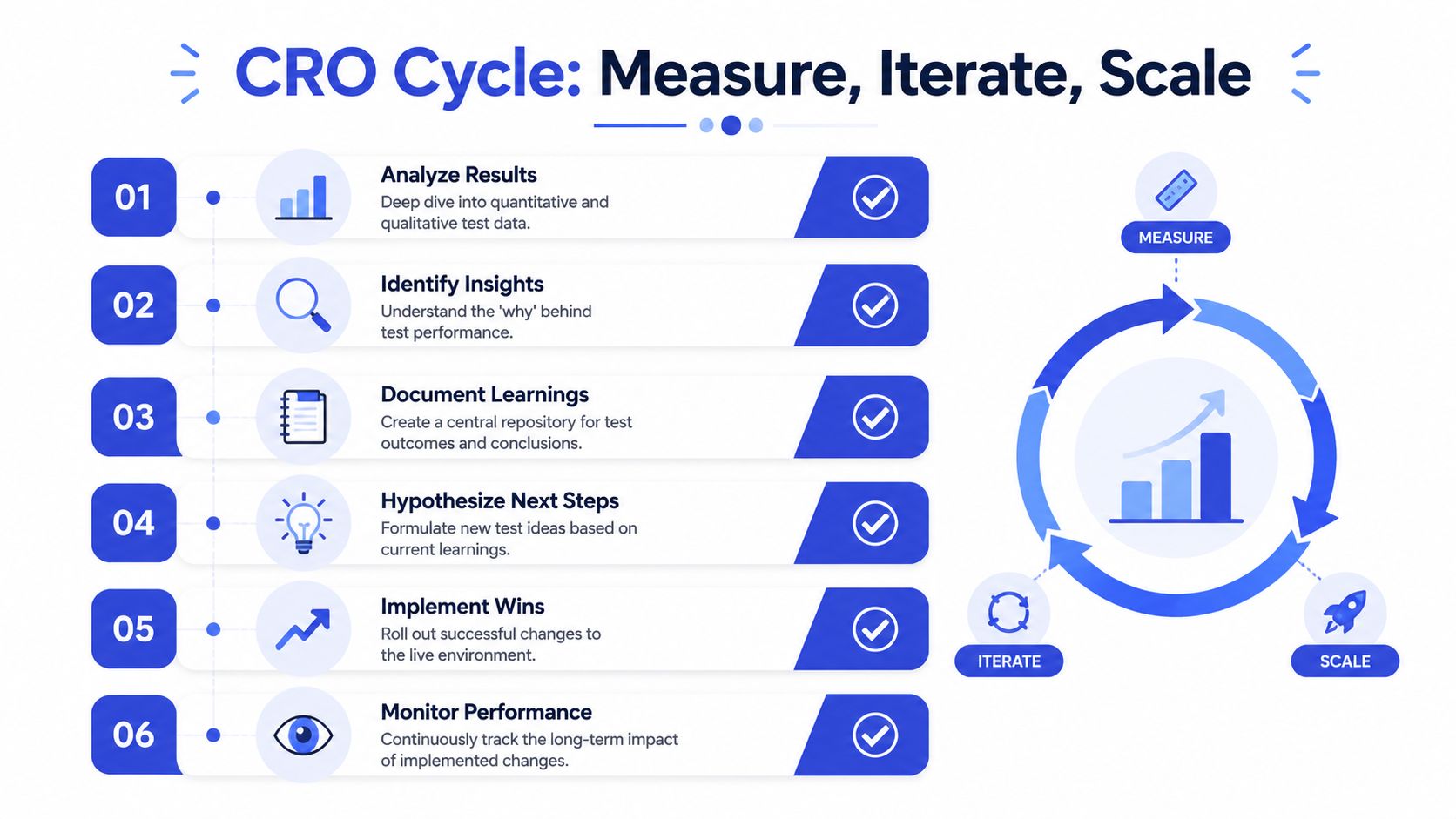
Don't end tests the moment numbers move
Plenty of teams sabotage good experiments by calling the result too early. A few good days are not proof. A temporary spike is not a stable improvement.
Statistical significance sounds technical, but the practical meaning is simple. You want enough data to feel confident the observed difference is tied to the change, not random variation. That's why experienced practitioners warn against stopping tests too early or testing too many variables at once.
Use a simple review process:
Check sample quality. Did both versions receive comparable traffic?
Check user mix. Did one variant accidentally get more branded or higher-intent visitors?
Check qualitative evidence. Do recordings and transcript patterns support the result?
Check downstream behavior. A test that boosts clicks but hurts qualified leads may not be a win.
Count micro-conversions or you'll miss the real impact
This matters even more when AI agents are part of the funnel. Many businesses measure only final transactions and ignore the smaller actions that move buyers toward revenue.
That creates a blind spot. According to guidance summarizing recent research, 52% of AI-driven conversations result in qualified leads that never appear in standard transaction analytics, causing businesses to undervalue their AI investments by up to 40% (AI conversation impact and attribution gap).
For practical reporting, track at least four layers:
Measurement layer | What to track | Why it matters |
|---|---|---|
Final conversion | Purchase, booking, closed lead | Shows direct business outcome |
Assisted conversion | Chat influenced session, support-assisted form completion | Captures contribution before the sale |
Micro-conversion | Qualified lead, answered objection, booked follow-up | Reveals progress that standard checkout metrics miss |
Operational quality | Escalation rate, transcript relevance, handoff completeness | Shows whether the system is helping or creating friction |
If you only count checkouts, you'll miss qualified conversations that create pipeline value later. That's especially costly in SaaS, services, education, and higher-consideration ecommerce.
Build a repeatable learning loop
The strongest CRO programs are boring in the best way. They run on routine.
Use a lightweight post-test template:
Hypothesis tested
Pages and audience involved
Primary and secondary metrics
Result
Observed user behavior
What to roll out
What to test next
That discipline turns isolated wins into a system. One test improves a page. Ten documented tests improve how your team thinks.
Small businesses usually don't need more tactics. They need a habit of measuring the right actions, learning from each test, and scaling only what holds up under scrutiny.
If you want to turn after-hours traffic into qualified conversations, Chatgrow gives you a practical way to deploy AI support and lead qualification on high-intent pages, train the agent on your site content, and measure the conversations that standard conversion reports often miss.
Related Posts
Continue Reading
More articles from the ChatGrow Team.


