Blog
Multi Channel Support: A Guide for SMBs in 2026
By
Nelson Uzenabor

Your inbox has 14 unread emails from customers. Instagram has three DMs asking about shipping. Someone used your website chat last night and never got a reply. A frustrated buyer left a comment on Facebook because they couldn't find a return answer anywhere else. You're not ignoring people on purpose. You're just running a small business, and every new channel feels like one more tab open in your brain.
That's the reality for a lot of SMB owners now. Customers don't think in departments or tools. They just reach out wherever it feels easiest in the moment. If your support still lives in one place while your customers live in five, the gap shows up as missed messages, slow replies, and uneven service.
The pressure isn't going away. About 73% of consumers prefer shopping through more than one channel, and the global multichannel analytics market is projected to reach $76.38 billion by 2034, which signals how seriously businesses are adapting to this shift, according to Fortune Business Insights on multichannel analytics. For a small business, that doesn't mean you need a giant support team. It means you need a workable system.
Table of Contents
Meeting Your Customers Everywhere They Are
A bakery owner I once advised had a familiar problem. Custom cake questions came through Instagram. Wholesale inquiries came through email. Last-minute pickup issues came by phone. None of those channels was wrong. The problem was that the owner treated each one like a separate universe.
That's what multi channel support looks like before it becomes a system. One customer asks for help in chat. Another sends the same question by email because chat looked unattended. A third posts publicly because private support feels slow. The business ends up doing extra work because conversations are scattered.
For customers, channel choice feels natural. For owners, it often feels messy. But the mess doesn't come from being on multiple channels. It comes from running them without rules.
Customers don't care which inbox you prefer. They care whether someone answers clearly and on time.
A practical view helps here. Multi channel support isn't about being everywhere because bigger brands are everywhere. It's about picking the places your customers already use and responding in a way that feels reliable.
For most SMBs, that starts with a short list:
Email for detailed issues: Refunds, account questions, documents, and anything that needs a written trail.
Website chat for buying moments: Product questions, pricing, availability, and quick pre-sale concerns.
Social messaging for convenience: Instagram, Facebook, or other channels where customers already follow and message you.
Phone for sensitive situations: Escalations, urgent issues, and conversations where tone matters.
If you ignore those habits, customers won't stop reaching out. They'll just experience more friction. And friction in support often becomes lost trust long before it becomes a reported complaint.
What Is Multi Channel Support Exactly
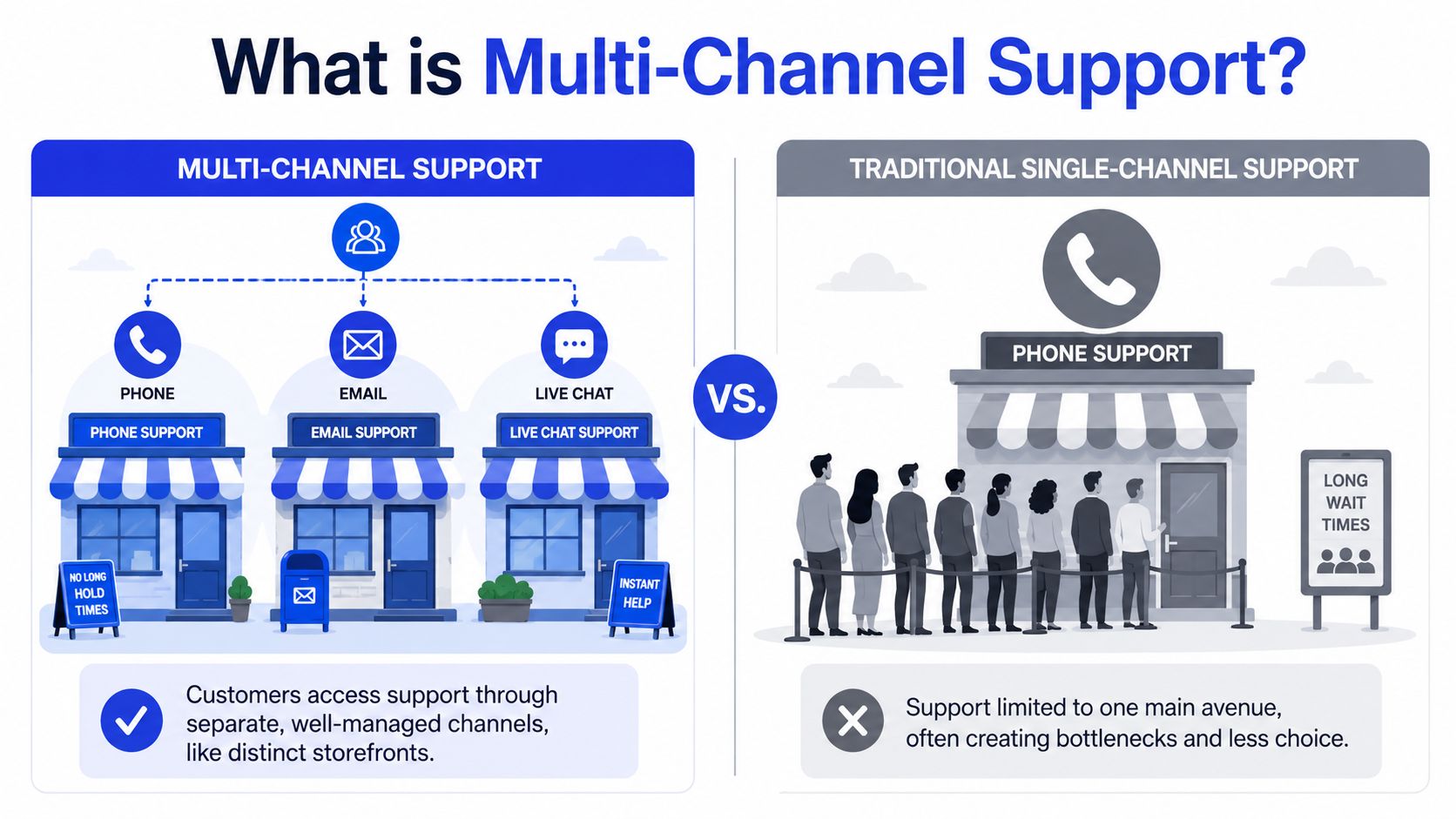
Multi channel support means your business offers customer help through more than one communication channel, such as email, live chat, phone, or social media. Each channel works as its own lane. Customers can choose the lane they like best, but the lanes aren't always tightly connected.
A simple way to think about it
Think of your support setup like retail storefronts.
Multi channel support is like running several small shops on different streets. One customer visits your email shop. Another walks into your Instagram shop. A third calls your phone shop. Each location can be well run, but they don't automatically share everything with each other.
Omnichannel support is different. That's when those shops are connected behind the scenes, so staff can see the same customer history no matter which door the customer uses.
For an SMB, that distinction matters because many articles blur the two. That's one reason smaller teams get frustrated. They think they need a perfect, enterprise-grade connected system on day one, when what they really need first is a manageable multi channel support setup with clear processes.
Where SMBs usually get stuck
The hardest part isn't opening more channels. It's keeping your business sounding like one business across all of them.
That challenge is real. Guidance often mixes up multichannel and omnichannel, and SMBs using manual channel switching face 40% higher brand inconsistency rates according to TTEC's explanation of omnichannel versus multichannel support. In plain terms, the more often your team jumps between separate tools and inboxes manually, the easier it is for tone, policy, and answer quality to drift.
A simple example:
Channel | Customer message | Common bad response |
|---|---|---|
“Can I return this after opening it?” | Formal answer with policy details | |
Instagram DM | “Opened it. Can I still return?” | Casual answer that skips policy limits |
Chat | “Need return help” | Copy-pasted answer that doesn't fit either case |
Now the customer gets three versions of your business.
Practical rule: If the answer would sound confusing when copied from Instagram into email, your team doesn't have a usable support standard yet.
For most small teams, the goal isn't “be omnichannel immediately.” The goal is simpler. Pick a few channels, document how you answer common questions, and make sure the customer gets the same core answer whether they write from a laptop, a phone, or a social app.
Core Benefits and Key Metrics to Track
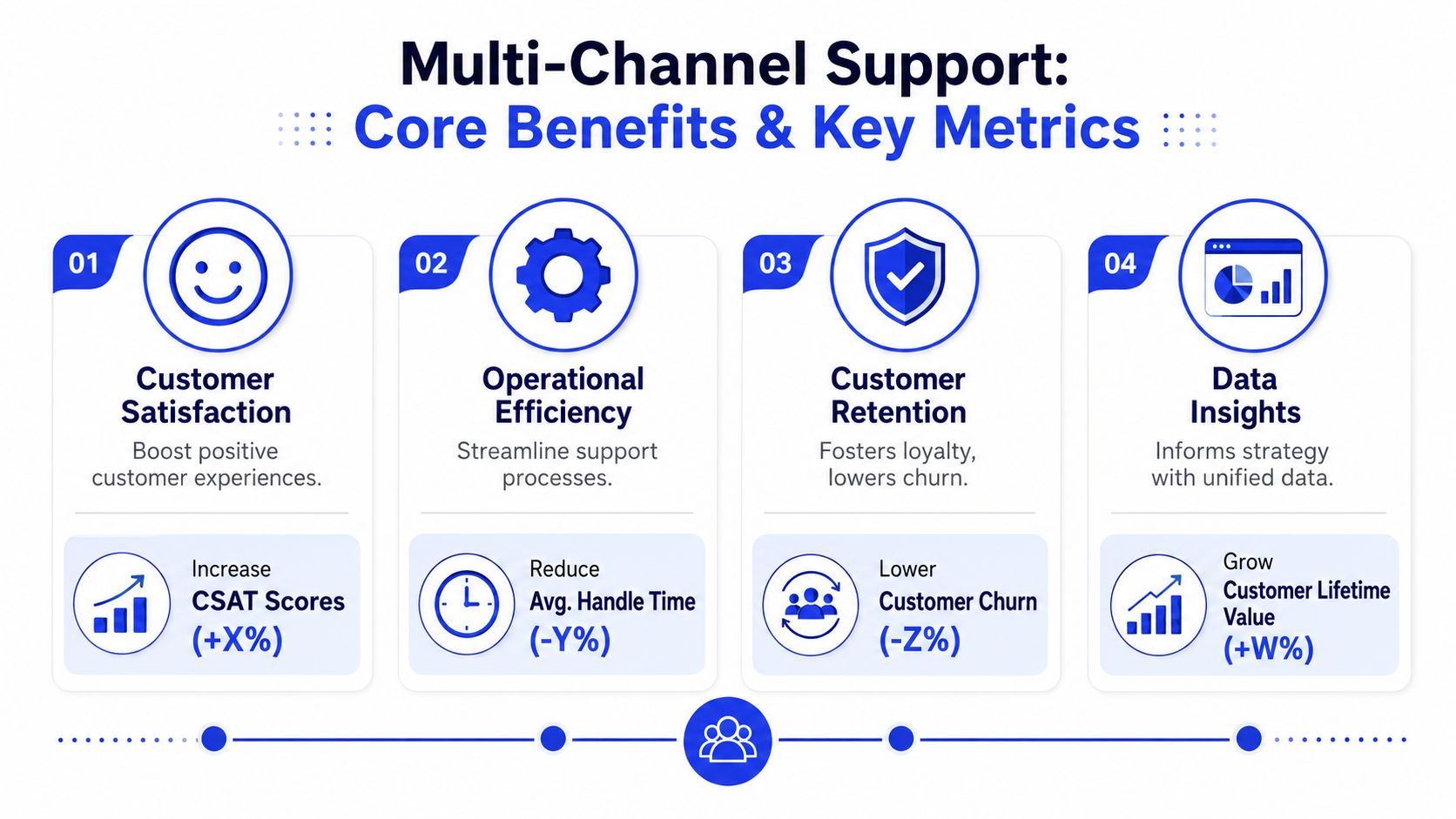
Multi channel support earns its keep when it helps customers buy, stay, and come back without making your team collapse under the workload. The upside is real when the setup is coordinated rather than improvised.
Why this pays off
The strongest business case isn't “customers like options.” It's that coordinated channel use changes outcomes.
Campaigns using three or more distinct channels achieve a 287% higher purchase rate than single-channel strategies, and organizations with complete strategies see 30% higher customer lifetime value, according to Landbase research on multi-channel outreach statistics. That doesn't mean every SMB should rush onto every platform. It means a business that meets buyers in more than one place often captures more demand than a business waiting in one inbox.
A simple example helps. A shopper sees your product on social media, visits your site, asks a question in chat, then receives a follow-up answer by email. None of those touches is magic alone. Together, they reduce hesitation.
The few metrics that matter most
Most SMB owners don't need a giant dashboard. They need a short list they'll use.
Start with these:
First Contact Resolution: Did your team solve the issue in the first reply or interaction? If customers have to repeat themselves, this number is usually telling you that answers are unclear, routing is poor, or the wrong channel is handling the issue.
Average Response Time: How long customers wait before someone responds. A "we answer eventually" approach often feels slow, particularly when a customer is deciding whether to buy now.
Customer Satisfaction score: After a support interaction, did the customer feel helped? Keep the survey simple.
Channel mix: Which channels bring simple questions, which bring urgent problems, and which bring buying intent.
If you need help choosing and defining those measures, this guide to customer service KPIs is a useful reference.
A basic tracking table can look like this:
Metric | What it tells you | Warning sign |
|---|---|---|
First Contact Resolution | Whether one reply solves the issue | Customers reopen the same topic |
Average Response Time | Whether access feels fast | Chat sits unanswered |
Customer Satisfaction | Whether your answer felt useful | Polite replies, unhappy customers |
Channel mix | Where people actually want help | You're investing in channels nobody uses |
Don't overcomplicate this. If response times improve but satisfaction drops, your team may be rushing. If satisfaction looks fine but First Contact Resolution is weak, customers may be leaving politely and returning later with the same issue.
Your Step-by-Step Implementation Guide
A good multi channel support rollout should feel boring in the best way. Not dramatic. Not heroic. Just clear enough that your team can repeat it every day.
Start with what customers already do
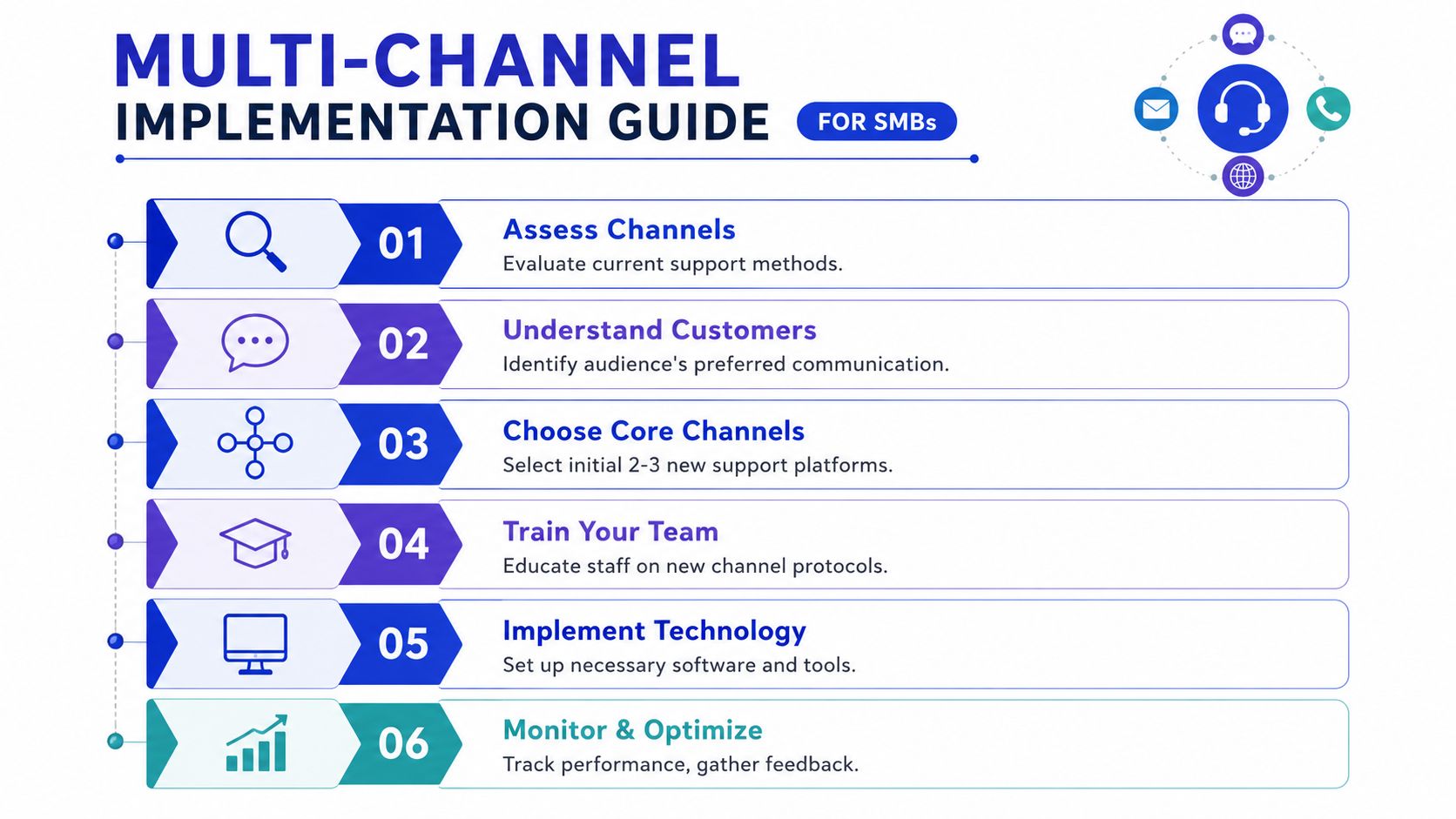
Before you add anything, audit the places where customers already try to contact you.
Look at your email inbox, website forms, chat widget, Google Business messages, Instagram DMs, Facebook messages, and any calls your team fields manually. You're not deciding what seems modern. You're identifying where customers already expect access.
Write down three things for each channel:
Question type: Are people asking about orders, pricing, setup, returns, or complaints?
Urgency: Does this channel attract quick pre-sale questions or complex post-sale issues?
Current friction: Are replies slow, inconsistent, or easy to miss?
This quick audit usually reveals that one or two channels matter far more than the rest.
Build a small system before you add more channels
Once you know where demand is, choose two or three core channels to support well. For many SMBs, that's email plus website chat plus one social channel. If phone support is important in your industry, keep it for escalation instead of making it the front door for every issue.
A practical setup often looks like this:
Email handles complex and documented issues
Chat handles short questions during buying moments
Social handles light support and directs people into a main workflow
Don't skip your answer library. Create a basic internal document or knowledge base with your most common answers. Include shipping, returns, billing, cancellations, setup steps, warranty questions, and escalation rules. The goal isn't polished copy. The goal is consistency.
If two team members answer the same question differently, your business doesn't have a channel problem. It has a documentation problem.
A tool decision comes next. You need one place where your team can see incoming conversations, assign ownership, and leave internal notes. If you're comparing options, this overview of a customer support platform can help you think through the basics.
Launch in a way your team can actually sustain
Roll out one channel at a time if your team is small. That gives you room to fix process issues before they spread.
Use this checklist:
Set channel promises: Tell customers when you'll reply. If chat isn't staffed all day, say so clearly.
Define ownership: Someone must own each channel during business hours. “Everyone checks it” usually means nobody does.
Create escalation rules: Billing, refunds, angry customers, and technical problems shouldn't float around waiting for the right person to notice.
Train with examples: Show your team how the same answer should sound in email, chat, and social. Tone can adapt. Policy shouldn't.
Review transcripts weekly: Look for repeated questions, slow spots, and conflicting replies.
You also need a fallback plan. If one channel gets swamped, where should the overflow go? A simple redirect is enough. For example, social replies can acknowledge the issue and move detailed troubleshooting into email.
A short operating table keeps everyone aligned:
Situation | Best primary channel | Backup move |
|---|---|---|
Quick product question | Website chat | Follow up by email if detailed |
Refund or billing issue | Phone if sensitive | |
Public complaint on social | Social first response | Move to private message or email |
High-emotion issue | Phone or human callback | Log summary in shared system |
Most small businesses don't fail at multi channel support because the idea is too advanced. They fail because they add channels before they decide who answers, what “good” looks like, and when to move a conversation elsewhere.
Common Pitfalls for SMBs and How to Avoid Them
The usual advice sounds optimistic. Add more channels, meet customers everywhere, grow faster. That's only half the story. Small teams often get less efficient before they get better, and ignoring that is how support turns into daily chaos.
The hidden cost of adding channels too fast
Adding a channel creates work you don't see at first. Someone has to watch it, learn its norms, write channel-appropriate replies, and switch contexts all day.
That's why many SMBs stumble early. Adding a new support channel can reduce First Contact Resolution by up to 22% in the first quarter for SMBs, and managing more than two channels can create a hidden 30% productivity loss in agent training, according to Monday.com's guide on multi-channel customer support. Those numbers fit what small teams describe all the time: more tabs, more duplicate work, and more “I thought someone else replied.”
The mistake isn't expansion itself. The mistake is expanding without narrowing what each channel is for.
How to keep quality from slipping
You can prevent most support breakdowns with a few habits:
Give each channel a job: Email for detailed cases. Chat for quick answers. Social for light support and triage. When every channel does everything, your team burns time deciding where conversations belong.
Use one source for answers: Keep policies, canned replies, and escalation notes in a single internal document or system. That reduces tone drift and contradictory answers.
Limit who handles high-risk issues: Refunds, complaints, and account problems should go to people who know the policy well.
Review edge cases weekly: Not every mistake shows up in metrics. Sometimes you catch it by reading a few messy threads and asking, “Why did this take six messages?”
Small teams should treat new channels like new hires. Each one needs a role, training, and supervision.
There's also a human problem owners underestimate. Constant switching between chat, email, social, and phone wears people down. Support quality drops subtly first. Replies get shorter, empathy disappears, and details get missed. If your team sounds tired across channels, the workload design is probably the issue, not the people.
Using AI to Power Your Multi Channel Strategy
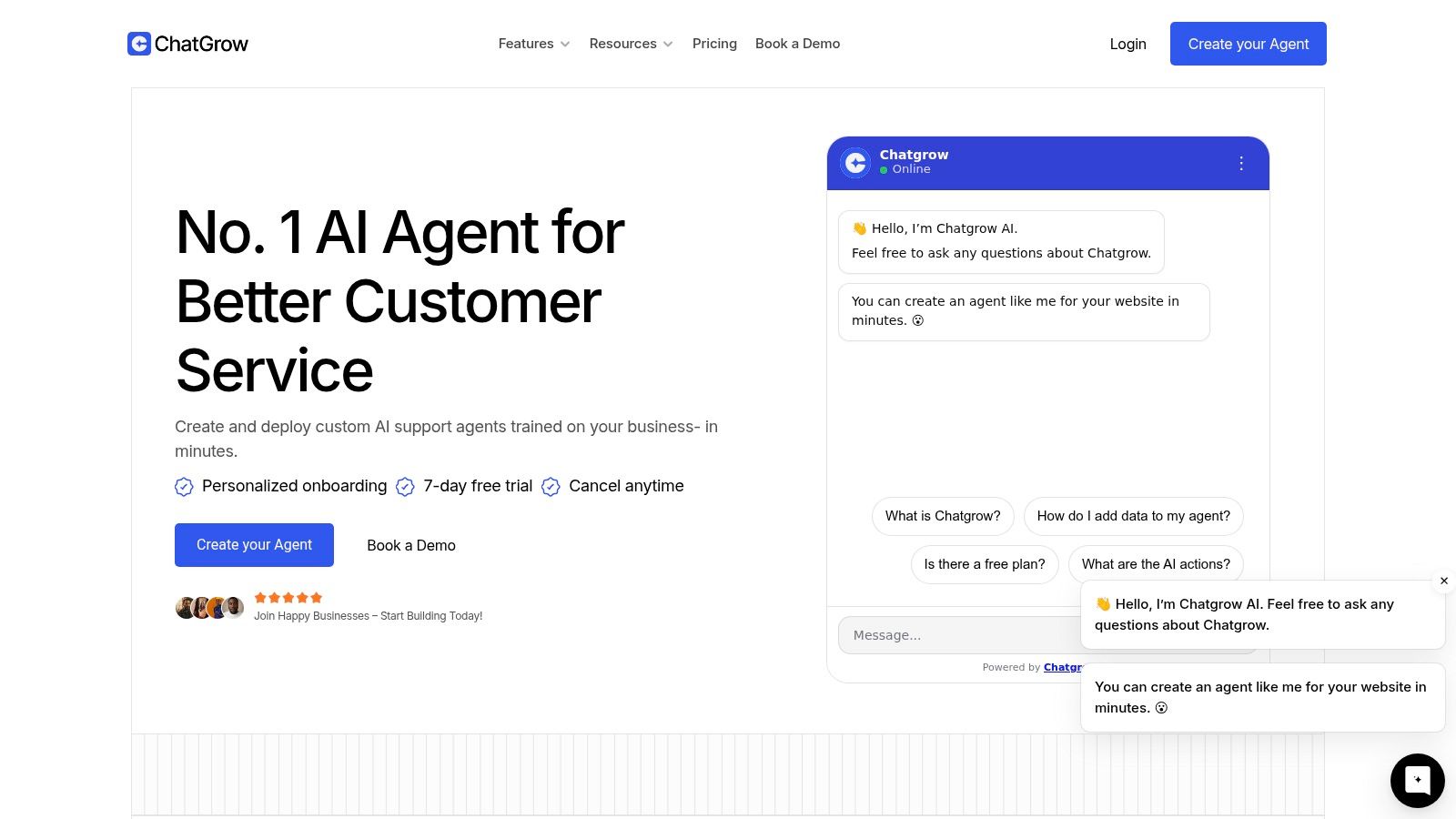
AI is most useful in multi channel support when it removes repetition, not when it pretends to replace judgment. For an SMB, that means using it as a steady first layer that handles the same common questions your team has answered hundreds of times.
What AI should actually do for a small team
Done well, AI gives customers a fast answer and gives humans a cleaner queue.
That works best when the tool pulls from a unified data source or customer hub. Businesses using integrated multi-channel tools with a unified CRM or data hub achieve a 35% improvement in customer satisfaction and a 28% reduction in average response time, according to AMC Technology on multi-channel customer support. The practical lesson isn't “buy complex enterprise software.” It's that connected context matters.
For a small business, AI can help in a few concrete ways:
Answer repetitive questions instantly: shipping policies, plan differences, onboarding steps, store hours, or return windows
Keep wording consistent: the same core answer appears across website chat, messaging, and other supported channels
Collect details before handoff: order number, product name, issue category, urgency
Route harder cases correctly: billing to finance, technical setup to support, hot leads to sales
Summarize conversations for humans: your team sees the issue without rereading the full thread
If your customer data lives in separate tools today, this overview of customer data integration is a helpful place to start.
Where human handoff still matters
AI should not be your closer for every conversation. It should be your filter and assistant.
Use a human when the issue is emotionally charged, unusually complex, or policy-sensitive. Think failed deliveries before an event, account disputes, or a customer who has already tried multiple times to solve the same issue. In those moments, speed still matters, but empathy matters more.
A strong handoff follows a simple sequence:
Step | What happens |
|---|---|
AI greets | It answers common questions or asks clarifying questions |
AI qualifies | It gathers key details and identifies intent |
AI escalates | It passes the case with summary and context |
Human resolves | A team member handles nuance, judgment, or exception-making |
Here's a product walkthrough that shows what a modern AI support experience can look like in practice:
The biggest win for SMBs isn't novelty. It's consistency at times when no one is online, plus cleaner escalation when a real person needs to step in.
Frequently Asked Questions
How many channels should a small business manage at first
Usually two or three is enough. Pick the places where customers already contact you most often. If you start with too many, you spread your team thin and quality slips.
Should I master one channel before adding another
Yes, if your current channel is unstable. If email is already disorganized, adding chat won't fix the problem. It will multiply it. Get one channel reliable, then add the next with clear rules.
Is phone support always necessary
No. Some businesses need it for urgency or sensitive issues. Others do fine with email and chat plus scheduled callbacks for tough cases. The right question isn't “Should we have phone support?” It's “Which issues actually need a live voice conversation?”
How do I keep brand voice consistent across channels
Use one answer source, one tone guide, and regular transcript reviews. Your Instagram replies can sound lighter than your emails, but the substance should still match your policy and positioning.
Can AI handle upset or complicated customers
It can help at the start by answering basic questions, gathering context, and routing the issue. But frustration, exceptions, and emotional nuance often need a human. The best use of AI is getting the customer to the right person faster, with less repetition.
What if a channel isn't working
Pause it, narrow its role, or change the staffing model. A weak channel isn't automatically a failure. Sometimes it's just being used for the wrong types of questions.
If you're trying to make multi channel support workable without building a huge team, Chatgrow is worth a look. It helps businesses create AI support agents trained on their own website, FAQs, pricing, and product information, so they can answer common questions, qualify leads, and escalate complex cases with context instead of chaos.
Related Posts
Continue Reading
More articles from the ChatGrow Team.