Blog
Sales Automation Tools: A Guide to Boosting Revenue in 2026
By
Nelson Uzenabor

Your rep just spent the morning copying call notes into the CRM, chasing a bounced follow-up, and trying to figure out which inbound form fill should get priority. By lunch, the pipeline still needs updates, the inbox has another round of “just checking in” messages, and the team is already behind on first-touch response. That's the exact moment sales automation tools stop looking like a nice-to-have and start looking like basic operating infrastructure.
For growing teams, the core problem isn't lack of effort. It's friction. Every manual handoff, every stale record, and every delayed reply makes the sales process slower and less reliable than it needs to be. The best systems don't just send emails, they help reps spend less time on admin and more time on live opportunities.
Table of Contents
What Sales Automation Really Means for Your Business
A rep starts the day with good intentions. Then the first hour disappears into logging activities, updating contact fields, chasing a meeting time, and sorting through leads that don't belong in the queue. By the time the rep gets back to selling, the highest-intent prospect may already be talking to someone else.
That's what sales automation changes. It replaces repetitive, low-value work with systems that capture data, trigger the next action, and keep the process moving without forcing a rep to do every click by hand. Sales automation is now used by 75% of organizations globally, and the market was valued at $8.6 billion in 2023 with a projection to reach $19.5 billion by 2030 from the reported market compilation. That scale matters because it shows this category has moved from edge-case tooling to standard revenue infrastructure.
Sales automation is not just marketing automation with a different label
Marketing automation usually works before handoff. It nurtures awareness, segments audiences, and prepares leads for sales. Sales automation takes over after that point and helps reps route, qualify, follow up, log, and prioritize in ways that keep opportunities from going cold.
The distinction matters because a sales team needs more than scheduled sequences. It needs a live system that knows which lead should go to which rep, which record needs enrichment, and which action should happen next. When automation works well, the rep is not buried in admin, the rep is working from a cleaner pipeline and a clearer queue.
Practical rule: automate the steps that slow a rep down, not the parts of a conversation that still need judgment.
The business upside is straightforward. Better automation reduces lag between lead arrival and human action, and it gives managers a cleaner view of what's happening in the pipeline. That's why the strongest buyers treat these tools as part of the operating model, not as a sidecar for email sending. If the system can't help reps focus on current opportunities, it's not really solving the sales problem.
The Core Benefits Why Every Sales Team Needs Automation
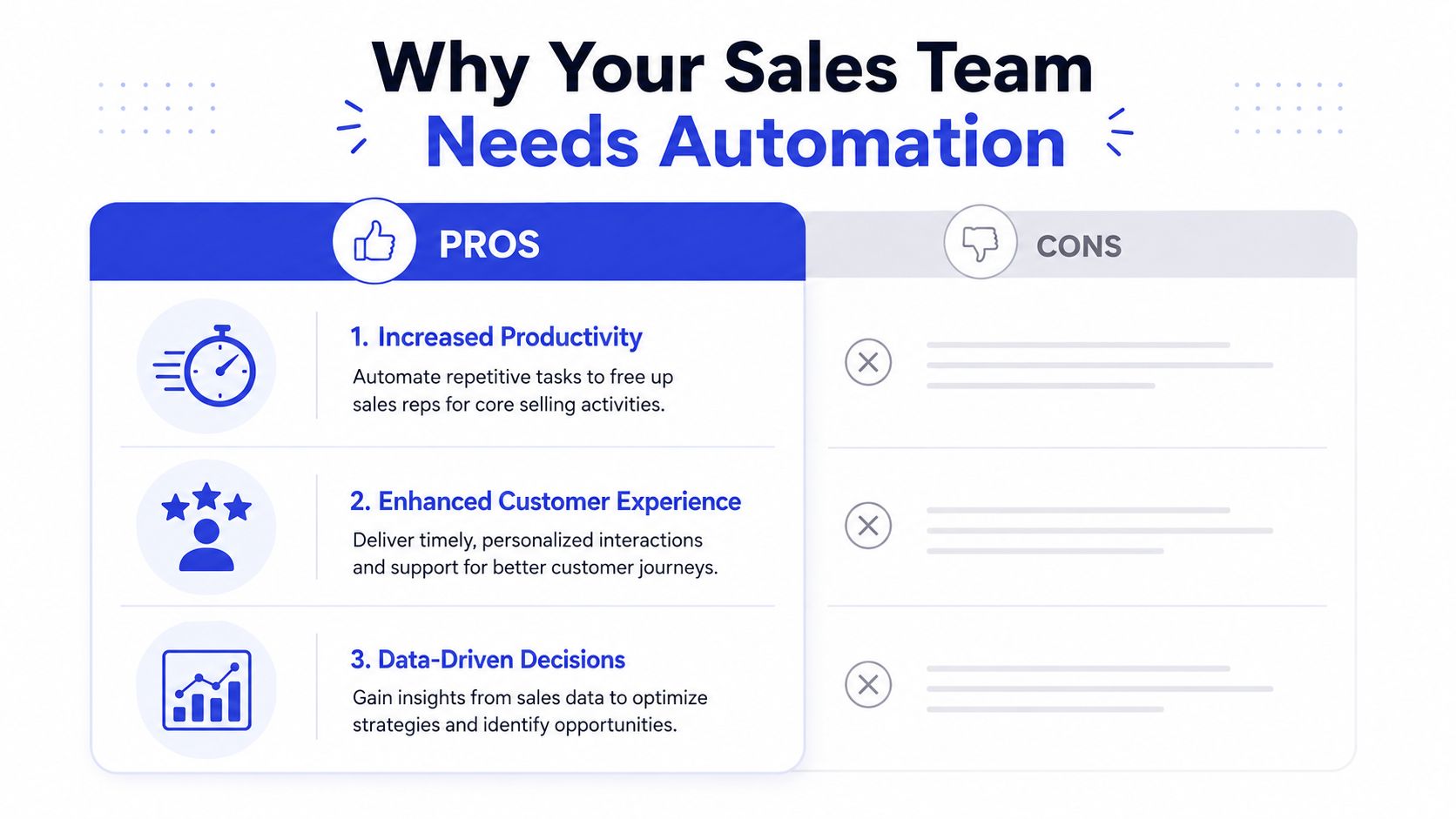
The value case becomes clear the first time a sales team stops spending so much of the day on manual follow-up, repetitive logging, and delayed responses. If reps are still handling routine work by hand, you are paying for time that software can handle more consistently.
Productivity goes back to the rep
Automation removes the small tasks that break up a rep's day and pull attention away from live opportunities. In industry reporting, sales teams using automation consistently describe meaningful time savings, and one summary ties that to fewer hours spent on manual work each week per rep. Other reported figures show that sales professionals using AI or automation tools can save hours each day as summarized in industry research.
That time only matters if it goes back into selling. Reps get the most value when automation gives them more room for discovery calls, follow-up, pipeline movement, and the kind of customer conversations that still need human judgment. In practice, the teams that get a return from automation usually protect that reclaimed time instead of turning it into more internal admin.
Better data changes forecasting
Manual updates are where CRM quality often slips. A rep plans to log a call later, the note never makes it in, and by the end of the week the pipeline no longer reflects reality. Automation can capture activity and sync records in the background, which makes forecasting, routing, and manager review more dependable.
Cleaner tracking also makes coaching easier. When activity data stays current, managers can spot stalled deals sooner and identify where handoffs are breaking down. For teams that want a closer look at visibility and pipeline discipline, this sales tracking software guide is a useful companion because it shows how tracking and automation support each other in day-to-day selling.
Faster response improves the buyer's experience
Speed matters most on inbound interest, especially when a lead is comparing options and expects a quick reply. That is where automation does more than save time, it helps route the right lead, trigger the next step, and keep the handoff from sitting in a queue. AI plays an important role here because it can help qualify inbound leads faster and pass only the right opportunities to a rep, which reduces wasted follow-up and keeps response times tight.
Industry summaries also connect automation with shorter sales cycles and stronger return on spend. Those results will vary by process and adoption, but the pattern is consistent. Teams that respond faster usually look more organized to buyers, and buyers notice when a company can move quickly without dropping context during the handoff.
Key Features to Look for in Sales Automation Tools
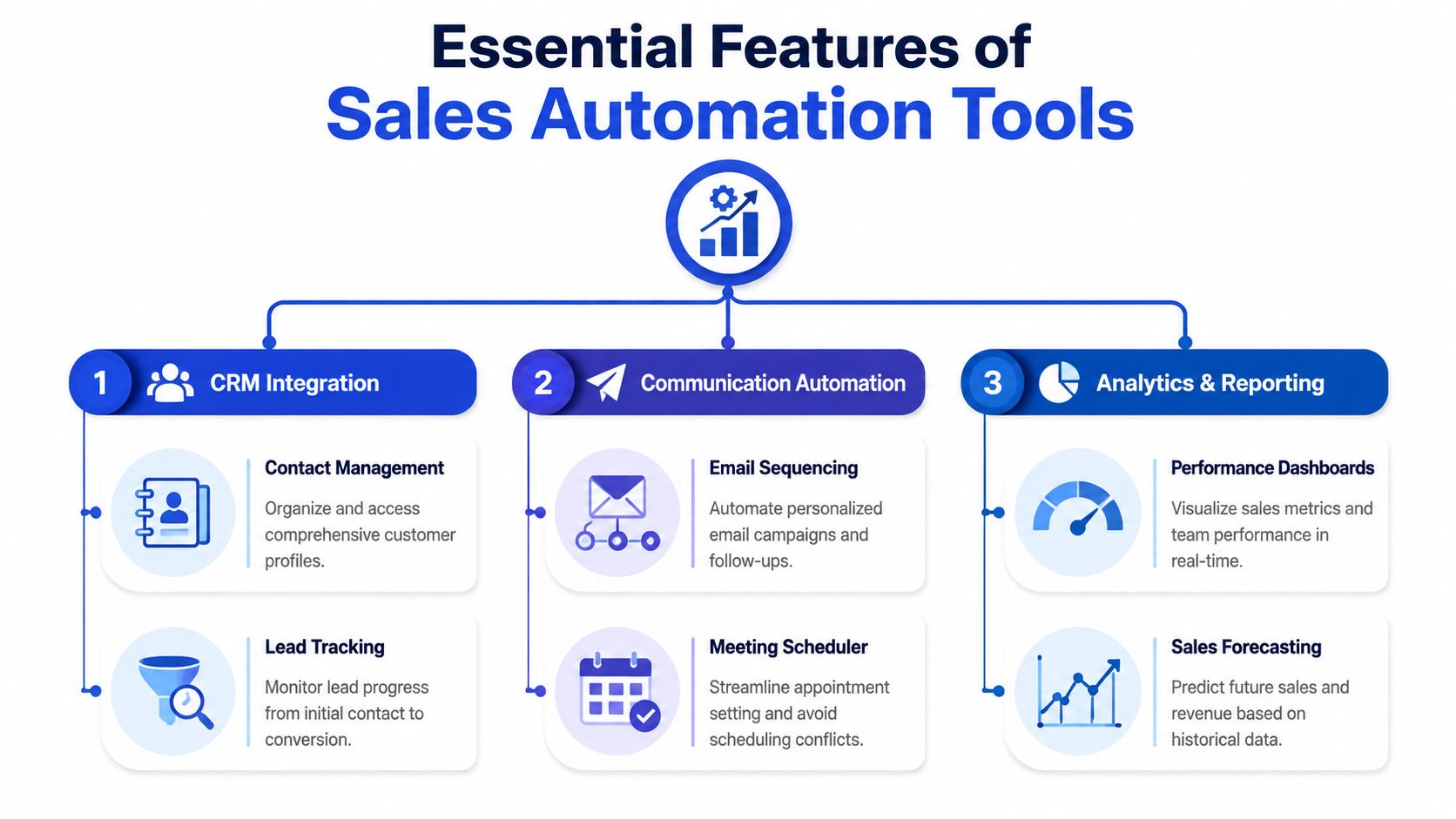
Good sales automation tools don't just send sequences. They connect the pieces of your revenue stack so the right action happens at the right moment with as little manual intervention as possible. If a platform can't keep data current or trigger actions from real signals, it's just a fancy task list.
Start with data capture and sync
The first question is simple. Does the tool keep your CRM accurate without making reps do duplicate work? The strongest platforms combine data capture and sync, analysis and triggers, and AI-assisted execution so call logs, contact records, lead scores, and routing decisions happen from current signals rather than rep memory as described in the sales automation architecture summary.
That matters because stale data creates bad prioritization. If records are missing context, reps chase the wrong people and managers lose confidence in the dashboard. Look for real-time sync, contact enrichment, and identity resolution if your team is dealing with fragmented records.
Then look at triggers and execution
A useful automation platform reacts to what's happening now. A form submission, a pricing-page visit, a missed call, or a lead score change should trigger a specific next step. That can mean assignment, a task, a sequence, or an escalation path for a human rep.
Workflow quality matters more than feature count. A tool with a hundred options but poor logic will create clutter. A smaller system with clear rules often performs better because reps can trust it.
Finally, check reporting and governance
If leadership can't see what automation is doing, the stack won't scale cleanly. Reporting should show usage, stage movement, activity completion, and where rules are failing. Governance matters too, especially for enterprise teams, because role-based permissions, audit trails, and controlled syncs help prevent inconsistent forecasting and non-compliant communication as noted in enterprise automation guidance.
If your tool can't explain why a lead moved, you'll spend more time debugging than selling.
The buying test is practical. Can the system keep records current, fire the right actions, and stay reliable when the process gets messy? If not, keep looking.
Your Practical Guide to Implementing Sales Automation

Implementation goes wrong when teams buy software before they simplify the process. A tool can't fix a broken workflow, it just makes the wrong steps happen faster. The better approach is to install automation in waves, starting where the waste is obvious and the value is easiest to prove.
Clean up the process before you automate it
Map the current sales flow from inbound entry to handoff to close. Strip out duplicate approvals, redundant fields, and any step nobody can explain clearly. If a rep can't describe why a task exists, it's a good candidate for removal.
Then define one measurable outcome for the first rollout. Keep it narrow. Faster lead response, cleaner routing, or fewer manual CRM updates is a better first target than trying to transform the whole funnel at once.
Choose the bottleneck, not the biggest software brand
Tool selection should follow the pain point. If the bottleneck is contact data, start with enrichment and sync. If the pain is follow-up consistency, pick sequencing and reminders. If the problem is inbound qualification, use a system that can ask questions, score interest, and route high-intent leads to a person.
For teams that want a structured lead-nurture layer, this lead nurturing automation guide is a useful reference because it shows how qualification, routing, and follow-up can work together instead of operating as separate tasks.
Pilot before you roll out broadly
A small pilot keeps the rollout manageable. Put a few reps on the new workflow, watch where they ignore it, and fix the friction before spreading it across the team. That's also the moment to verify whether alerts, assignments, and CRM updates are happening the way they should.
McKinsey says a full transformation usually takes 12 to 18 months, while prioritized use cases can create tangible impact within the first six months in its sales automation guidance. That timeline is realistic, and it's better than promising a fast fix you can't deliver.
Train for adoption, not just activation
A license isn't adoption. Reps need to know what changed, what stayed manual, and when to trust the automation. Managers need to watch usage and coach around missed handoffs, not just celebrate the launch.
The teams that stick with automation usually treat training as an ongoing operating rhythm. They review exceptions, tune rules, and keep the rollout tied to one or two clear outcomes instead of trying to automate everything in a single leap.
Common Pitfalls and How to Avoid Them
The biggest automation mistakes are usually self-inflicted. Teams either automate a messy process, over-script the human parts of the conversation, or let data hygiene slide until the system stops being trustworthy.
Bad process in, bad process out
If routing rules are built on unclear definitions, the tool will formalize confusion. Leads get assigned to the wrong rep, follow-ups fire at the wrong time, and managers end up debugging the process instead of coaching the team. Fix the workflow first, then automate it.
Too much automation sounds efficient and feels cold
A buyer can tell when a sequence was written for volume, not for relevance. Generic outreach doesn't just lower reply quality, it can weaken trust. Sales teams need automation to remove friction, not to remove judgment from the moments that matter.
A useful test is simple, if a step would make a buyer feel processed, it probably needs a human touch.
Dirty data breaks the whole system
Stale fields, duplicate records, and missing ownership details make automation unreliable. The system may still fire, but it'll fire on the wrong contact or hand a lead to the wrong queue. That's when teams stop trusting the platform and start bypassing it.
The fix is boring but effective, regular data cleanup, stricter field standards, and clear ownership for record quality. If the data isn't current, even the smartest workflow will underperform.
Types of Sales Automation Tools and Key Examples
The market gets confusing because many tools overlap. A CRM can automate tasks, a sequencing platform can route leads, and an AI agent can qualify inbound traffic. The decision gets easier when you group tools by the job they do best.
All-in-one platforms and core CRMs
Platforms like HubSpot and Salesforce usually anchor the stack because they keep the record of truth and connect automation to the pipeline. They're a fit when a team wants one system to hold contacts, deals, activities, and reporting. Tools like Clari, Tableau, and Microsoft Power BI are often used alongside them for forecasting and visibility.
Prospecting and outreach tools
ZoomInfo, Lusha, Cognism, and LinkedIn Sales Navigator are common in the prospecting layer because they help reps find, enrich, and prioritize accounts before outreach starts. Sequencing and engagement platforms such as Outreach, Consensus, and InsideSales support the next step by managing multi-touch follow-up and keeping cadence consistent.
For teams coordinating multiple systems, a practical resource is Refgrow's Salesforce and Intercom integration guide. It's useful because integration is often the difference between a clean handoff and a lead falling into a gap.
AI for inbound qualification and handoff
This is the category a lot of tool lists miss. Most coverage focuses on outbound efficiency, but inbound traffic creates a different problem, qualifying intent quickly without sounding robotic. That's where AI-driven tools step in.
Chatgrow is an example of that approach. It acts as a website-based AI assistant that answers questions, qualifies leads using custom criteria, and escalates conversations when a human needs to take over. For teams evaluating the category, this lead qualification tools guide is a useful companion because it shows how qualification can be automated without turning the buying experience into a dead end.
The advantage here is continuity. A visitor can ask a question, get an instant answer, and move toward the right next step without waiting for office hours. That's especially relevant when sales and support share the front door.
Conclusion Your Next Steps to Smarter Selling
Sales automation works when it's treated as a process decision, not a software shopping exercise. The point isn't to automate everything. The point is to remove the repetitive work that slows reps down, keep data cleaner, and make sure inbound interest reaches the right person quickly.
If you're building your first major automation investment, start small and start with the process. Pick one bottleneck, define what success looks like, and put the pilot in front of reps who will use it. That's how you get useful automation instead of another shelfware subscription.
The strongest teams also remember that inbound qualification matters as much as outbound efficiency. A visitor who gets instant, accurate help is more likely to stay engaged, and a qualified lead that reaches sales with context is easier to work.
If you want a practical way to handle website questions, qualify high-intent leads, and route conversations to the right rep, explore Chatgrow. It's built for teams that want automation to support real sales handoffs, not just send more emails.
Related Posts
Continue Reading
More articles from the ChatGrow Team.